
Appearance
Travel (HCM): from setup to daily use
Travel takes a business trip from request to reimbursement. An employee asks for a trip, the request is checked against the travel policy, an approver decides, and then the bookings, hotel stays, cash advance and expense claim are tied back to that one request, so the cost of a trip can be seen in one place.
1. Who uses it
| Role | What they do |
|---|---|
| Employee | Creates a travel request, then follows its bookings, advance and expenses. |
| Approver (manager or HR) | Reviews pending requests in Travel Approval, with policy exceptions flagged. |
| Travel desk | Records flight, train, bus, car and ground bookings and hotel stays against approved requests. |
| Finance | Pays advances, checks expense claims and receipts, watches spend on Travel Reports. |
| Administrator | Maintains the travel policies. |
2. Before you start
- Installed plugins.
hcm-travel, which needs HCM Foundation and Employee. It is the free tier, so no licence feature has to be granted. - Employees and departments must exist in Core HR; reports group trips by department.
- Trial data. In a trial tenant, generate the Travel pack in Demo Data. It creates 34 requests in every state, bookings, stays, advances and expense claims.
3. Set up
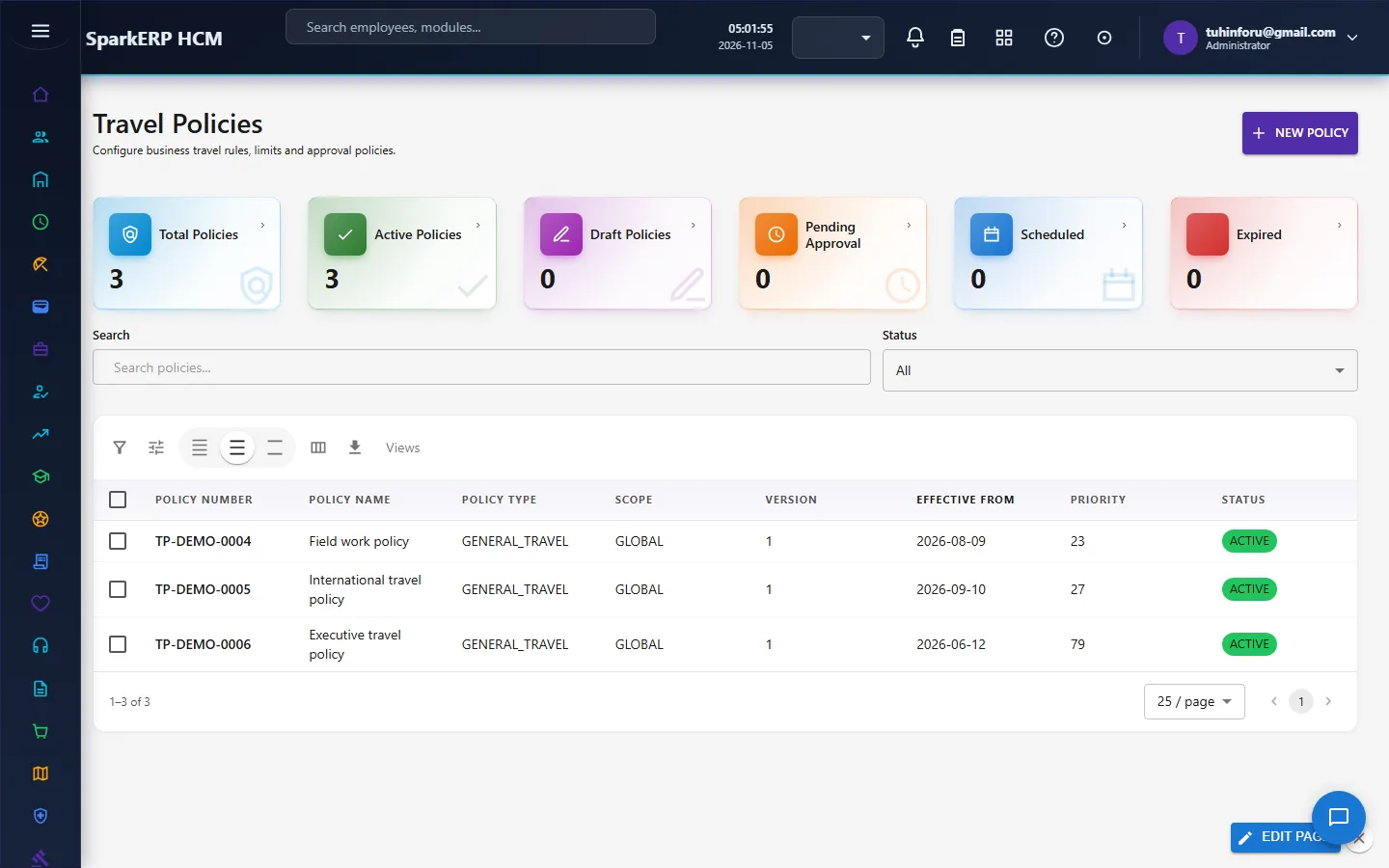
Travel policies. Open Travel Policies and create the rules trips are checked against. A policy must be Active to be applied; draft, pending and expired policies are not.
Check that approvers can reach Travel Approval (it follows the approval routing of the request).
4. Daily use
4.1 Request a trip
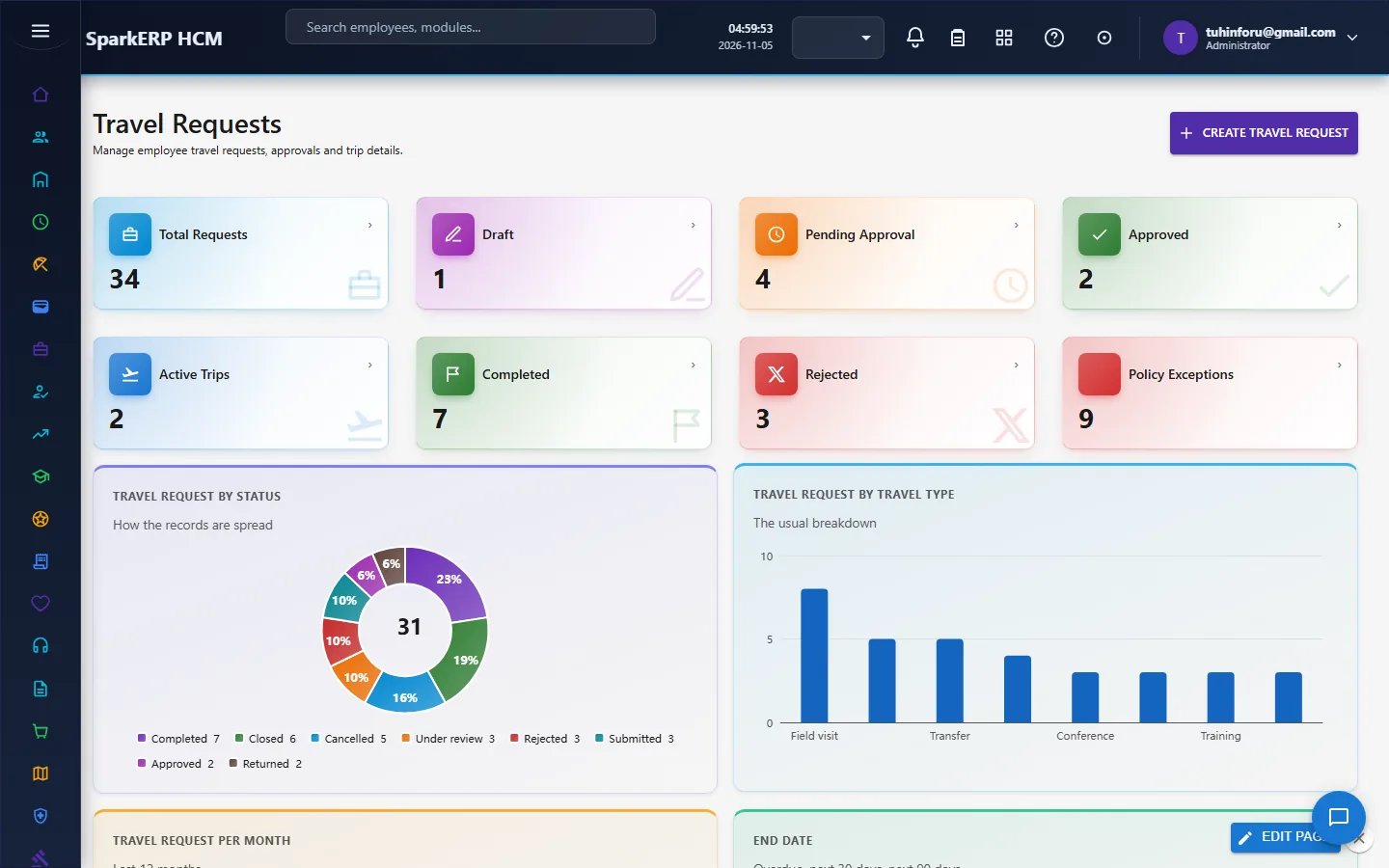
Choose Create travel request on Travel Requests: destination, dates, purpose and itinerary. The request is checked against the active policy; one that falls outside it is counted under Policy Exceptions so the approver sees it. A request moves through Draft, Pending Approval, Approved, Active Trips and Completed, or ends Rejected.
4.2 Approve
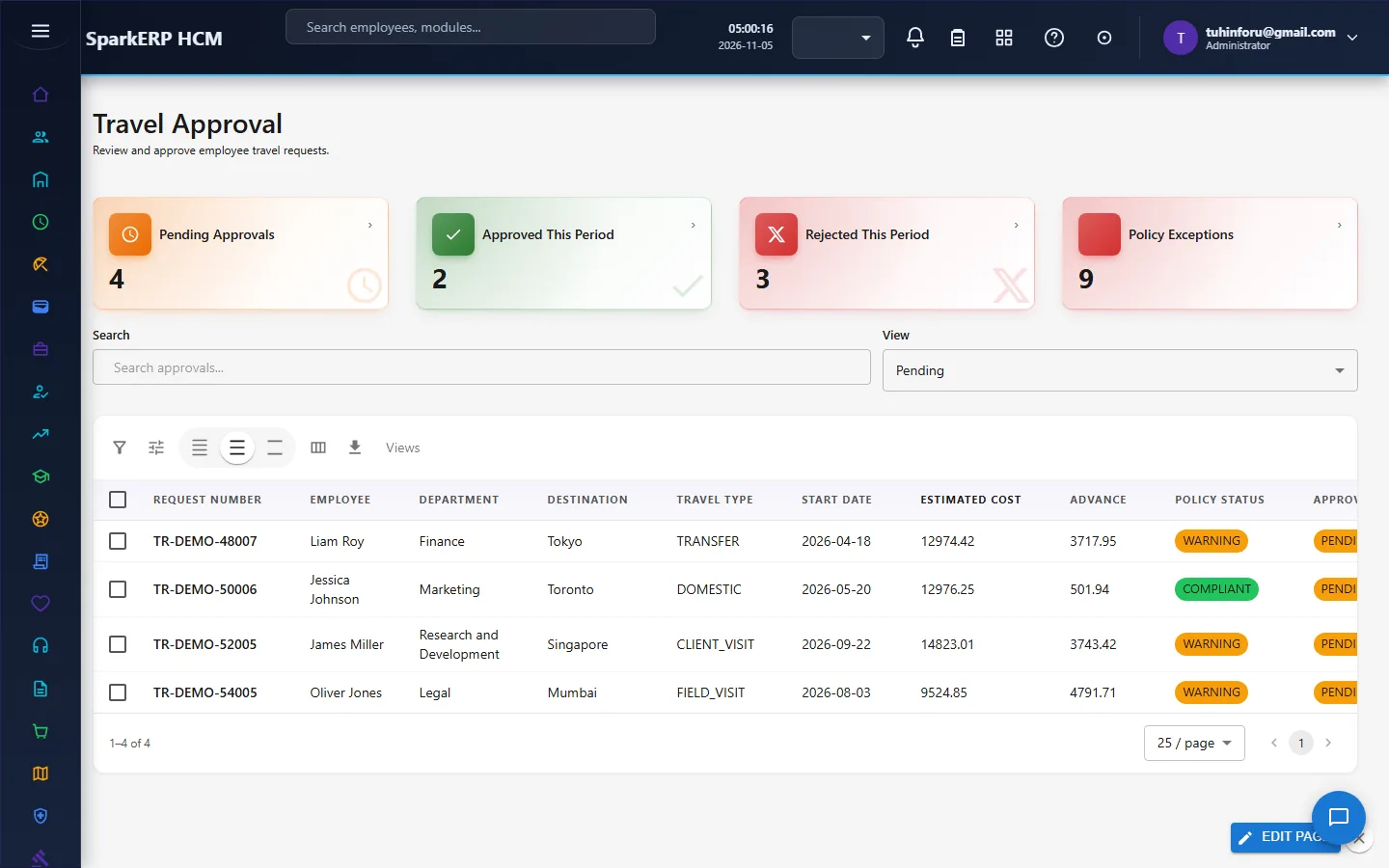
Approvers open Travel Approval to see requests waiting for them, with the pending, approved, rejected and exception counts for the period.
4.3 Book the trip
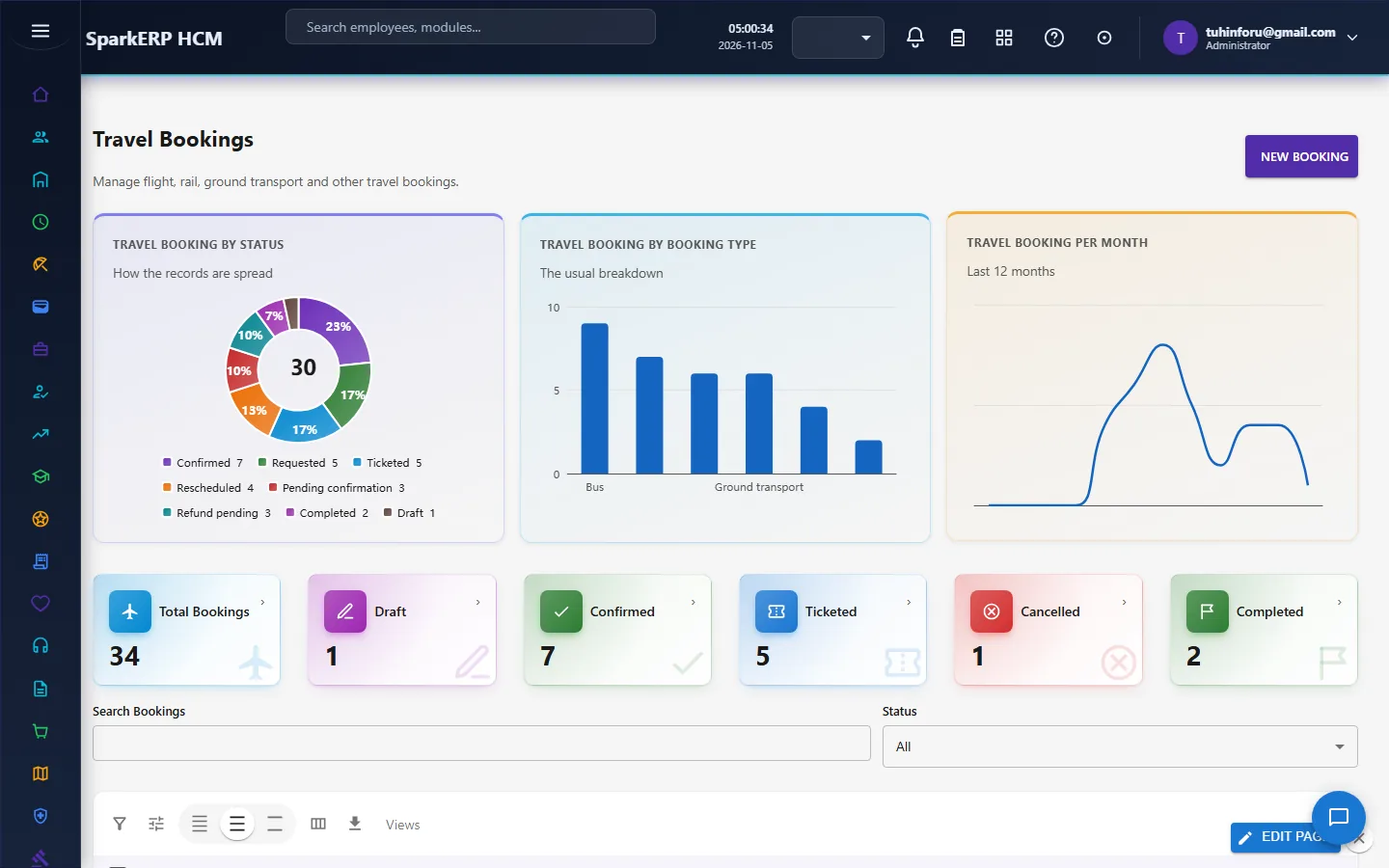
On Travel Bookings link a booking to the approved request, choose the type (flight, train, bus, car rental, ground transport), provider, origin, destination and dates, and the cost split into base, tax, fee and discount. Status runs Draft, Confirmed, Ticketed, Completed (or Cancelled).
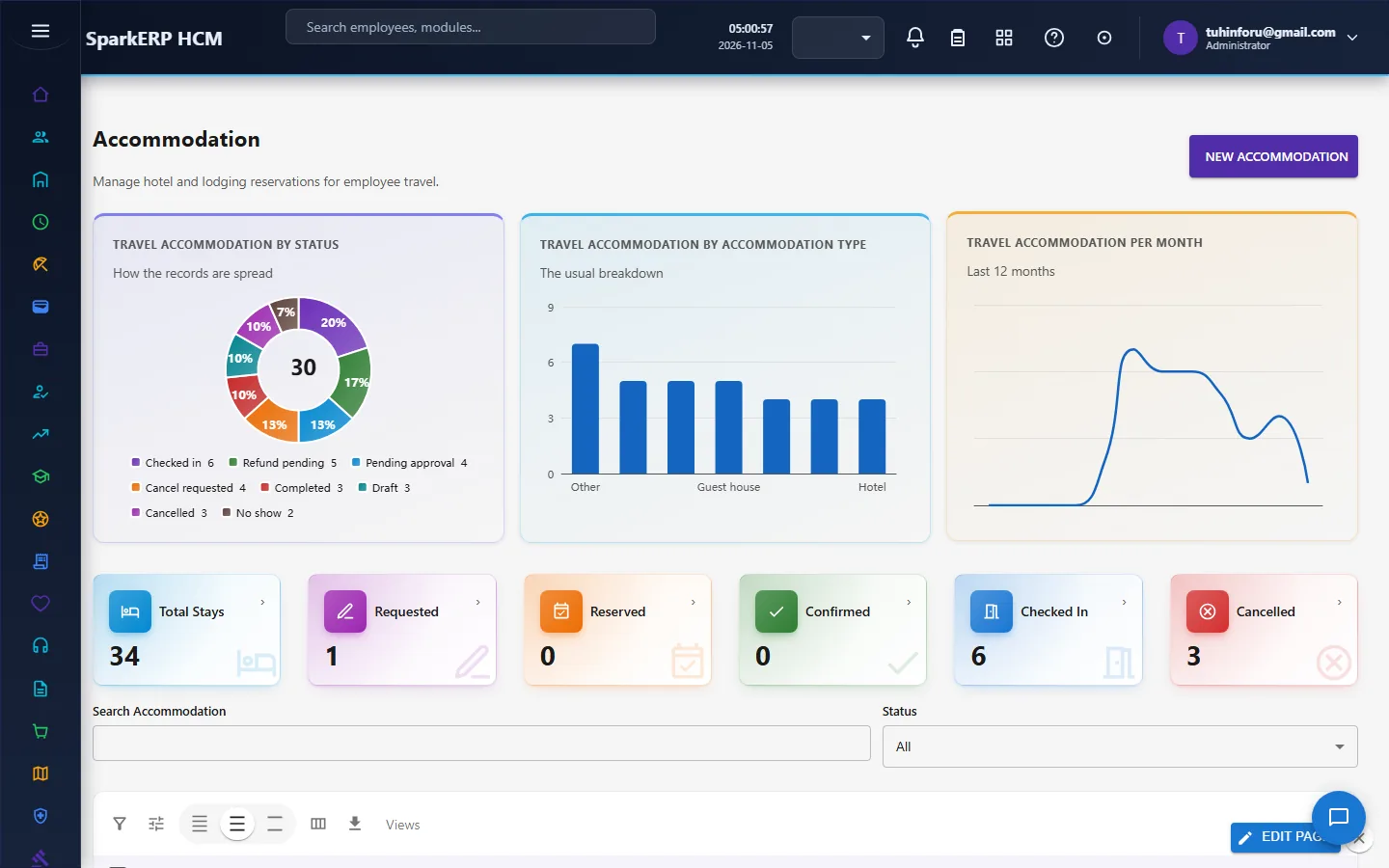
Accommodation records the hotel, room type, guests, meal plan, check-in and check-out dates and the rate per night; nights and subtotal are worked out for you.
4.4 Advance and expenses
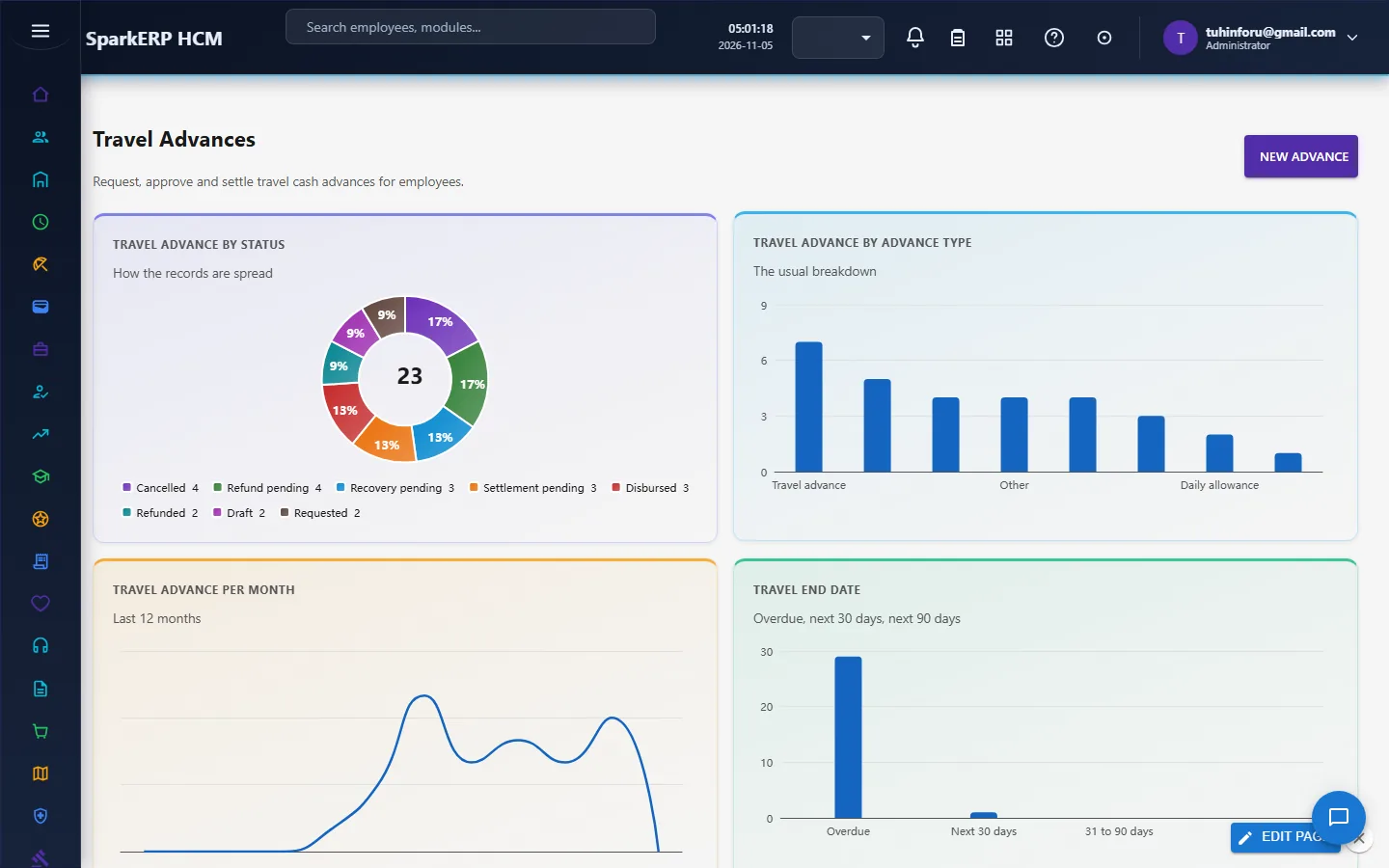
Travel Advances pays money before the trip, with components (meals, lodging, incidentals) and a status of Pending Approval, Approved, Disbursed, Settled; the dashboard sums what is still outstanding.
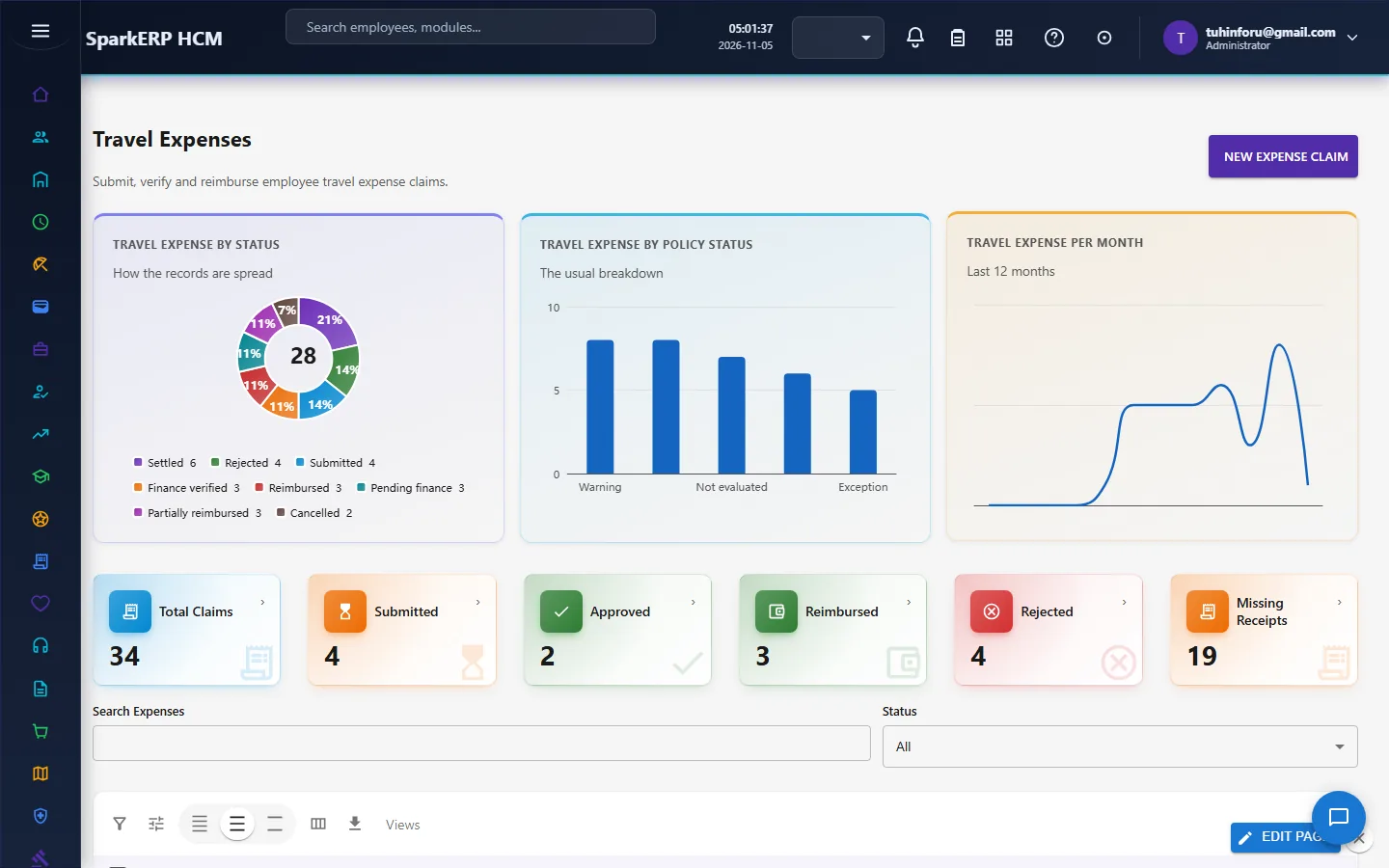
After the trip, Travel Expenses takes the claim: lines with gross and tax amounts, the advance it offsets and a count of lines missing receipts. Status runs Submitted, Approved or Rejected, Reimbursed.
5. Charts and reports
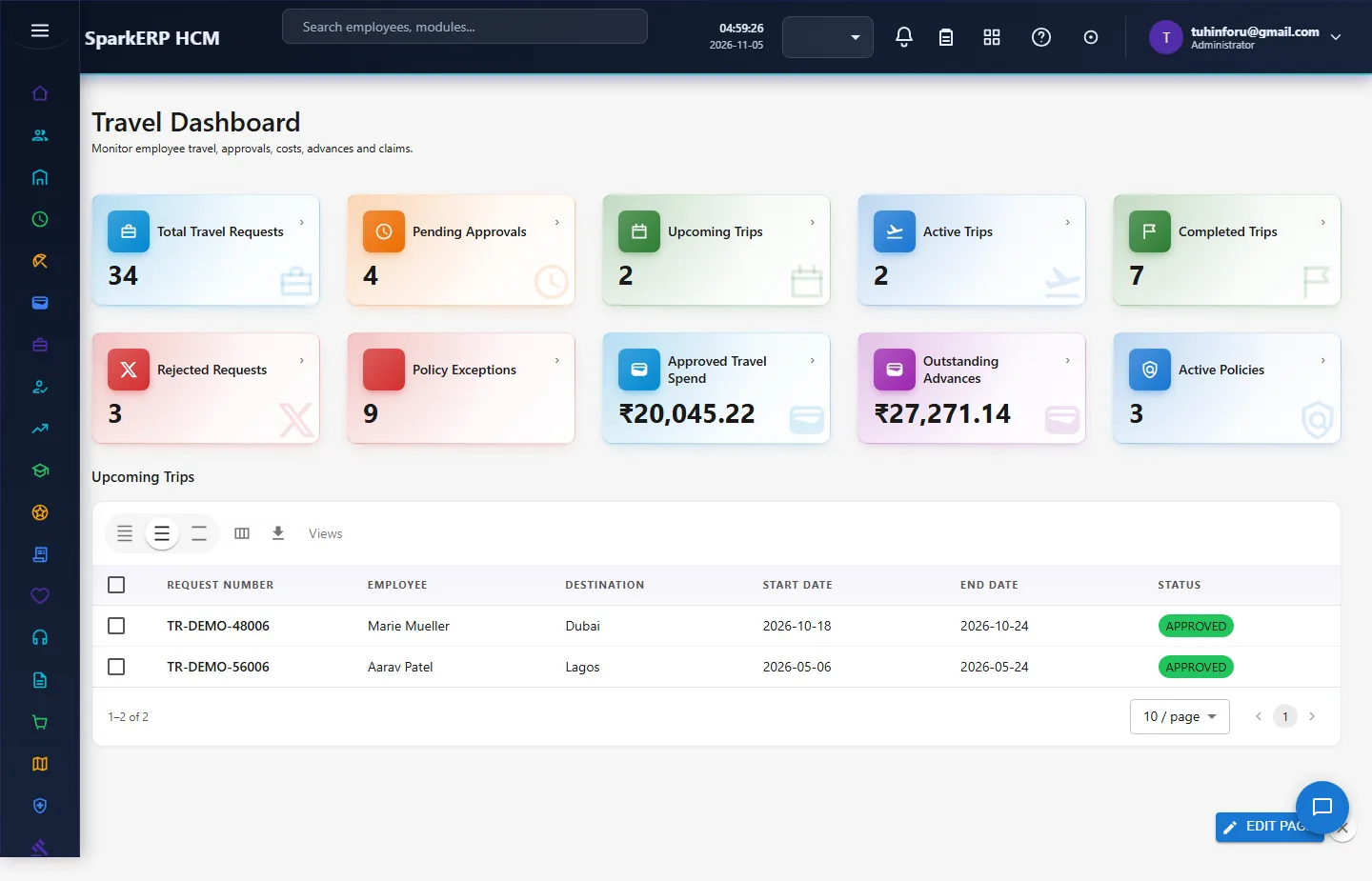
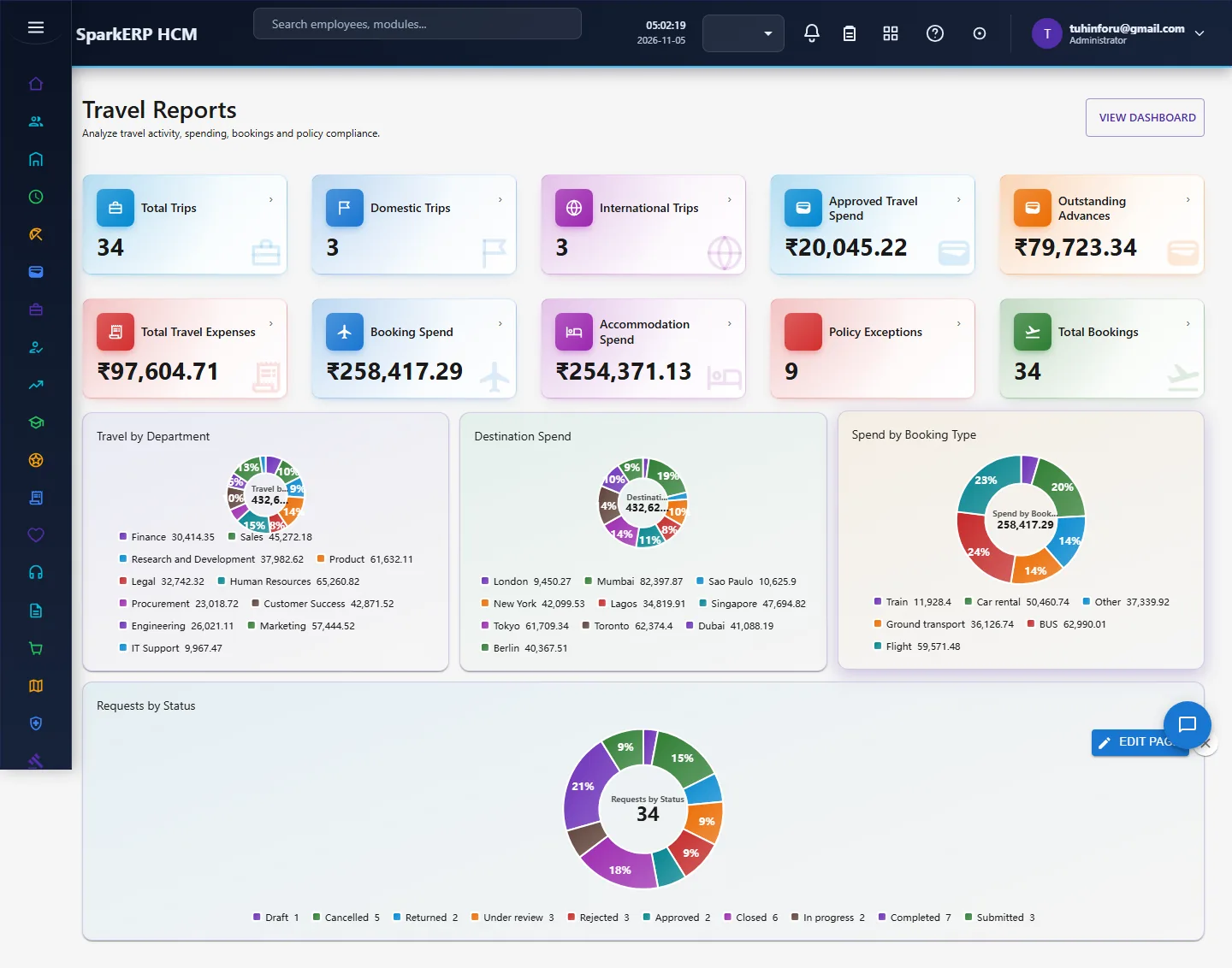
The Travel Dashboard counts requests by stage, active and completed trips, policy exceptions, approved spend and outstanding advances, with a list of upcoming trips. Travel Reports adds total expenses, booking and accommodation spend, and donuts for travel by department, spend by destination and by booking type, and requests by status. Each list page also opens with chart cards (status, type, trend and a dates horizon).
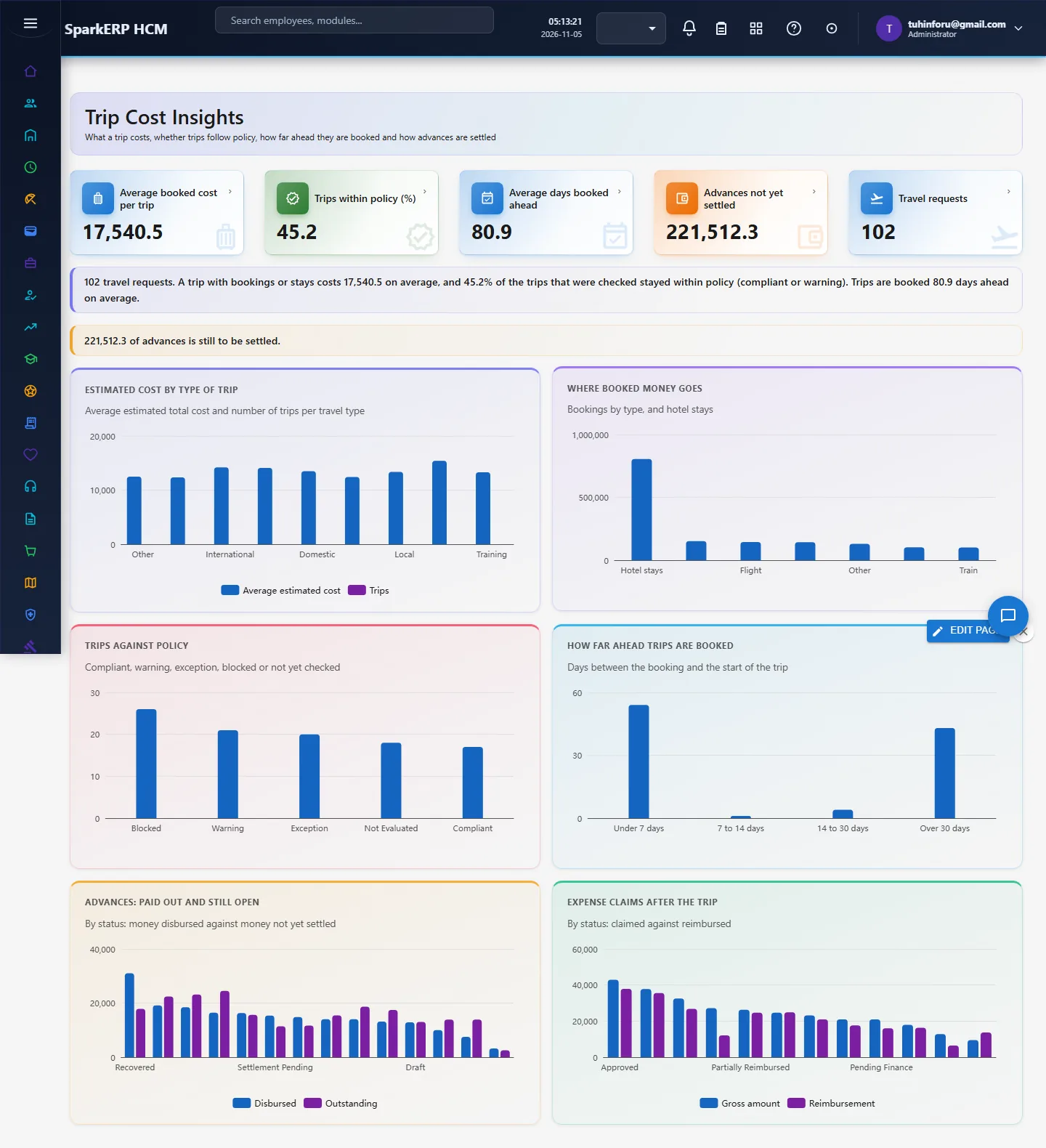
Trip Cost Insights adds the figures the travel research pointed to. The definitions are ours, because the research found no standard travel measures: the average booked cost per trip (bookings plus hotel stays for trips that have any), the share of trips within policy (compliant or warning, among trips that were checked), the average days a trip is booked ahead, and the advances not yet settled. Charts show the estimated cost by type of trip, where booked money goes, trips against policy, how far ahead trips are booked, advances paid out and still open, and expense claims against reimbursement.
6. On a phone or tablet
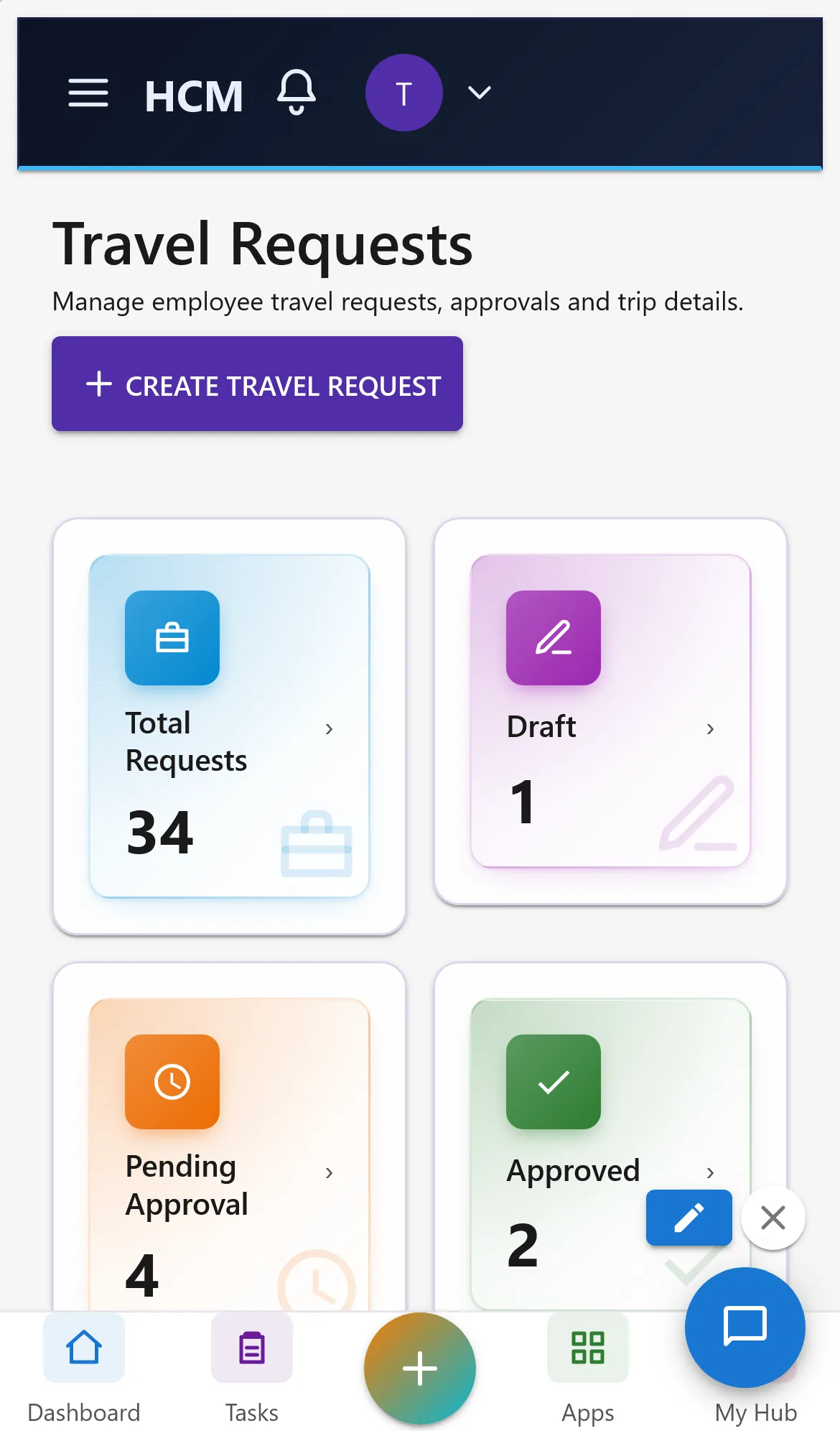
All Travel screens open on a phone. Tiles show two per row and charts stack one per row; the lists scroll inside their card.
7. Rules and limits
- Bookings, stays, advances and expenses belong to a travel request; create the request first.
- Money is shown in the tenant currency (rupees in the demo tenant). Per-trip currencies and exchange rates are not converted.
- Not built yet: receipt reading (OCR), duty-of-care tracking of travellers, preferred suppliers and booking through an outside travel provider (these need an outside provider set up in the Integration Designer).
- The trial pack now includes Active policies and Approved requests, so the policy checks and the approved-spend figures have something to show.
- Currencies are never added together. Trip Cost Insights adds up only the main currency of the trips and says how many trips in other currencies were left out. Amounts are plain numbers without a currency symbol; the page is in English only, and colours follow the platform theme (only the light theme was checked).
8. Troubleshooting
| Symptom | Cause and fix |
|---|---|
| Every request counts as a policy exception | No policy is Active. Activate one in Travel Policies. |
| Approved Travel Spend shows 0 | It counts approved requests only; none is approved yet. |
| Trip Cost Insights says "Report.View is required" | The login lacks the Report view permission; ask an administrator. |
| A person cannot be chosen on a request | No employee record, or not active. Check Core HR. |
| Charts say "Nothing to show yet" | No records. Generate the Travel demo pack or enter data. |