
Appearance
Industry pack: Manufacturing
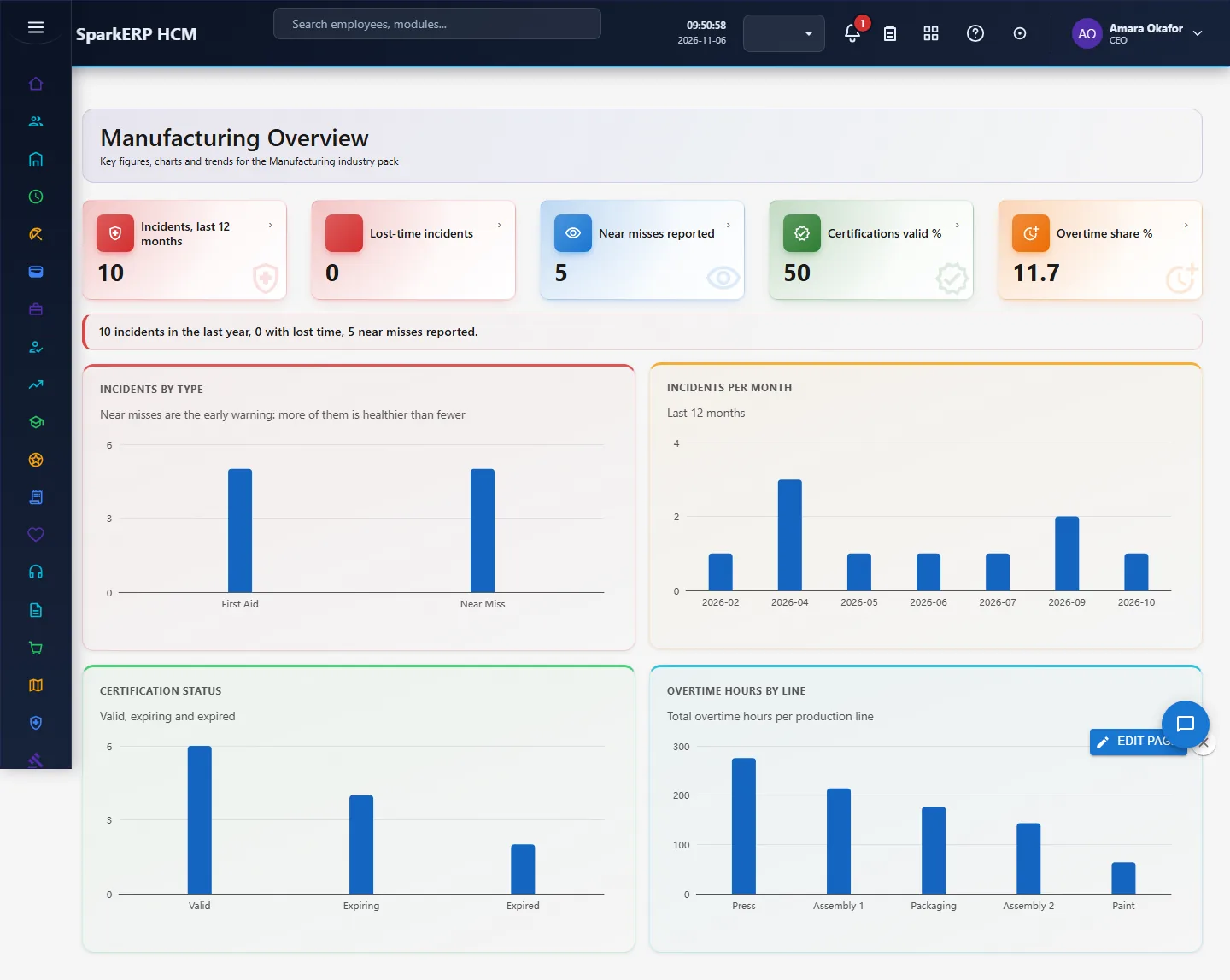
Manufacturing adds what a manufacturing organisation needs on top of HCM Core: safety incident, operator certification, shift roster, skill matrix row, production labour. Every screen carries charts, and the Overview answers the questions this industry asks first. It works with the people already in HCM Core and Employee; it changes nothing there.
1. Who uses it
| Role | What they do |
|---|---|
| Plant HR / EHS lead | Records safety incidents, tracks operator certifications, reviews the Overview weekly. |
| Shift supervisor | Checks who is certified for which line before building the shift roster. |
| Production manager | Reads incident rate, certification coverage and overtime against output. |
2. Before you start
- Installed plugin:
hcm-industry-manufacturing(free tier; needs HCM Foundation and Employee). No licence feature has to be granted. - Access: tenant administrators can use every screen; the Overview needs a tenant administrator or Report.View.
- Trial data: in a trial tenant, generate the Manufacturing industry pack in Demo Data: 10 safety incident, 12 operator certification, 12 shift roster, 15 skill matrix row, 12 production labour.
3. Set up
- Open Manufacturing > Certifications and add the licences your lines require (forklift, welding, machine-guarding, lock-out/tag-out) with their expiry dates.
- Open Shift Rosters and enter each shift: plant, line, shift pattern and planned headcount.
- Record every safety event in Safety Incidents, near misses included: near misses are the early warning.
- Enter Skill Matrix rows (operator, station, level 0 to 4) so a supervisor can see who can cover a line.
- Log hours in Production Labour to see overtime and labour hours per line.
4. Daily use
4.1 Safety incident
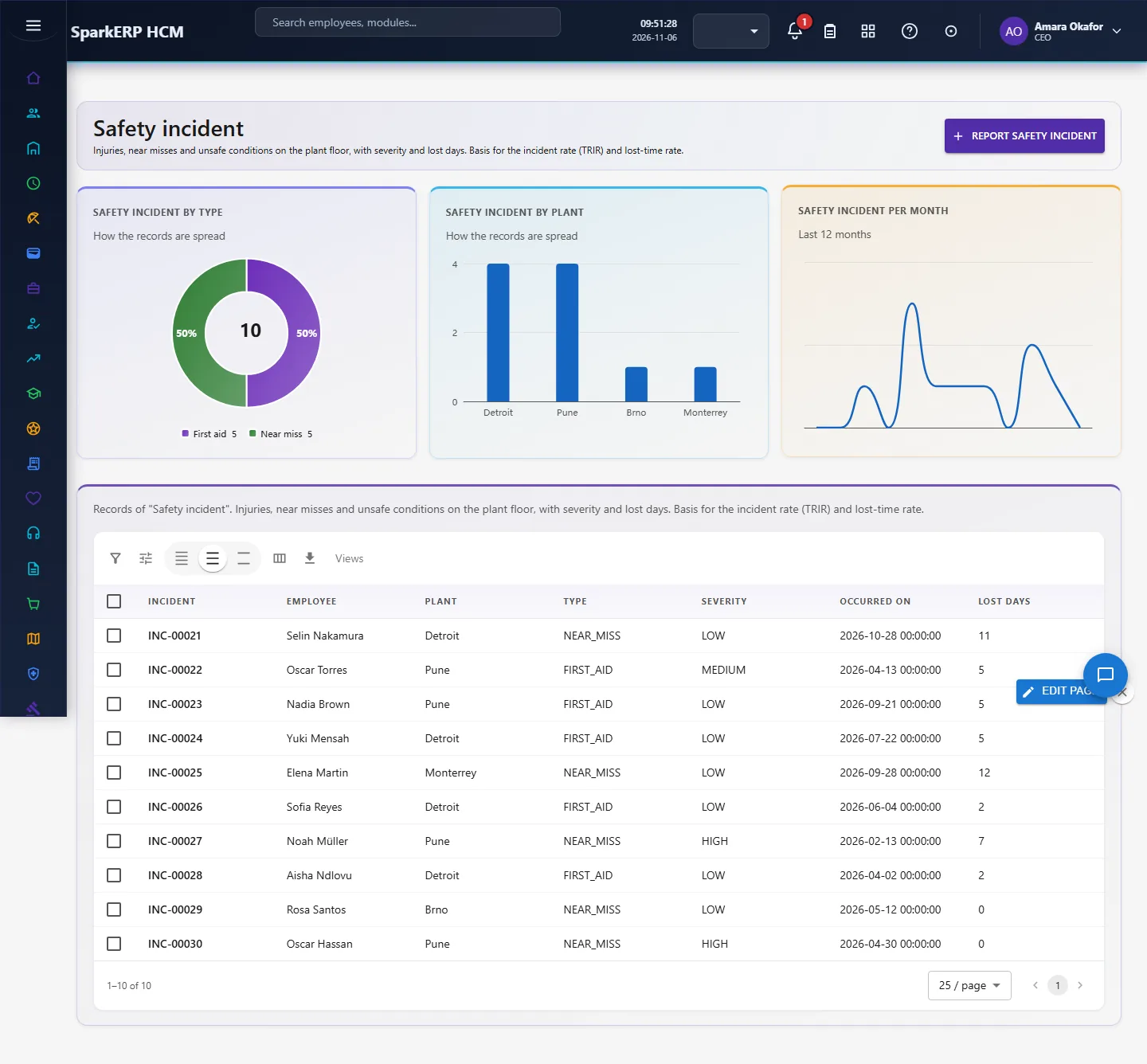
Injuries, near misses and unsafe conditions on the plant floor, with severity and lost days. Basis for the incident rate (TRIR) and lost-time rate. Open Safety incident in the sidebar under Industry Pack, Manufacturing. Choose Report safety incident to add a record, click a row to change or delete it. The fields are: incident, employee, plant, type, severity, occurred on, lost days, closed.
4.2 Operator certification
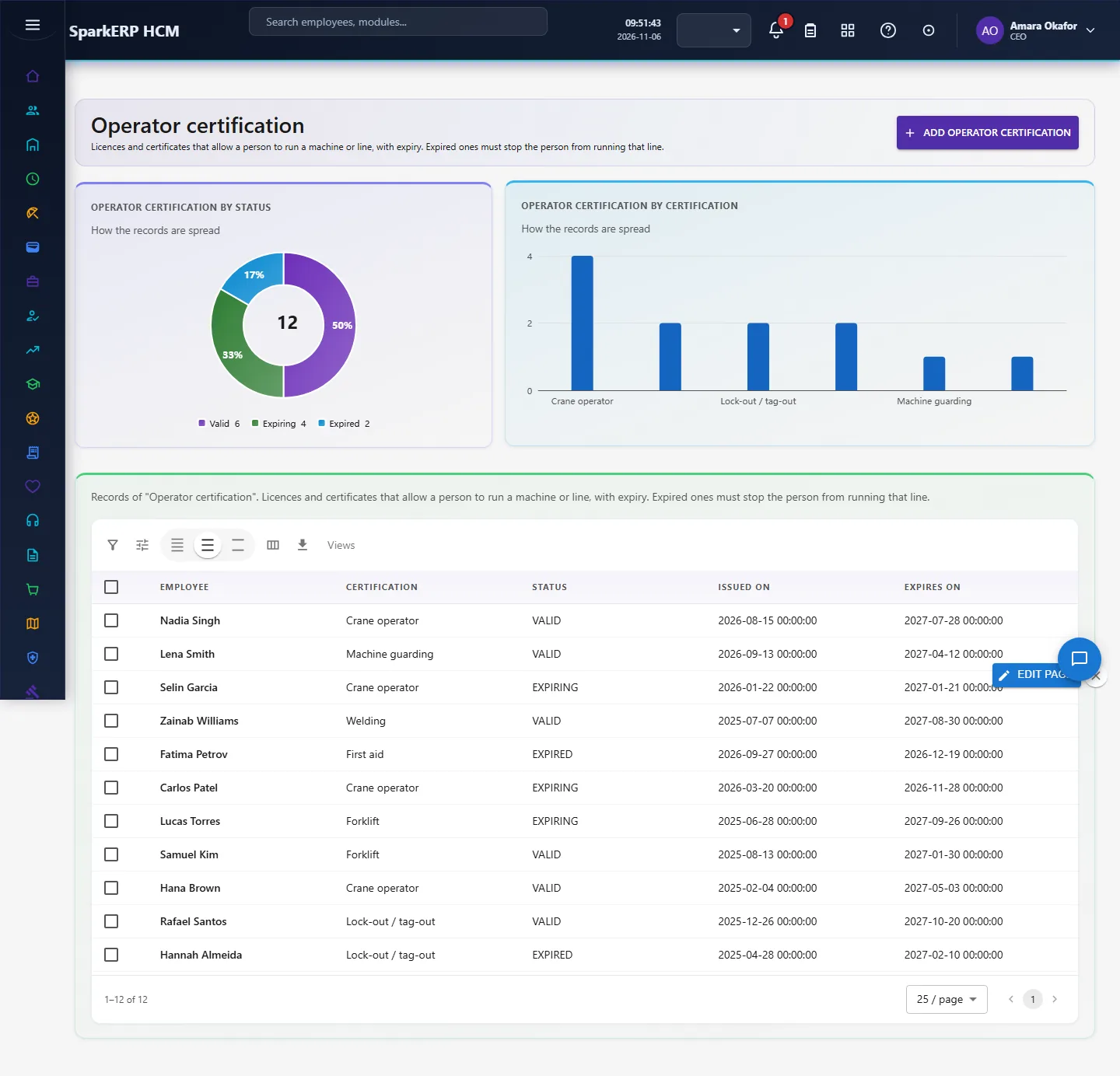
Licences and certificates that allow a person to run a machine or line, with expiry. Expired ones must stop the person from running that line. Open Operator certification in the sidebar under Industry Pack, Manufacturing. Choose Add operator certification to add a record, click a row to change or delete it. The fields are: employee, certification, status, issued on, expires on.
4.3 Shift roster
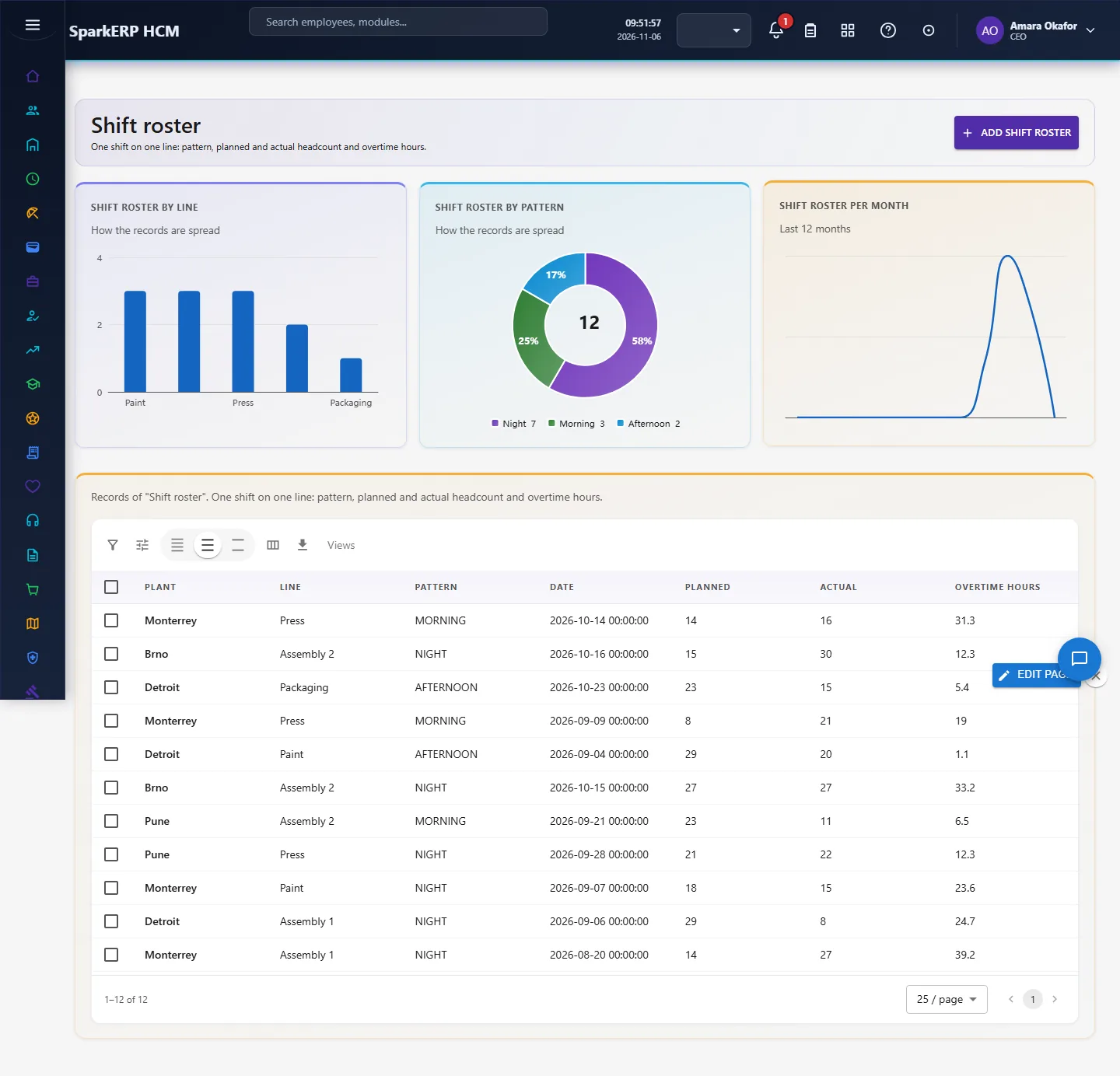
One shift on one line: pattern, planned and actual headcount and overtime hours. Open Shift roster in the sidebar under Industry Pack, Manufacturing. Choose Add shift roster to add a record, click a row to change or delete it. The fields are: plant, line, pattern, date, planned, actual, overtime hours.
4.4 Skill matrix row
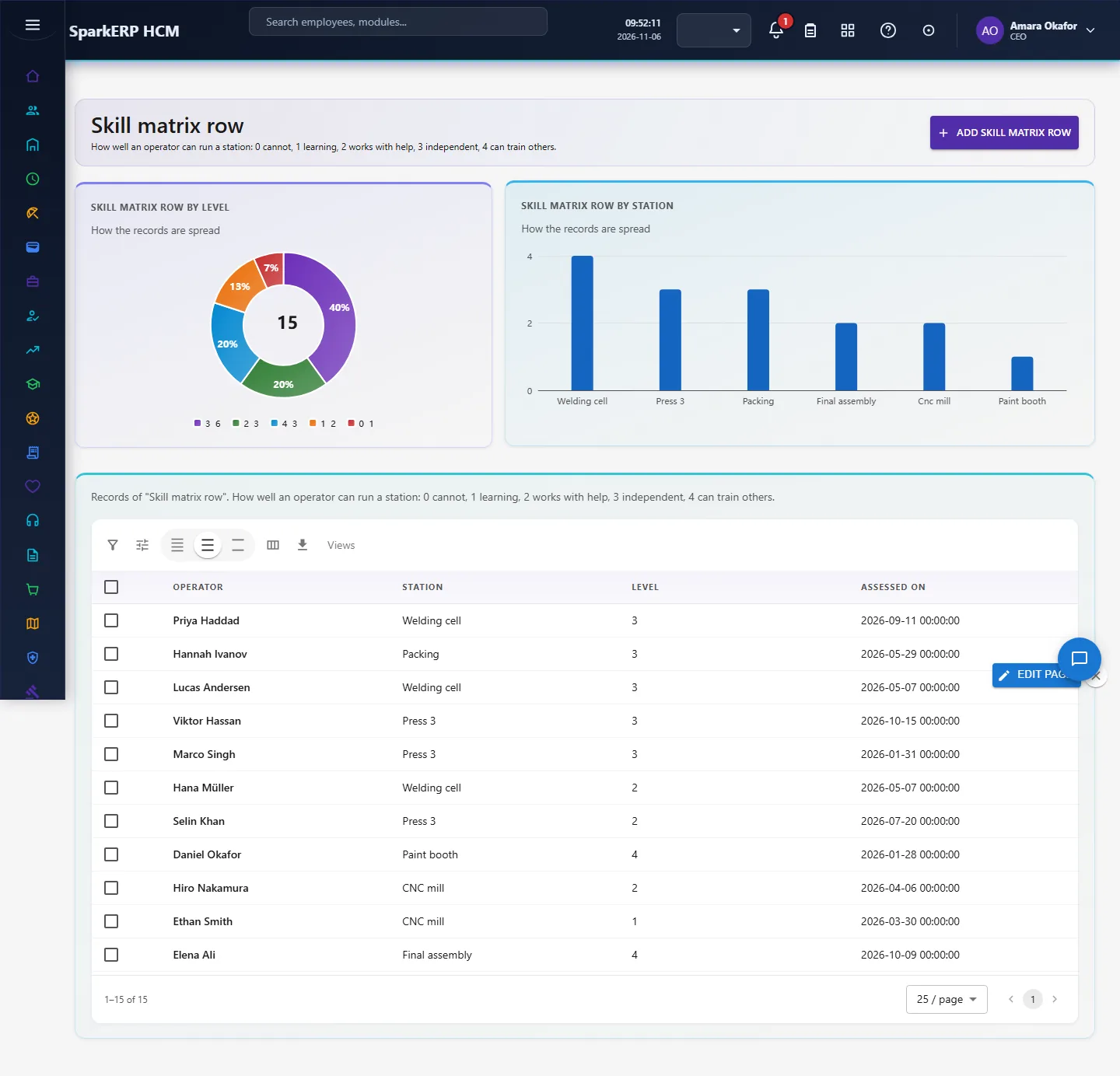
How well an operator can run a station: 0 cannot, 1 learning, 2 works with help, 3 independent, 4 can train others. Open Skill matrix row in the sidebar under Industry Pack, Manufacturing. Choose Add skill matrix row to add a record, click a row to change or delete it. The fields are: operator, station, level, assessed on.
4.5 Production labour
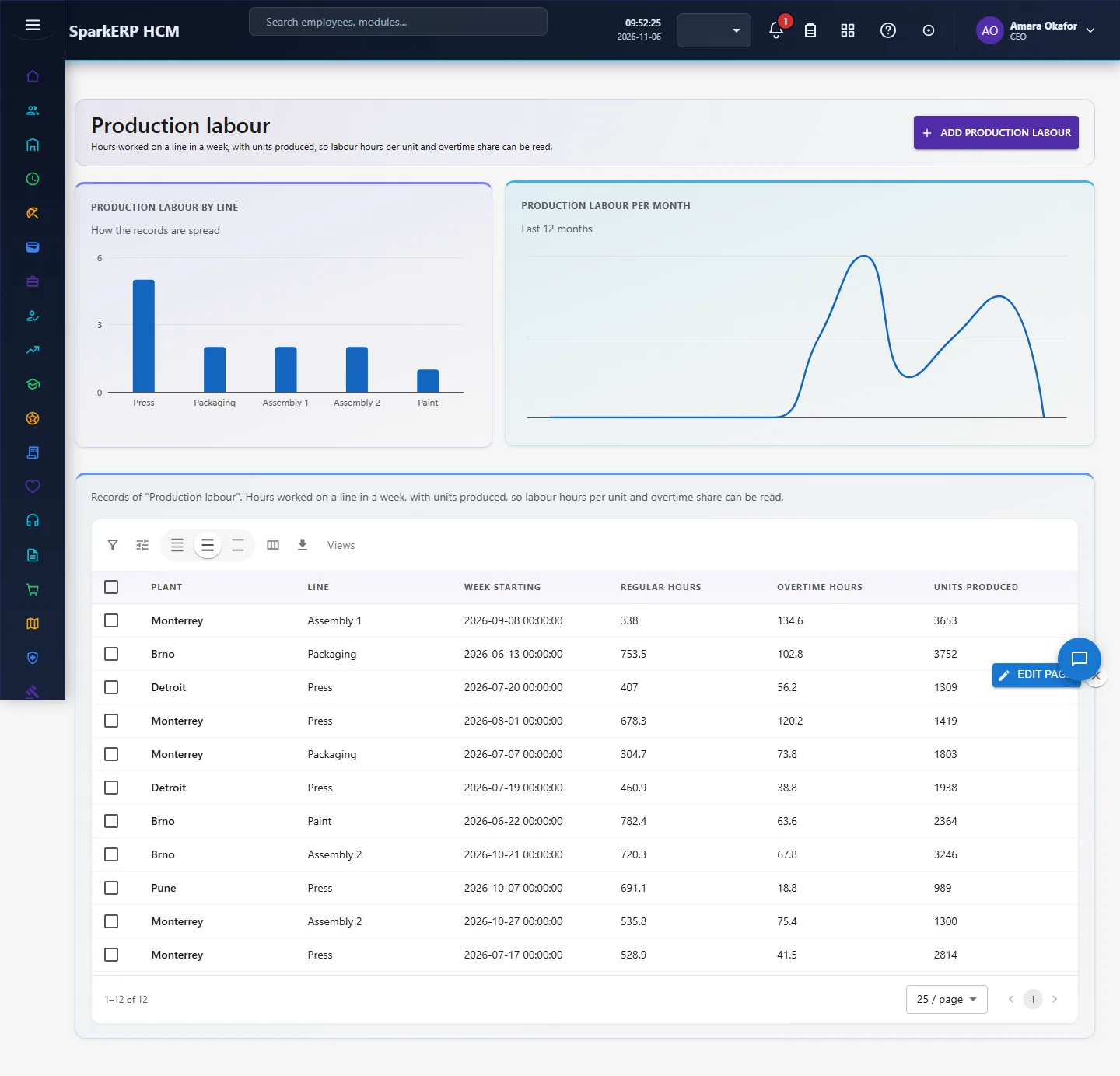
Hours worked on a line in a week, with units produced, so labour hours per unit and overtime share can be read. Open Production labour in the sidebar under Industry Pack, Manufacturing. Choose Add production labour to add a record, click a row to change or delete it. The fields are: plant, line, week starting, regular hours, overtime hours, units produced.
5. Charts, reports and exports
| Figure | What it counts |
|---|---|
| Incidents, last 12 months | |
| Lost-time incidents | |
| Near misses reported | |
| Certifications valid % | |
| Overtime share % | |
| Incidents by type | Near misses are the early warning: more of them is healthier than fewer |
| Incidents per month | Last 12 months |
| Certification status | Valid, expiring and expired |
| Overtime hours by line | Total overtime hours per production line |
Every list page also has charts of its own records (by status or category, and a trend), and the platform grid offers search, paging, column choice and export.
6. On a phone or tablet
Every screen works on a phone: tiles, charts and lists stack one per row, and the add and edit dialogs fit the screen.

7. Rules and limits
- Incident rate per 200,000 hours (OSHA TRIR) needs total hours worked; the Overview shows counts and the share of lost-time incidents, and the labour hours in Production Labour can be used to compute the rate for a line.
- Certification status is the value you record; the page does not recompute it from the expiry date, so keep Status in step with Expires on.
- The pack does not block a roster automatically when a certification has expired; it shows the gap so the supervisor can act.
- The figures are only as good as the records entered. Benchmarks differ between sources, so none is hard-coded as a target: read the figures against your own history.
8. Troubleshooting
| Symptom | Cause and fix |
|---|---|
| A chart says "Nothing to show yet" | No records yet, or none with the date or category the chart needs. Add records or generate the demo pack. |
| The Overview says forbidden | Your login is not a tenant administrator and lacks Report.View. |
| A screen is missing from the sidebar | The plugin is not installed for this tenant. Ask a platform administrator to install hcm-industry-manufacturing. |