
Appearance
Entity Designer: define your data
Concepts
An entity is a business record type: Employee, Loan, Invoice. You declare it once and the platform creates everything around it:
- the database table (never written by hand),
- a create / read / update / delete API at
/api/v1/entities/<name>/records, - a lookup endpoint for dropdowns, and a list query for grids,
- an audit trail and (optionally) soft delete.
An entity is made of fields. Each field has a data type, and flags that say whether it is required, unique, indexed, read-only or hidden. Entities point at each other through relationships (a loan belongs to an employee). On top of fields you can add indexes (speed), constraints (rules the database enforces) and computed fields (values derived from others).
Every table the platform makes already has an id, the tenant, and who/when created or changed a row. These system fields show in the designer but cannot be removed. Every index starts with the tenant, so one tenant's data is never mixed with another's.
Problem statement
Acme Facilities lends laptops, projectors and tools to staff. Today it is a spreadsheet: nobody knows who has what, items go missing, and there is no history. You need a place to record each loan (item, borrower, dates, status, deposit) that other screens, rules and reports can build on.
What you will build
An entity equipment_loan with fields item, borrower (reference to an employee), loaned_on, due_on, status, deposit, a rule that due_on is after loaned_on, and an index for "who has overdue items".
Field data types
| Type | Use it for | Stored as |
|---|---|---|
| STRING | short text (name, code); length defaults to 255 | varchar |
| TEXT | long text (notes) | text |
| INTEGER / LONG | whole numbers (quantity) | integer / bigint |
| DECIMAL | exact numbers with precision and scale | numeric |
| CURRENCY | money | numeric(19,4) |
| BOOLEAN | yes/no | boolean |
| DATE / DATETIME | a day / a moment | timestamp with time zone (both) |
| TIME | time of day | time |
| ENUM | a fixed list of values (available, on_loan, lost); a database check keeps other values out | text + check |
| validated address | text | |
| UUID | generated identifiers | uuid |
| JSON | free-form structured data | jsonb |
| FILE / IMAGE | an uploaded file or picture (reference) | text |
| BINARY | raw bytes (rare) | bytea |
Dates are stored as timestamps, so compare them with time in mind.
All features
- Fields: label, description, type, length / precision / scale / enum values, required, nullable, default value, unique, indexed, read-only, hidden, display field (what shows in lookups), display order. Dropping a field keeps its history but removes the column.
- Primary key: generated identity by default; a composite or business key can be set from a list of fields.
- Relationships (foreign keys): a field that points at another entity. Hierarchical relationships (a tree such as an org chart) are supported through a closure table so you can ask "everything under this department" quickly.
- Indexes: named, ordered columns with direction, included columns, unique, and an optional partial-index filter written as structured conditions (never raw SQL).
- Constraints: entity-level checks built from AND / OR conditions, enforced by the database.
- Field validation: min / max, length, pattern, allowed values, checked on every save through the API as well as in forms.
- Role-based field rules: make a field read-only or hidden for some roles.
- Soft delete: deleting hides the record and keeps it; a restore is possible.
- Audit and history: who changed what, when.
- Computed / formula fields: values calculated from other fields.
- Triggers and extension points: run your own logic before or after create, update and delete (see Customize).
- View ERD: a diagram of all your entities and how they relate.
- Generate with AI: describe the entity in words and review the draft.
Step by step
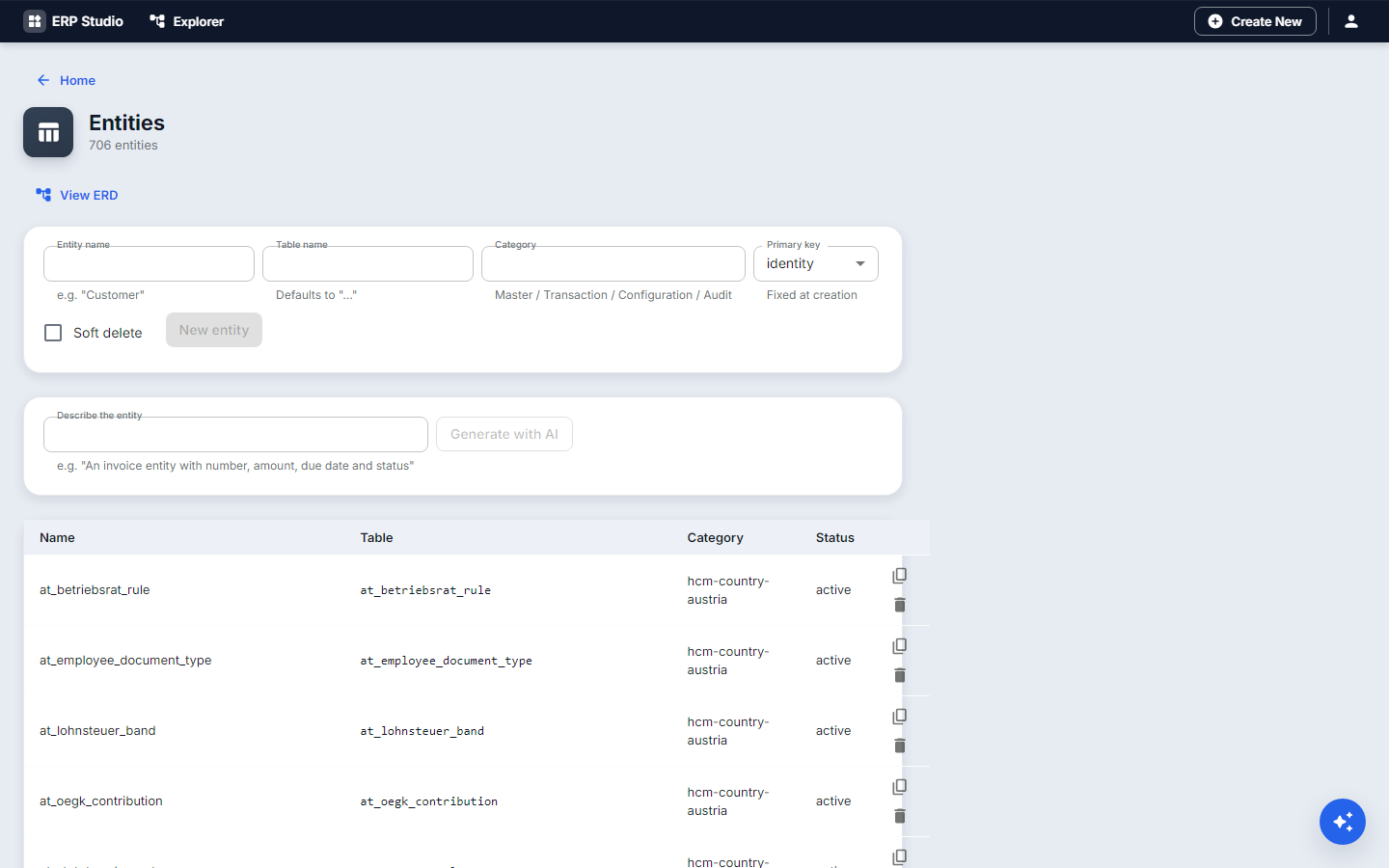
- Open Entities and choose New entity (or Generate with AI to start from a sentence).
- Name it
equipment_loan(lowercase with underscores) and give it a display name and description. - Decide Soft delete: tick it, so a wrongly deleted loan can be recovered.
- Add fields, one at a time:
itemSTRING, required, tick Display field.borrowerreference toemployee, required.loaned_onDATE, required, default today.due_onDATE, required.statusENUM withon_loan,returned,lost; defaulton_loan.depositCURRENCY, optional.
- Open Indexes, add
idx_loans_status_dueonstatusthendue_on, so the overdue query is fast. - Open Constraints, add "
due_onis not beforeloaned_on" using the condition builder. - Press Save. Studio creates the table and the API.
- Open View ERD to see
equipment_loanlinked toemployee.
Check it worked
- The Problems tab is empty.
- Call the API (or use a form) to create a record. Try a due date before the loaned date: the save is refused with your constraint's message.
- The list query returns your record.
Common mistakes
- Changing a type once data exists. Add a new field and copy the data over instead.
- Forgetting permissions. A new entity has none; give a role create / read / update / delete on it (Security).
- Confusing constraints with form validation. A form check stops a person; a constraint stops every route, including imports and APIs. Use both for rules that must always hold.
- Long text in STRING. Use TEXT for notes.
Next
Design a form for this entity, then a page to hold it.