
Appearance
Job and Scheduler Designer
What is it?
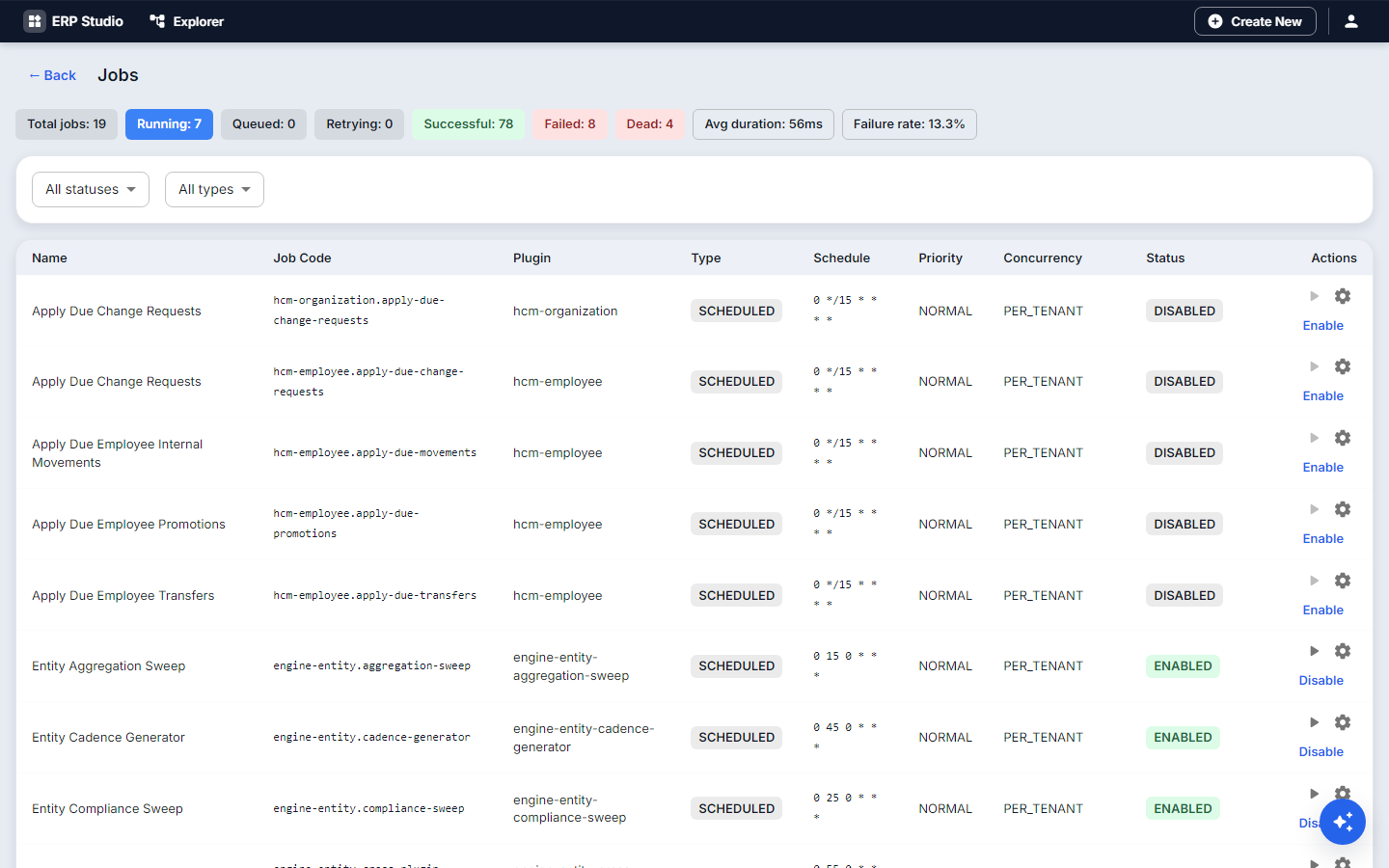
A job is work the platform runs by itself: on a schedule, at an interval, once, or when asked. Open Jobs in Studio.
When to use it
Nightly calculations, weekly reports, periodic clean-up, reminders, sweeps that check dates (for example "loans due tomorrow").
Concepts
- Schedule: a cron expression (
0 1 * * *is every day at 01:00), a fixed interval, or a one-time run. - Job parameters: values passed to the run.
- Run history: each execution with status, time and output; failed jobs are listed for attention.
- Manual run: run any job now from the list.
- The platform provides one generic sweep style handler configured by JSON, rather than a class per need, so most schedules need no code.
Example
Every day 01:00 -> Attendance processing -> Leave calculation -> Payroll preparationStep by step: remind borrowers
- Jobs, New. Name
loan-due-reminders. - Schedule cron
0 8 * * *. - Action: a sweep over
equipment_loanwherestatus = on_loananddue_onis tomorrow, sending the notification template Loan due. - Run now, then open the run history and confirm the result.
Planned (placeholders)
Job dependencies (run B after A), per-job timeout and concurrency limits, and retry policy settings in the designer. Planned.
Security, testing, troubleshooting
Jobs run in a tenant context with the platform's identity; viewing and running needs the Studio role. Test with Run now on a small set. A job that never runs: check it is enabled, the cron expression, and the schedule's time zone (troubleshooting).