
Appearance
Industry pack: Retail
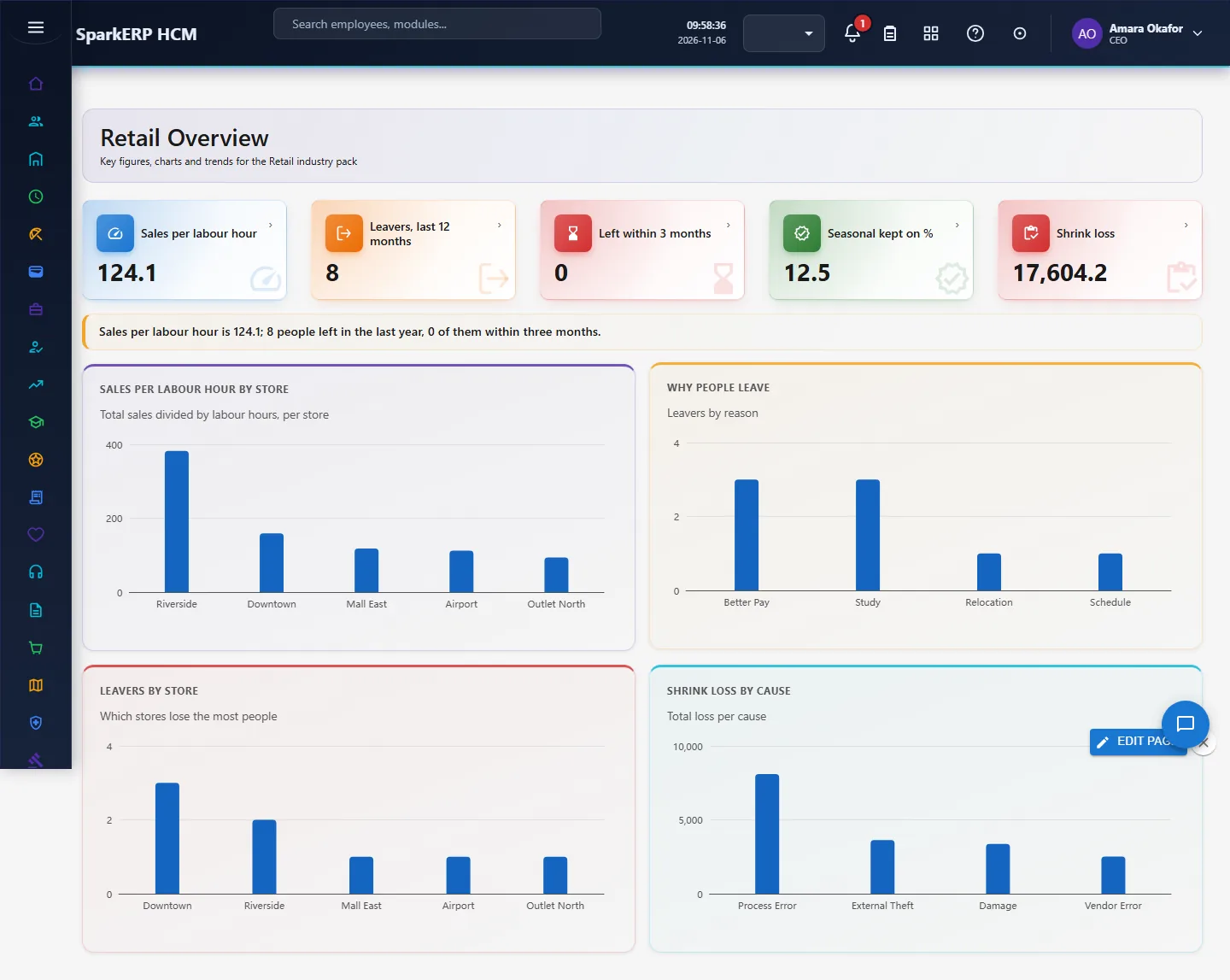
Retail adds what a retail organisation needs on top of HCM Core: store week, seasonal hire, store leaver, shrink case. Every screen carries charts, and the Overview answers the questions this industry asks first. It works with the people already in HCM Core and Employee; it changes nothing there.
1. Who uses it
| Role | What they do |
|---|---|
| Store manager | Builds the weekly schedule and reads labour cost against sales. |
| Area / regional manager | Compares stores on sales per labour hour and turnover. |
| HR business partner | Watches seasonal hiring and shrink-related cases. |
2. Before you start
- Installed plugin:
hcm-industry-retail(free tier; needs HCM Foundation and Employee). No licence feature has to be granted. - Access: tenant administrators can use every screen; the Overview needs a tenant administrator or Report.View.
- Trial data: in a trial tenant, generate the Retail industry pack in Demo Data: 10 store week, 10 seasonal hire, 8 store leaver, 6 shrink case.
3. Set up
- Open Retail > Store Staffing and enter, for each store and week, scheduled hours, sales and headcount.
- Record seasonal and permanent hires in Seasonal Hiring.
- Record each Leaver with reason, to see turnover by store.
- Record Shrink Cases (theft, process error) tied to a store.
4. Daily use
4.1 Store week
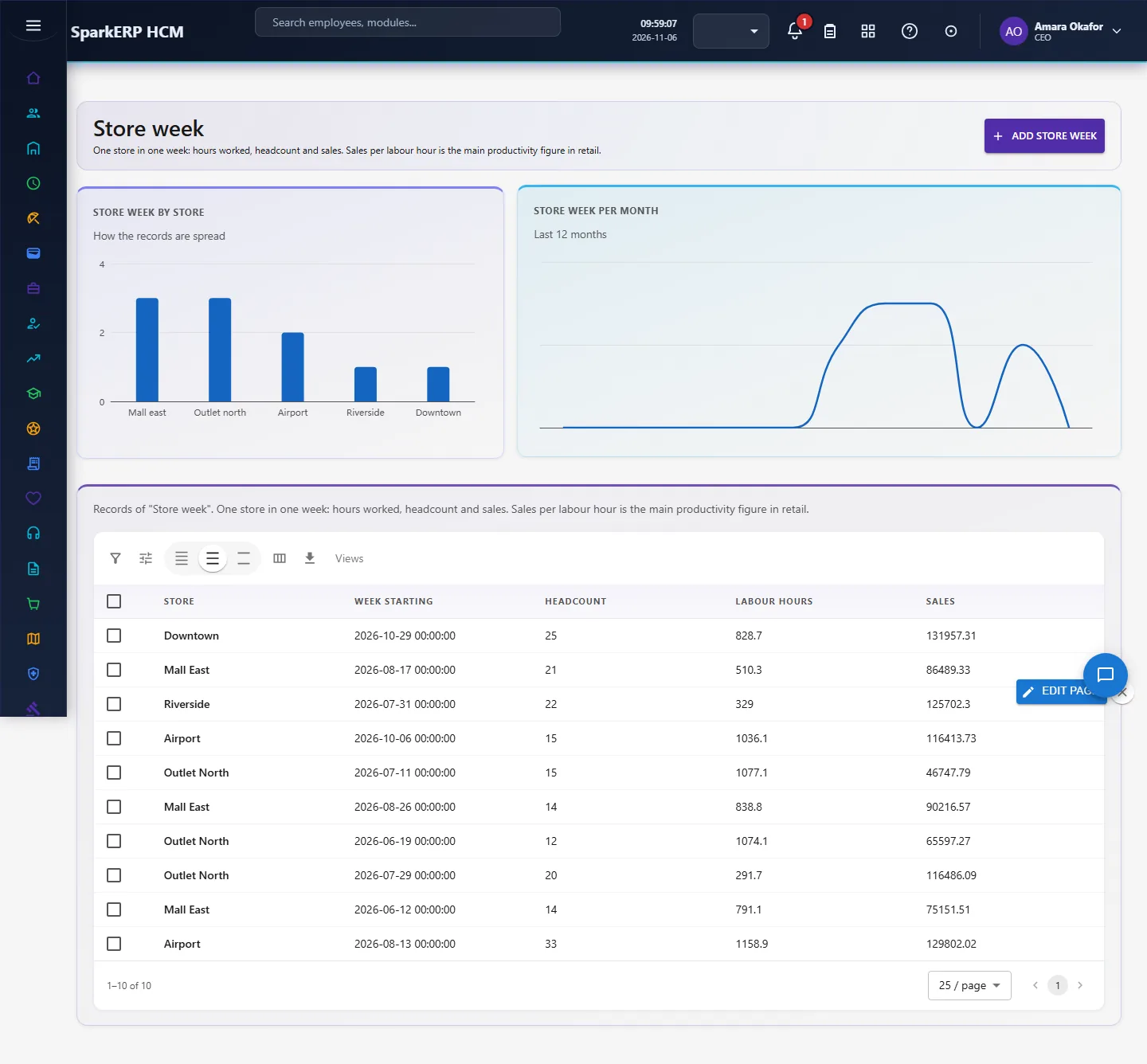
One store in one week: hours worked, headcount and sales. Sales per labour hour is the main productivity figure in retail. Open Store week in the sidebar under Industry Pack, Retail. Choose Add store week to add a record, click a row to change or delete it. The fields are: store, week starting, headcount, labour hours, sales.
4.2 Seasonal hire
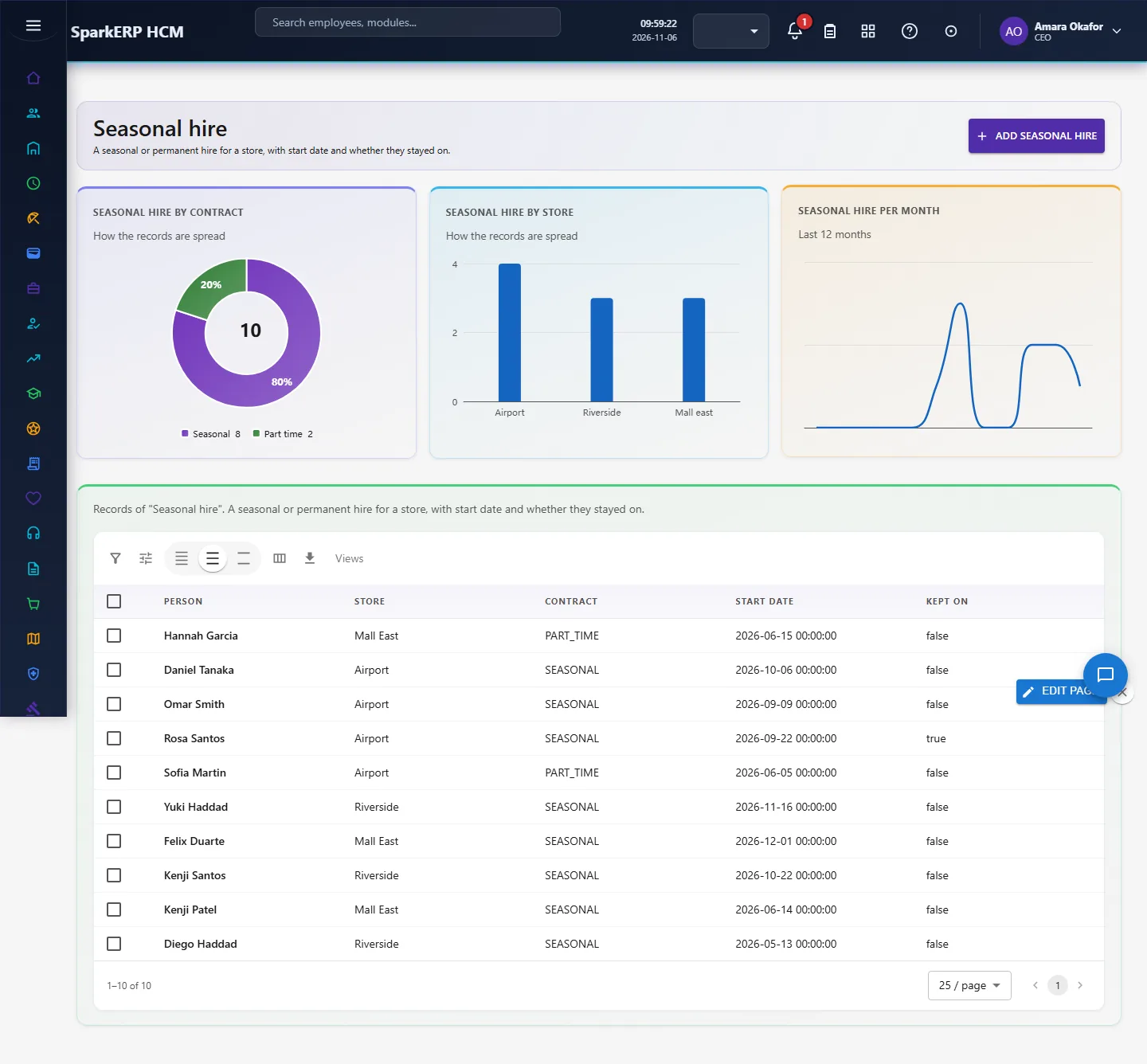
A seasonal or permanent hire for a store, with start date and whether they stayed on. Open Seasonal hire in the sidebar under Industry Pack, Retail. Choose Add seasonal hire to add a record, click a row to change or delete it. The fields are: person, store, contract, start date, kept on.
4.3 Store leaver
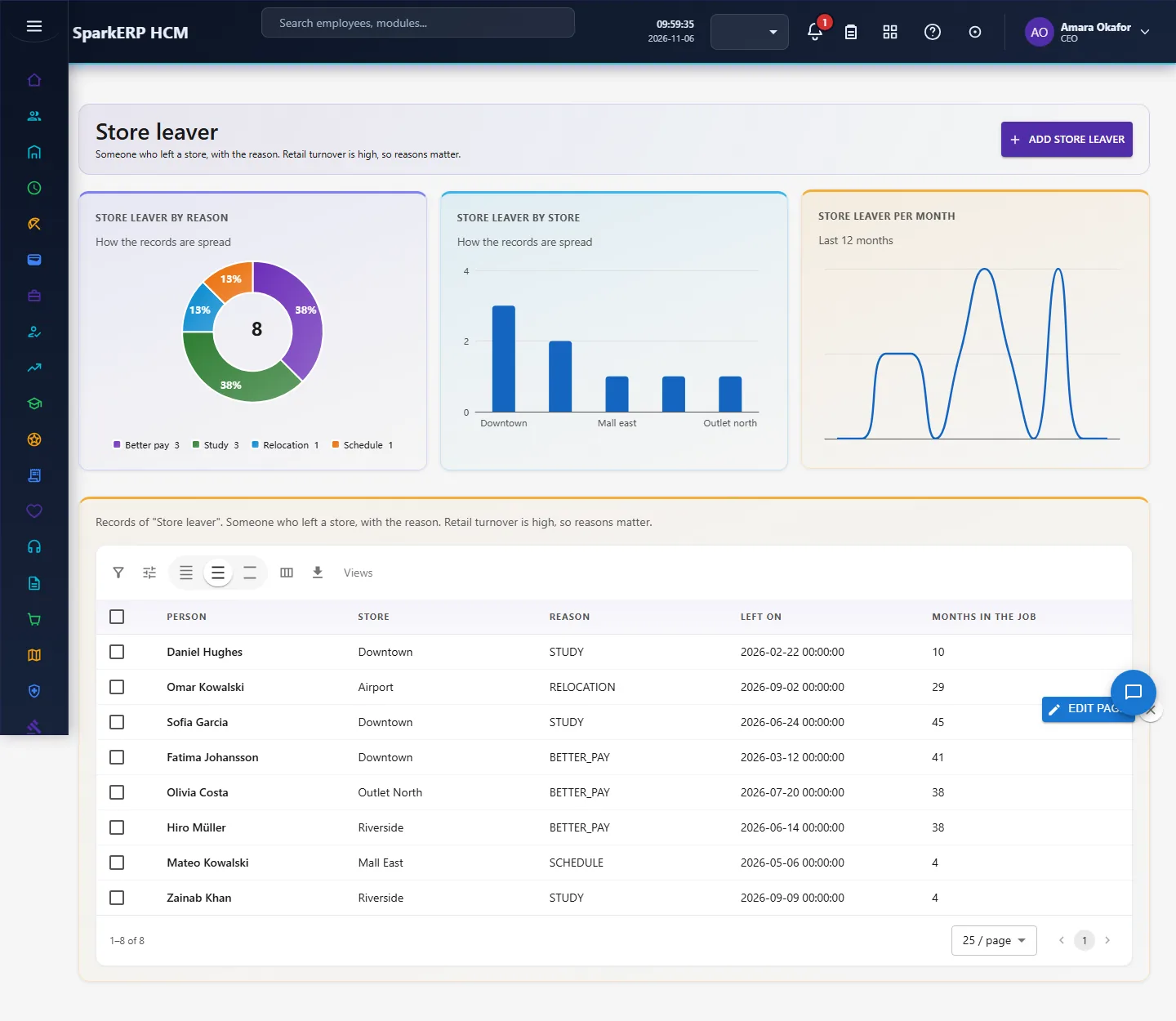
Someone who left a store, with the reason. Retail turnover is high, so reasons matter. Open Store leaver in the sidebar under Industry Pack, Retail. Choose Add store leaver to add a record, click a row to change or delete it. The fields are: person, store, reason, left on, months in the job.
4.4 Shrink case
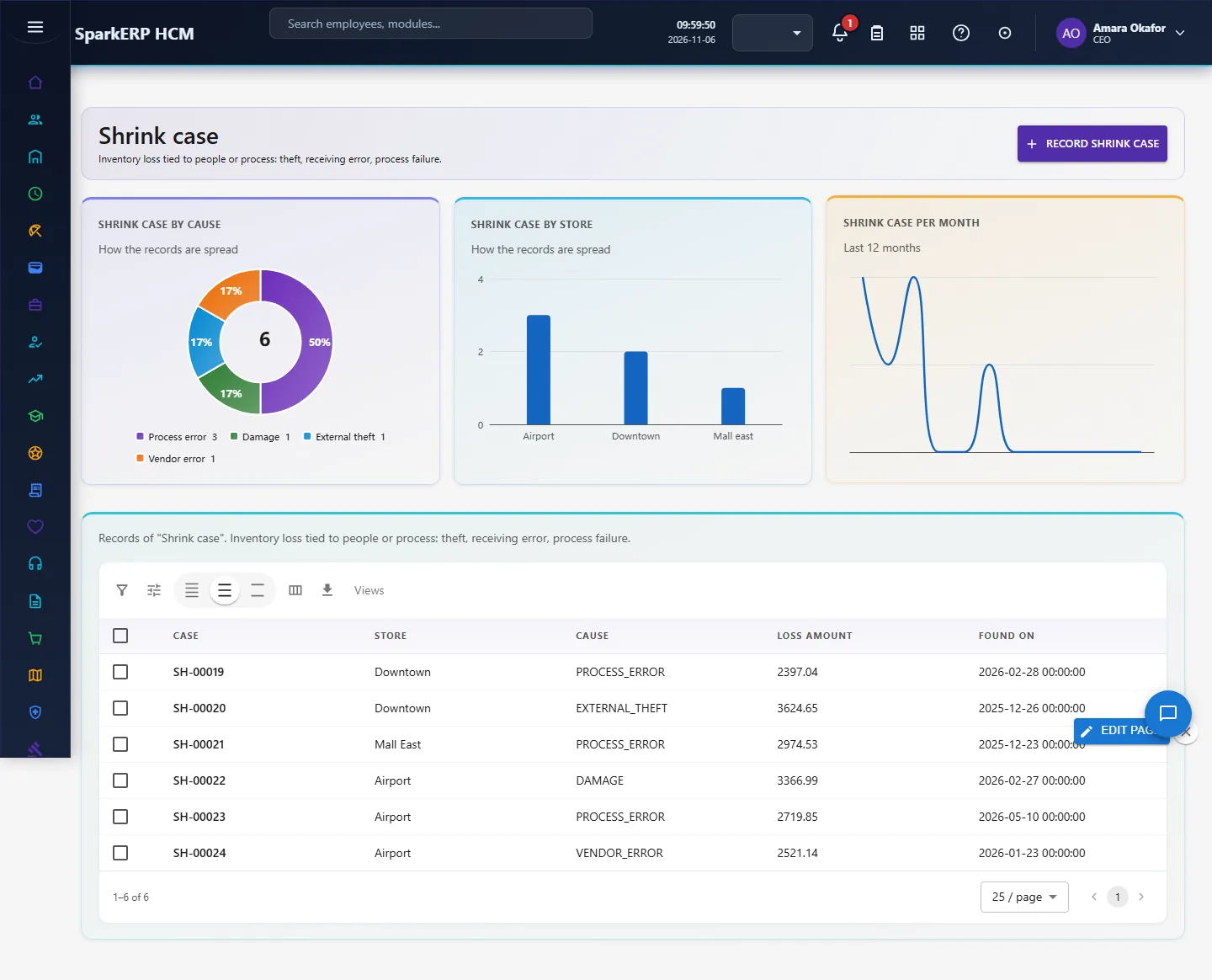
Inventory loss tied to people or process: theft, receiving error, process failure. Open Shrink case in the sidebar under Industry Pack, Retail. Choose Record shrink case to add a record, click a row to change or delete it. The fields are: case, store, cause, loss amount, found on.
5. Charts, reports and exports
| Figure | What it counts |
|---|---|
| Sales per labour hour | |
| Leavers, last 12 months | |
| Left within 3 months | |
| Seasonal kept on % | |
| Shrink loss | |
| Sales per labour hour by store | Total sales divided by labour hours, per store |
| Why people leave | Leavers by reason |
| Leavers by store | Which stores lose the most people |
| Shrink loss by cause | Total loss per cause |
Every list page also has charts of its own records (by status or category, and a trend), and the platform grid offers search, paging, column choice and export.
6. On a phone or tablet
Every screen works on a phone: tiles, charts and lists stack one per row, and the add and edit dialogs fit the screen.

7. Rules and limits
- Turnover as a percentage needs average headcount per store; the pack counts leavers and shows reasons and tenure, and headcount per week in Store Week gives the base.
- Sales are as entered in the same currency across stores: the pack does not convert currencies.
- The figures are only as good as the records entered. Benchmarks differ between sources, so none is hard-coded as a target: read the figures against your own history.
8. Troubleshooting
| Symptom | Cause and fix |
|---|---|
| A chart says "Nothing to show yet" | No records yet, or none with the date or category the chart needs. Add records or generate the demo pack. |
| The Overview says forbidden | Your login is not a tenant administrator and lacks Report.View. |
| A screen is missing from the sidebar | The plugin is not installed for this tenant. Ask a platform administrator to install hcm-industry-retail. |