
Appearance
Health & Safety: how it works and how to set it up
Health & Safety answers the questions a company asks to keep people safe and to show it did: what hazards have we found and how serious are they, what incidents and accidents happened and were they investigated and fixed, who has had their mandatory safety training, who is fit to do their job and with what restrictions, and what has to be reported to the authorities. This guide explains how the module works from start to finish, then how to set it up, then what each person sees. Every screen has its own page in the Health & Safety section; this guide is the one to read first.
1. What Health & Safety does for your business
- Registers hazards with a likelihood, a severity and a risk score that must agree with the risk level.
- Records incidents and accidents with who, where, when, how serious, the investigation, the root cause and the corrective actions.
- Controls closure. An incident or an accident can be closed only through a review and an approval, never by a plain edit.
- Assigns and tracks safety training, with due dates, assessments, scores, passing marks and certificates.
- Manages occupational health: cases, fitness determinations, restrictions and accommodations.
- Keeps medical exams and medical records, with a review before a record is verified.
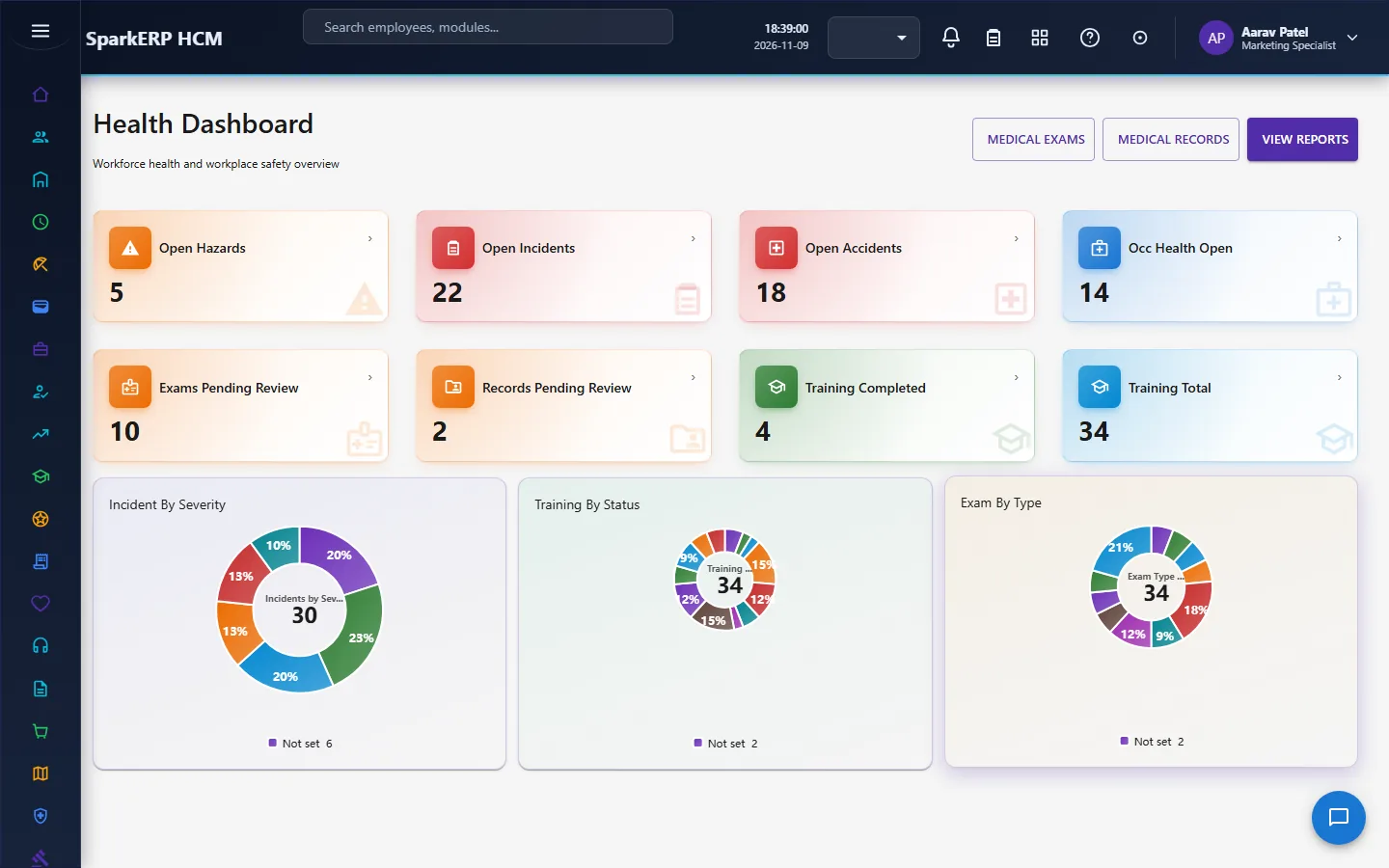
- Shows the picture in a dashboard and reports.
What it does not do: it does not decide what is reportable under the law of your country. It records whether an incident is regulatory reportable and the status of the report; the rule comes from you.
2. How health and safety works, end to end
2.1 Hazards
A hazard is a condition that could cause harm: a type, a description, a location, a department and work area, who identified it and when, the likelihood and severity, the potential consequence, the existing controls and the additional controls needed, an owner and a target date.
The risk score and the risk level must agree: a score of 1 to 4 is low, 5 to 9 medium, 10 to 16 high, and 17 to 25 critical. A save where the two disagree is refused, so a calculation done by the browser cannot put a critical hazard under a low label. A hazard can be closed only from verified or pending review and never straight from open or assigned, so the verification step cannot be skipped.
2.2 Incidents
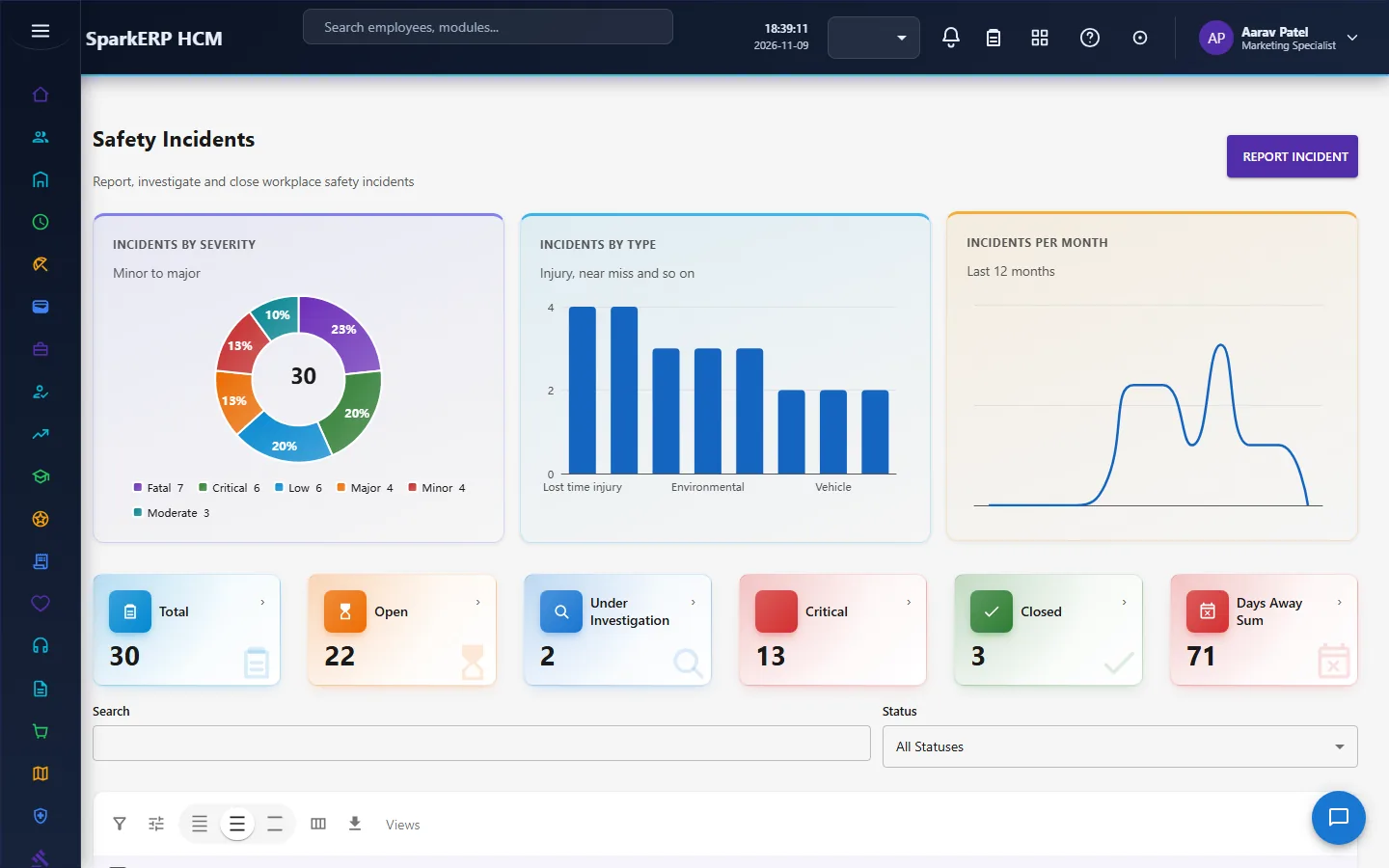
A safety incident records what happened: a type, the date and when it was reported and by whom, the location and department, the person involved, a description, the immediate action, the severity, the body part, the treatment, whether there was lost time, hospitalization or restricted work, the days away and the return-to-work date.
If an investigation is required, the record names the investigator, the due date, the investigation status, the root cause, the contributing factors and the corrective actions. It also records whether the incident is regulatory reportable and the status of that report.
2.3 Accidents
A workplace accident is the more serious record, with a classification and the same detail: lost time, hospitalization, days away, the investigation, the root cause, the corrective actions and the regulatory status.
Closing an incident or an accident needs a review and an approval. The path is: the investigator reviews, then the safety manager approves. An incident or an accident can reach closed only through that approval, from pending approval or pending verification, and never by a plain edit. Each step is a task due within three days.
2.4 Safety training
A training record is one person's training: the course, its category, type and delivery method, whether it is mandatory, the assigned and due dates, an instructor, and whether an assessment and a certification are required.
A record can be marked completed only once the completion date is set. It can be marked failed only when an assessment is required and the score is below the passing score. That keeps a pass or a failure tied to a real score. A certificate has a number, an issue date and an expiry date.
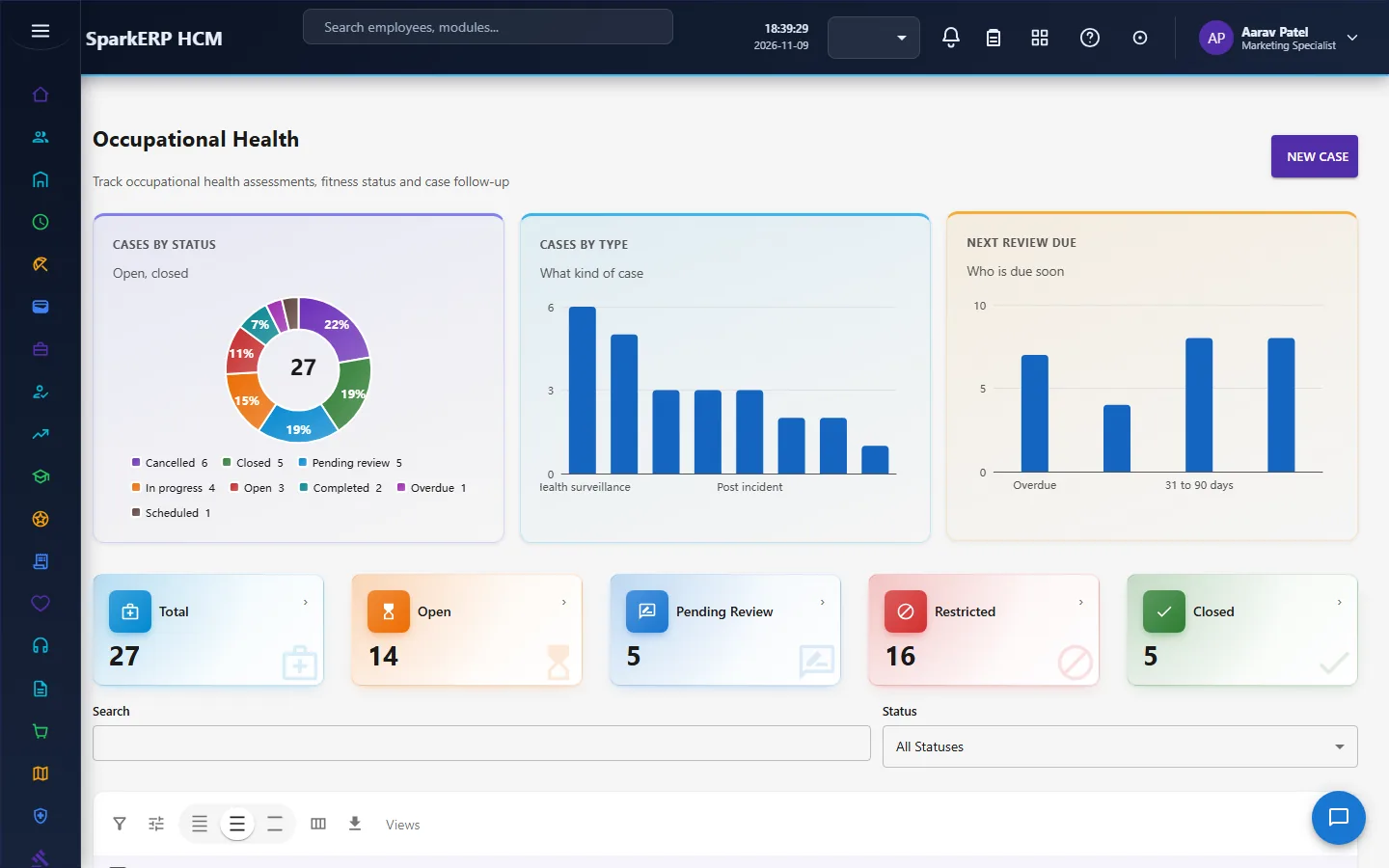
2.5 Occupational health
An occupational health case follows a person's fitness for work: the case type, priority, the dates (opened, scheduled, assessed, next due), the provider, who it is assigned to, the fitness status, any restriction and its dates, any accommodation, and exposure notes.
A case cannot be closed while the fitness status is still pending. It must reach a real determination first: fit, fit with restrictions, temporarily unfit or unfit.
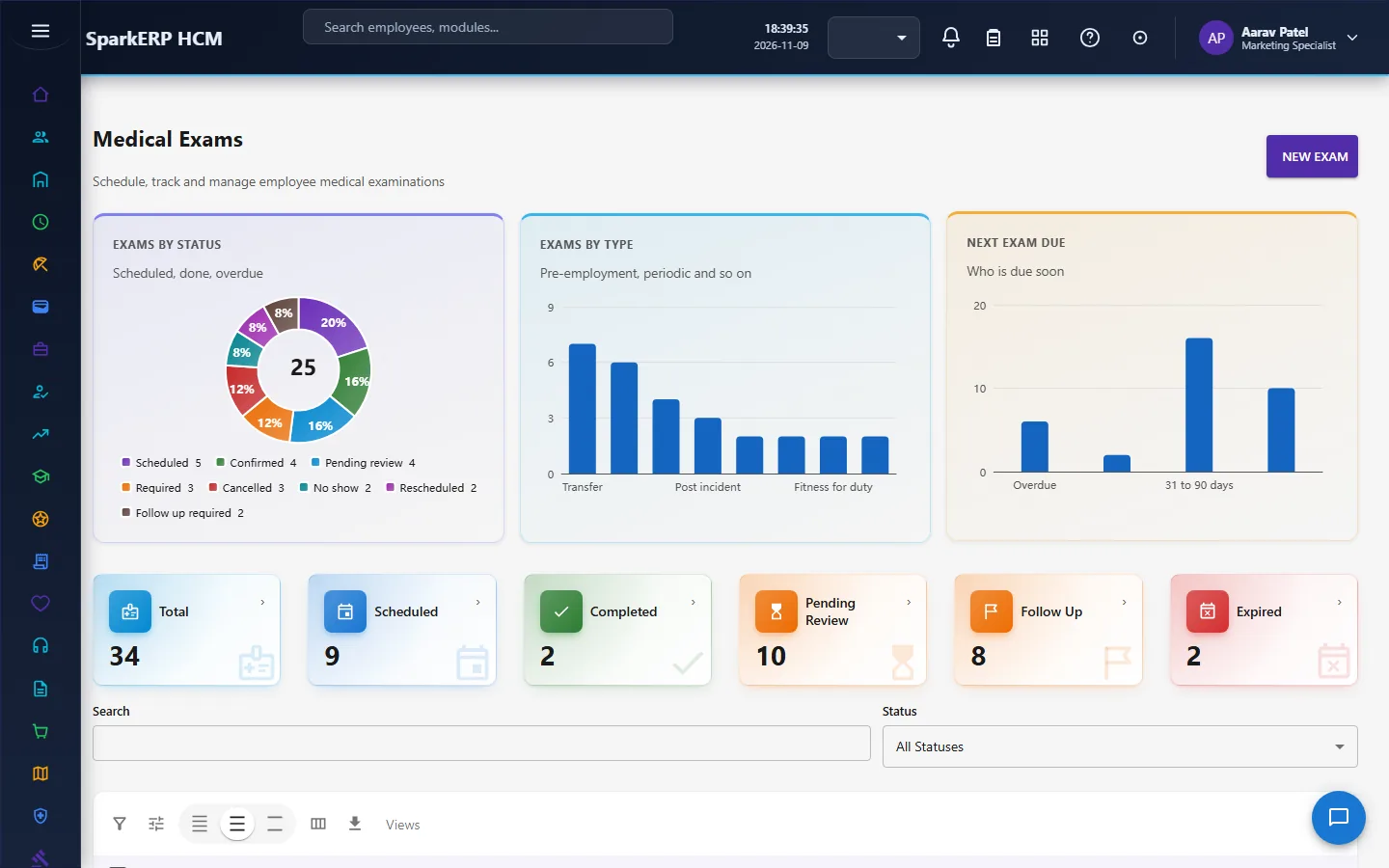
2.6 Medical exams
A medical exam is a scheduled exam: its type, priority, the provider and facility, the scheduled and actual dates, the next due date, the fitness status, the results, whether a restriction or accommodation is needed, a certificate number and whether a follow-up is needed.
An exam cannot be marked completed while the fitness status is still pending. It must first reach a determination: fit, fit with restrictions, temporarily unfit, unfit or under review. The exam goes through a medical review by a named reviewer, with a task due within three days.
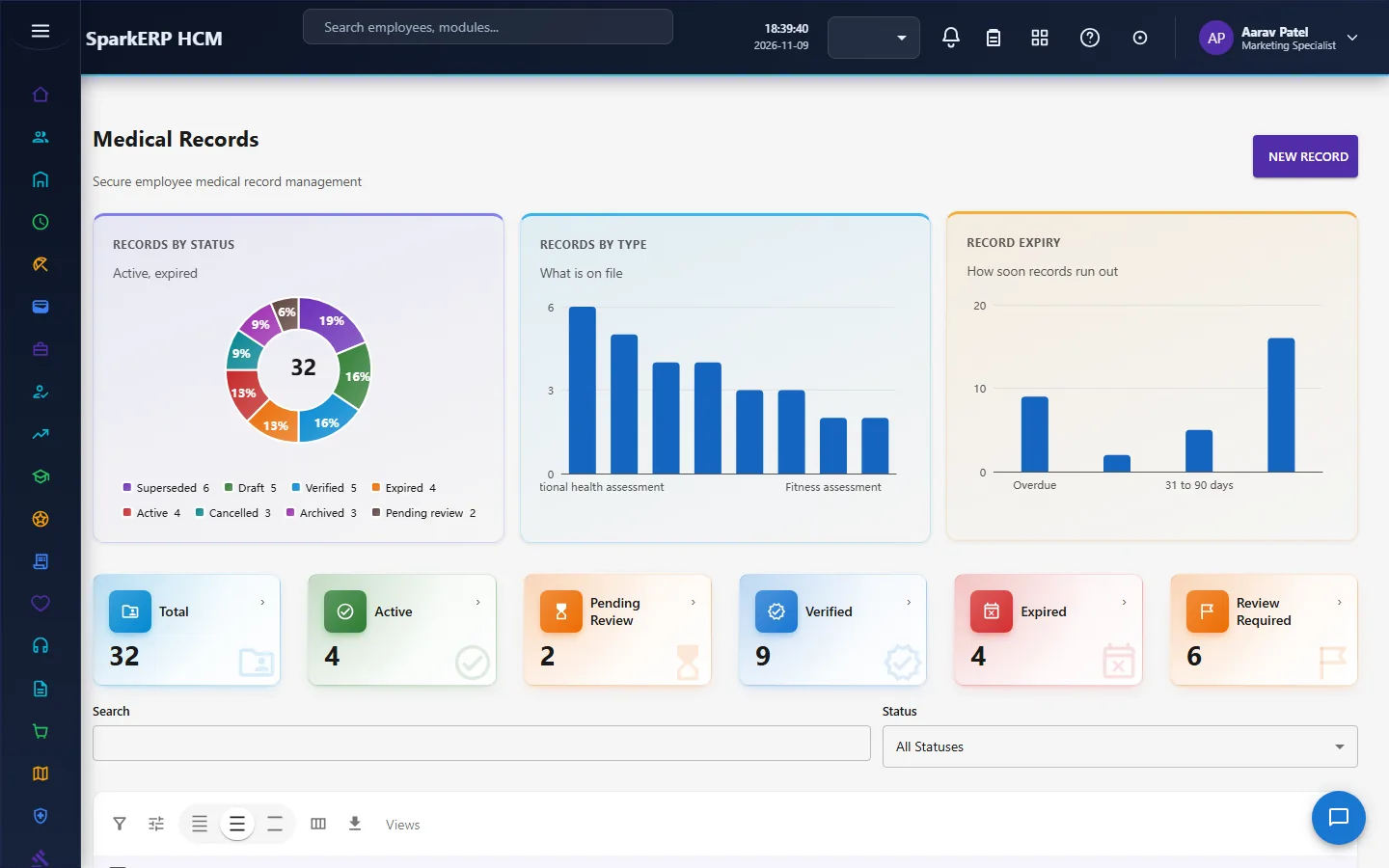
2.7 Medical records
A medical record holds medical information (a type such as a vaccination, the date, the provider, a clinical summary, a vaccination type and dose, an expiry date and a fitness status).
A record cannot be marked verified unless its verification status is itself verified, and the verification is set by the medical record review. The review is a task for a Safety Manager or Safety Officer.
Medical information is sensitive. The medical screens are for the safety roles and the HR roles that need them, and are not open to ordinary employees.
2.8 Who gets the tasks
All four approvals are tasks for the Safety Manager, the Safety Officer or the Tenant Owner. The HR Administrator holds a safety fallback role so that someone can decide when the safety roles are not filled.
3. Who does what
| Role | What they do |
|---|---|
| Safety Manager | Runs the module; approves incident and accident closures; reviews medical exams and records. |
| Safety Officer | Records hazards, incidents and training; investigates; reviews medical exams and records. |
| HR Administrator (Safety fallback) | Covers the safety roles when they are not filled. |
| Employee (Safety Self-Service) | The role exists, but the module has no employee self-service screen: its screens show everyone's hazards, incidents, training and medical data, so an employee does not use them. |
| HR and the analytics viewer | Read the dashboard and reports. |
Every Health & Safety screen shows the whole organization's records, including medical data, so all of them are open only to the safety roles, HR, the auditor and the analytics viewer. A hazard or an incident an employee wants to report is entered by a safety role or HR.
3a. What each role sees, screen by screen
The employee
An employee has no Health & Safety screens: they show everyone's hazards, incidents, training and medical records. A hazard or an incident an employee wants to report is entered by a safety role or HR.
The safety and HR administrator
The Health Dashboard shows open hazards by risk, incidents and what is overdue. Workplace Safety holds the hazards.
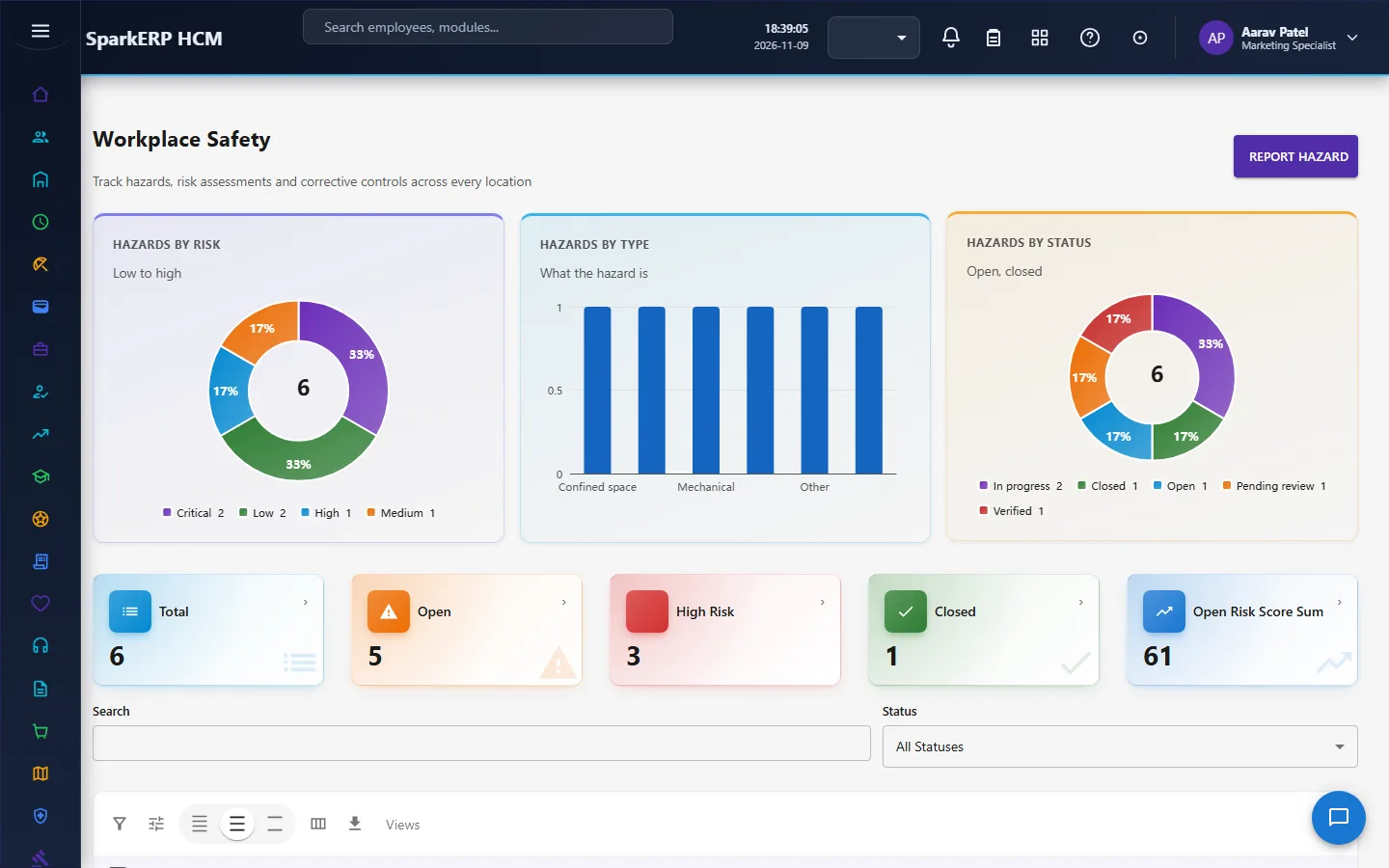
Safety Incidents and Workplace Accidents hold what happened.
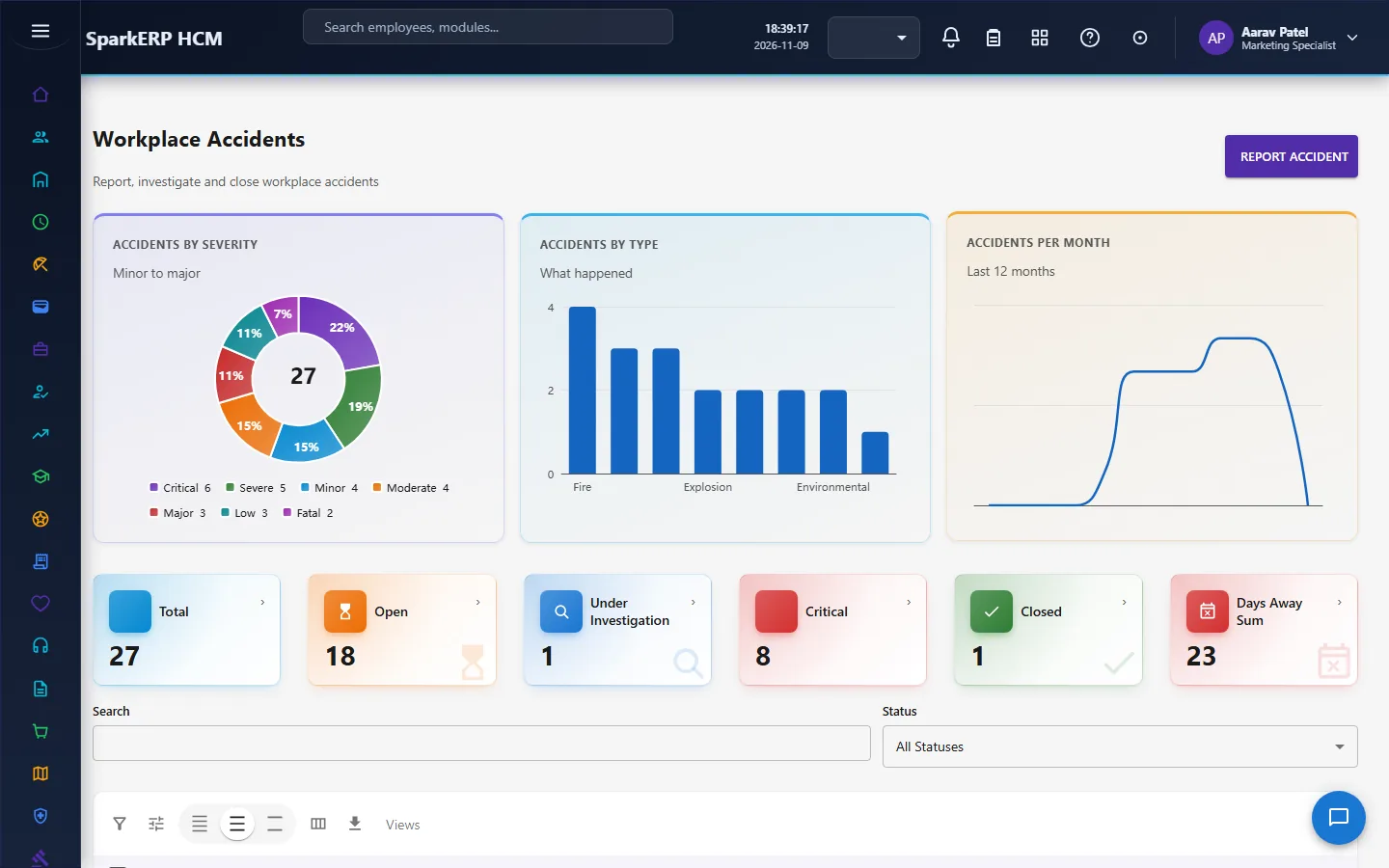
Safety Training and Occupational Health keep people able to work safely.
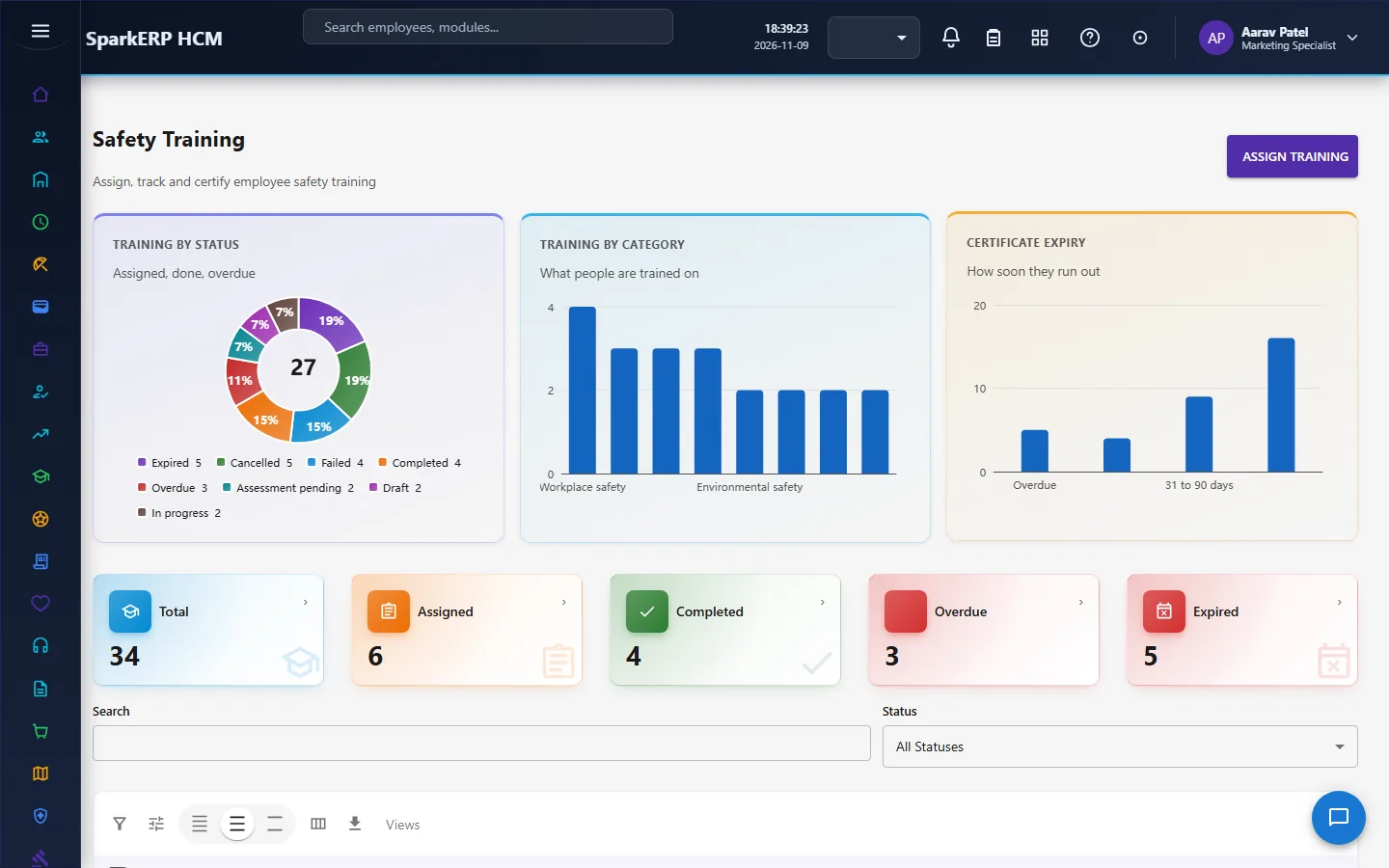
Medical Exams and Medical Records hold the sensitive data.
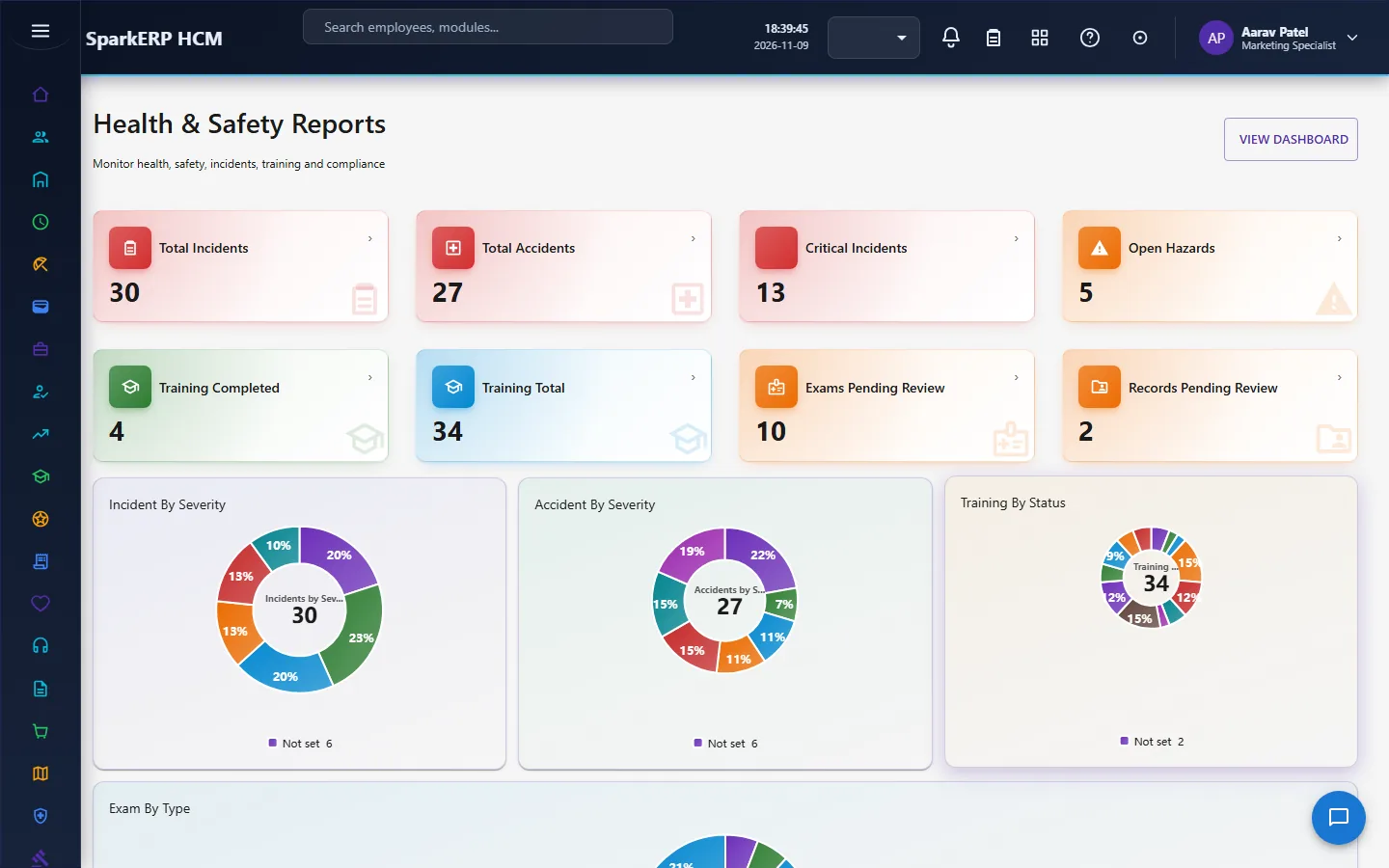
Health & Safety Reports close the loop.
4. Decide before you set up
| Decision | What to think about |
|---|---|
| Who holds the safety roles | Safety Manager and Safety Officer, and the HR fallback. |
| Risk matrix | The likelihood and severity scales you use; the score bands are fixed at 1-4, 5-9, 10-16 and 17-25. |
| What is reportable | Your regulator's rule, so people can mark incidents correctly. |
| Mandatory training | Which courses, for whom, and the passing score. |
| Medical data | Who may see it, and how long you keep it. |
| Investigations | Which severities require an investigation and who investigates. |
5. Set up step by step
- Roles. Give the Safety Manager and Safety Officer roles, and the HR fallback.
- Training. Define the mandatory safety courses with passing scores and certificates.
- Hazards. Register the known hazards with likelihood, severity and controls.
- Occupational health and exams. Set up the providers and the exam schedule.
- Reporting rules. Agree how people mark an incident as regulatory reportable.
- Trial. In a trial tenant generate the Health & Safety demo pack and follow one incident from report to closure.
6. Daily use
6.1 A hazard is found
- Register it with its likelihood and severity; the risk level must match the score.
- Assign an owner and a target date, and the controls.
- Verify it, then close it.
6.2 An incident happens
- Record what happened, who was involved and the immediate action.
- If an investigation is required, assign an investigator; record the root cause and the corrective actions.
- The investigator reviews; the safety manager approves the closure.
6.3 Training and fitness
- Assign mandatory training; the person completes it and the assessment.
- Schedule medical exams; record the fitness determination; set restrictions or accommodations.
7. A calendar of recurring work
| When | What |
|---|---|
| Daily | New incidents; investigations due. |
| Weekly | Open hazards by risk; training overdue. |
| Monthly | Exams due; closures waiting for approval. |
| Yearly | Review the risk register and the mandatory training. |
8. Reports and figures
The Health Dashboard and Health & Safety Reports show hazards by risk level, incidents and accidents by severity, lost time, training completion and exams due. Lists can be exported.
9. Limits you should know about
- The module records reportability; it does not decide it.
- A hazard's risk level must match its score, so a mismatched save is refused.
- Closures need their review and approval. A plain edit is refused.
- A training failure needs a score below the passing score.
- Medical information is sensitive and limited to the safety and HR roles that need it.
- There is no employee self-service screen for reporting a hazard or an incident or for taking training; a safety role or HR enters them.
10. Troubleshooting
| Symptom | Cause and fix |
|---|---|
| A hazard save is refused | The risk level does not match the score (1-4 low, 5-9 medium, 10-16 high, 17-25 critical). |
| A hazard cannot be closed | It has not been verified yet. |
| An incident cannot be closed | It has to go through the investigator's review and the safety manager's approval. |
| A training record cannot be completed | The completion date is not set. |
| A training record cannot be marked failed | An assessment is not required, or the score is not below the passing score. |
| A case or an exam cannot be completed | The fitness status is still pending. |
| A medical record cannot be verified | Its review has not set the verification status. |
| An employee cannot open a screen | It is an administration or a medical screen. |