
Appearance
Connect any AI model - providers, models and profiles
The real problem
Northwind Logistics (an example company) runs an HR helpdesk on your ERP. Their IT policy says employee questions may only go to a model hosted in their own cloud account, while a partner tenant is happy with OpenAI. The same helpdesk plugin must work for both, and must survive the vendor being switched next year.
If the plugin named a vendor model, each tenant would need a fork. Instead the plugin asks for the profile default, and each tenant decides what default means.
The idea in one minute
| Term | Meaning | Example |
|---|---|---|
| Provider | An endpoint that speaks an OpenAI-style API, plus how to authenticate | northwind-vllm, https://llm.northwind.example/v1 |
| Model | One model on a provider, with its kind (chat or embedding), context size and list prices | llama-3.1-70b, chat, 128k context |
| Profile | A name assets use, pointing at a model with parameters and an optional fallback | default -> llama-3.1-70b, temperature 0.2, fallback backup |
Supported provider types: OpenAI, OpenAI-compatible (Ollama, vLLM, LM Studio, LiteLLM and most gateways), Mistral, Hugging Face endpoints and self-hosted servers. Chat and embedding models use the same providers.
Designer path (Studio, no code)
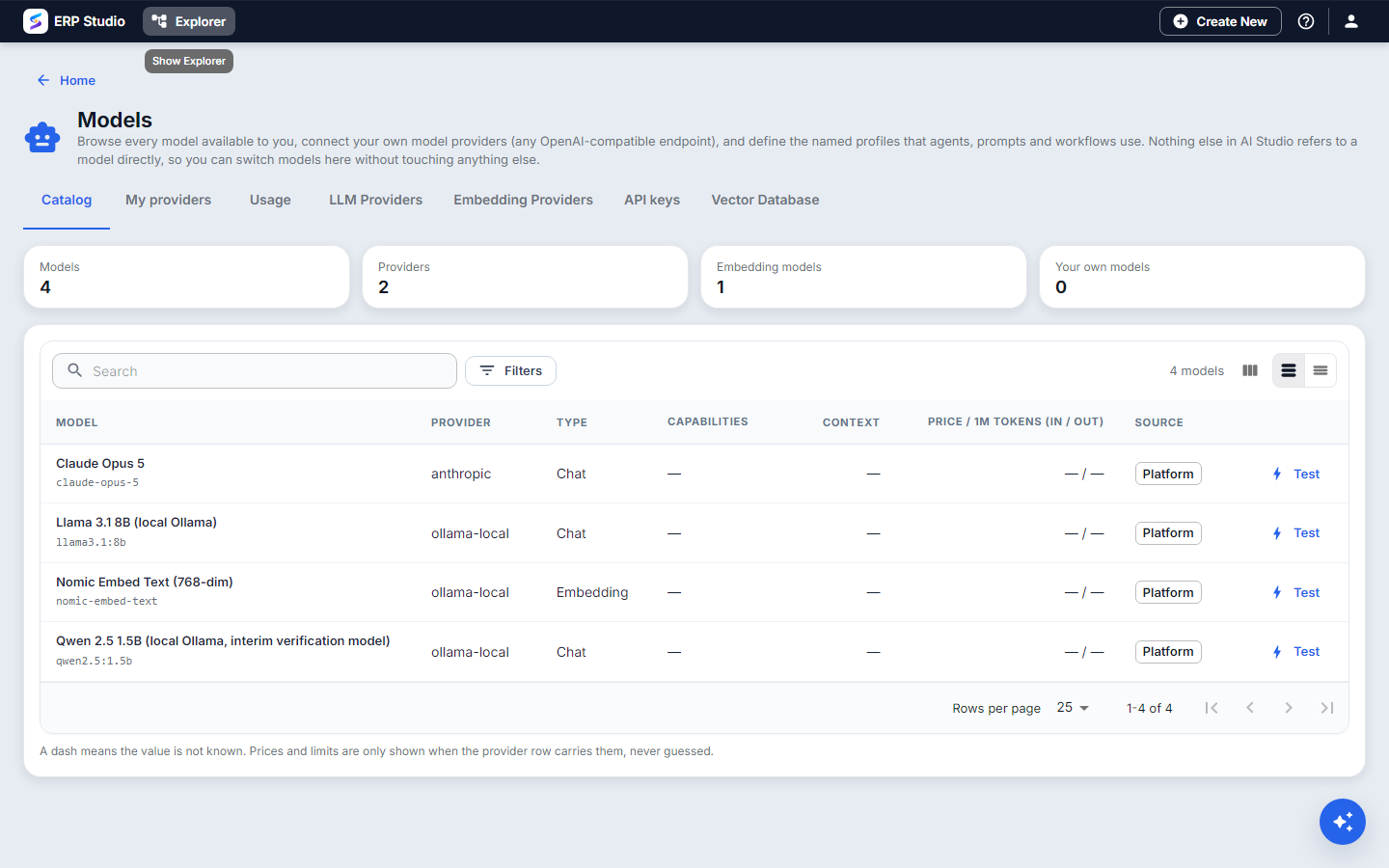
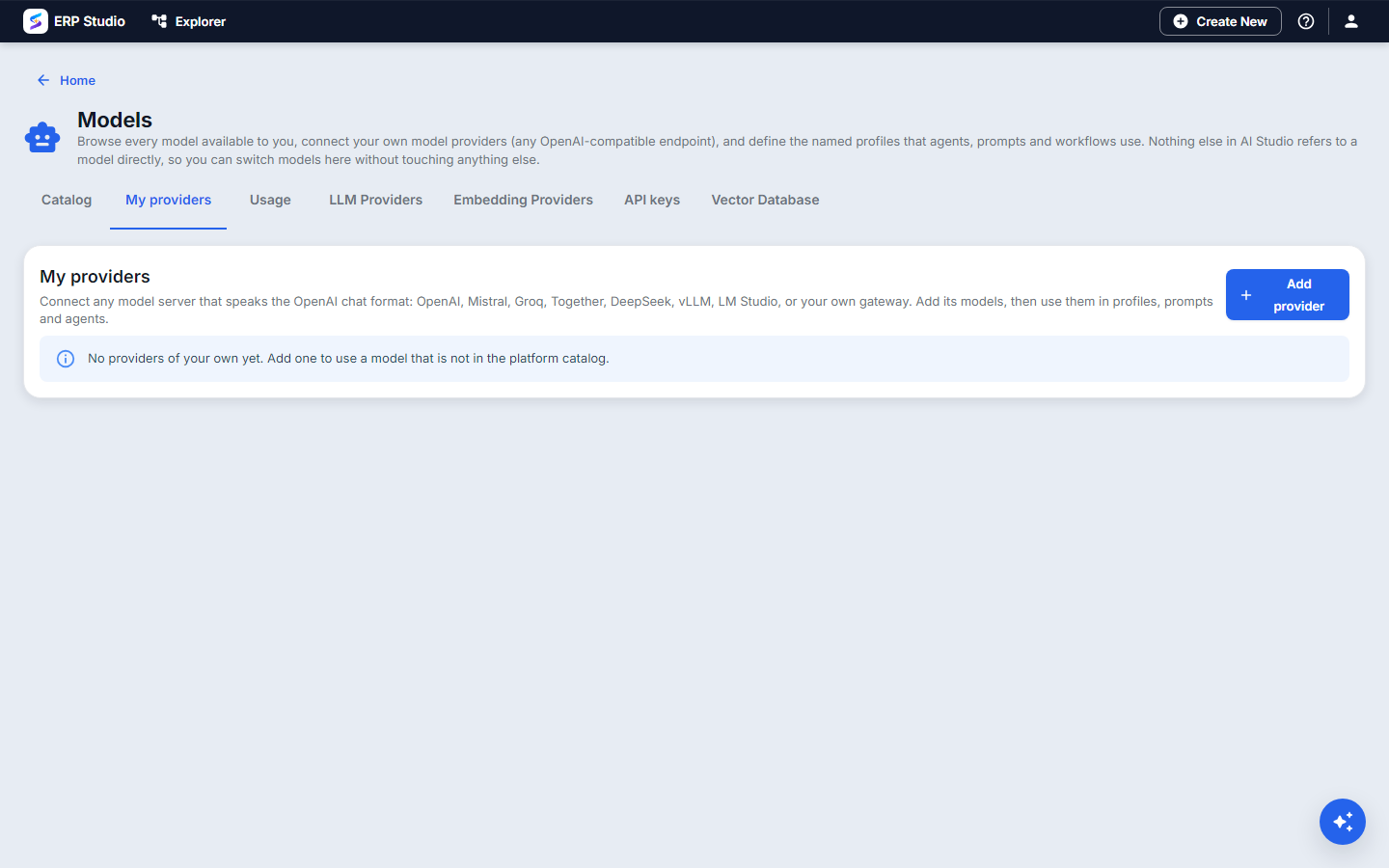
- Open AI Studio > Models. The Catalog tab lists models the platform already offers.
- Open My providers > Add provider. Enter a code (
northwind-vllm), a name, the base URL and, if the server needs one, the API key. The key is stored as a secret and is never shown again. - Add a model to the provider: code (as the server names it), kind chat or embedding, context window, and list prices per million tokens if you want cost figures. For an embedding model also give its dimensions (for example 1024).
- Press Test on the model. You get a real round trip and its latency, or the exact error.
- Create the profile
defaultthat points at this model. Set temperature and max output. Optionally choose a fallback profile; it is used automatically when this one fails. - Create an embedding profile too (for example
embed) if you will build knowledge bases.
Endpoints must be https and public. Private or internal addresses are refused (this stops a tenant from pointing the server at its own network) unless the operator allows private endpoints, which you would do for a local Ollama in development.
Developer path
Assets never name a vendor model. In a plugin's files use the profile code:
json
{ "promptCode": "summarise-policy", "profileCode": "default", "userTemplate": "..." }To register a provider and model from a script (all under /api/v1/agents/model-profiles, permission agent update):
bash
# provider
POST /providers            { "providerCode":"northwind-vllm","name":"Northwind vLLM","baseUrl":"https://llm.northwind.example/v1","authScheme":"Bearer" }
# model on that provider
POST /providers/northwind-vllm/models
                           { "modelCode":"llama-3.1-70b","name":"Llama 3.1 70B","kind":"chat","contextWindow":131072,"priceInPerM":0,"priceOutPerM":0 }
# profile
POST /                     { "profileCode":"default","modelId":42,"params":{"temperature":0.2},"fallbackProfileCode":"backup" }
# test
POST /models/42/test
Then check it works the way applications will use it:
bash
curl https://your-erp/api/v1/ai/openai/v1/chat/completions \
  -H "Authorization: Bearer sk-spark-..." -H "Content-Type: application/json" \
  -d '{"model":"default","messages":[{"role":"user","content":"Say hello"}]}'
How to verify
- Test on the model shows success and latency.
- After one call, Models > Usage shows a row with the profile, tokens and (if you entered prices) cost.
- Stop the primary model on purpose. A call to
defaultshould still answer through the fallback, and the usage row names the profile that answered.
Common mistakes
- Naming the vendor model in a prompt or agent. Use a profile code, or the plugin breaks on the next tenant.
- A base URL that already ends with
/chat/completions. Give the API root (.../v1); the path is added for you (a provider can override the chat path if the server is unusual). - Different embedding models in one knowledge base. Vectors from different models are not comparable. Changing the embedding model needs a re-index (see Knowledge bases).
- Expecting costs without prices. Cost is computed from the list prices you enter; blank prices show tokens only.
Not built
Per-tenant budgets and alerts, and prompt caching in the provider adapters. Streaming returns one chunk.
Next
Knowledge bases and embeddings - give the model your documents.