
Appearance
IT & Software Industry Pack (HCM): from setup to daily use
The IT and Software pack adds what a services company needs on top of core HR: a skills catalogue, project staffing demand, the bench, capacity and certifications. It answers who is free, what projects need, whether the two match and how much of the available time is billed.
1. Who uses it
| Role | What they do |
|---|---|
| Delivery / resource manager | Matches people on the bench to open project roles; watches utilization. |
| Project manager | Raises project resource requirements. |
| HR partner | Keeps the skills catalogue and certifications up to date. |
| Practice head | Reads utilization, bench age and capacity. |
2. Before you start
- Installed plugins.
hcm-industry-it-software(needs HCM Foundation). Free tier. - Employees must exist in Core HR.
- Trial data. In a trial tenant, generate the IT and software industry pack in Demo Data: 31 skills, 14 bench records, project roles, capacity and certifications.
3. Set up
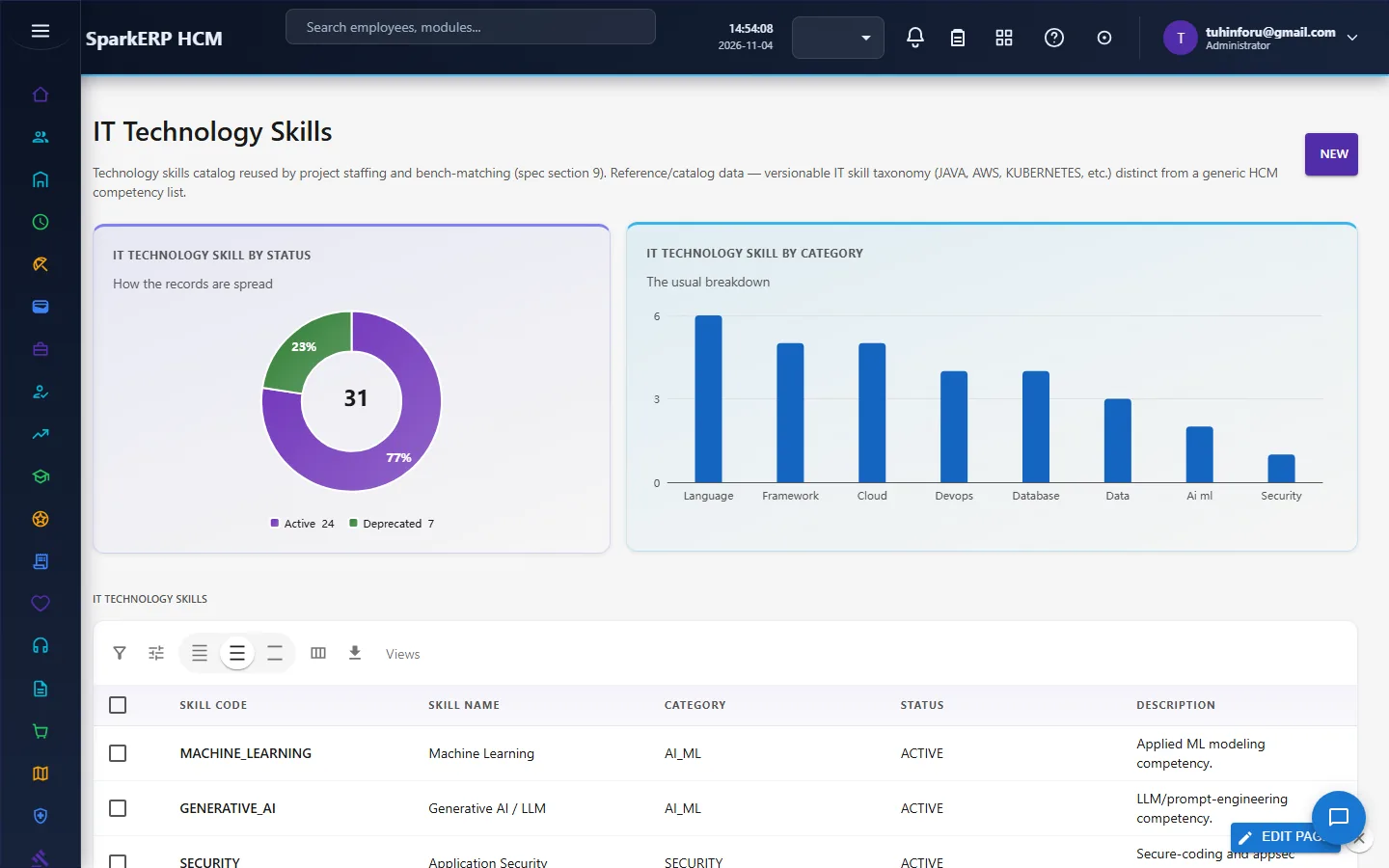
Technology skills. Keep the catalogue of technologies (language, cloud, database, AI/ML...) with status and category; retire old ones as deprecated.
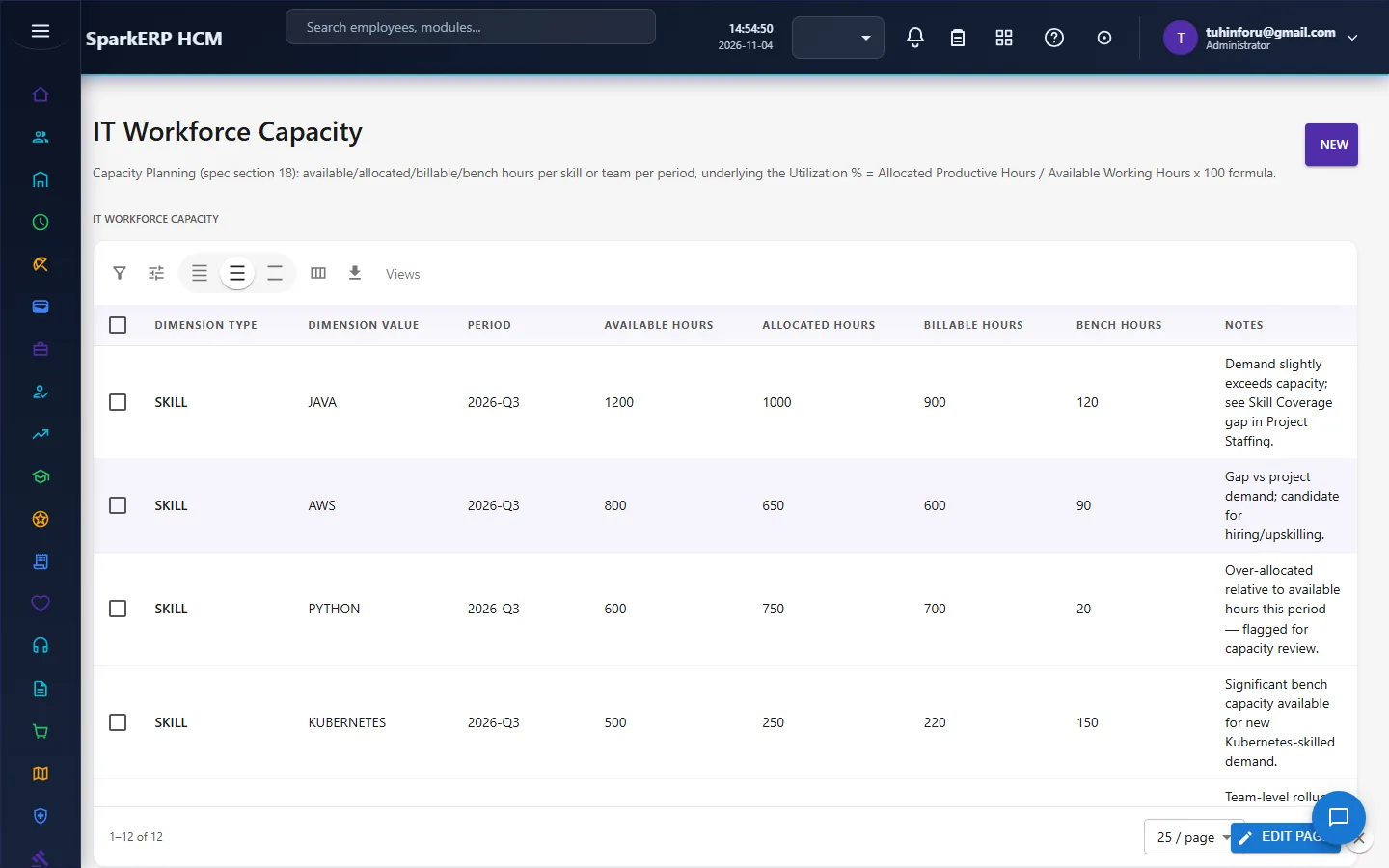
Capacity. Enter available, allocated, billable and bench hours per team and period.
4. Daily use
4.1 Project staffing
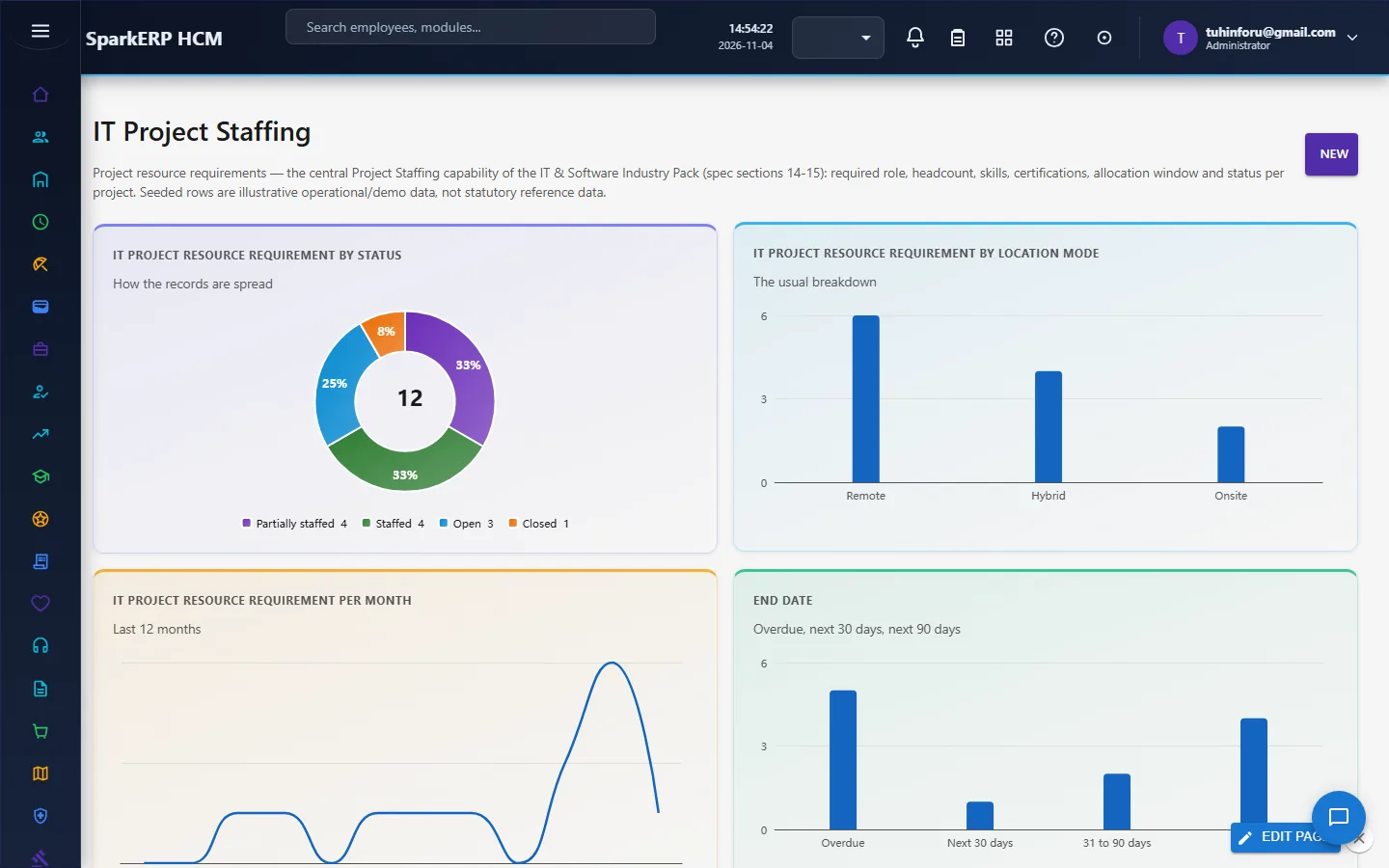
Project managers record what a project needs: role, headcount, skills, certifications, allocation, dates and billable or not, with a status of Open, Partially staffed, Staffed or Closed.
4.2 The bench
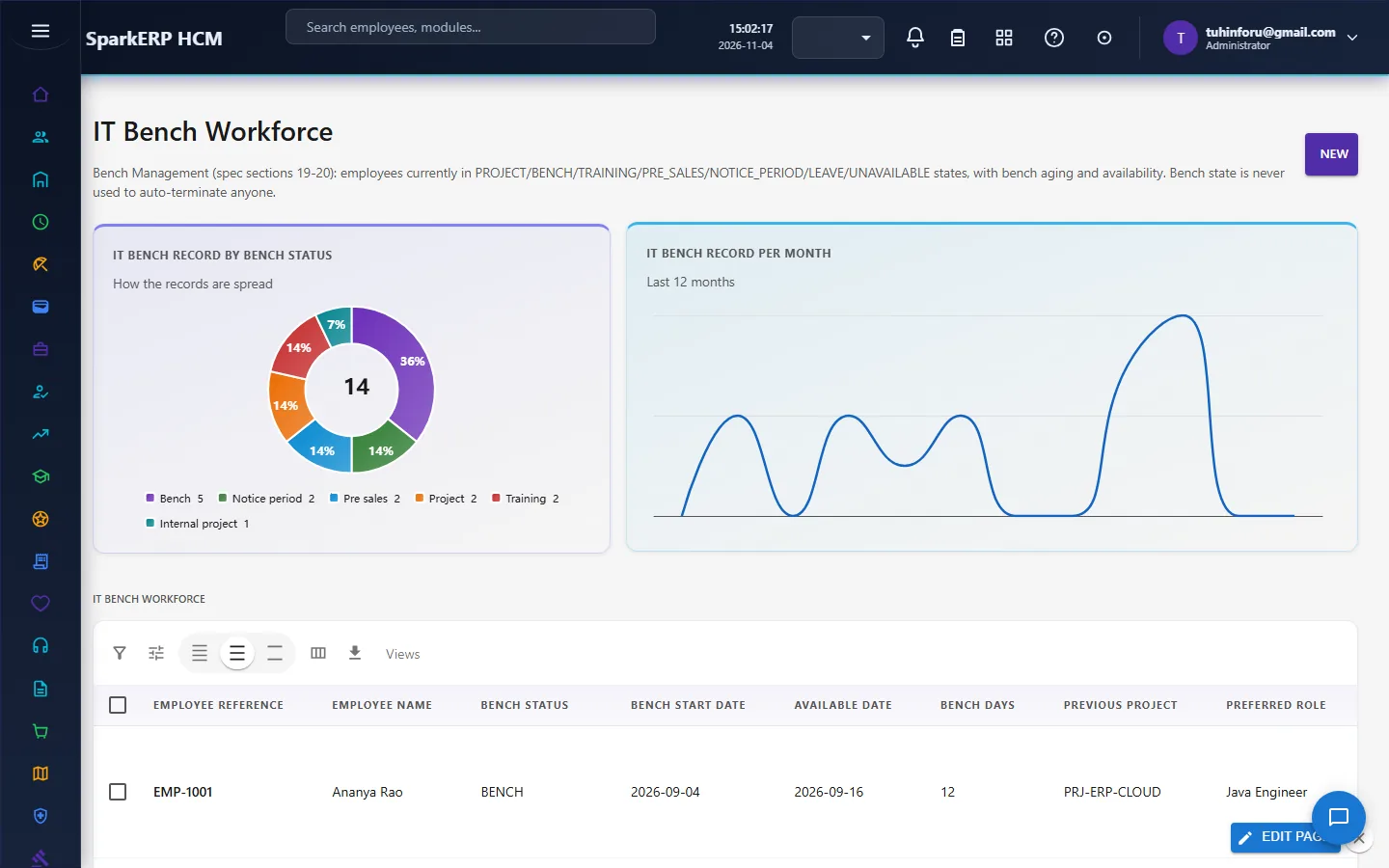
The bench register shows each person's status (bench, project, training, notice period, pre-sales, internal project), days on the bench, previous project and preferred role. Bench state never ends anyone's employment on its own.
4.3 Certifications
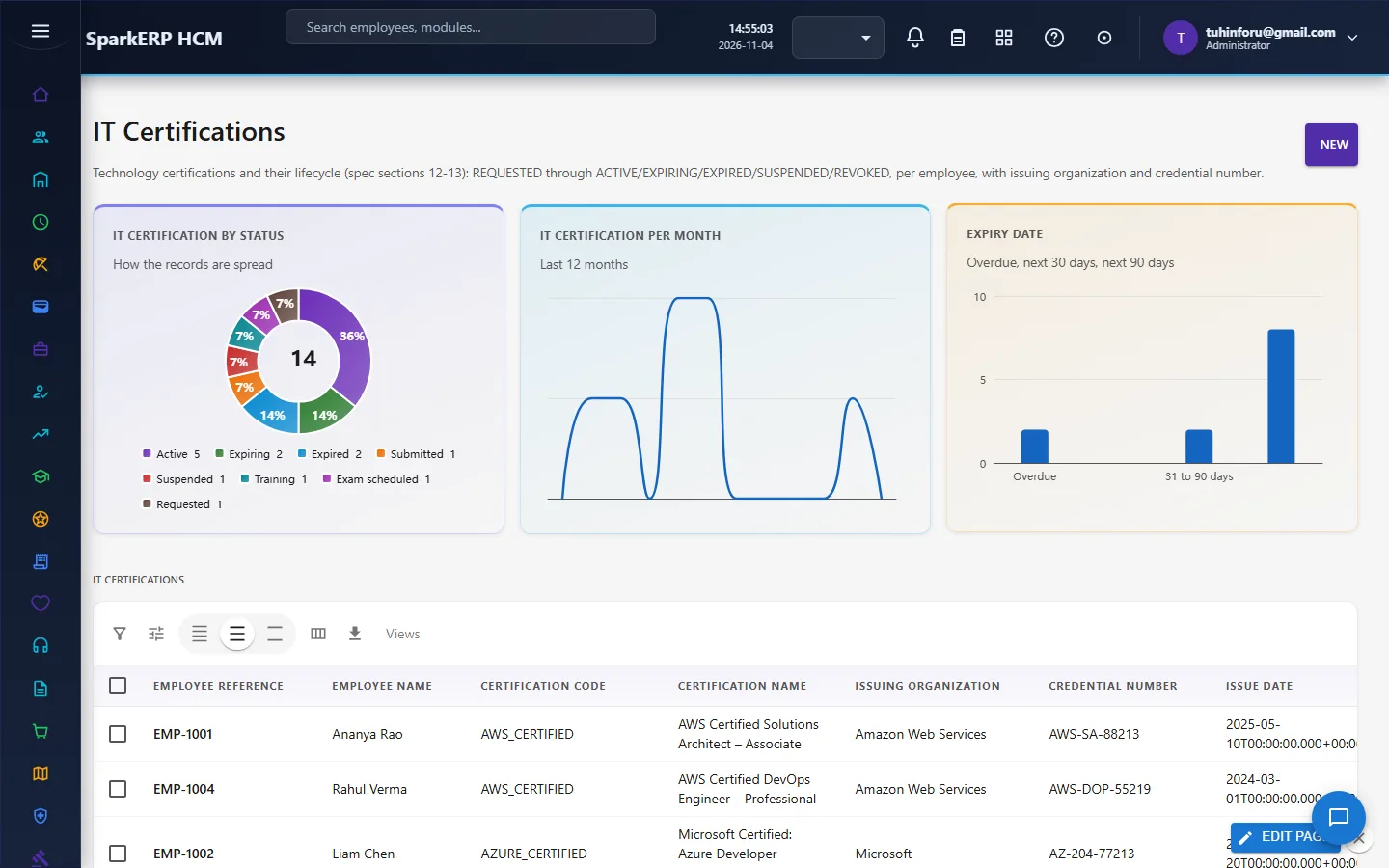
Track who holds which certification and when it expires.
5. Charts and reports
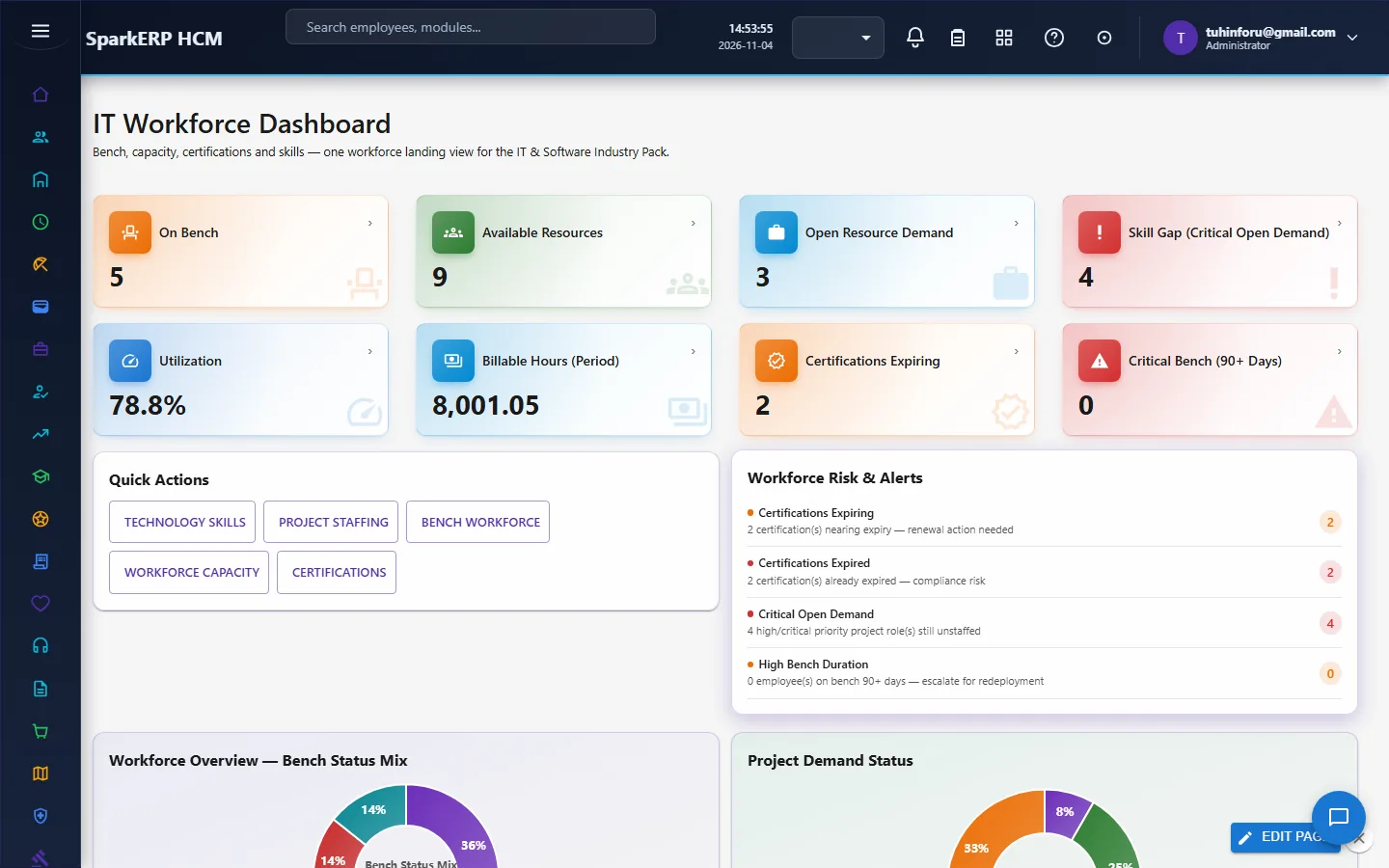
The IT Workforce Dashboard shows on-bench, available resources, open demand, skill gaps on critical open demand, utilization, billable hours, expiring certifications and critical bench (90+ days), with risk alerts and charts.
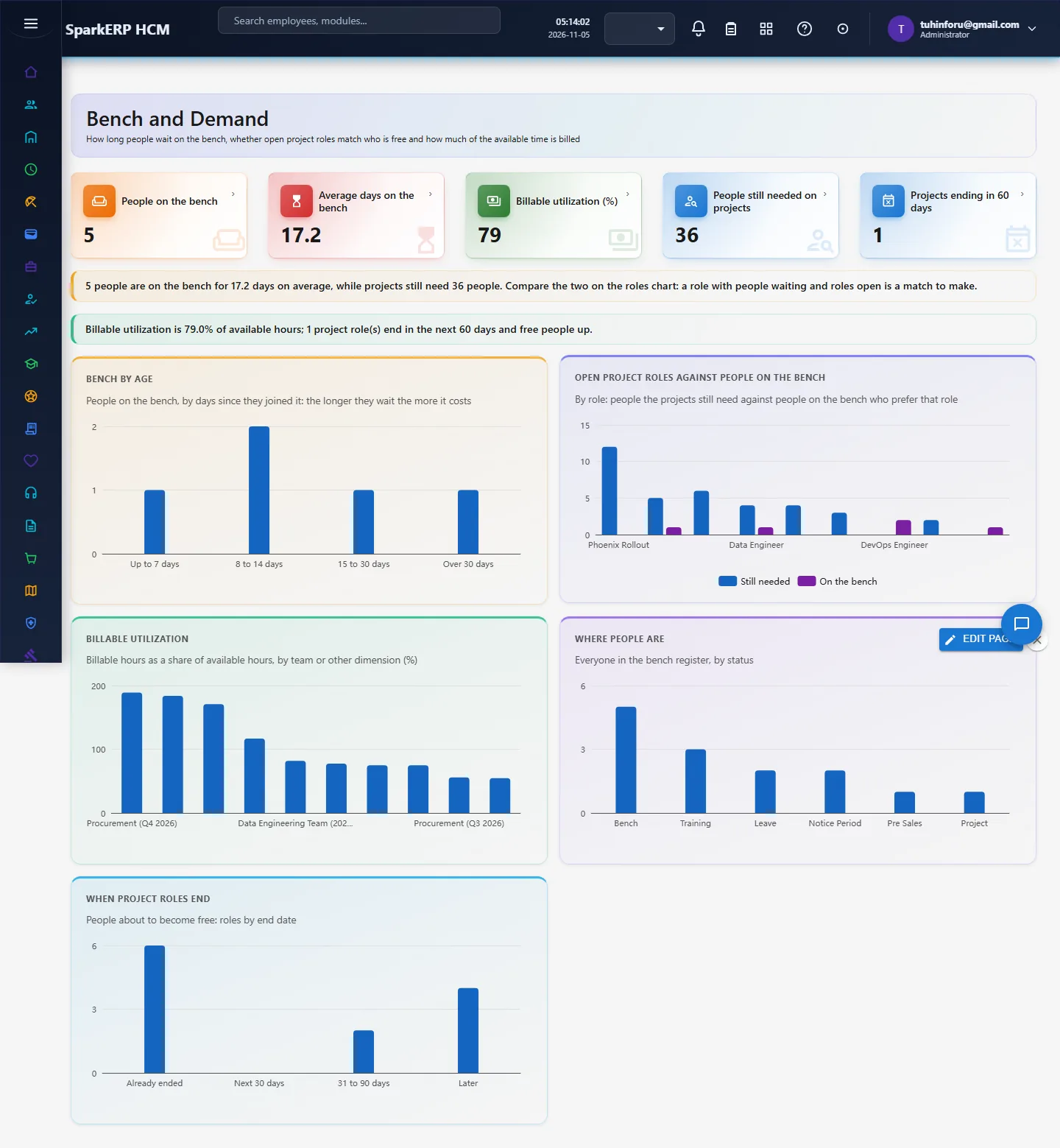
Bench and Demand (new) shows the questions the research points to: bench by age (the longer the wait, the higher the cost), open project roles against people on the bench by role, billable utilization by team, where people are by status, and when project roles end (people about to become free).
6. On a phone or tablet
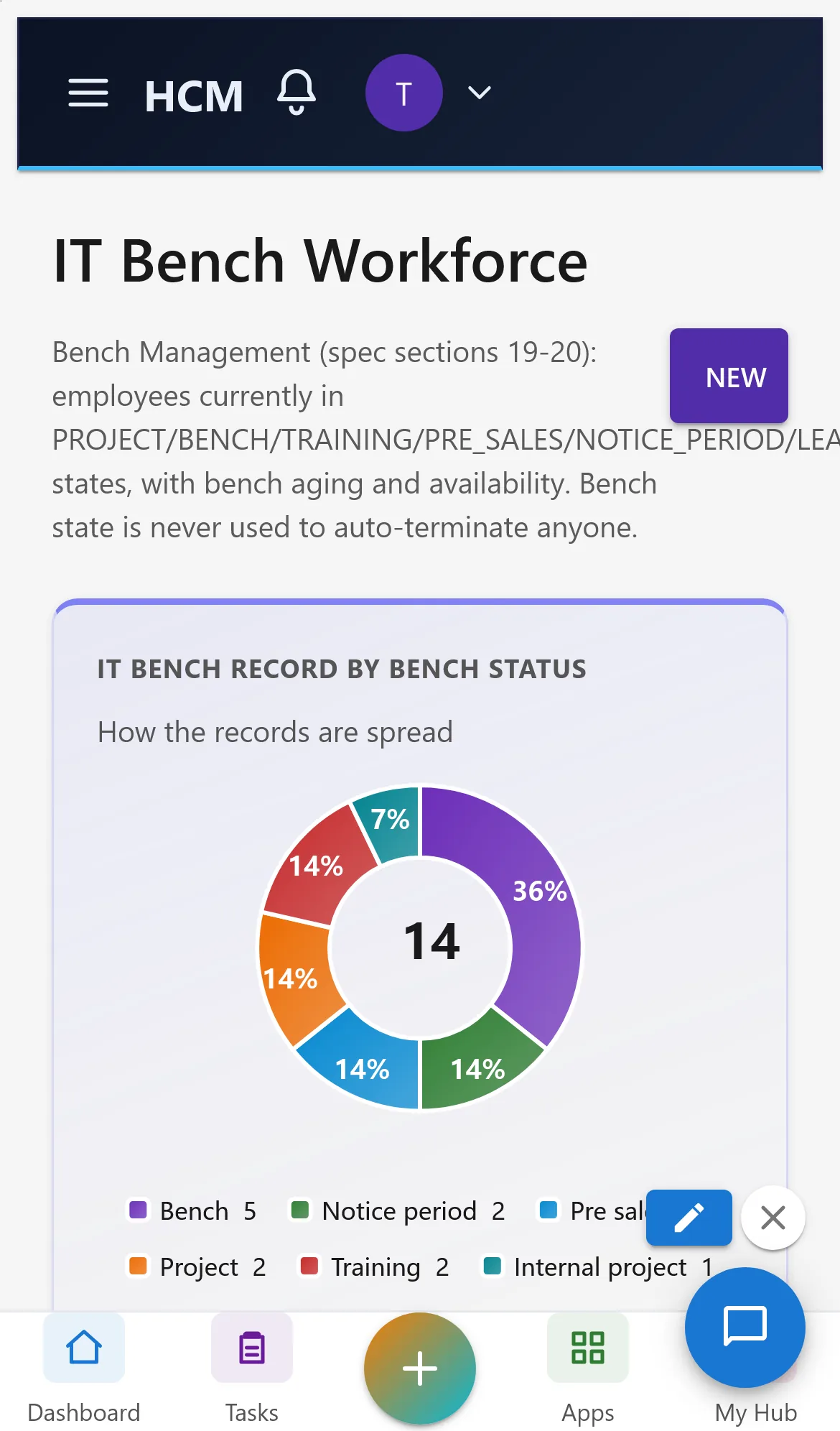
All pages open on a phone: tiles and charts stack one per row.
7. Rules and limits
- Billable utilization is billable hours over available hours; targets differ by role, so read it by team, not as one number.
- The match of bench to demand is by role name; matching on skill is not built yet.
- Not built yet: realization rate, revenue per employee, margin by project.
- Known display issue: the Bench table shows dates as full timestamps.
- In the demo data, project role names contain project names in places, so the role match looks uneven.
8. Troubleshooting
| Symptom | Cause and fix |
|---|---|
| Bench and Demand says "Report.View is required" | The login lacks the Report view permission. |
| Utilization shows 0 | No capacity rows yet; enter capacity or generate the pack. |
| A person on the bench is not counted | Only status BENCH counts as on the bench; people on notice or training are shown in the status chart. |