
Appearance
Workflows, Rules and Validations
Concepts
Three tools automate business logic. Choose by what you need:
| Tool | Runs | For |
|---|---|---|
| Validation | when data is saved | "this value is not allowed" (reusable, tenant-wide library) |
| Rule | at a moment in a record's life (before / after create, update, delete) | reject a save, set or compute a field, start a workflow, run a service |
| Workflow | over days, across people | stages, approvals, deadlines, escalation |
A workflow is a set of stages (states) joined by transitions. Each stage can have human tasks (an approval) or a subworkflow. Transitions carry conditions evaluated on the instance's context ({"field": "amount", "op": "gt", "value": 500}, combined with all / any). A running copy is an instance, and every move is recorded in its history.
Problem statement
A loan of anything worth over 500 must be approved by the facilities manager within two days; otherwise it goes to the department head. Late returns should notify the borrower. You need a rule that starts the approval when a loan is created, a workflow with a deadline, and a validation on the deposit.
All features
Workflow Designer 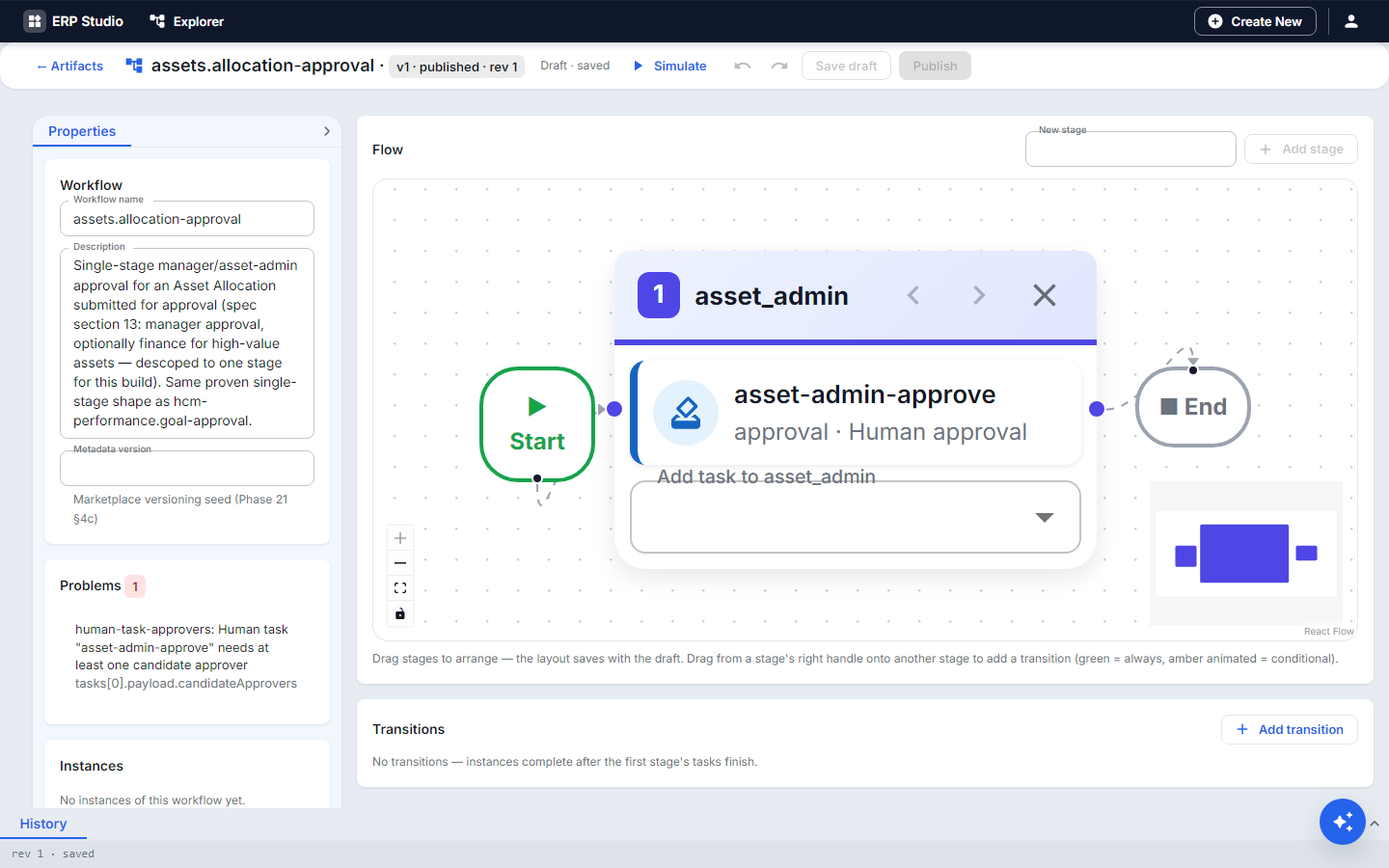
- Canvas with Start, stages, End; Properties panel; tabs Problems, Transitions, Simulate, History.
- Human approval tasks, with approvers fixed by role, by context (
${context.manager}, resolved per instance) or by a rule (${rule.name}); ad-hoc add an approver at run time. - Conditions on transitions with
all/anygroups. - Parallel gateways: mark two or more transitions parallel to run branches at once and join afterward.
- SLA timers with escalation (reassign) and on breach stage (force the instance to another stage).
- Subworkflow (call another workflow as one step).
- Bulk decide in the Task inbox: approve many at once.
- Simulate with sample data, in memory, no records written.
- Notifications on state changes, Generate with AI from a sentence, History of versions.
Rule Designer
- When: before or after create, update, delete.
- Only if: conditions on fields.
- Then: reject with a message, set a value (computed or defaulted field), start a workflow, execute a service. Edit as JSON for lookups and expressions.
Validations: a library of named checks (pattern, range, cross-field expression) that forms and entities reuse.
Step by step
Approval workflow
- Workflows, New. Name
loan-approval. - Drag stages:
request(Start),manager,head,approved,rejected. - Add a human task to
manager: approver roleFACILITIES_MANAGER. - Transition
requesttomanagerwith conditiondeposit > 500; another straight toapprovedotherwise. - In the SLA panel for
manager: 2880 minutes (two days), on breach stagehead. managertoapprovedon approve, torejectedon reject.- Simulate with
{"deposit": 700}: the path goes request, manager. With{"deposit": 100}it goes straight to approved. - Publish.
Rule that starts it
- Rules, New. When after create on
equipment_loan. - Only if
depositgreater than 500. - Then start workflow
loan-approval. Save and publish.
Validation
- Validations, New:
deposit-not-negative, fielddeposit, minimum 0, message "Deposit cannot be negative". Use it from the form's Use from Validation Library and on the entity.
Check it worked
Create a loan over 500. A task appears in the manager's Task inbox. Approve it and the instance history shows each move. Create one under 500: no task.
Common mistakes
- A stage with no outgoing transition (Problems flags it).
- Two rules that set the same field: keep one owner per field.
- Fixing approvers by person: use a role or context so it survives staff changes.
- Publishing without Simulate.
Next
Security: who may act on tasks (Approval permissions).