
Appearance
Compliance: how it works and how to set it up
Compliance answers the questions a company asks to show it follows the rules: which laws and statutory rules apply to us, which obligations fall due and when, are our compliance documents current and verified, which employees hold the certifications they must, who has read and accepted our policies, and what did our audits find and have we fixed it. This guide explains how the module works from start to finish, then how to set it up, then what each person sees. Every screen has its own page in the Compliance section; this guide is the one to read first.
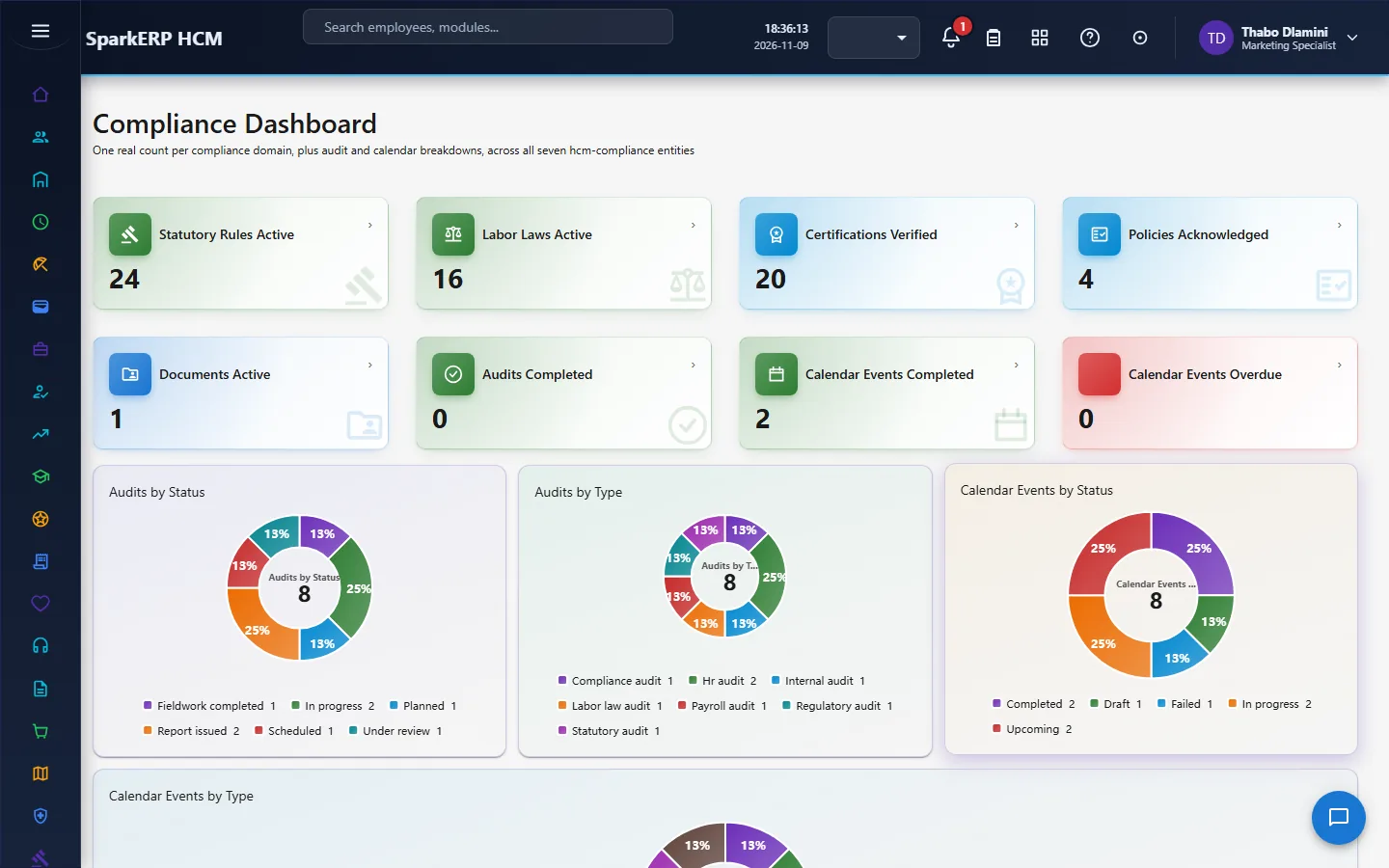
1. What Compliance does for your business
- Keeps the legal register. Labor laws and statutory rules, by country and jurisdiction, with versions and effective dates, each reviewed before it takes effect.
- Tracks obligations. A compliance calendar of events with owners, due dates, recurrence and evidence, and a controlled way to waive one.
- Controls compliance documents, with versions, expiry and verification.
- Tracks employee certifications (the licences and credentials people must hold), with expiry, renewal and verification.
- Registers policy acknowledgements. The compliance officer's register of who was assigned which policy, whether they accepted it or declined with a reason, and what is outstanding.
- Runs audits from plan to closure, with checklists, evidence, findings, corrective actions and a score.
What it does not do: it does not tell you what the law is. The laws, rules and thresholds are what you or your country pack enter, and the module makes sure they are reviewed and in force on the right dates. It is a register and a workflow, not legal advice.
2. How compliance works, end to end
2.1 The shape of the module
Almost every object in Compliance follows the same idea: it is drafted, reviewed by a named person, and only then becomes active. Each activation is protected by a rule the platform enforces, so a plain edit cannot skip the review. The reviewer named on the record is the person the approval task goes to, and the task is due within seven days.
2.2 Labor laws
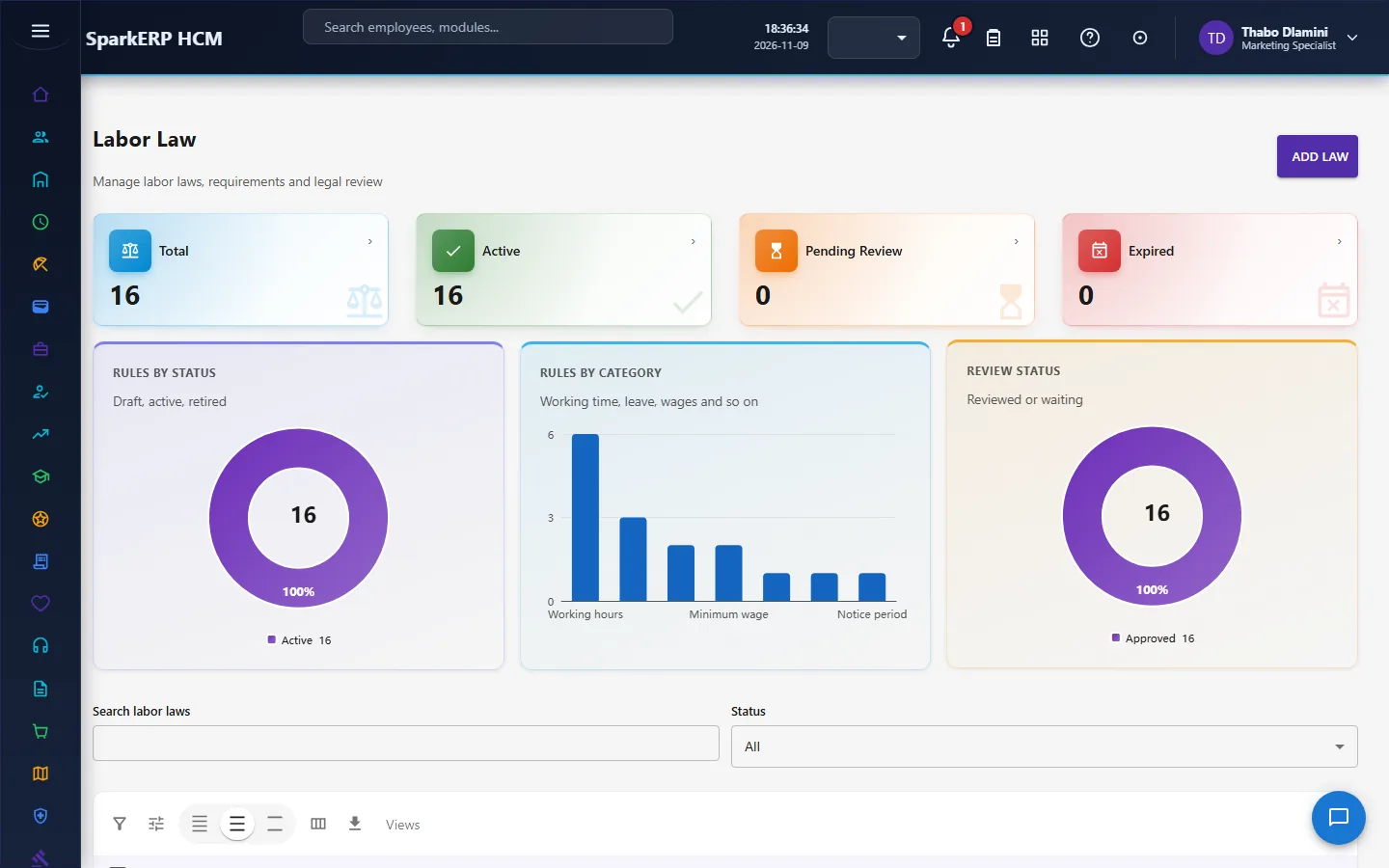
A labor law has a code and name, a category, a country and jurisdiction, an issuing authority, an official reference, a description, its requirements, a version and effective dates. A labor law cannot be made active while its legal review is still pending or needs changes. The path is: drafted, source added, compliance review, legal review, approved, active. The reviewer and review date are kept.
2.3 Statutory rules
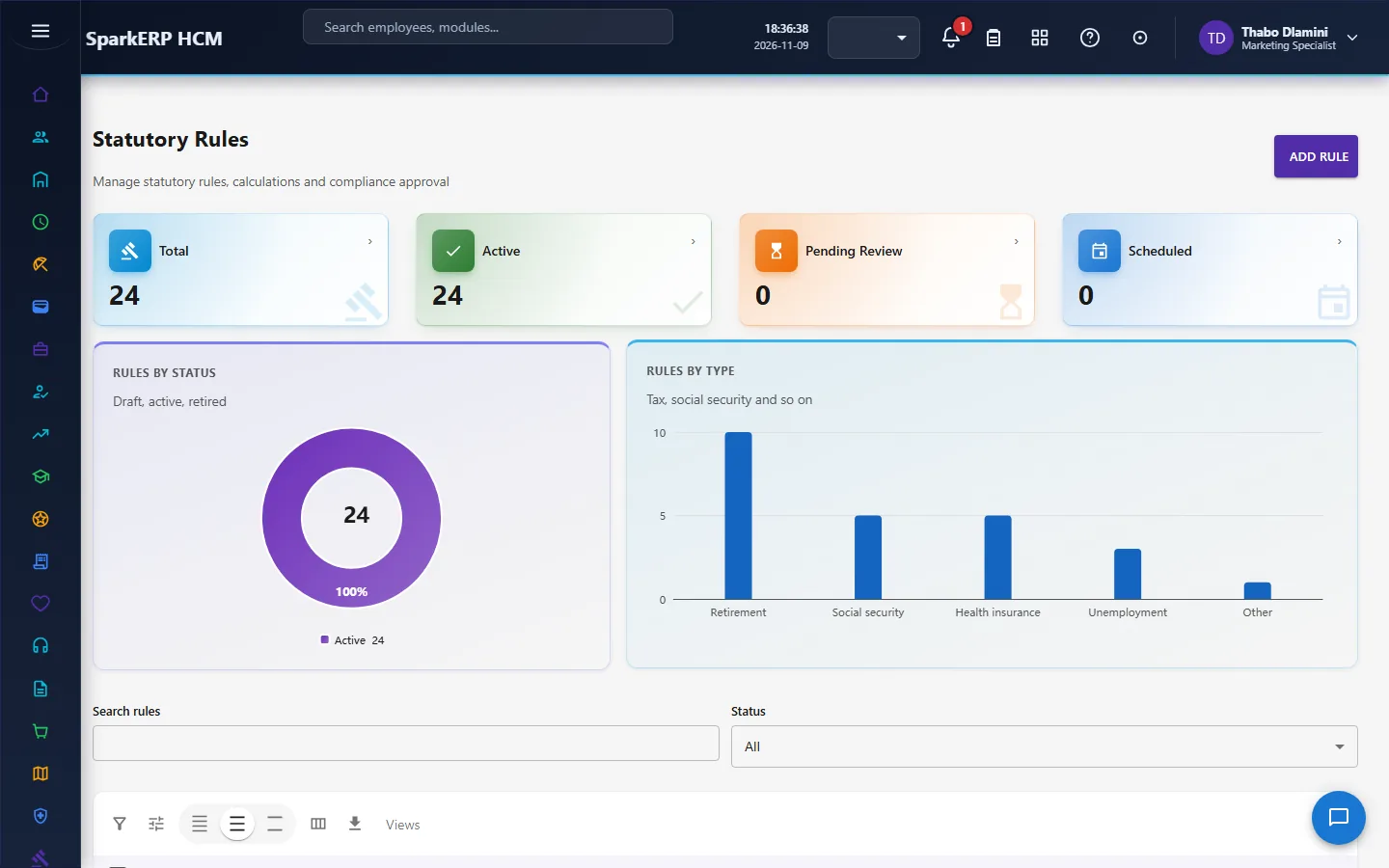
A statutory rule describes a contribution or levy: its type, scheme name, country and jurisdiction, how it is calculated (the type, the base and the rate percent), who it applies to, thresholds, a priority, effective dates and a version. A statutory rule cannot be made active until it has gone through the compliance approval and has an approval date. The path is: draft, approved, scheduled, effective, then ended or superseded. Payroll keeps its own statutory rules for calculating pay; the records here are the compliance register of those rules, and the two are separate records.
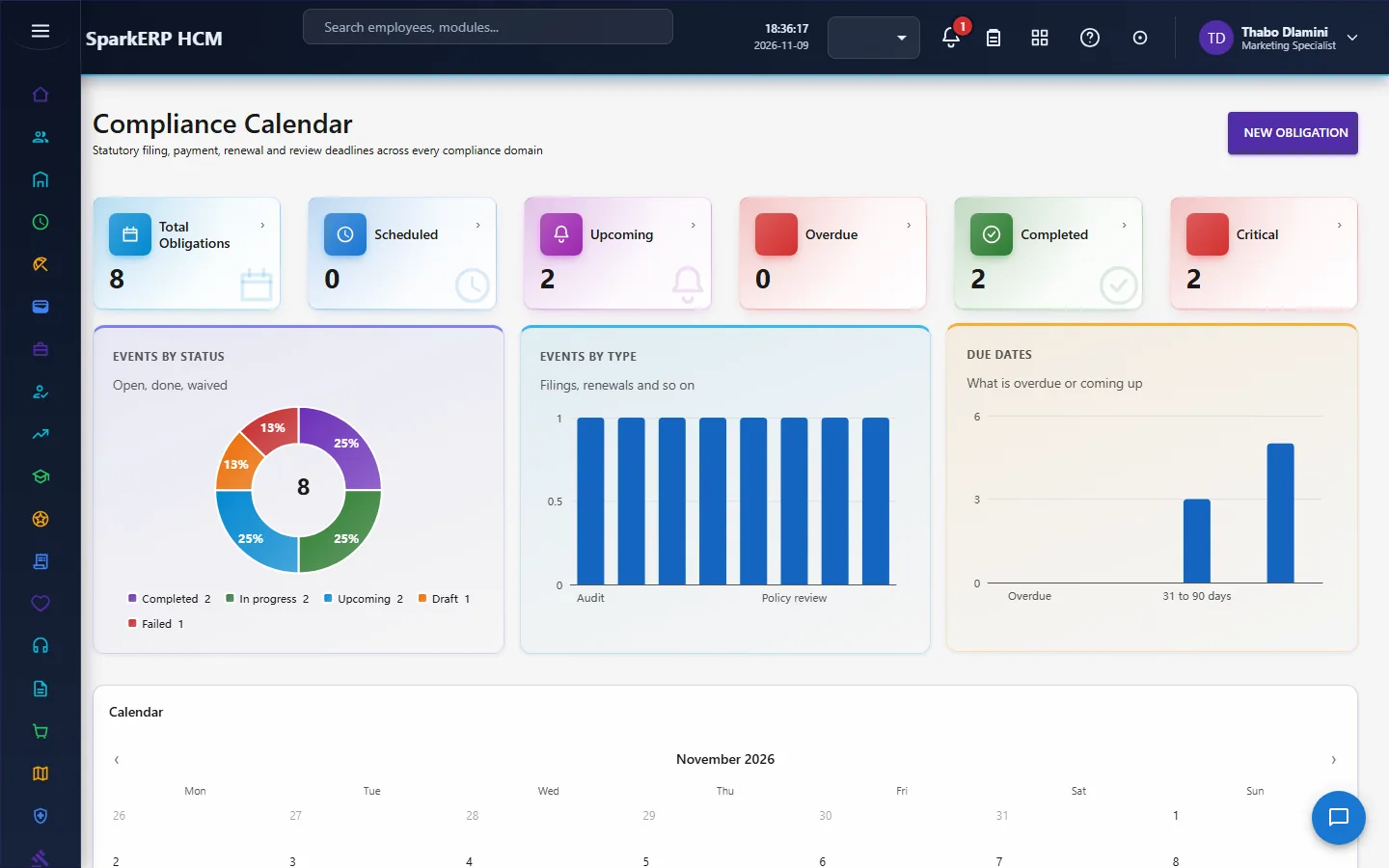
2.4 The compliance calendar
An event (an obligation) has a name, a type and category, a source, a country, jurisdiction, organization and location, an owner and a reviewer, a priority and a risk level, a due date and time, a recurrence, and evidence. It is open until it is completed. An obligation can be waived only after the waiver has been approved: the path is request a waiver, give a reason, add evidence, approve, waived. A waiver reason and the approver are kept. The calendar shows what falls due and what is overdue.
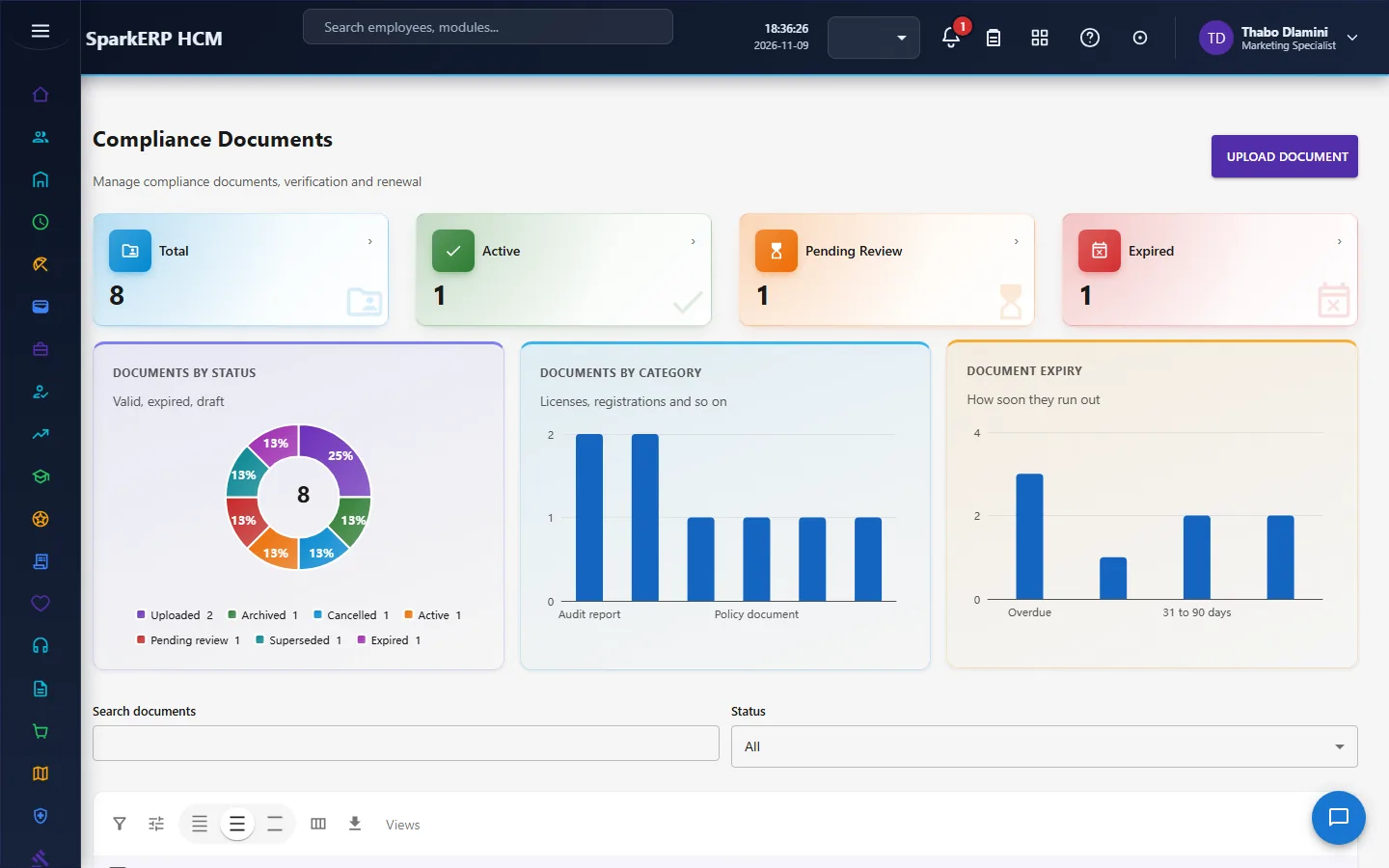
2.5 Compliance documents
A compliance document has a number and name, a category, country and jurisdiction, an owner and reviewer, issue, effective and expiry dates, a version with a link to the previous one, a risk level and the file. Its verification status starts as pending. A document cannot be made active while its verification is still pending. The path is: uploaded, pending review, verified, active. The verifier and time are kept, so a document can be shown to have been checked.
2.6 Employee certifications
An employee certification records a certificate a person holds: the number, the certification name and category, the issuing authority, the country and jurisdiction, the issue and expiry dates, whether it is mandatory, whether renewal is required, and a link to the previous certificate when it is renewed. A certification cannot be marked verified while its verification is still pending. Verification is an approval task.
2.7 Policy acknowledgements
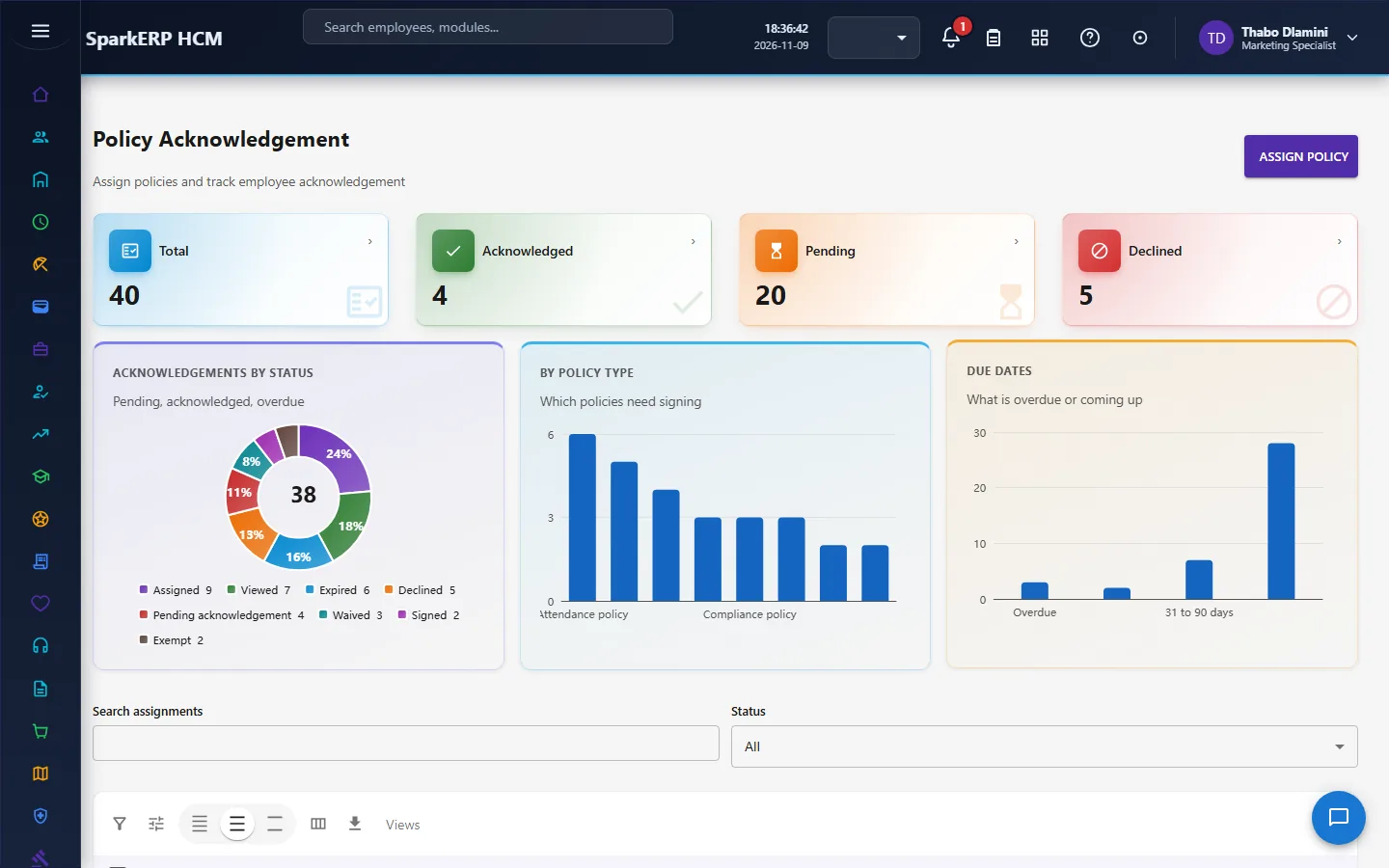
A policy is assigned to an employee with a code and name, a type, a version, a country, a due date, the method of acknowledgement and whether a signature is required. The register records that the employee acknowledged it, or declined. A decline requires a reason: a blank decline never counts as an acknowledgement. A declined acknowledgement goes to review. (Employees acknowledge the HR policies they are given on My Policies under Employee Services, which is a separate record in the Foundation module; the Compliance screen is the compliance officer's register.)
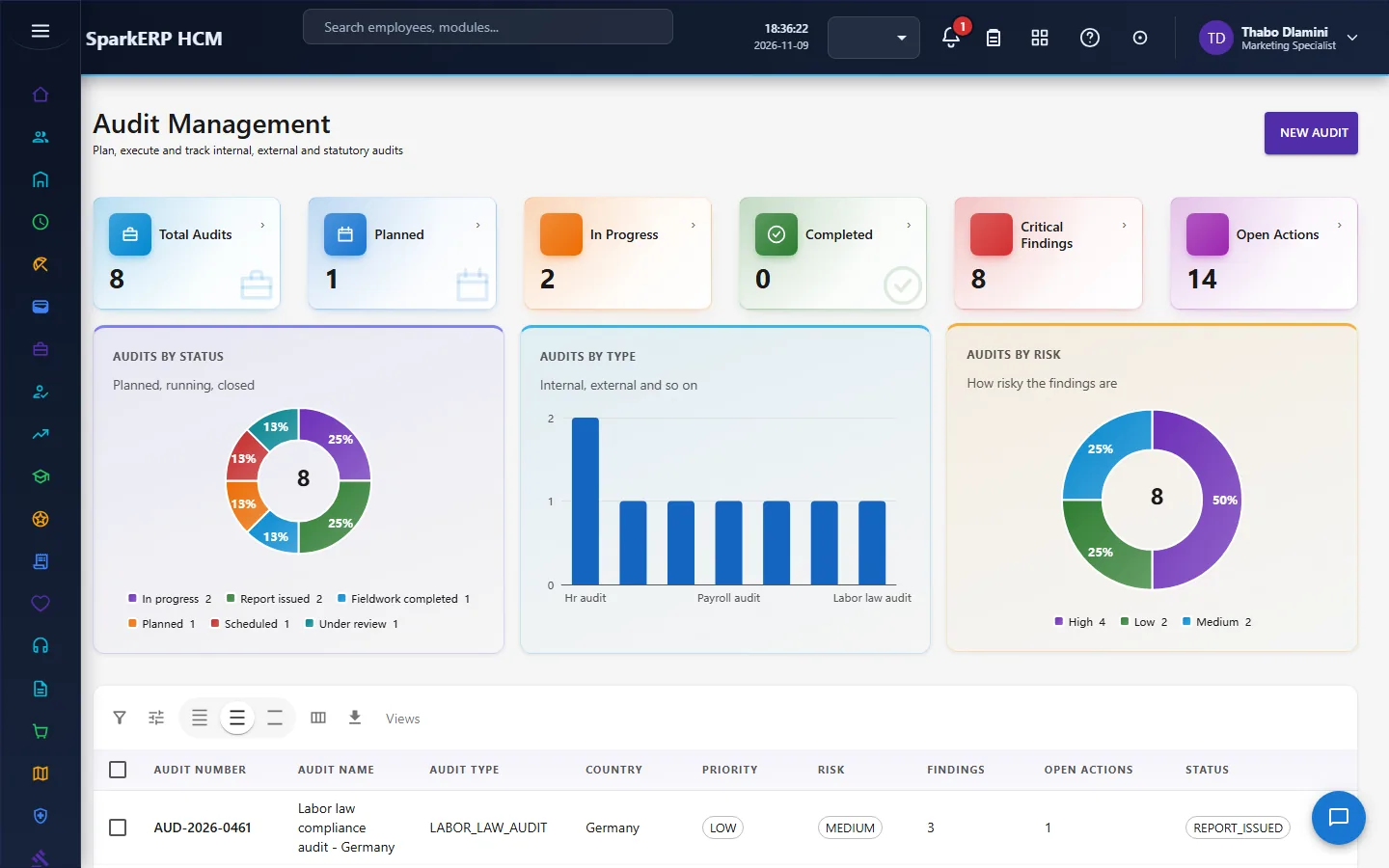
2.8 Audits
An audit has a number, name and type, a country and jurisdiction, the period it covers, the planned dates, a lead auditor, a reviewer and an approver, an objective, a scope, a checklist, evidence, findings and corrective actions, a priority, a risk level, and a score and rating.
An audit report goes through an approval. An audit cannot be closed while any corrective action is still open: the path is findings, corrective actions with owners, management approval, every action closed, then the audit closed.
2.9 Who gets the task
Every approval in Compliance is a human task for the reviewer named on the record, due within seven days. The Compliance Administrator, the Compliance Officer and the Tenant Owner hold the approval permission for them.
3. Who does what
| Role | What they do |
|---|---|
| Compliance Administrator | Sets up laws, rules, documents, calendar events, audits and reports; decides the approvals. |
| Compliance Officer | Reviews and verifies; decides the approvals; runs audits. |
| Employee (Compliance Self-Service) | The role exists for self-service. The Compliance administration screens, which show everyone's records, are not open to it. |
| Auditor and the analytics viewer | Read the dashboard, registers and reports. |
Compliance screens show the whole organization's records, so they are open to the compliance roles, HR, the auditor and the analytics viewer. An employee acknowledges their HR policies on My Policies in Employee Services.
3a. What each role sees, screen by screen
The employee
An employee does not use the Compliance screens, because they show everyone's records. The Policy Acknowledgement and Certifications registers and the dashboard are not open to them.



The compliance officer
The Compliance Dashboard shows what is due, overdue and waiting for review. The Compliance Calendar holds the obligations.
Audit Management runs the audits.
Compliance Documents and Certifications hold the evidence of what is in force.
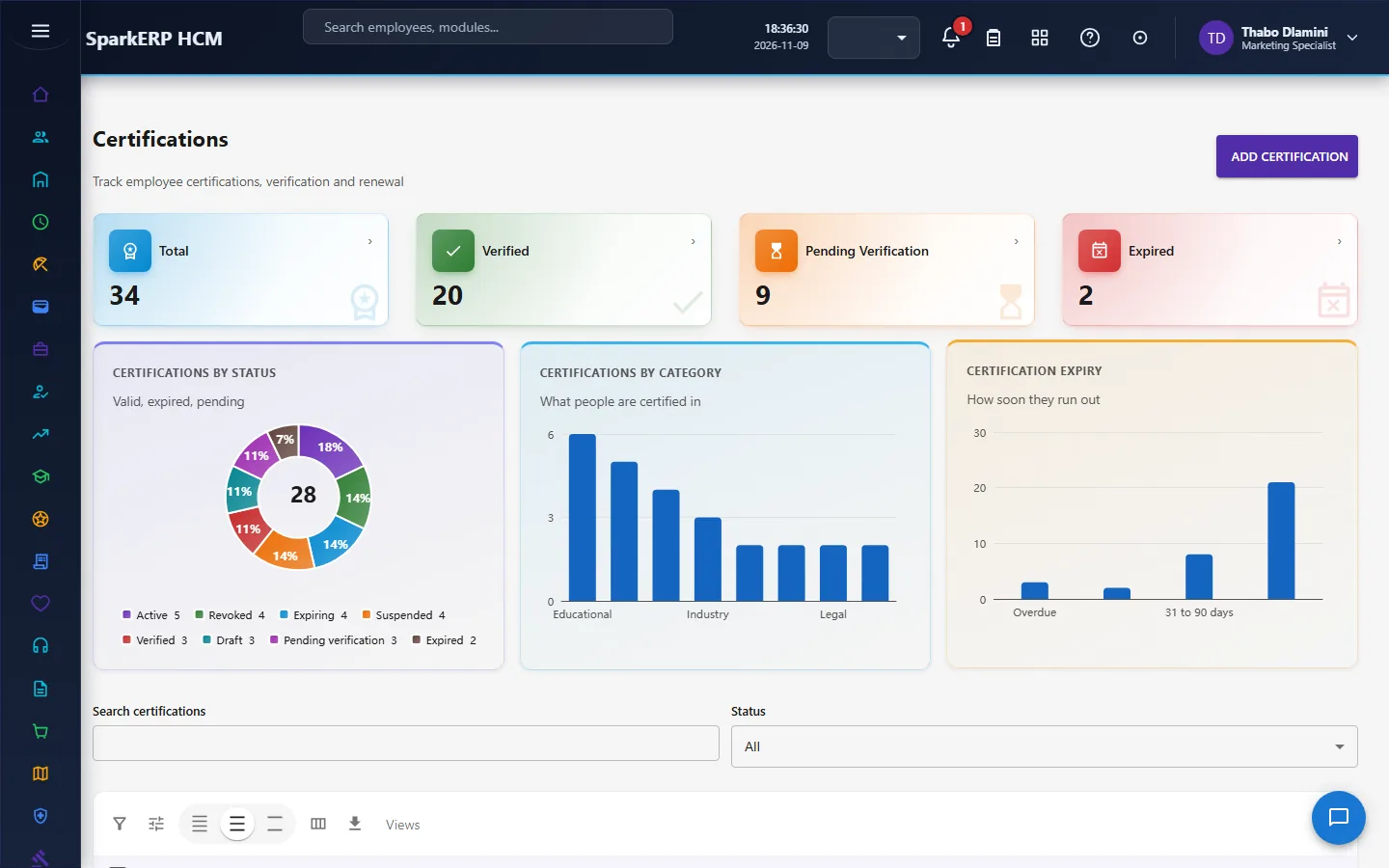
Labor Law and Statutory Rules are the legal register.
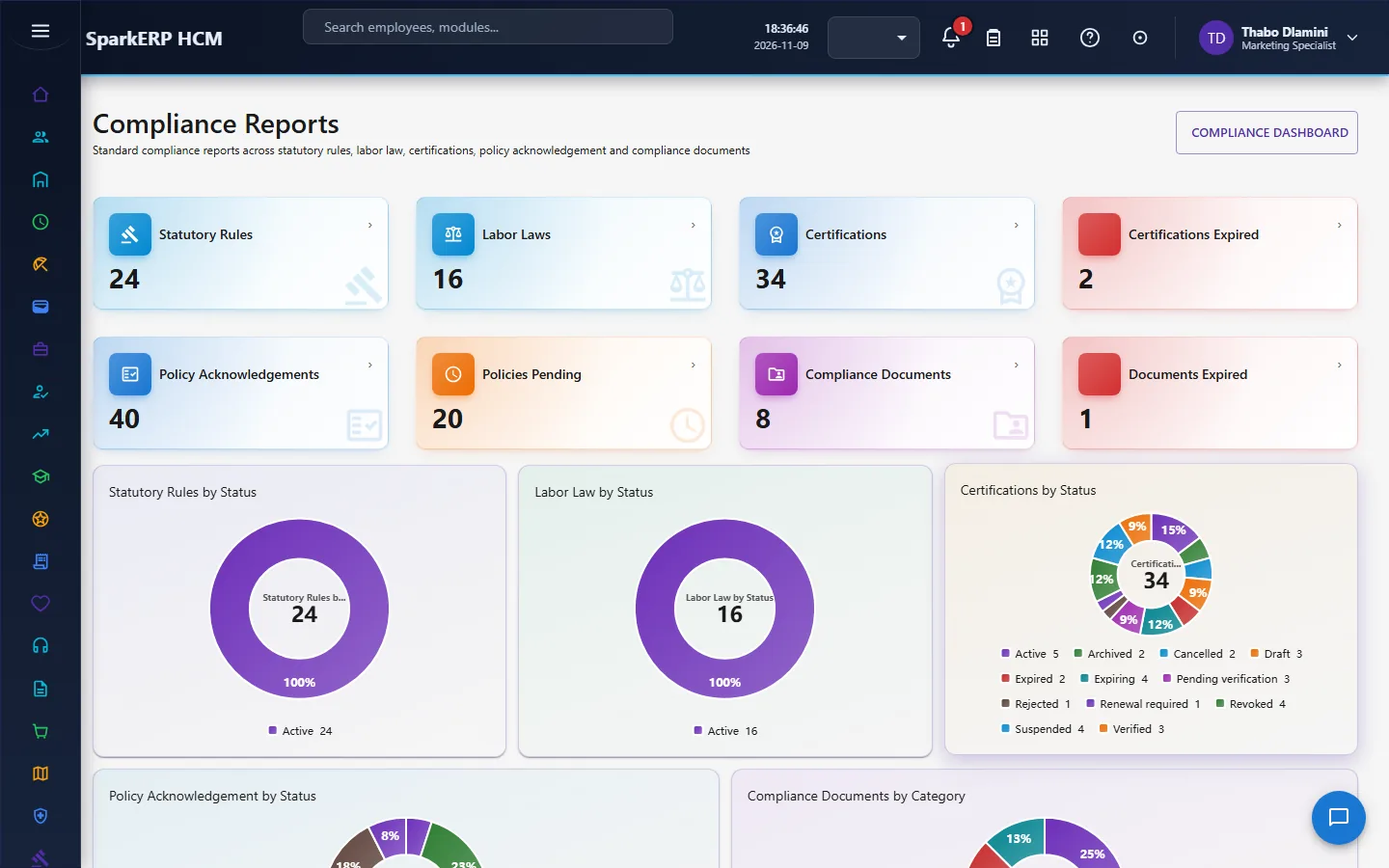
Policy Acknowledgement and Compliance Reports show who has accepted and the measures.
4. Decide before you set up
| Decision | What to think about |
|---|---|
| Jurisdictions | The countries and jurisdictions you operate in, and who owns each. |
| Reviewers | Who reviews laws, rules, documents, certifications and audit reports. |
| Which certifications are mandatory | And whether renewal is required. |
| Policies | Which need a signature, and how long people have to respond. |
| Recurrence | Which obligations repeat, and how often. |
| Evidence | What counts as evidence for an obligation or an audit. |
| Audit scoring | How findings turn into a score and a rating. |
5. Set up step by step
- Roles. Give the Compliance Administrator and Compliance Officer roles, and name reviewers.
- Legal register. Enter the labor laws and statutory rules for each jurisdiction, and send each through its review.
- Calendar. Create the recurring obligations with owners, due dates and evidence.
- Documents. Upload the compliance documents with their expiry dates; verify them.
- Certifications. Record the mandatory certifications people must hold, with expiry.
- Policies. Assign policies to employees with a due date.
- Audits. Plan the first audit with a lead auditor, reviewer and approver.
- Trial. In a trial tenant generate the Compliance demo pack and follow one obligation, one certification and one audit.
6. Daily use
6.1 An obligation falls due
- Open the Compliance Calendar and the dashboard's due and overdue lists.
- The owner completes it and attaches evidence.
- If it cannot be done, request a waiver with a reason and evidence; it is waived only after approval.
6.2 A document or certification
- Upload it; it starts as pending review.
- The reviewer verifies it; only then can it be active.
- Before the expiry date, renew it as a new version linked to the old one.
6.3 A policy
- Assign the policy with a due date.
- Record the employee's acknowledgement, or their decline with a reason; a decline goes to review.
- Chase the ones not answered by the due date.
6.4 An audit
- Plan it and assign the lead auditor, reviewer and approver.
- Work the checklist and record evidence and findings.
- Assign corrective actions with owners, and close each.
- Close the audit only when every action is closed; the report is approved.
7. A calendar of recurring work
| When | What |
|---|---|
| Daily | Check what is due and overdue. |
| Weekly | Reviews waiting; policy acknowledgements outstanding. |
| Monthly | Documents and certifications expiring. |
| Quarterly | Audit follow-up; corrective actions open. |
| Yearly | Legal register review; audit programme. |
8. Reports and figures
The Compliance Dashboard and Compliance Reports show obligations by status, overdue items, expiring documents and certifications, acknowledgement rates and audit results. Lists can be exported.
9. Limits you should know about
- The law is what you enter. The module does not know the law of any country.
- Reviews are tasks for named people. A review waits until the named reviewer decides.
- Nothing becomes active by a plain edit. Laws, rules, documents, certifications and waivers each need their approval.
- An audit cannot be closed with open corrective actions.
- Payroll's statutory rules are separate from the compliance register of rules.
10. Troubleshooting
| Symptom | Cause and fix |
|---|---|
| A law cannot be activated | Its legal review is still pending or needs changes. |
| A statutory rule cannot be activated | It has not been approved yet. |
| A document cannot be activated | Its verification is still pending. |
| An obligation cannot be waived | The waiver has not been approved. |
| A decline is refused | A reason is required. |
| An audit cannot be closed | A corrective action is still open. |
| An approval is waiting | It is a task for the reviewer named on the record. |
| An employee cannot open a screen | It is an administration screen. |