
Appearance
Call AI from any application, and watch usage and cost
The real problem
Northwind's payroll team has a separate billing app (not built on the ERP) that wants to summarise invoices with the same approved model and the same prompts. The finance director also asks, "What did AI cost us last month, and which feature spent it?"
Handing the billing app a vendor key defeats governance. Instead it gets an app API key for one endpoint that looks exactly like OpenAI's, and every call is recorded.
The idea in one minute
- The gateway lives at
/api/v1/ai/openai/v1and supportschat/completions,embeddingsandmodels. Any OpenAI SDK works by changing two settings. - An app API key starts with
sk-spark-. The secret is shown once; only a hash is stored. The key decides the tenant, so callers never send a tenant id (any tenant header is ignored). - A key can be limited to certain models and to a rate per minute (per server instance).
modelcan be a profile (default), a library prompt (prompt:summarise-invoice@prod) or a RAG pipeline (rag:hr-qa@prod).- Every model call writes a usage row: source, profile, tokens, latency, and cost from your list prices. Old rows are pruned (180 days by default).
Designer path (Studio)
- AI Studio > Models > API keys > Create. Name "Billing app", optionally the application, allowed models (
prompt:summarise-invoice@prod) and a rate limit. Copy the secret now; it is not shown again. - Give the secret and the base URL to the billing team.
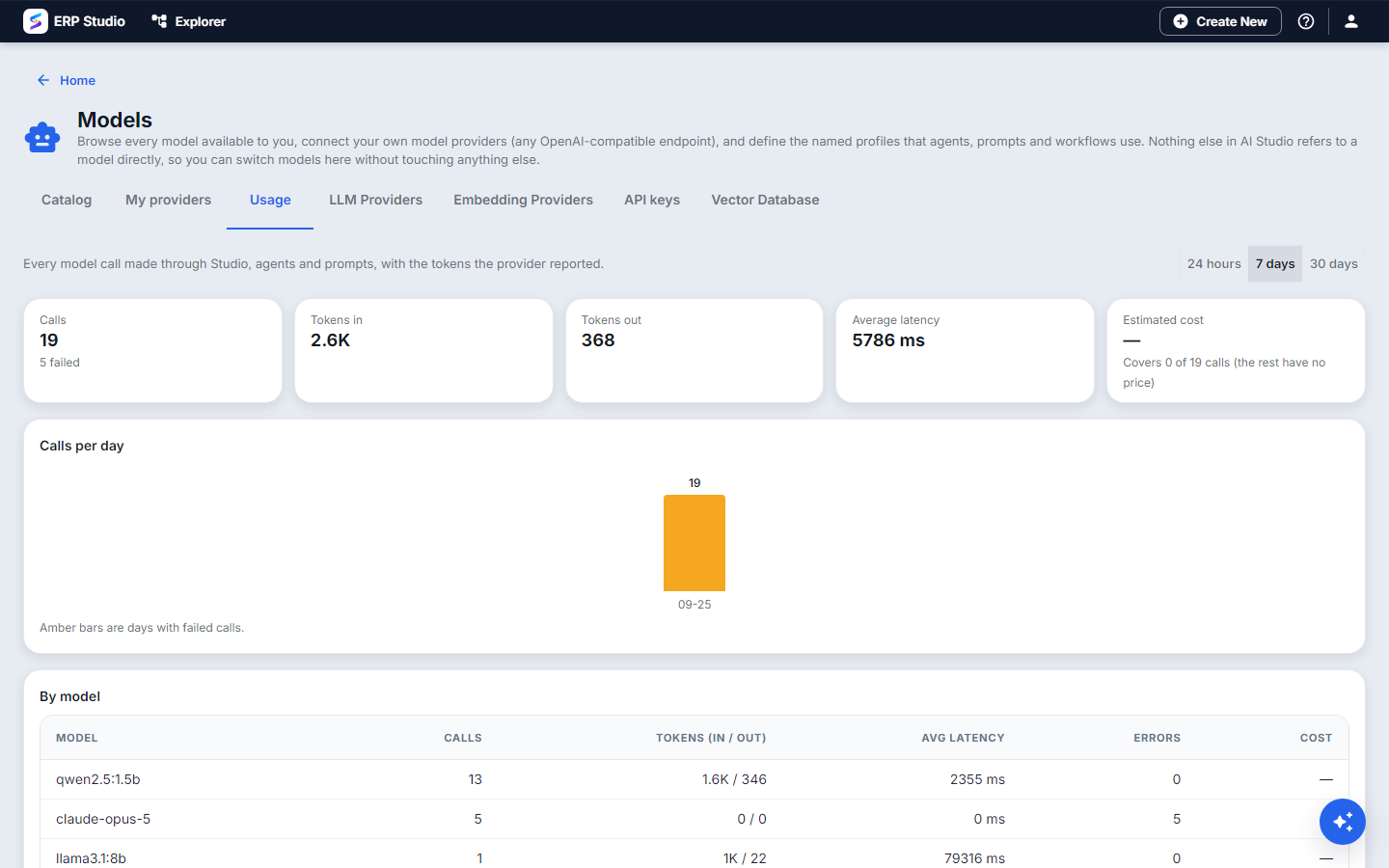
- Open Models > Usage to see calls, tokens, latency and cost per day and by source (
prompt:summarise-invoice,rag:hr-qa, an agent, a workflow step). Filter to the last 7, 30 or 90 days. - Revoke a key from the same list if it leaks; the app stops working immediately.
Developer path
Create a key from the CLI (an AI coding agent can do the same through MCP):
bash
erp plugin op ai-key-create --json '{"name":"Billing app","allowedModels":["prompt:summarise-invoice@prod"],"rateLimitPerMinute":60}'
erp plugin op ai-keys
erp plugin op ai-usage --days 30
Call it with the OpenAI SDK:
python
from openai import OpenAI

client = OpenAI(base_url="https://your-erp/api/v1/ai/openai/v1", api_key="sk-spark-...")

summary = client.chat.completions.create(
    model="prompt:summarise-invoice@prod",
    messages=[{"role": "user", "content": '{"invoice_text": "..."}'}],
)
print(summary.choices[0].message.content)

vectors = client.embeddings.create(model="embed", input=["parental leave", "notice period"])
ts
import OpenAI from "openai";
const client = new OpenAI({ baseURL: "https://your-erp/api/v1/ai/openai/v1", apiKey: process.env.ERP_AI_KEY });
const r = await client.chat.completions.create({ model: "rag:hr-qa@prod", messages: [{ role: "user", content: "How many leave days do I get?" }] });
The reply for a rag: model also carries citations at the top level. A key restricted to certain models gets a clear error for any other model.
Inside a Service-mode plugin, use the scaffolded helper (app/ai.py or src/ai.ts) with ERP_AI_BASE_URL and ERP_AI_KEY.
How to verify
- The call above returns the prompt's answer; the Usage tab shows a row with source
prompt:summarise-invoice. - Call a model the key does not allow; you get a refusal, not an answer.
- Send more than the rate limit in a minute; the extra calls are refused.
- Revoke the key and call again; refused.
Common mistakes
- Sending a tenant header with a key. Ignored by design; the key is the tenant.
- Putting the key in browser code. It is a server secret; call from your backend.
- Expecting cost without prices. Enter list prices on the models.
- Assuming the rate limit is global. It counts per server instance, so behind several instances the effective limit is higher.
- Key-only clients through the public gateway. The platform lists
/api/v1/ai/openai/**as a path that needs no session (the gateway's no-login list, added by migration V95), because the key is the credential. Nothing else under/api/v1/ai/is opened. If you run your own gateway configuration, add that one path to its no-login list and test with a key and no tenant header.
Not built
Real streaming (a request for a streamed reply returns the whole answer as one chunk), per-tenant budgets and alerts, embedding call usage rows, and agents or prompts beyond prompt: and rag: as model names.
Next
Package all of this with your plugin: Use AI Studio from your plugin, the CLI, the SDK and MCP.