
Appearance
Manage prompts - versions, labels and the playground
The real problem
Northwind's helpdesk summarises each resignation letter for the HR manager. The first prompt was pasted into code. Two months later the summaries are too long, someone "improves" the wording, and a week after that an angry manager asks why letters from one country are now summarised in the wrong language. Nobody knows what changed, and undoing it needs a release.
A library prompt fixes this: the wording lives outside the code, every edit is a new immutable version, and the application calls a label (prod) that you move on purpose.
The idea in one minute
- A prompt has a system text (role and rules) and a user text with
{{variables}}, plus the profile to run on (default). - Every save that changes the text creates the next version (1, 2, 3...). Versions never change.
- A label (
prod,staging,draft, or your own) points at one version. Callers ask for a label; moving it is the release and the rollback. - The playground fills the variables and runs the prompt for real, so you see the answer and the tokens before you release.
Designer path (Studio)
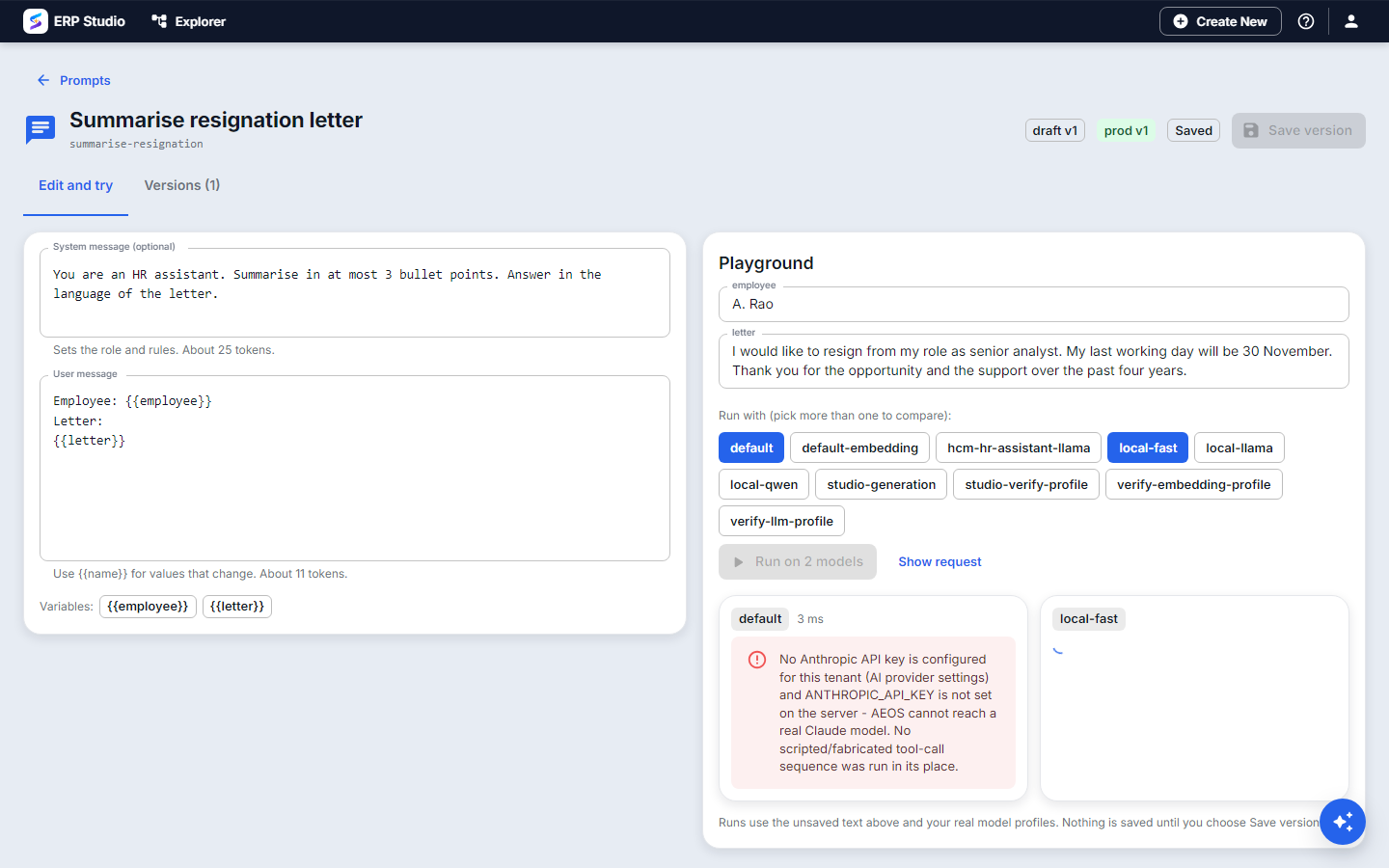
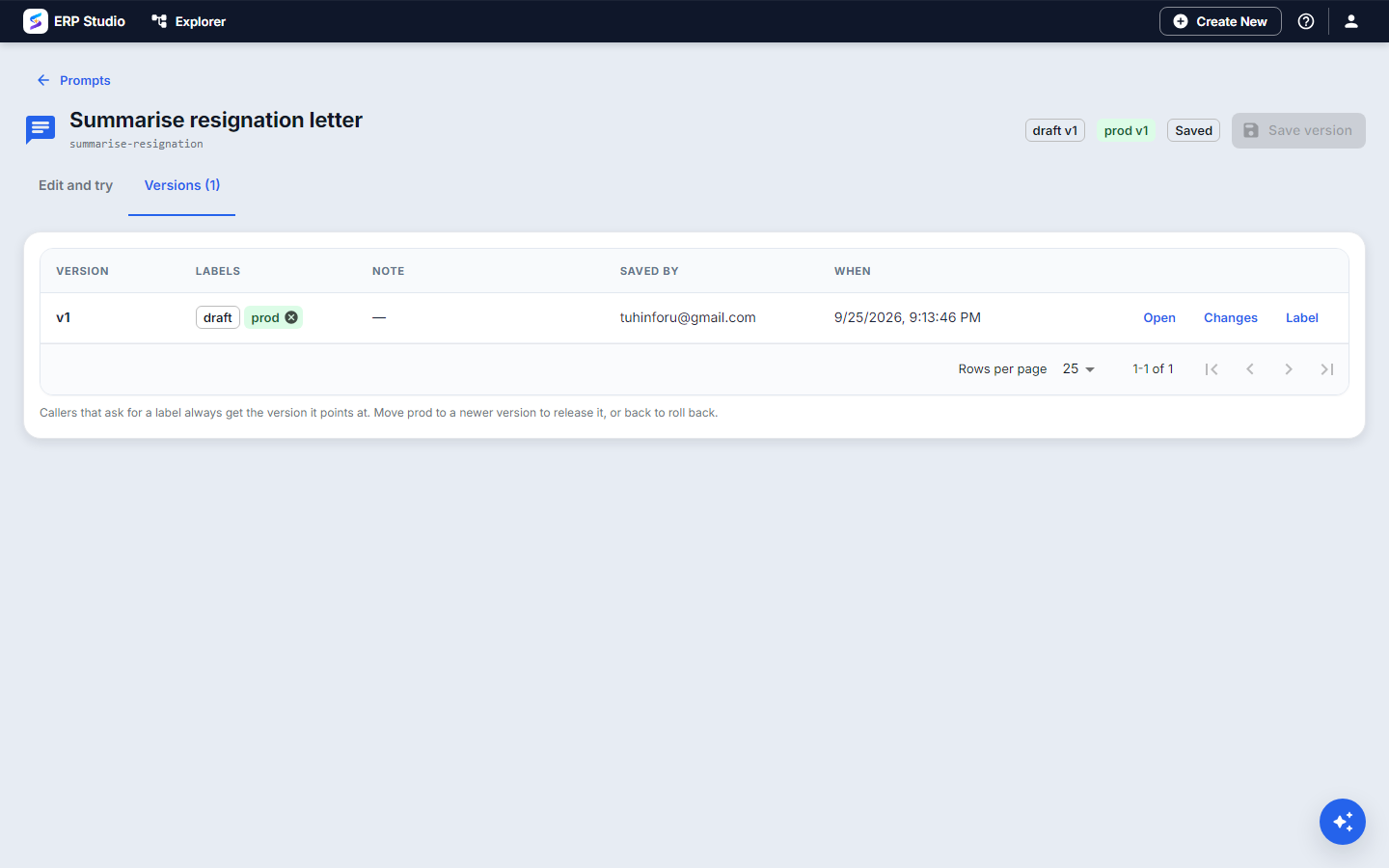
- Open AI Studio > Prompts > New. Code
summarise-resignation, name "Summarise resignation letter". - On Edit and try, write the system text: "You are an HR assistant. Summarise in at most 3 bullet points. Answer in the language of the letter."
- Write the user text:
Employee: {{employee}}\nLetter:\n{{letter}}. The variablesemployeeandletterappear as input boxes. - Fill them with a real (or test) letter and press Run. Read the answer, tokens and time. Try a different profile from the same screen to compare.
- Happy? Save as new version, add a note ("first working version"), then set the label prod on it.
- Later, edit the text and save. Version 2 exists,
prodstill points at version 1. Use Compare to run versions 1 and 2 on the same input side by side, and Changes to see the exact text differences. - Version 2 better? Move
prodto it. Worse after release? Moveprodback to 1. Nothing is lost.
Developer path
Ship it in a plugin, metadata/prompt/summarise-resignation.json:
json
{
  "promptCode": "summarise-resignation",
  "name": "Summarise resignation letter",
  "systemTemplate": "You are an HR assistant. Summarise in at most 3 bullet points. Answer in the language of the letter.",
  "userTemplate": "Employee: {{employee}}\nLetter:\n{{letter}}",
  "profileCode": "default",
  "labels": ["prod"]
}
bash
erp schema validate spk-assembly/metadata/prompt/summarise-resignation.json --schema ai-prompt
erp plugin op ai-prompts
erp plugin op ai-prompt-run --json '{"code":"summarise-resignation","label":"prod","values":{"employee":"A. Rao","letter":"..."}}'
Call it from any code with the gateway; the variables go in the last message as JSON:
python
client.chat.completions.create(
    model="prompt:summarise-resignation@prod",
    messages=[{"role": "user", "content": '{"employee":"A. Rao","letter":"..."}'}],
)
Or from a Service-mode plugin: run_prompt("summarise-resignation", {"employee": "A. Rao", "letter": text}).
Endpoints (/api/v1/ai/prompts): POST / create, POST /{code}/versions new version, PUT /{code}/labels/{label} move a label, POST /{code}/run run a version, a label or an unsaved draft.
What an upgrade does to a shipped prompt
If your plugin ships version 2 of a prompt, the tenant gets a new version. Their prod label moves to it only if it still pointed at a version your plugin installed. If they edited the prompt and took prod over, your version arrives as the label plugin-latest and their choice is kept.
How to verify
- Run in the playground with a real input; the answer follows your rules (3 bullets, right language).
- Move the label and call by label from the CLI; the answer changes with it.
- Models > Usage lists calls with source
prompt:summarise-resignation.
Common mistakes
- Calling a version number from an application. Call a label; a version number cannot be rolled back without a release.
- Putting secrets or customer data into the template. Templates are shared text; pass data as variables.
- A variable name that does not match.
{{Letter}}and{{letter}}are different; the playground shows what is missing. - Judging by one example. Build an evaluation with ten real cases before you move
prod.
Next
RAG pipelines - a prompt plus knowledge.