
Appearance
AI Studio: models, knowledge, prompts, RAG pipelines, agents and evaluations
Concepts
AI Studio is where a workspace builds its AI without writing code. Everything in it is a plain definition with a code, versions and labels, so you can test it, release it, roll it back, ship it in a plugin and call it from any application.
| Screen | What you build there |
|---|---|
| Models | The models you can use (any OpenAI-compatible endpoint, embeddings included) and the named profiles everything else refers to |
| Knowledge bases | Documents cut into passages and searched by meaning and by exact words |
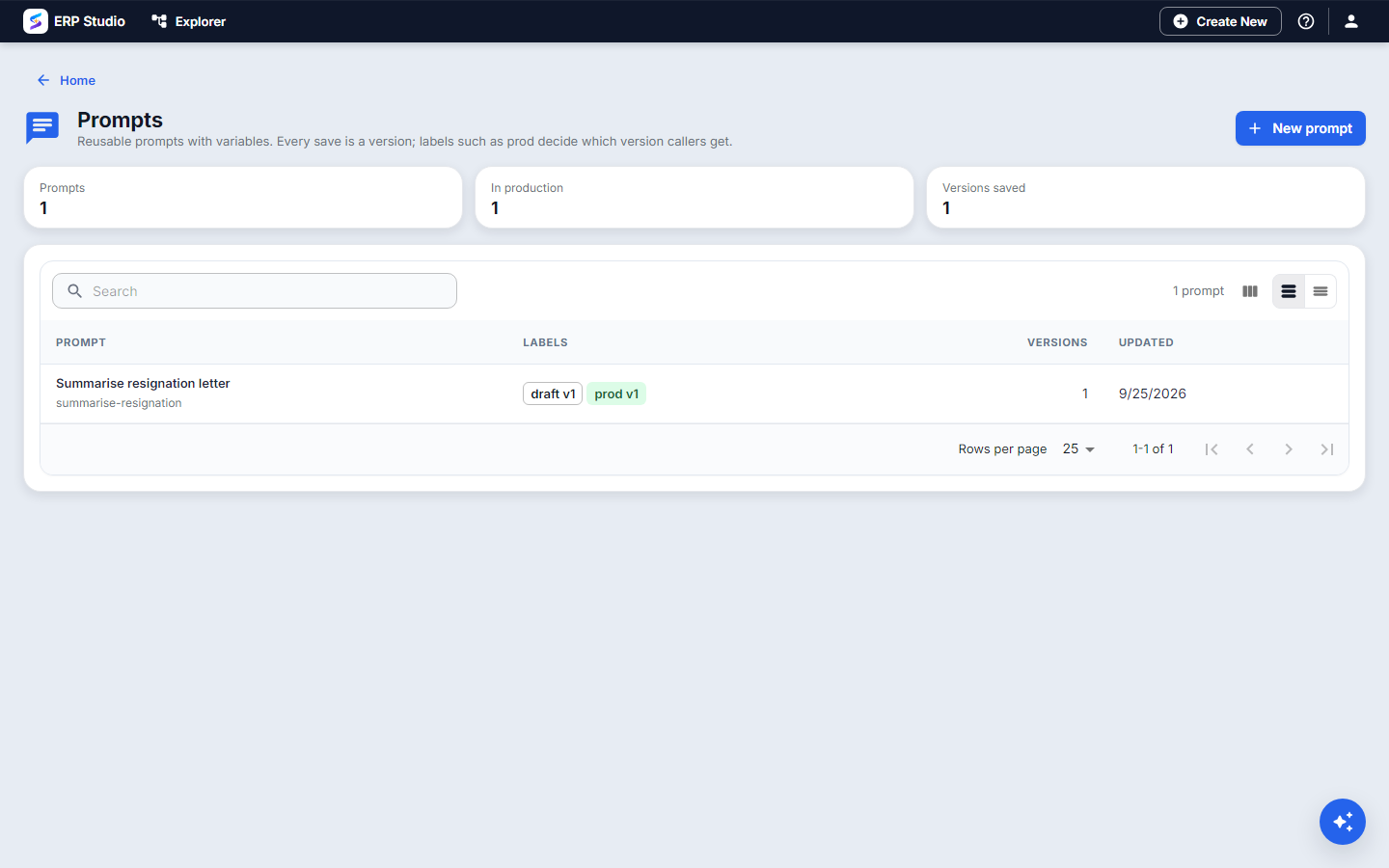
| Prompts | Wording with {{variables}}, saved as versions and released with labels such as prod |
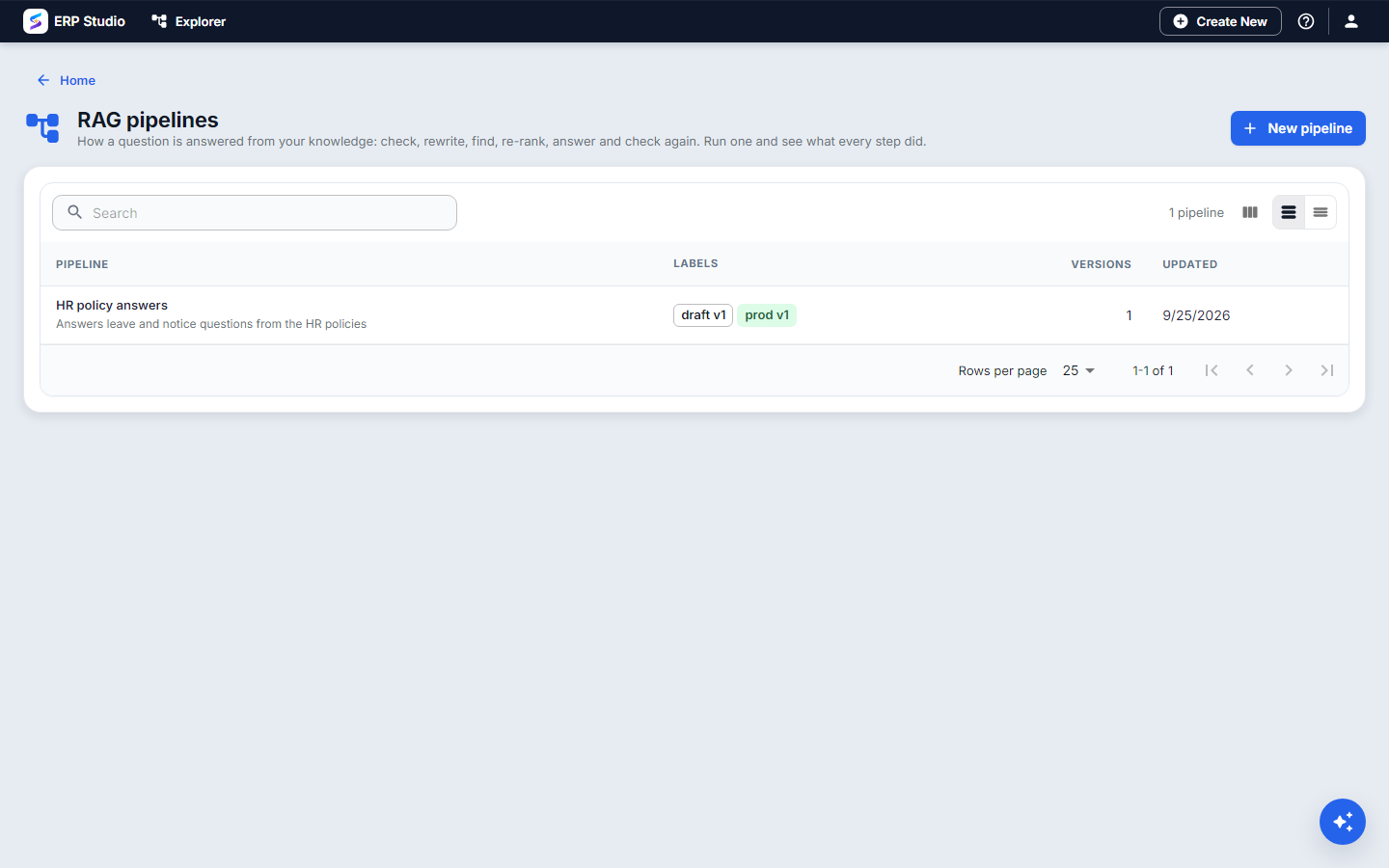
| RAG pipelines | How a question is answered from knowledge: check, rewrite, find, re-rank, answer, check again, with citations |
| AI agents | A model that may use a list of tools and knowledge, at a chosen autonomy, inside guardrails |
| Evaluations | Test questions and scorers that prove a change is better before you move prod |
Your data stays in your own tenant database. Nothing you build here is visible to another tenant. See the design for the full picture.
Problem statement
Northwind's HR helpdesk keeps answering the same leave and notice-period questions by hand. A bare model invents numbers. They want answers taken from the real policies, with the source shown, that HR can test before customers see them.
What you will build
The Northwind example used in the guides: an HR policies knowledge base, a Summarise resignation letter prompt, an HR policy answers RAG pipeline, an agent that uses them, and a Leave answers evaluation. All screenshots on this page are the real screens with real data on a local model.
Where to find it
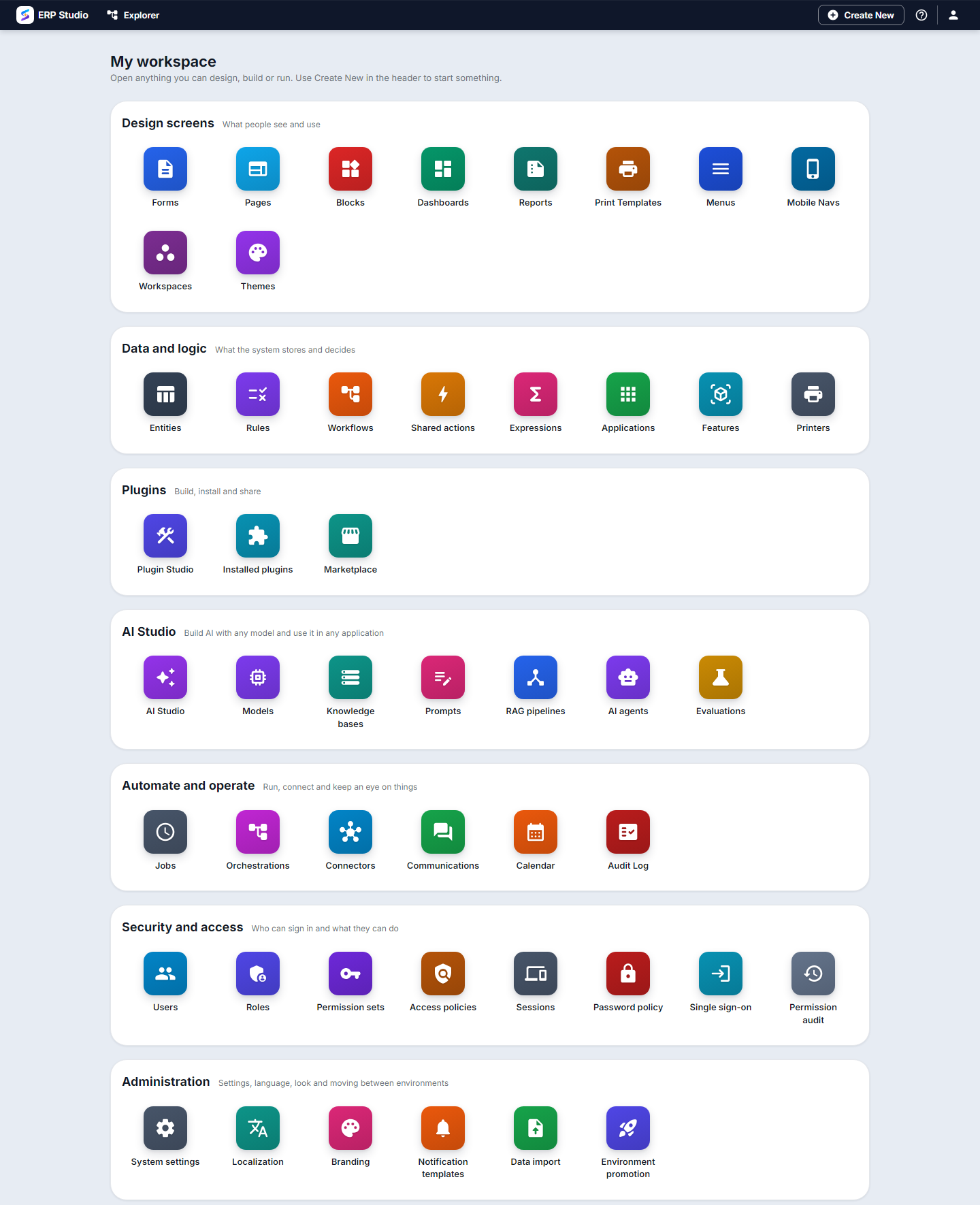
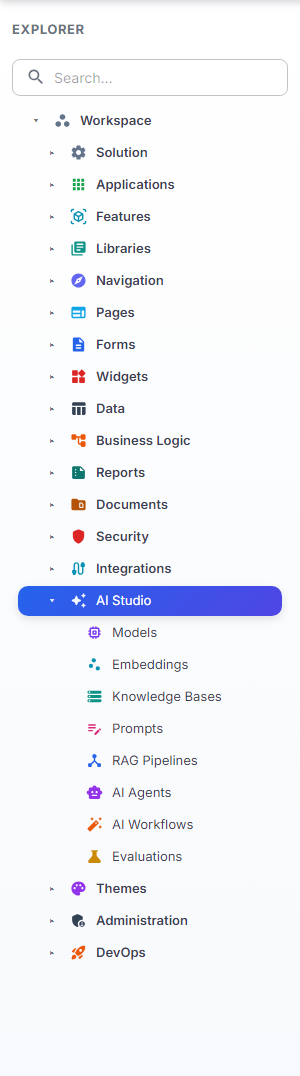
My workspace has an AI Studio group, and the Explorer tree has an AI Studio branch. Every leaf opens its screen, and each has its own icon.
AI Studio home
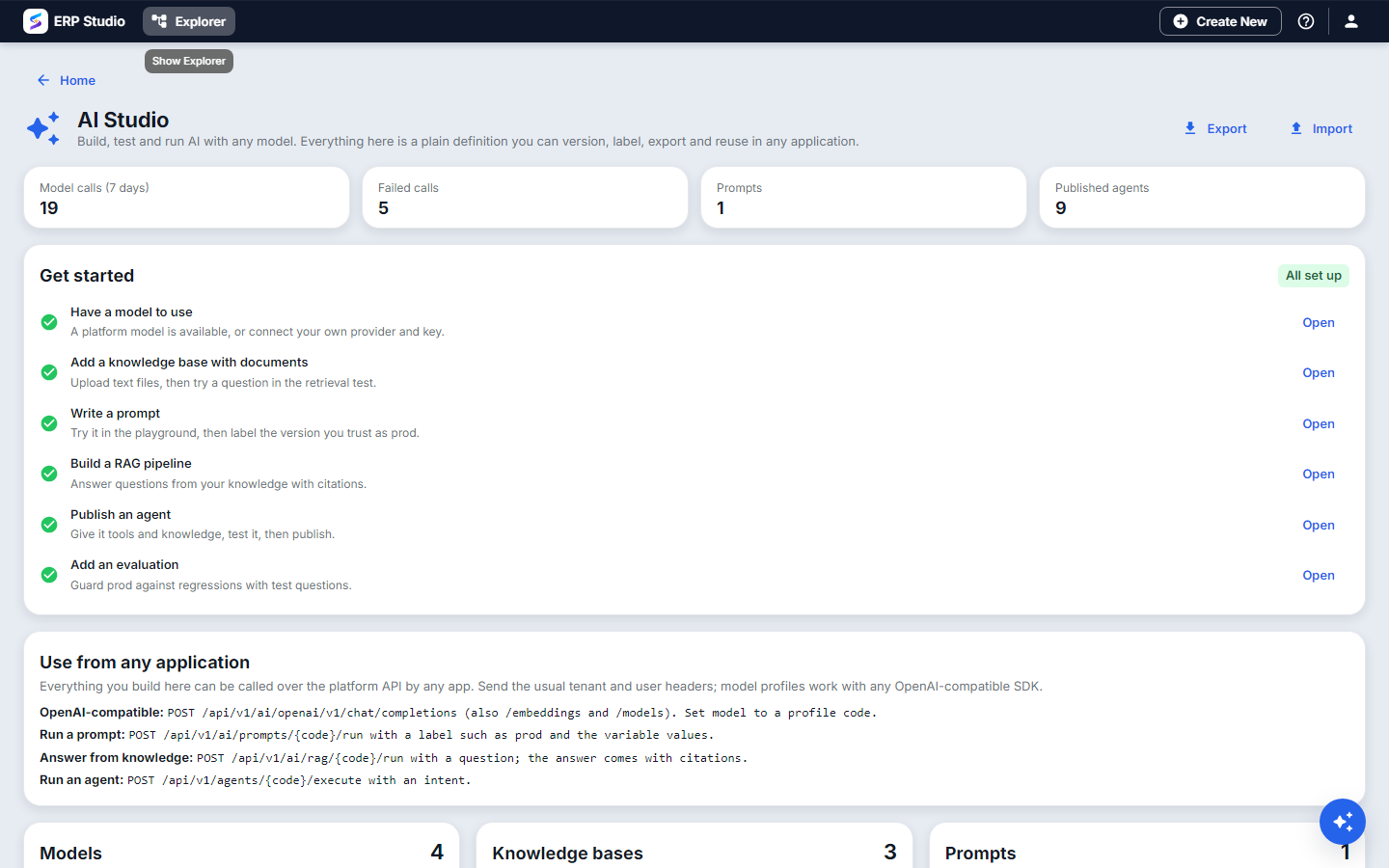
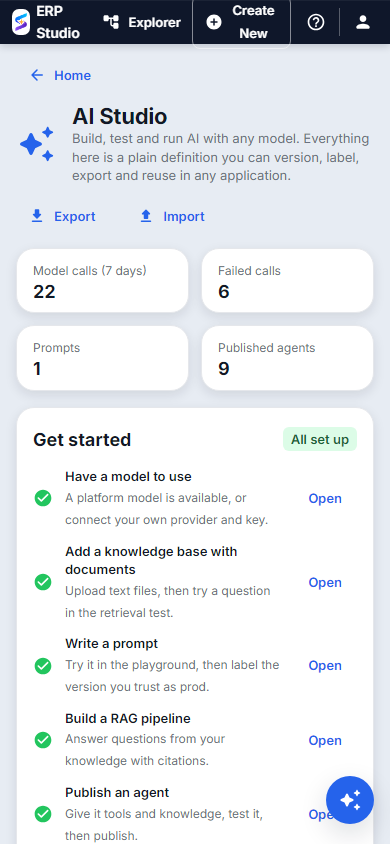
The home screen shows the last seven days of model calls and failures, how many prompts and published agents you have, and a Get started checklist that ticks itself as you build each piece. Use from any application shows the exact endpoints another application calls. Export and Import move prompts, pipelines, evaluations, knowledge and agents between tenants as one JSON bundle.
Models
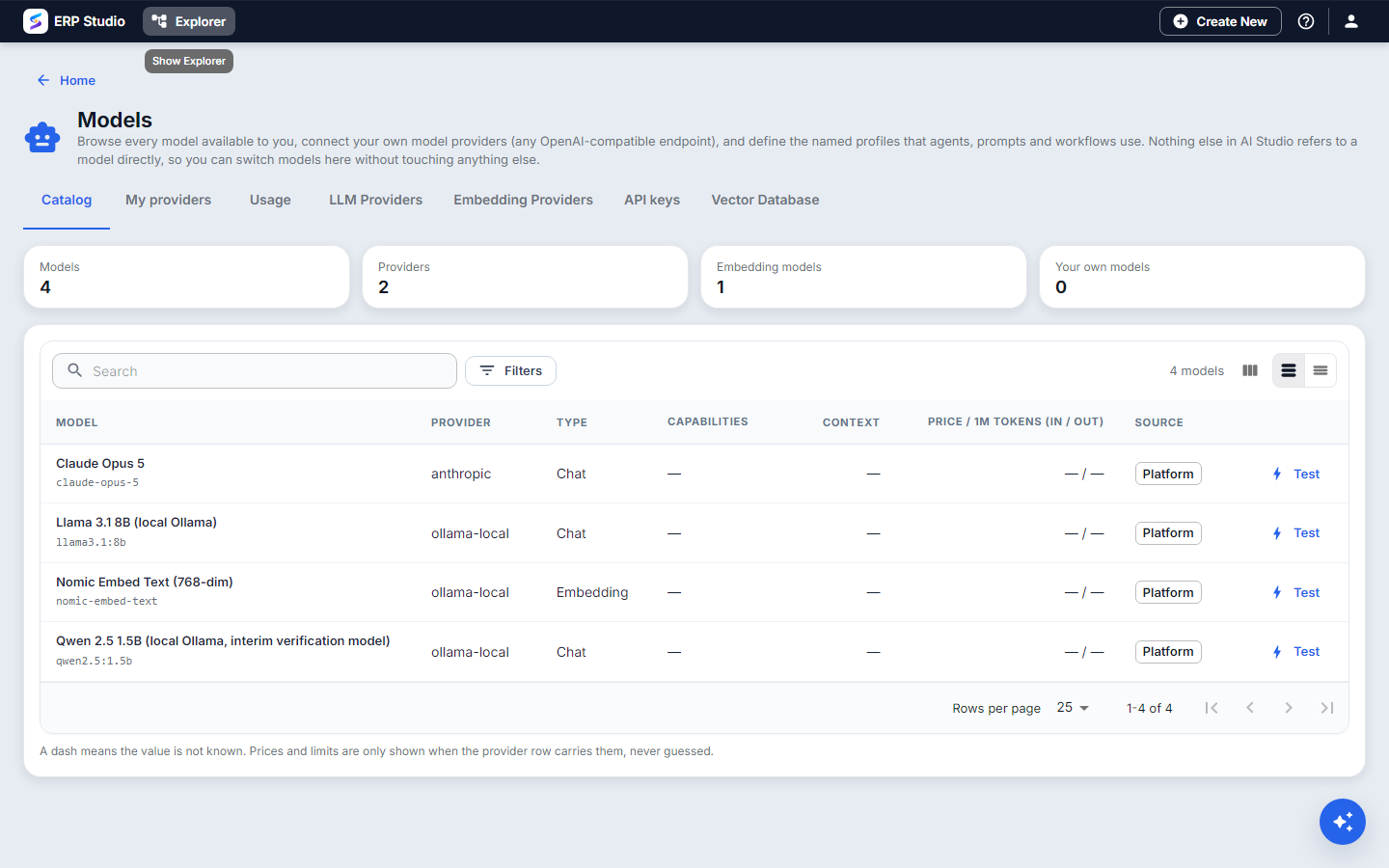
Open Models. The Catalog lists every model you can use, with its provider, kind (chat or embedding), context size and price per million tokens. Test on a row makes a real call and shows the latency or the exact error.
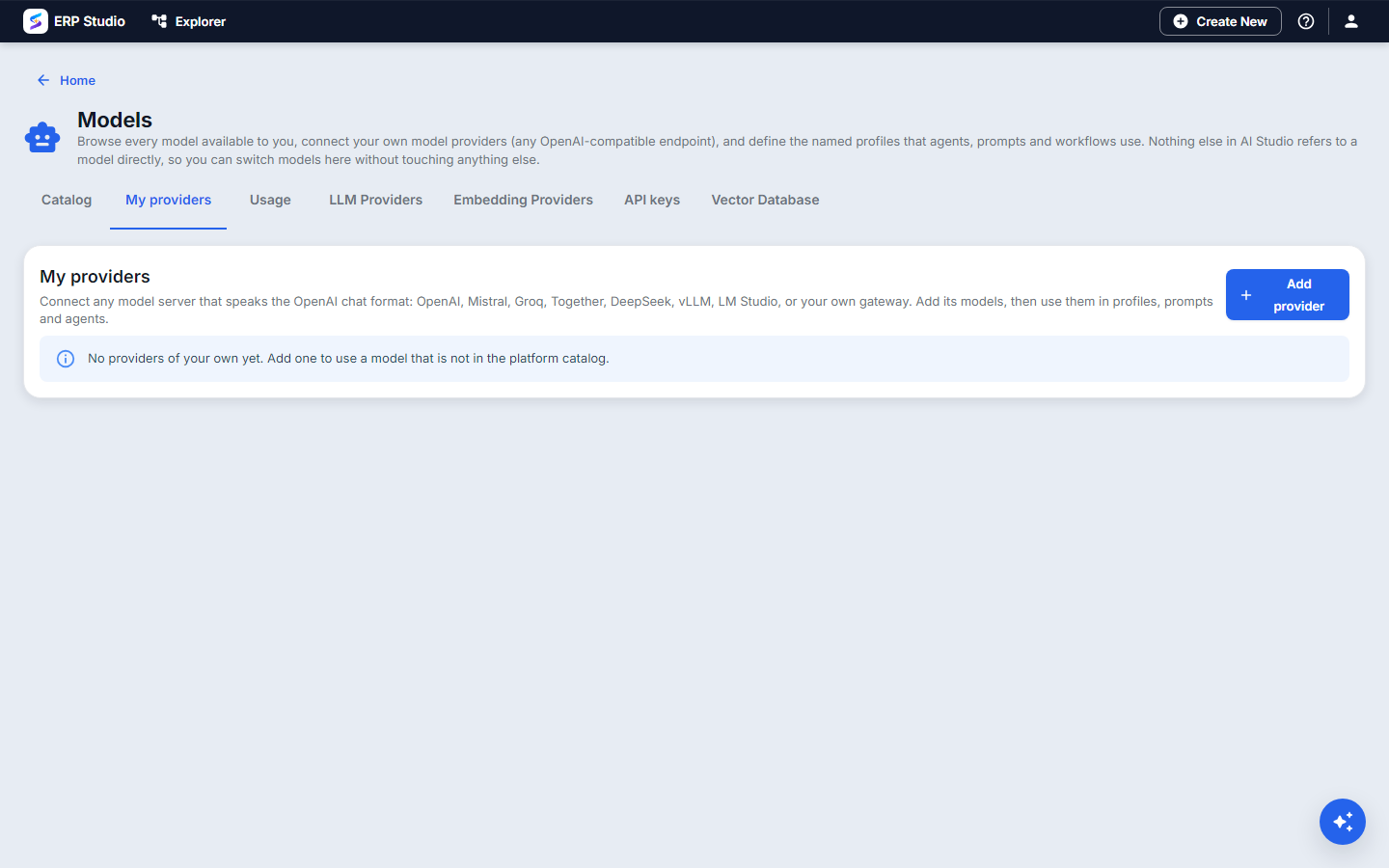
- My providers is where you connect your own endpoint (any OpenAI-compatible server, including Ollama, vLLM, Mistral and Hugging Face) with your own key. The key is stored as a secret and never shown again.
- Profiles name a model with its settings and an optional fallback. Everything else refers to a profile such as
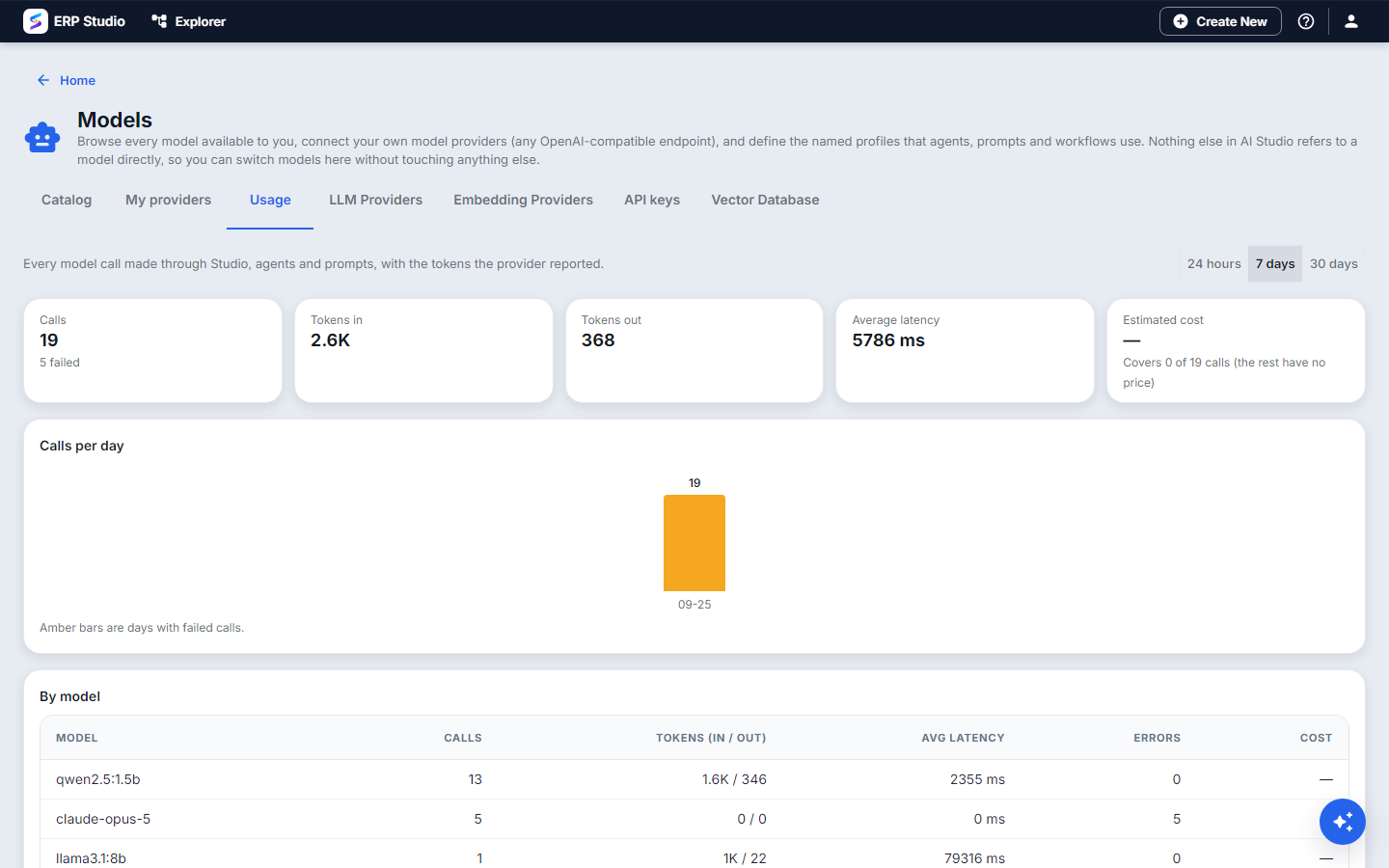
default, never to a vendor model, so you can switch models here without touching anything else. - Usage shows calls, tokens, latency and cost per day and by source (prompt, pipeline, agent, workflow step).
Knowledge bases
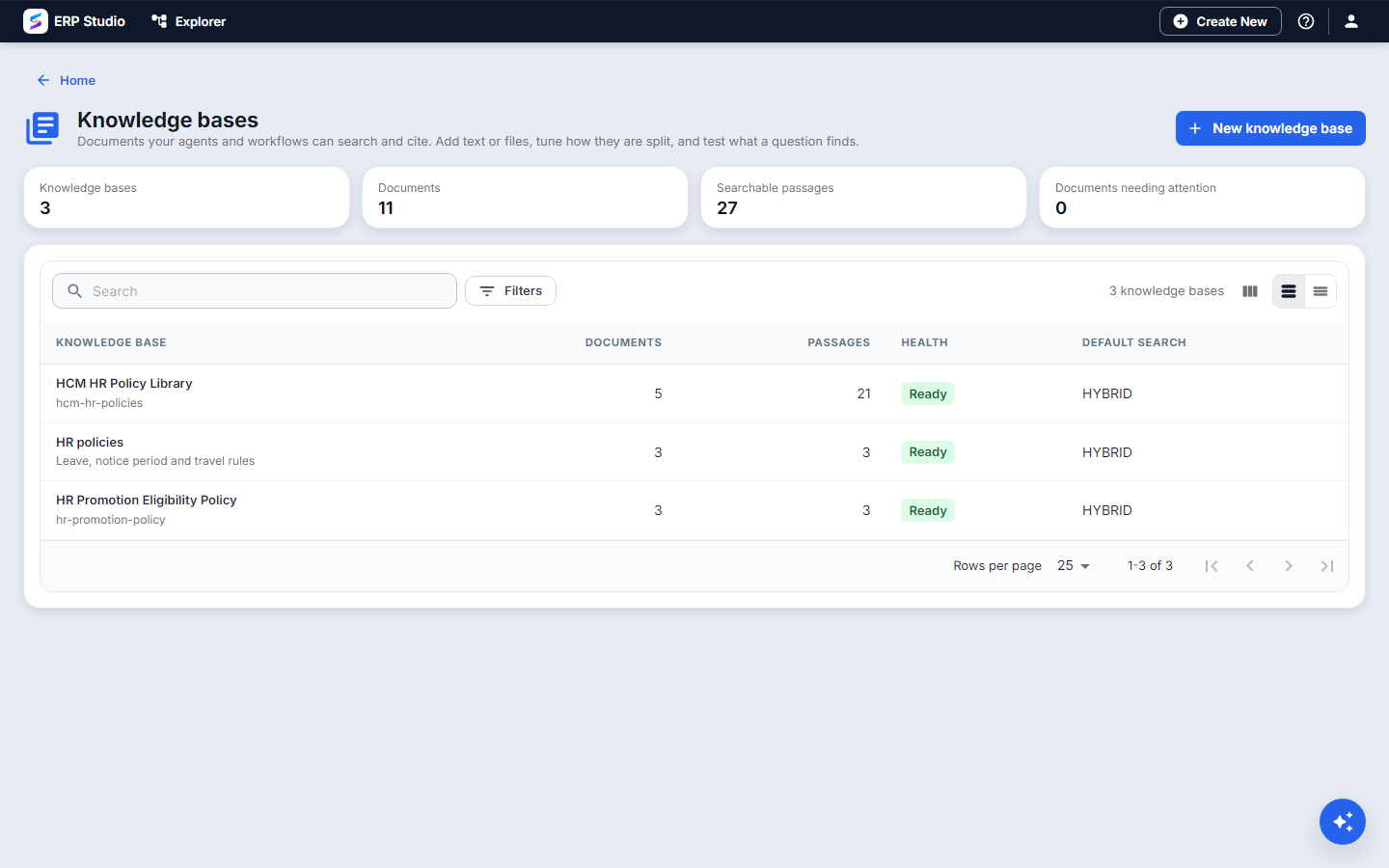
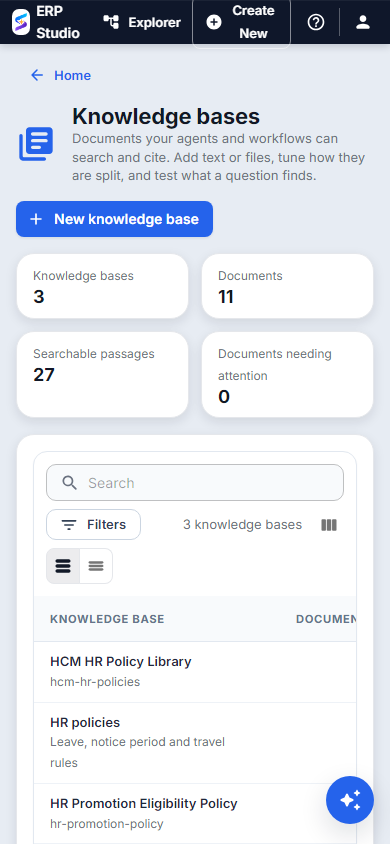
Open Knowledge bases and choose New knowledge base. The list shows documents, passages and health for each one.
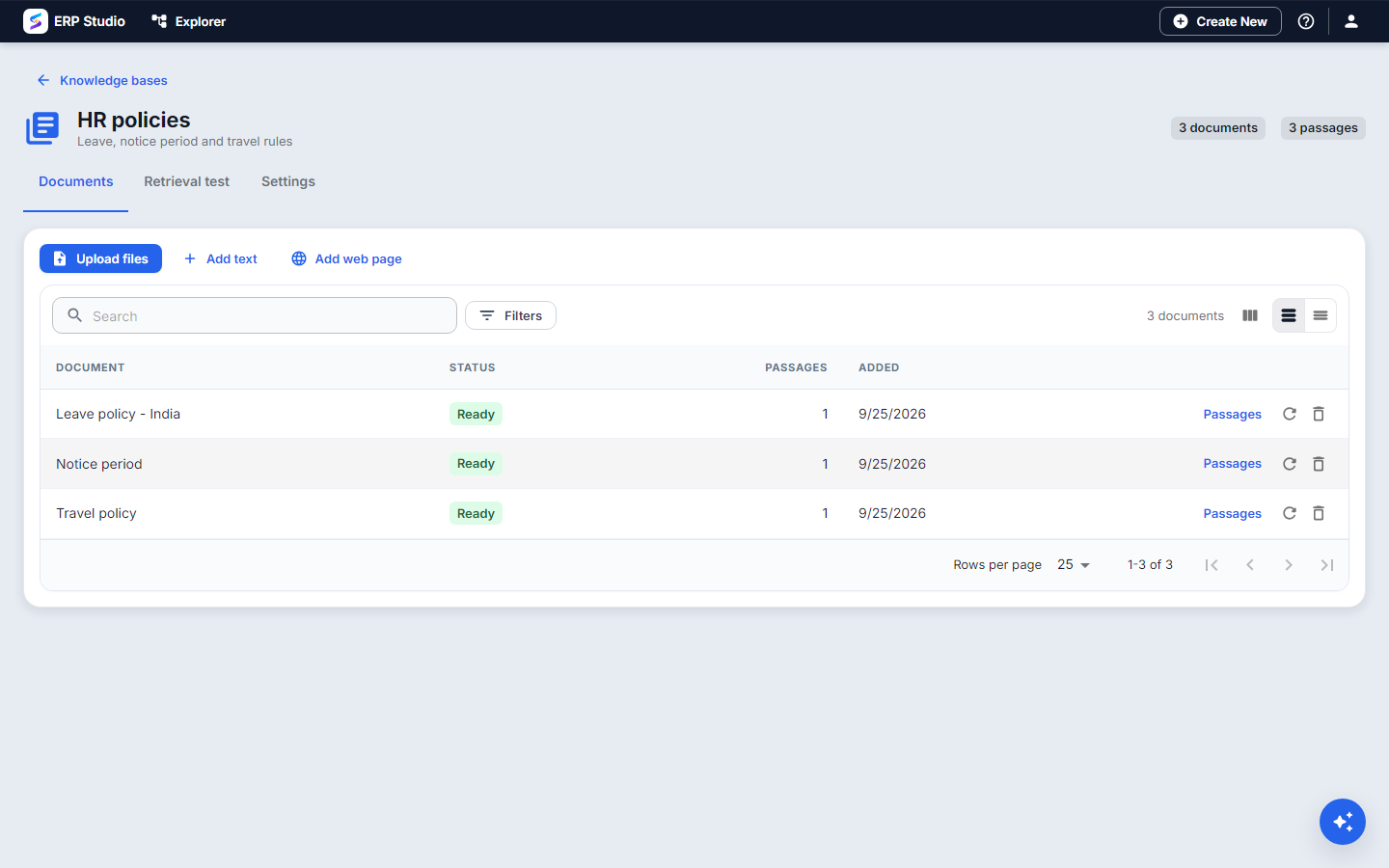
Documents: add text, upload files or add a web page. Each document shows its status and how many passages it made.
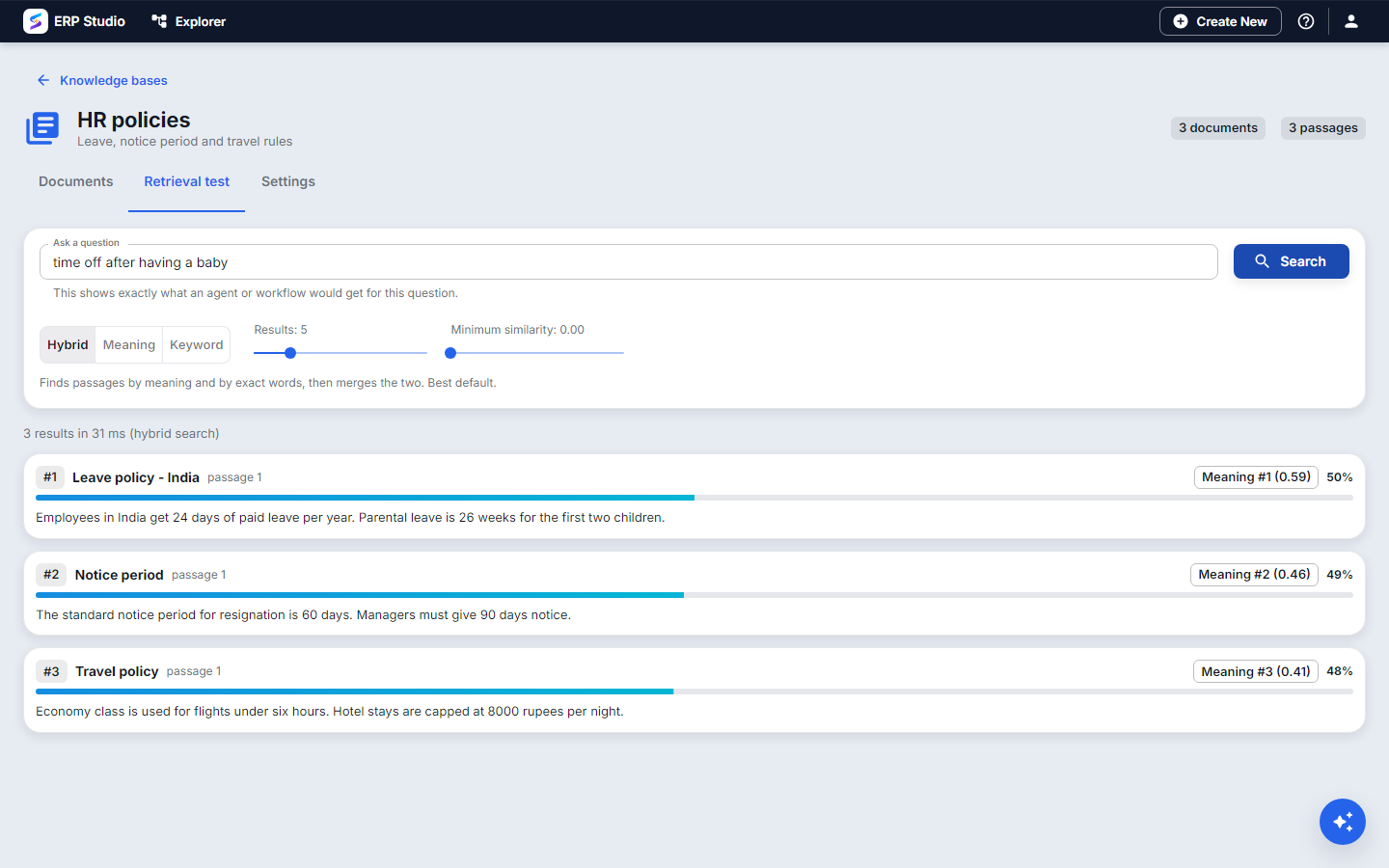
Retrieval test: type the question an employee would ask and see exactly what an agent or workflow would get, with scores and which search found each passage. A paraphrase with no shared words still finds the right passage because the search is by meaning as well as by words.
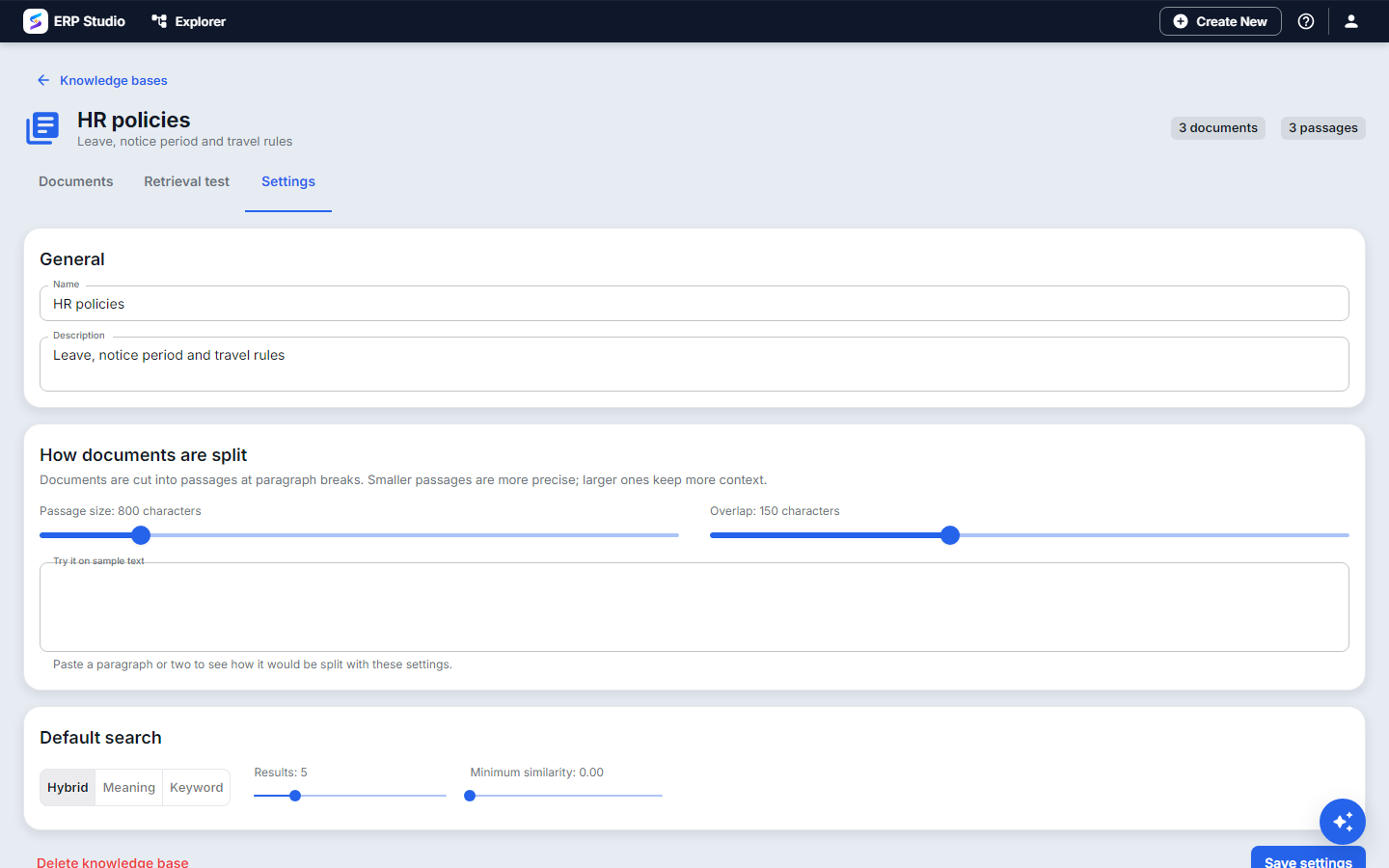
Settings: passage size and overlap, with a live preview on sample text, and the default search mode (hybrid, meaning or keyword), number of results and minimum similarity. Changing the size or the embedding model shows a Re-index banner.
Prompts
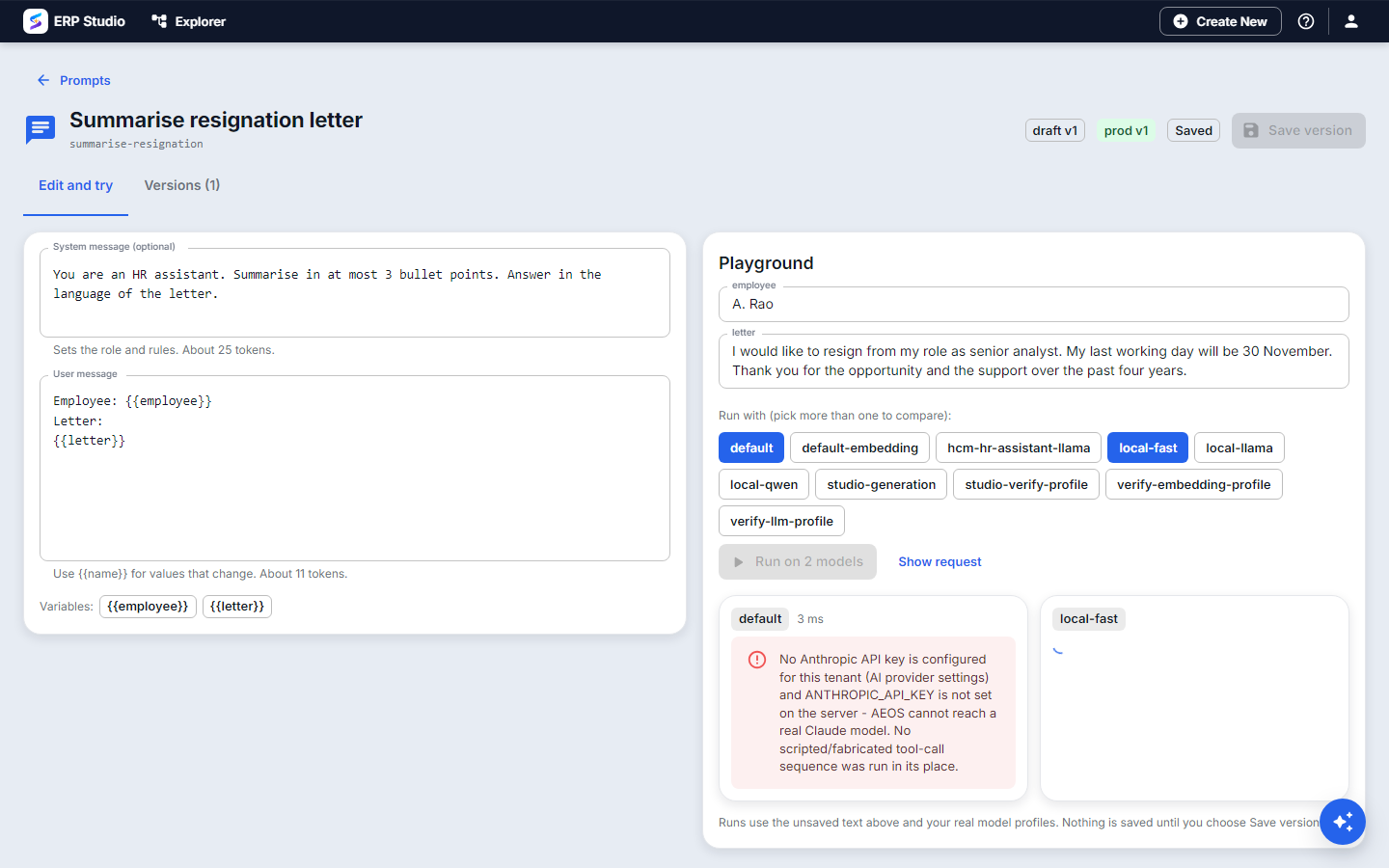
In the editor, write the system and user text with {{variables}}. The Playground fills the variables and runs the prompt for real on the profile you pick (pick more than one to compare answers side by side), with time and token counts.
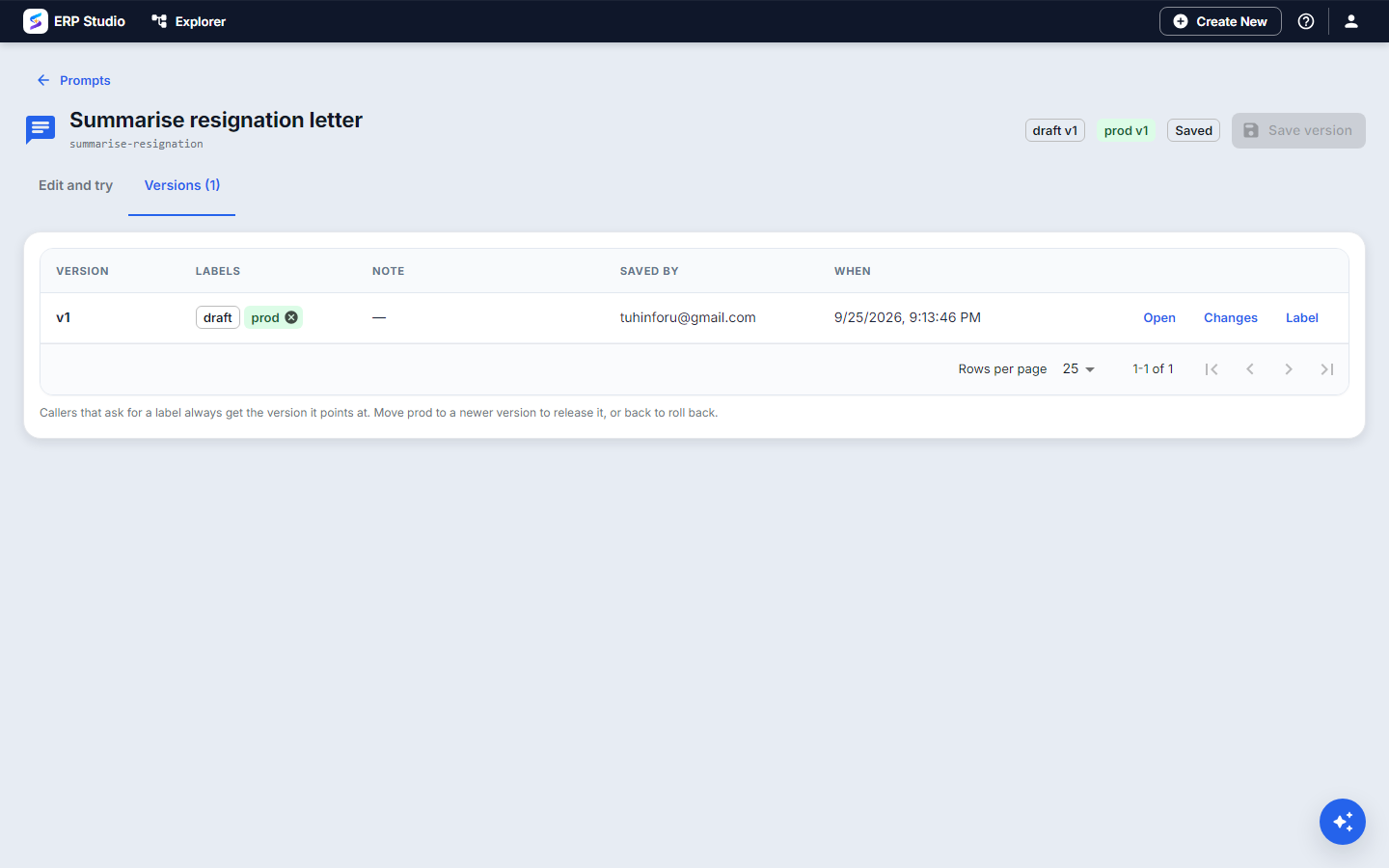
Save version makes an immutable version. Versions shows every version with its labels; Set as prod (or staging, draft) moves a label, which is the release and the rollback. Changes shows exactly what differs from the version before.
RAG pipelines
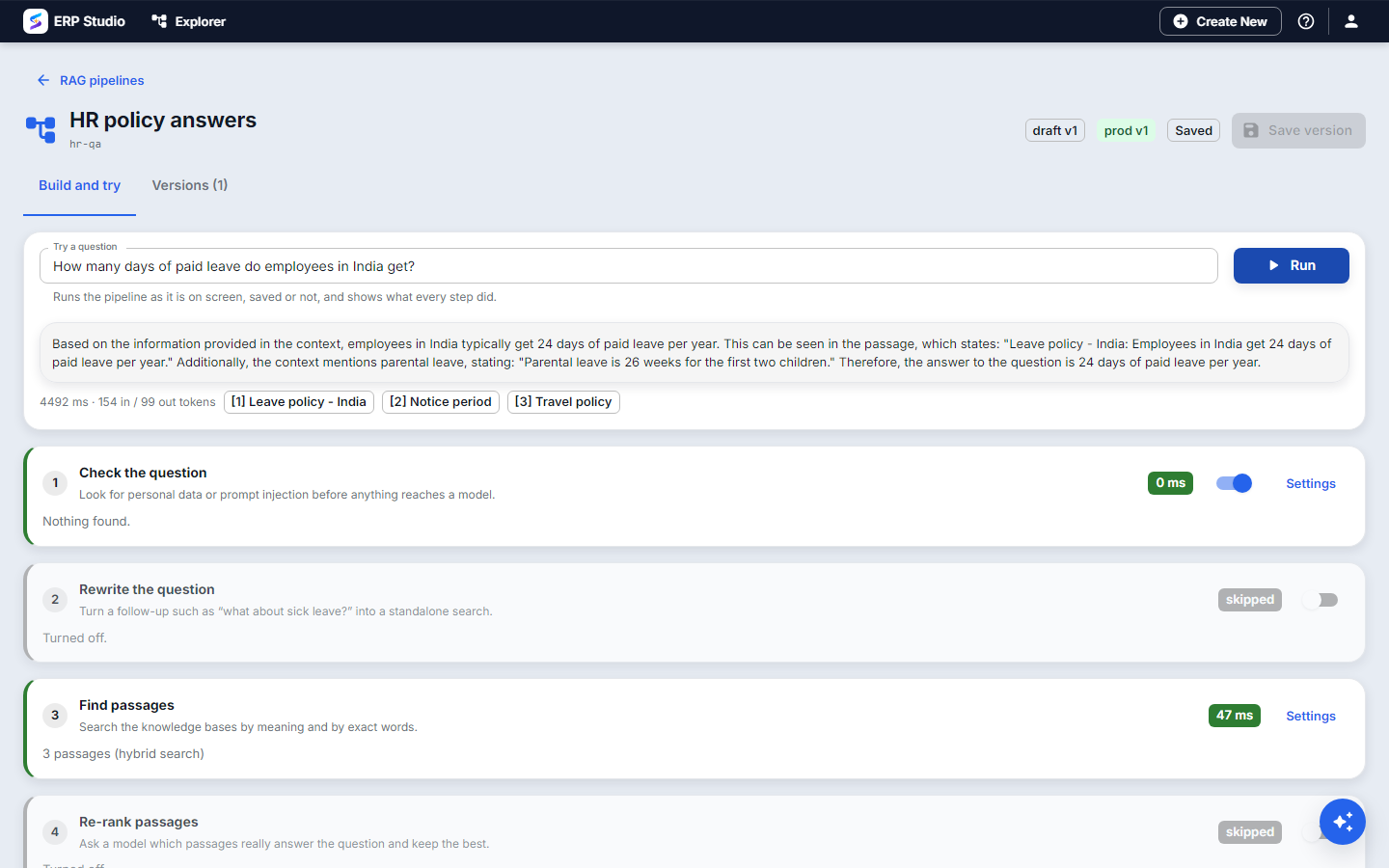
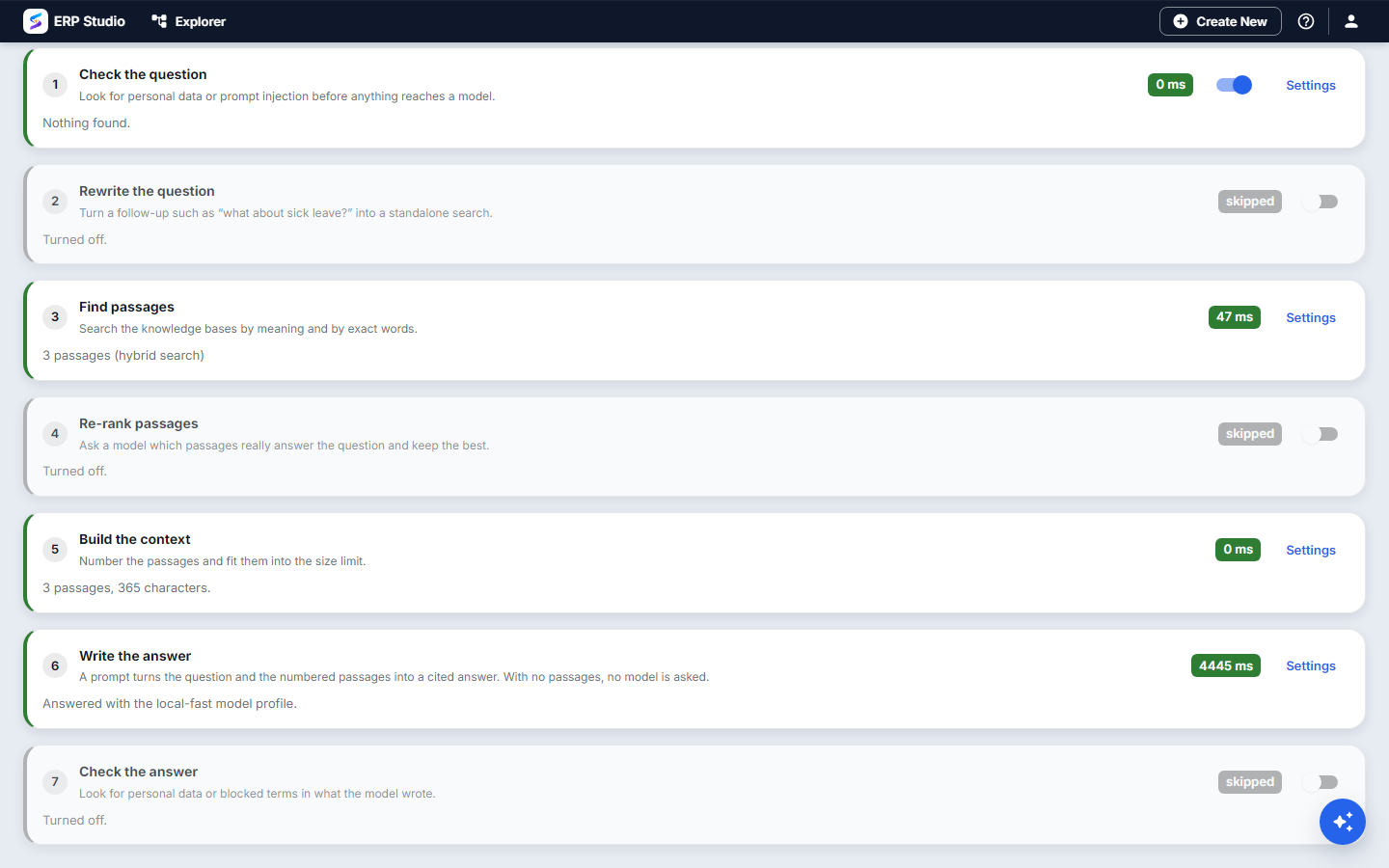
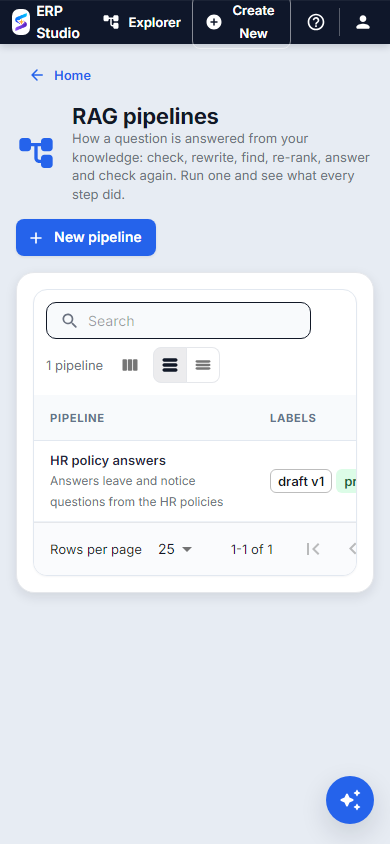
The designer is the pipeline as seven steps you can switch on and configure: Check the question, Rewrite, Find passages, Re-rank, Build the context, Write the answer and Check the answer. Type a question and Run: you get the answer with its citations, and every step reports what it did and how long it took.
AI agents
The Agent Designer lists your agents with their autonomy, model profile and number of tools. Edit opens the agent; the play button tests it.
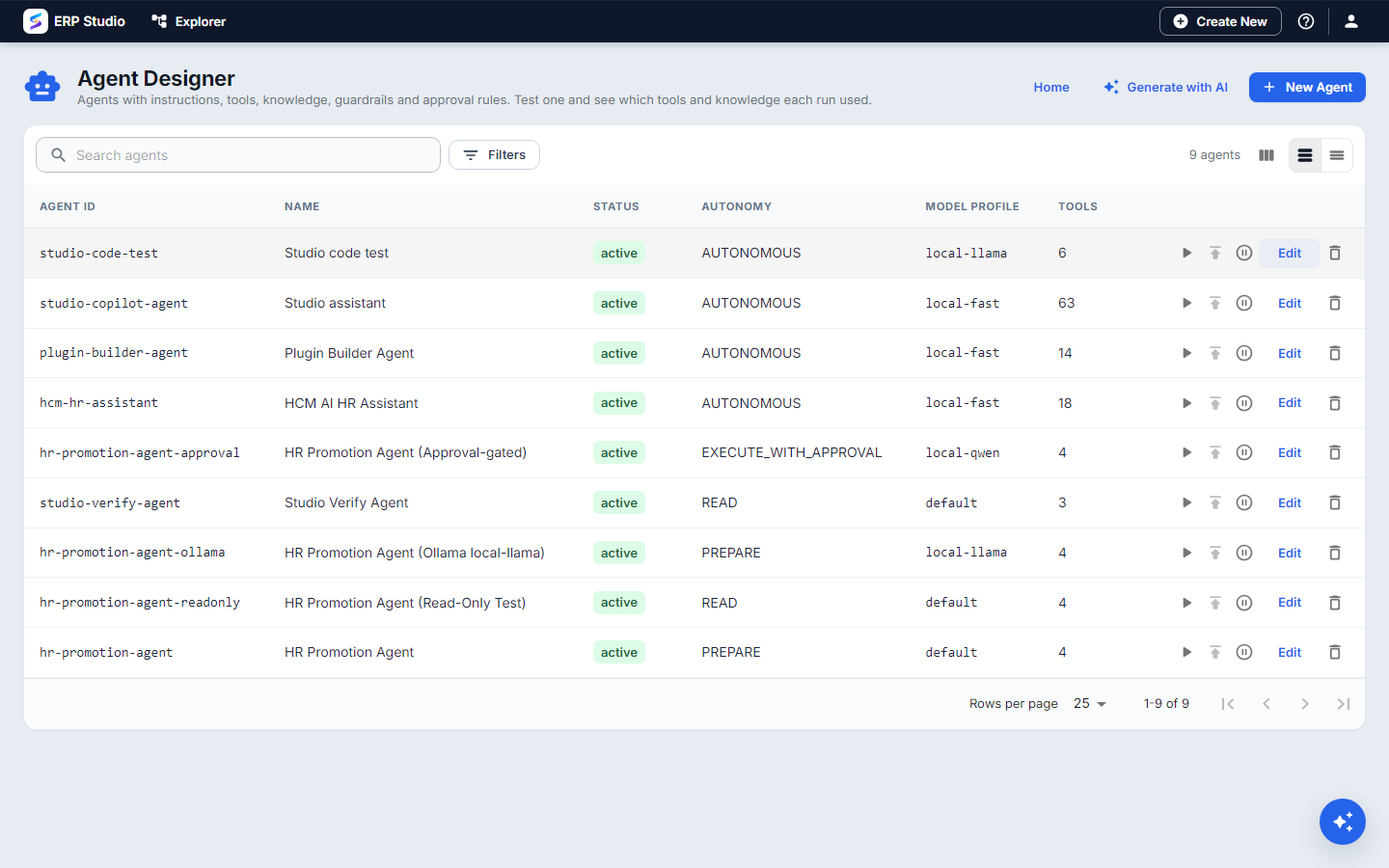
The tabs are General, Purpose & Instructions (or a library prompt), Tools, Permissions, Autonomy, Model, Knowledge and Guardrails.
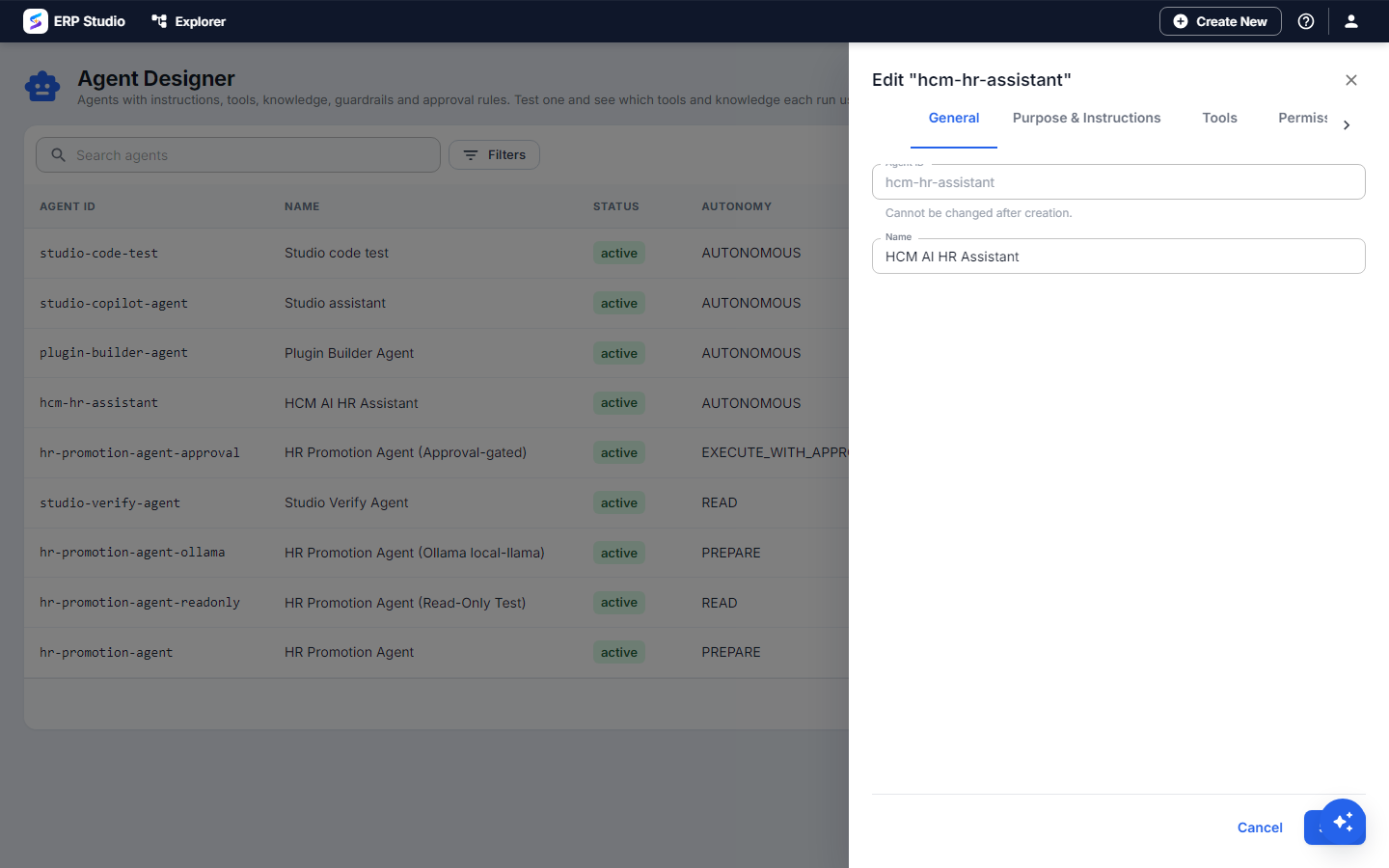
Knowledge chooses which knowledge bases the agent may search and cite.
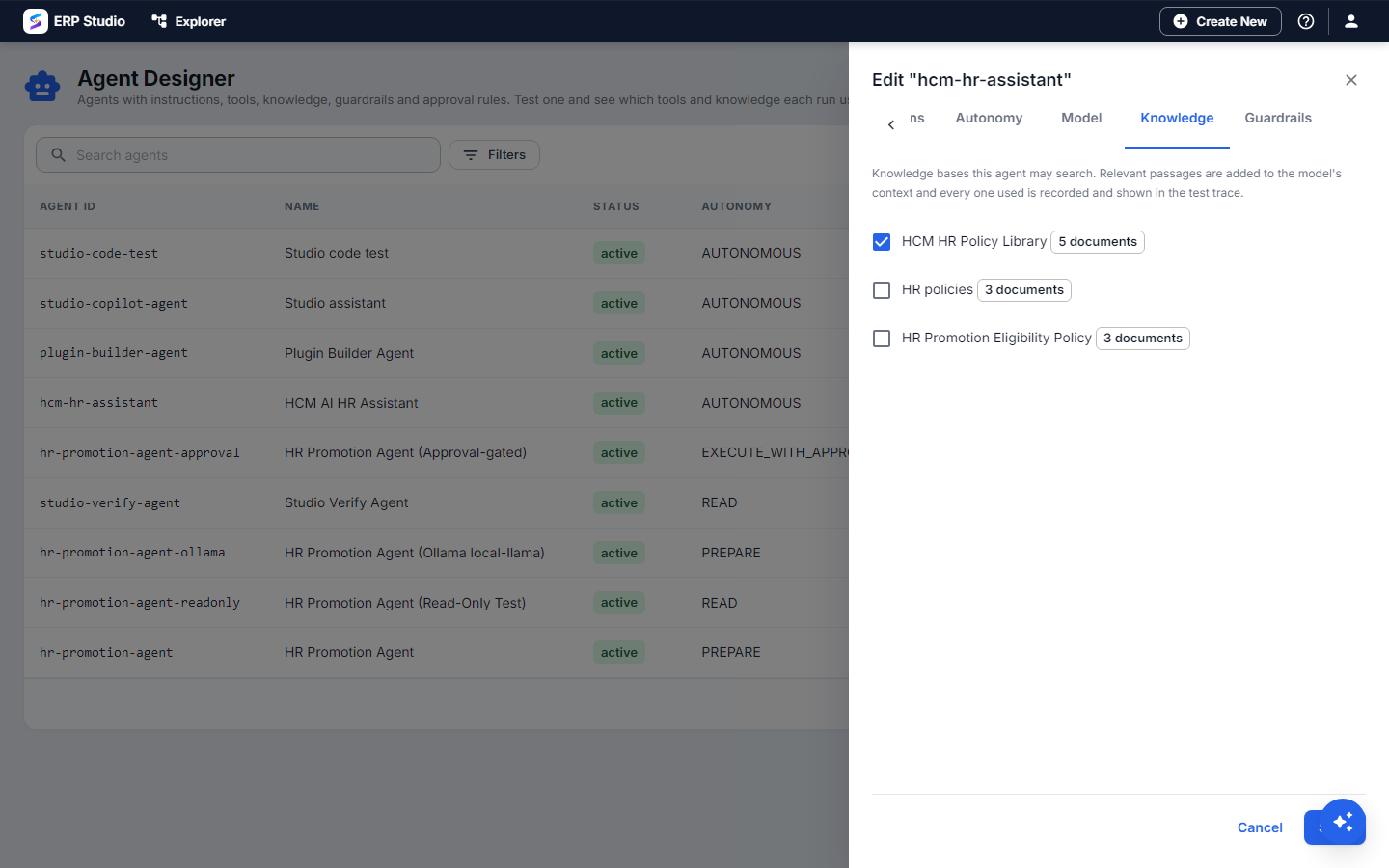
Guardrails check the request before the model sees it and the answer before it is returned (personal data, prompt injection, blocked terms, length), and can flag, mask or block.
Evaluations
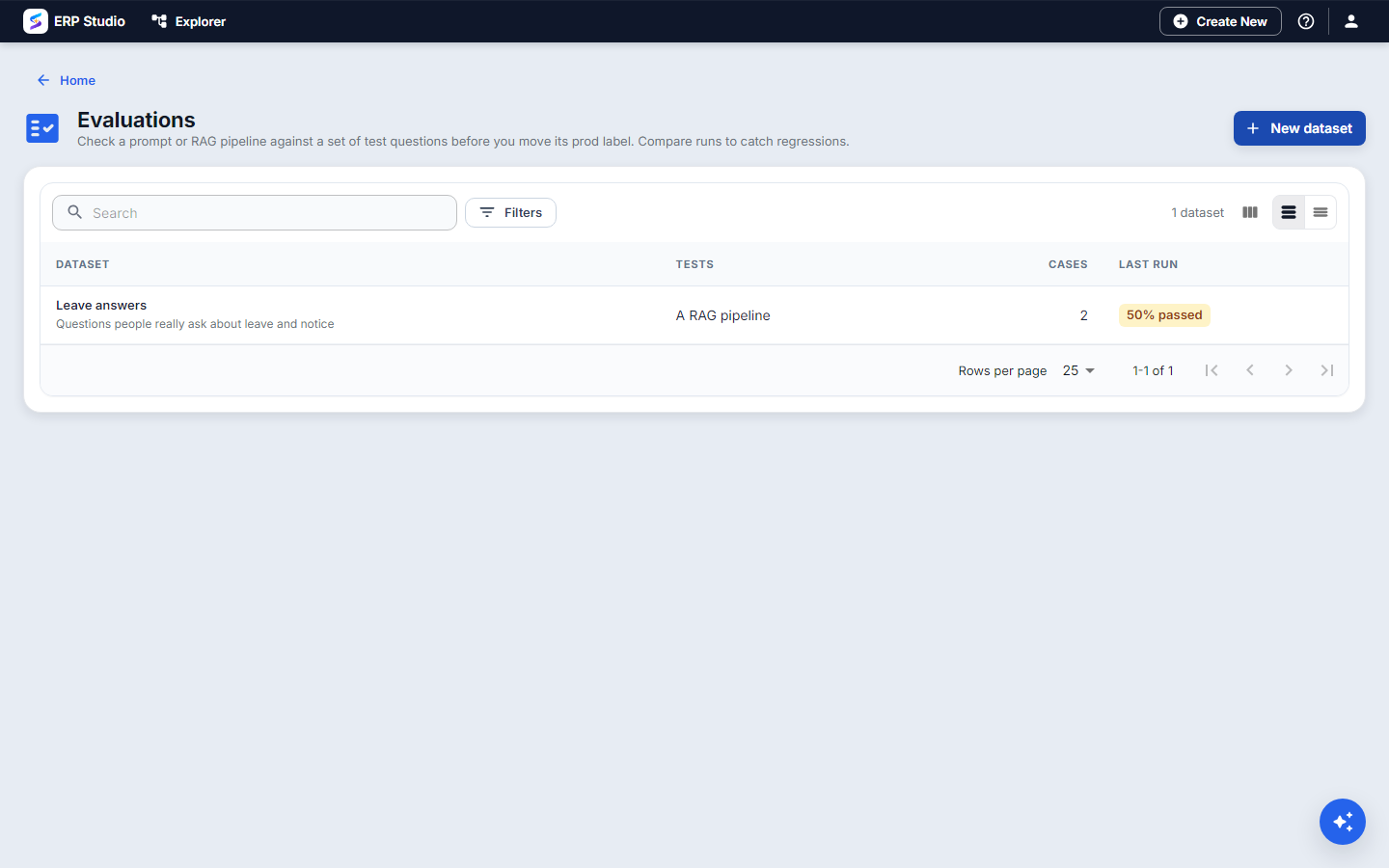
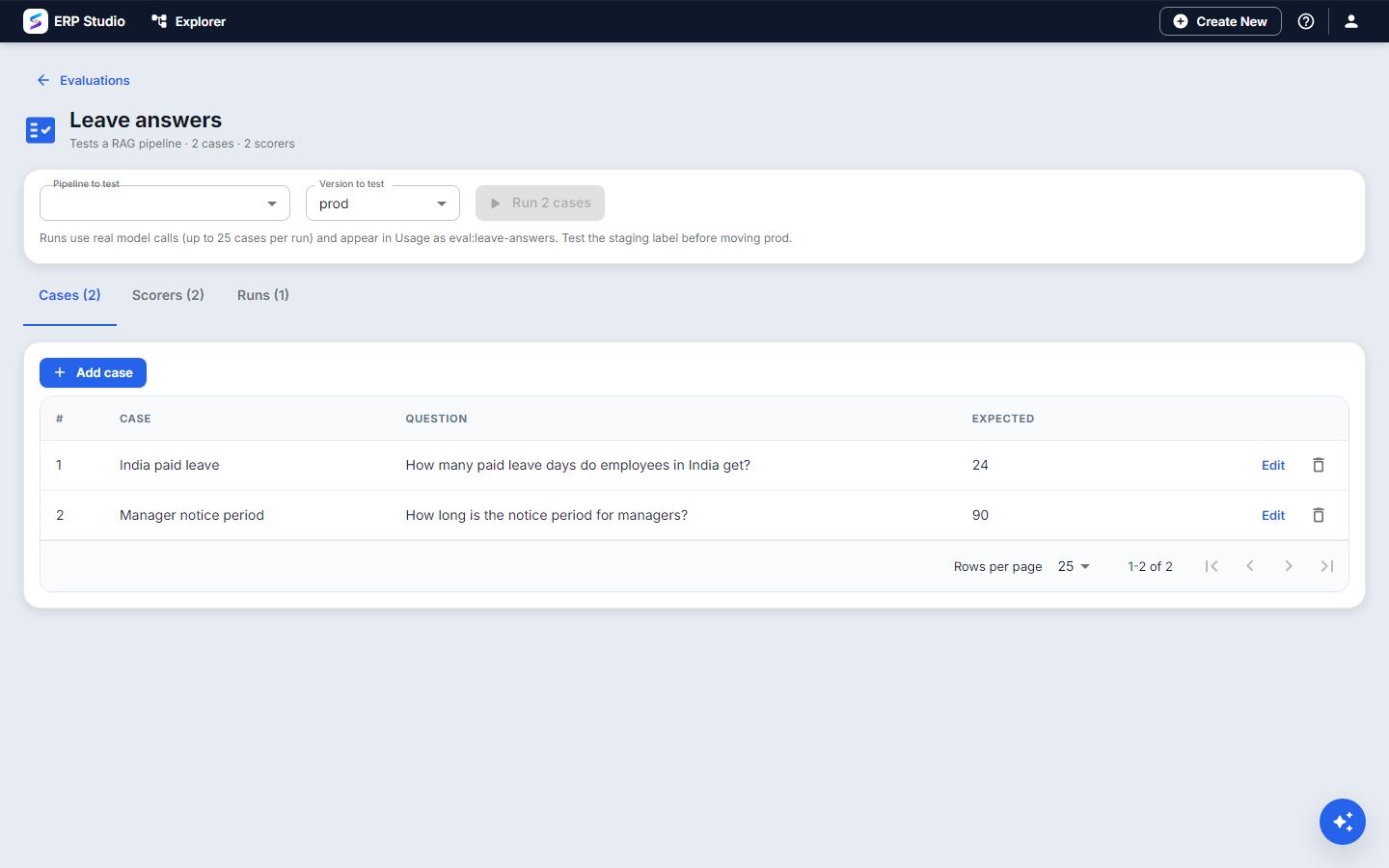
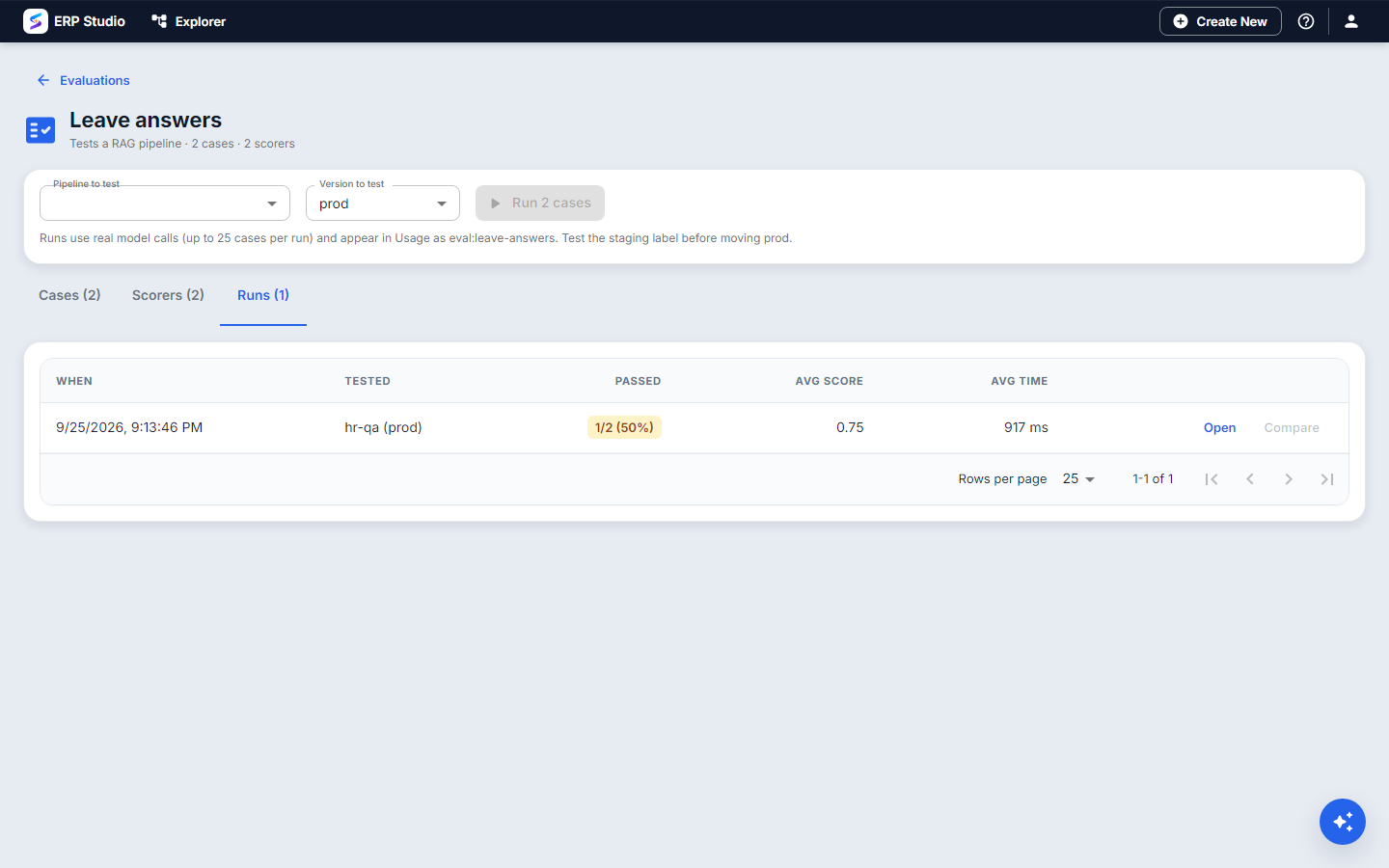
An evaluation is a set of test questions with what a good answer contains, plus scorers. Run it against a prompt or a pipeline label and compare runs to catch regressions before you move prod.
On a phone
Every AI Studio screen works at phone width, with no sideways scrolling.
Try it
- Open My workspace and choose Knowledge bases. Create HR policies and add the leave and notice-period text.
- In Retrieval test, ask "time off after having a baby". The leave policy should come first.
- In Prompts, create Summarise resignation letter, fill the variables, press Run, then Save version and Set as prod.
- In RAG pipelines, create HR policy answers, turn on Find passages for HR policies, run "How long is the notice period for managers?", and read the citation.
- In Evaluations, add two cases, run them against the pipeline, and read the pass rate.