
Appearance
IT pack: skill matching and project economics
Two questions every IT services firm asks weekly: who on the bench fits which open project role, and which projects make or lose money. The IT & Software pack answers both from the bench, requirement, skill and financial records, and every screen carries charts.
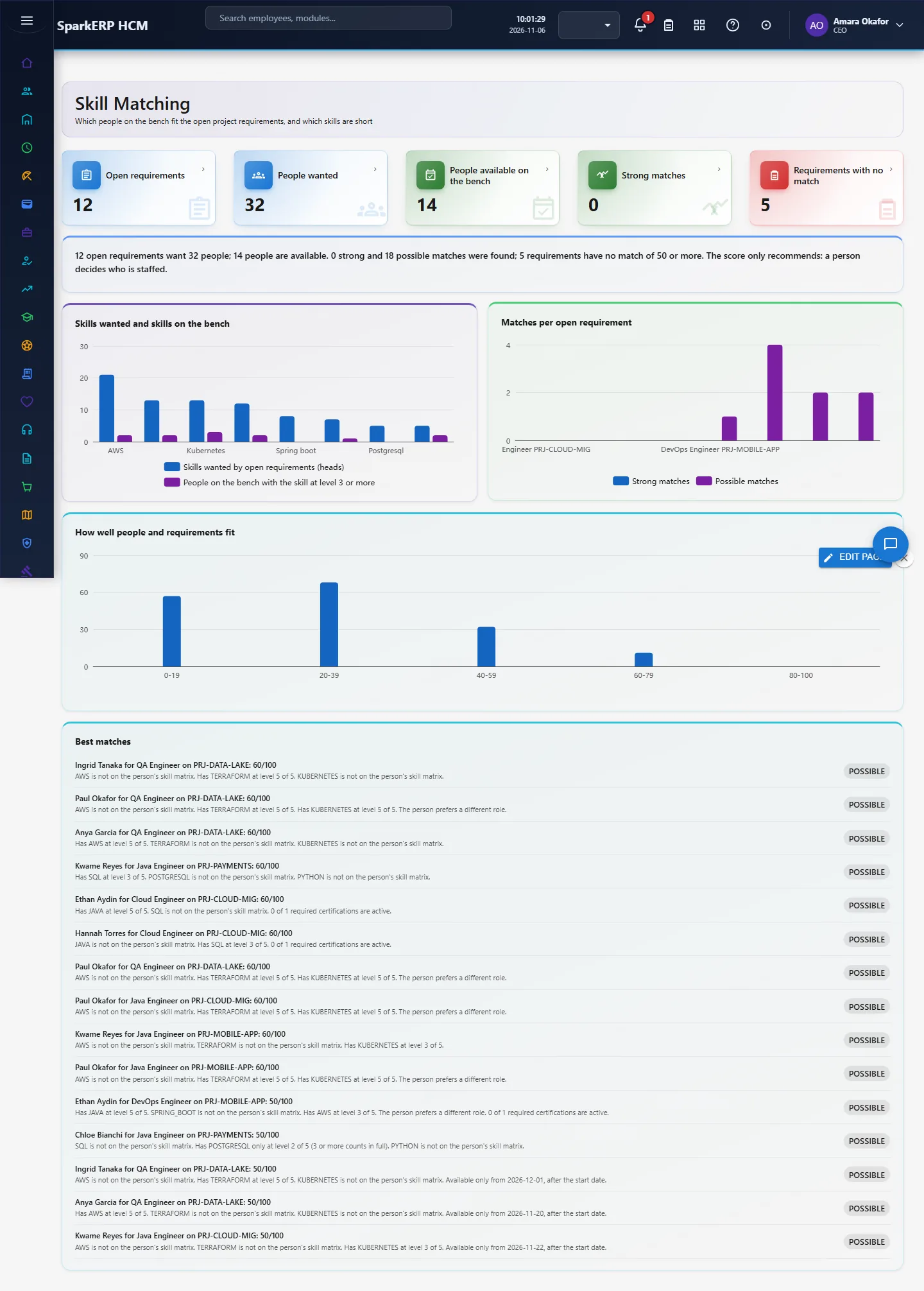
1. Who uses it
| Role | What they do |
|---|---|
| Resource manager | Reads the matches, staffs open roles, keeps the skill matrix current. |
| Delivery / project manager | Enters project financials each month and reads realization and margin. |
| Practice head | Sets the targets and reads the projects below them. |
2. Before you start
- Installed plugin:
hcm-industry-it-software(free tier; needs HCM Foundation). - Access: tenant administrators; the matching and economics endpoints are for administrators only.
- Trial data: generate the IT & Software pack in Demo Data: bench people, open requirements, skill matrix rows and a year of project financials.
3. Set up
- Open Employee Skills and enter each person's skills with proficiency 1 to 5, years of experience and last used date.
- Open Project Financials and enter, per project and month: billable hours, value at standard rate, amount billed and direct cost.
- Open Project Economics and choose Targets to set realization (default 85%), project margin (35%) and billable utilization (80%).
4. Daily use
4.1 Skill Matching
Each open project role is scored against every available person: matched required skills, proficiency, recency of use, required certifications and availability date. Strong matches (70 and above) and possible matches are listed with the reasons in words. Personal attributes (gender, age, nationality) are never used.
4.2 Project Economics
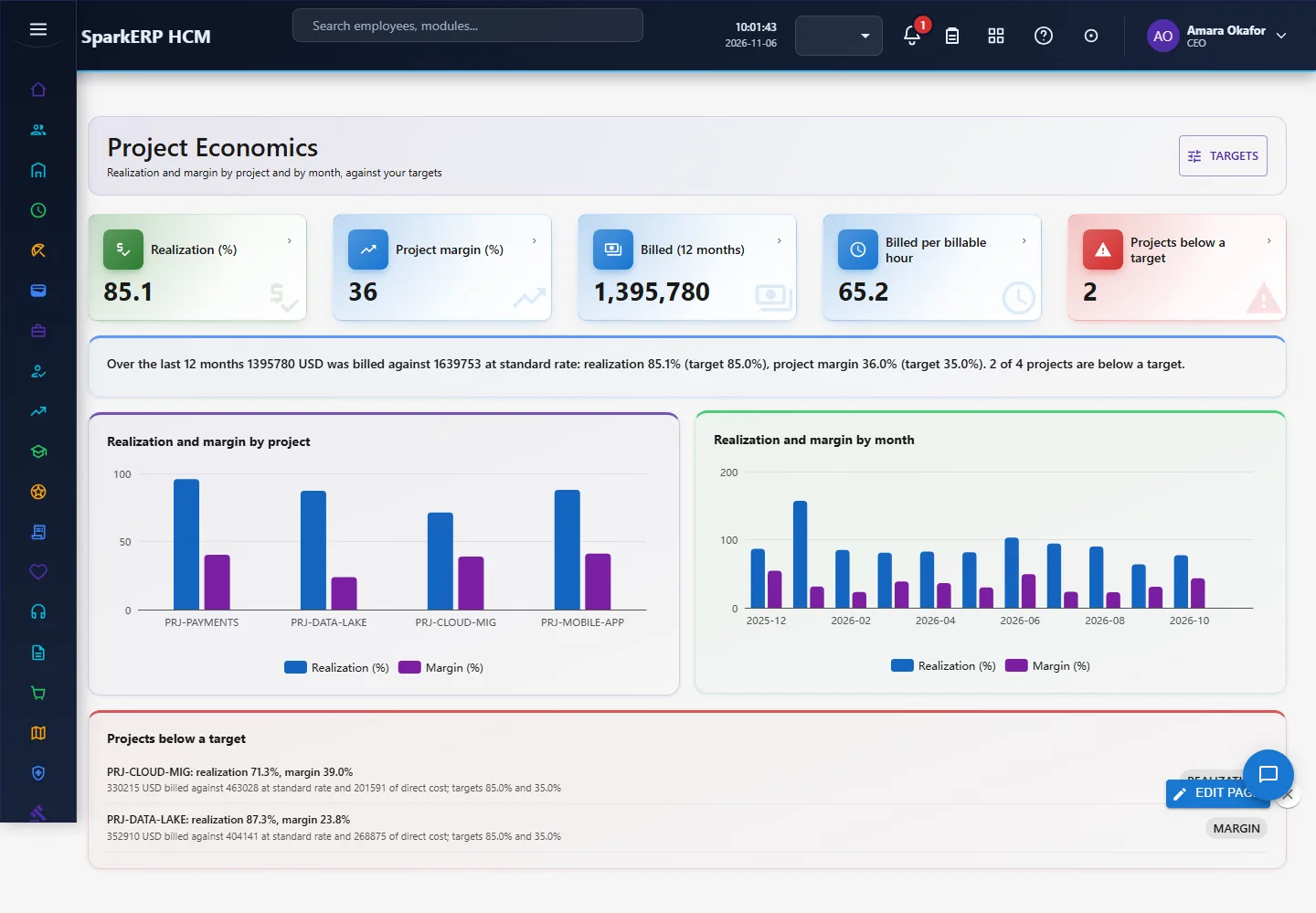
Realization is amount billed over the value of the hours at standard rate; margin is billed minus direct cost over billed. Charts show both by project and by month, and projects below target are listed.
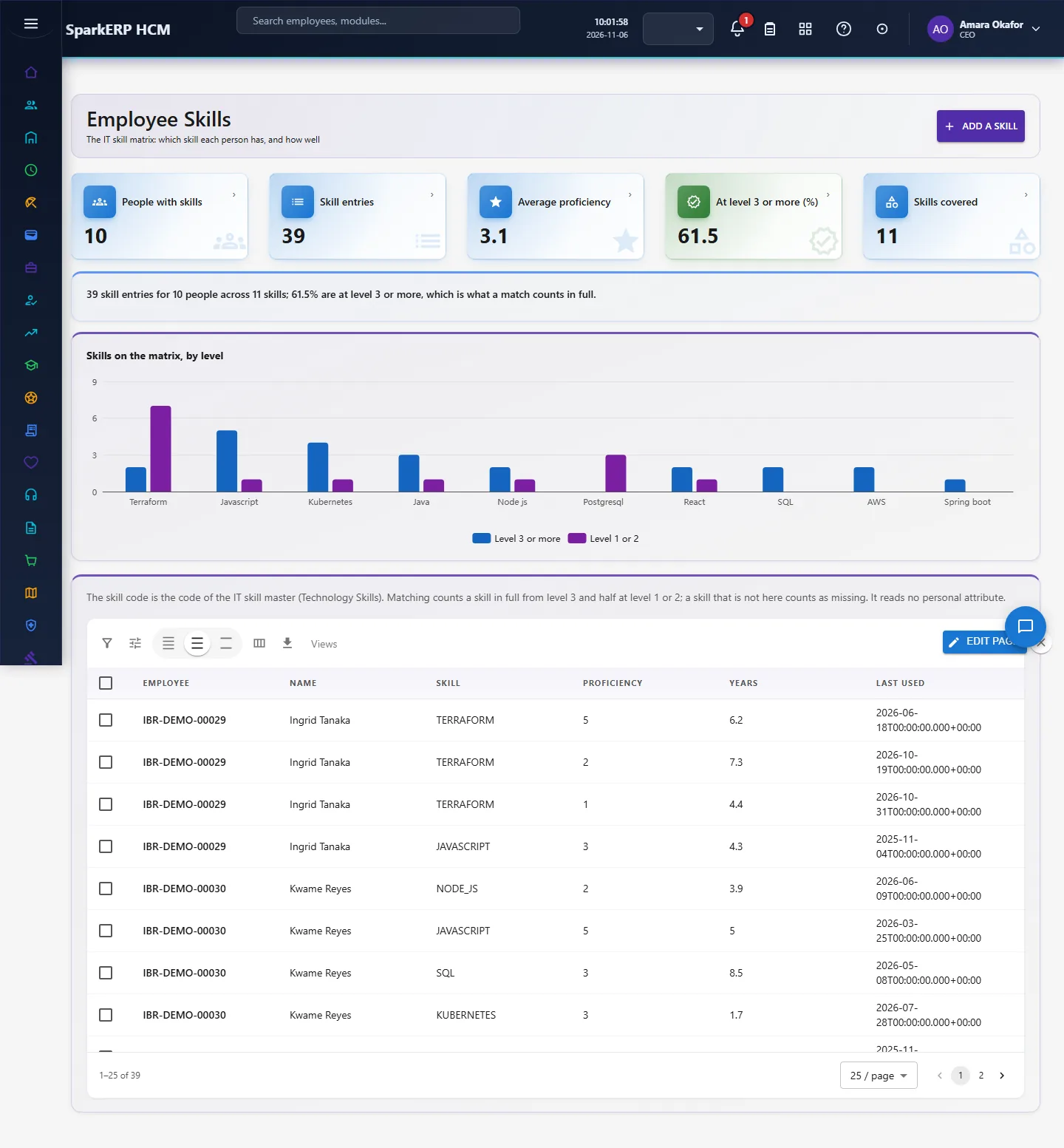
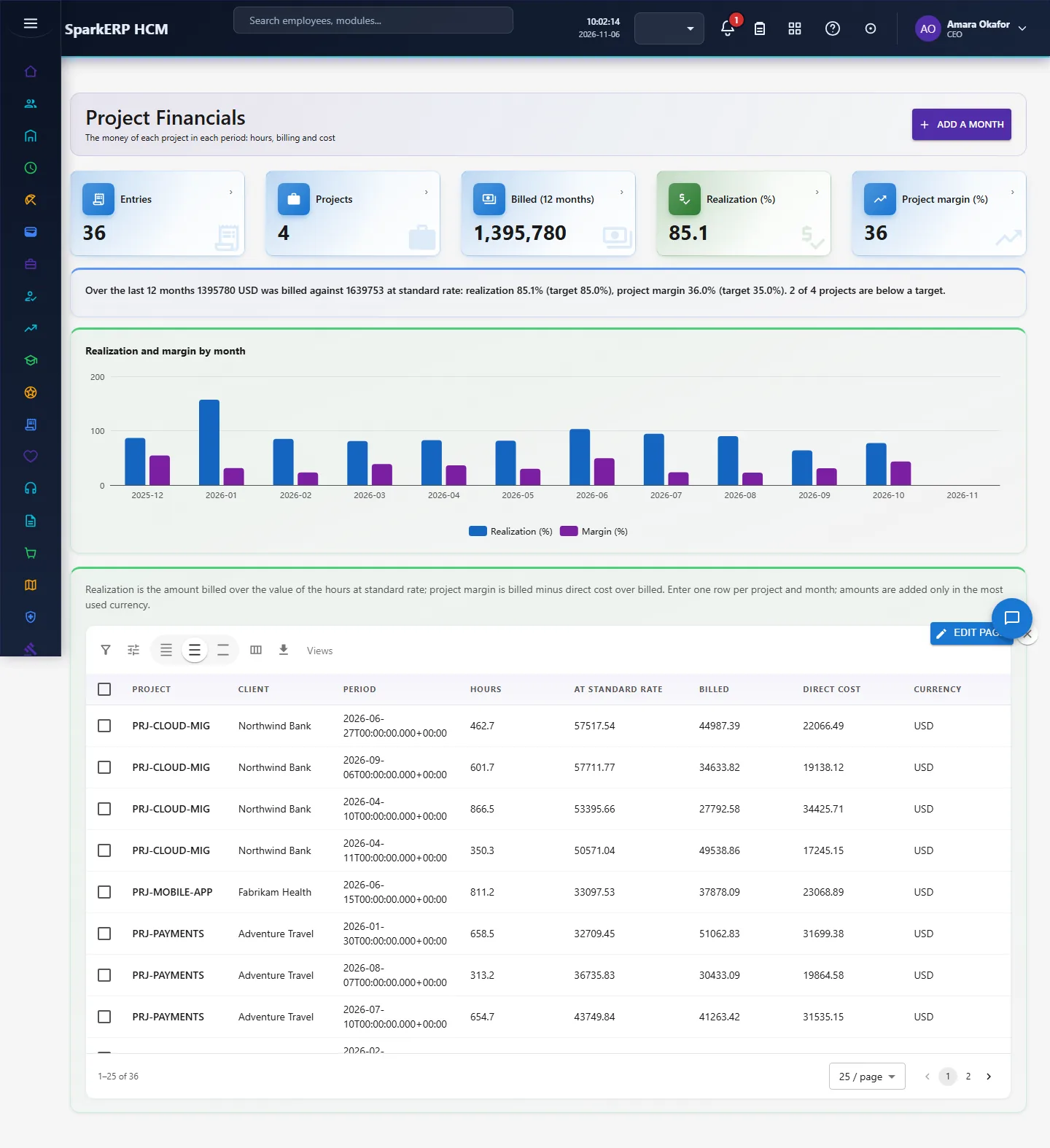
4.3 Employee Skills and Project Financials
Grids with add and edit dialogs, tiles and a chart each.
5. Charts, reports and exports
| Figure | What it shows |
|---|---|
| Open requirements, available people, strong matches | The size of the staffing problem |
| Realization and margin | Money kept against the targets |
| Skills by people, requirements by role, score spread | Where supply and demand differ |
The grids support search, paging, column choice and export.
6. On a phone or tablet
All screens stack tiles and charts one per row; dialogs fit the screen.

7. Rules and limits
- Targets are your own: no industry benchmark is hard-coded, because published figures differ by source.
- Match scores rank candidates; they do not decide. A person always makes the staffing decision.
- Realization needs standard-rate values entered with each financial row; the pack does not read a rate card.
- Costs are direct delivery costs entered by you; overheads are not allocated.
8. Troubleshooting
| Symptom | Cause and fix |
|---|---|
| No matches | No open requirement or nobody available; check Bench and Requirements, or the required skill codes. |
| Economics empty | No project financial rows yet; add rows or generate the demo pack. |
| Target refused | A target must be above zero. |