
Appearance
Menus, Mobile Navigation and Workspaces
Concepts
Navigation decides how people move through what you built.
| Artifact | What it is |
|---|---|
| Application / Module | the top and middle of the hierarchy (HCM, then Leave) |
| Menu | a tree of entries (label, icon, route) shown as a side or top menu |
| Mobile nav | bottom tabs or a drawer for phones |
| Workspace | a curated context (for example "Facilities") with its own side menu |
| App launcher | the tile grid of applications |
Menus are filtered at run time by the user's roles, organization scope and menu permissions (deny wins), so each person sees only what they may use. Scoping by company, branch, country or department only targets who sees an entry; it is not access control.
Problem statement
The Loans page exists but nobody can find it, and phone users need it one tap away.
All features
- Menu designer
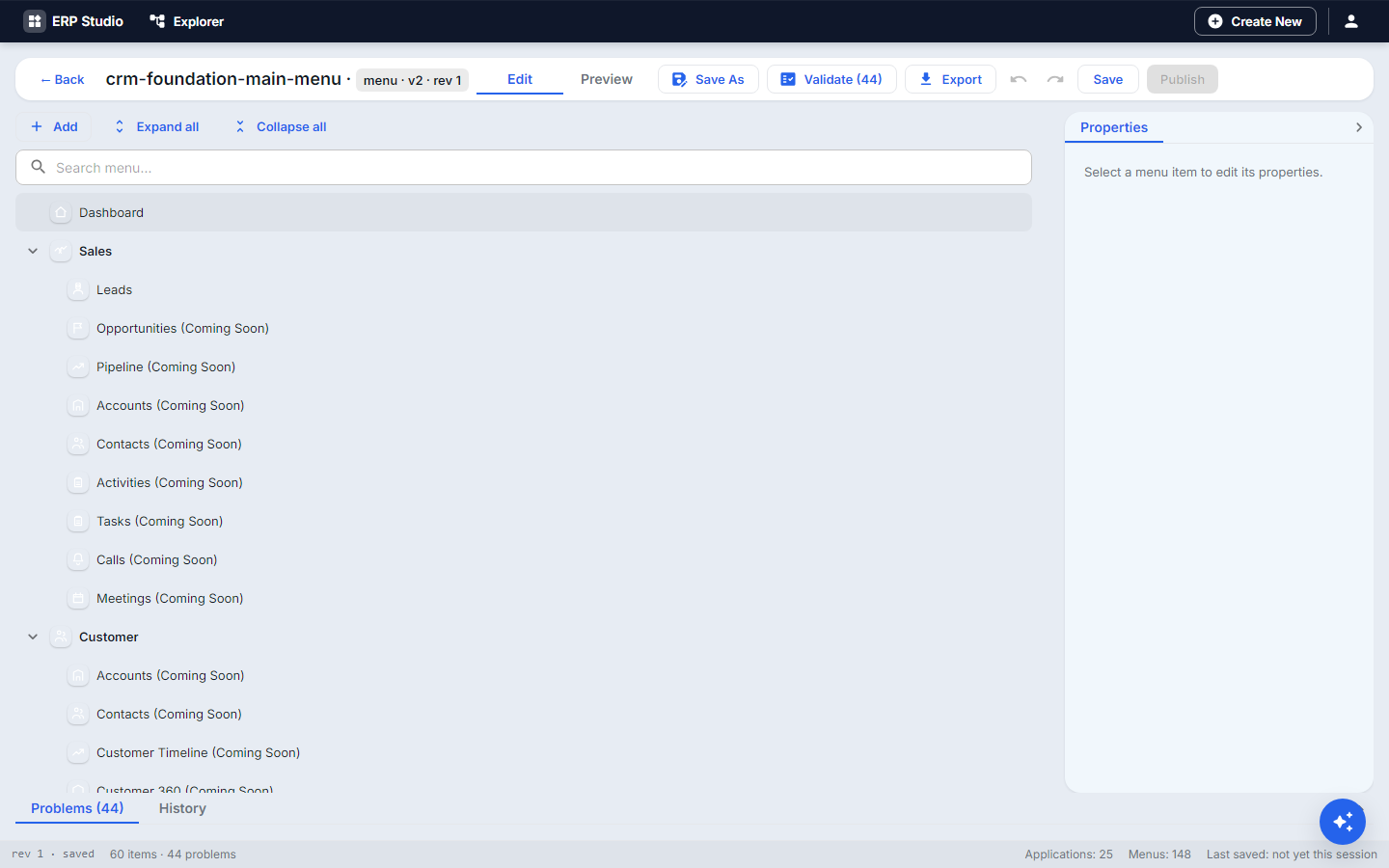 : add, nest, reorder entries by drag; icon, label (translation key), route or link, visibility expression, permission binding, organization scoping; preview by role.
 - Mobile nav designer
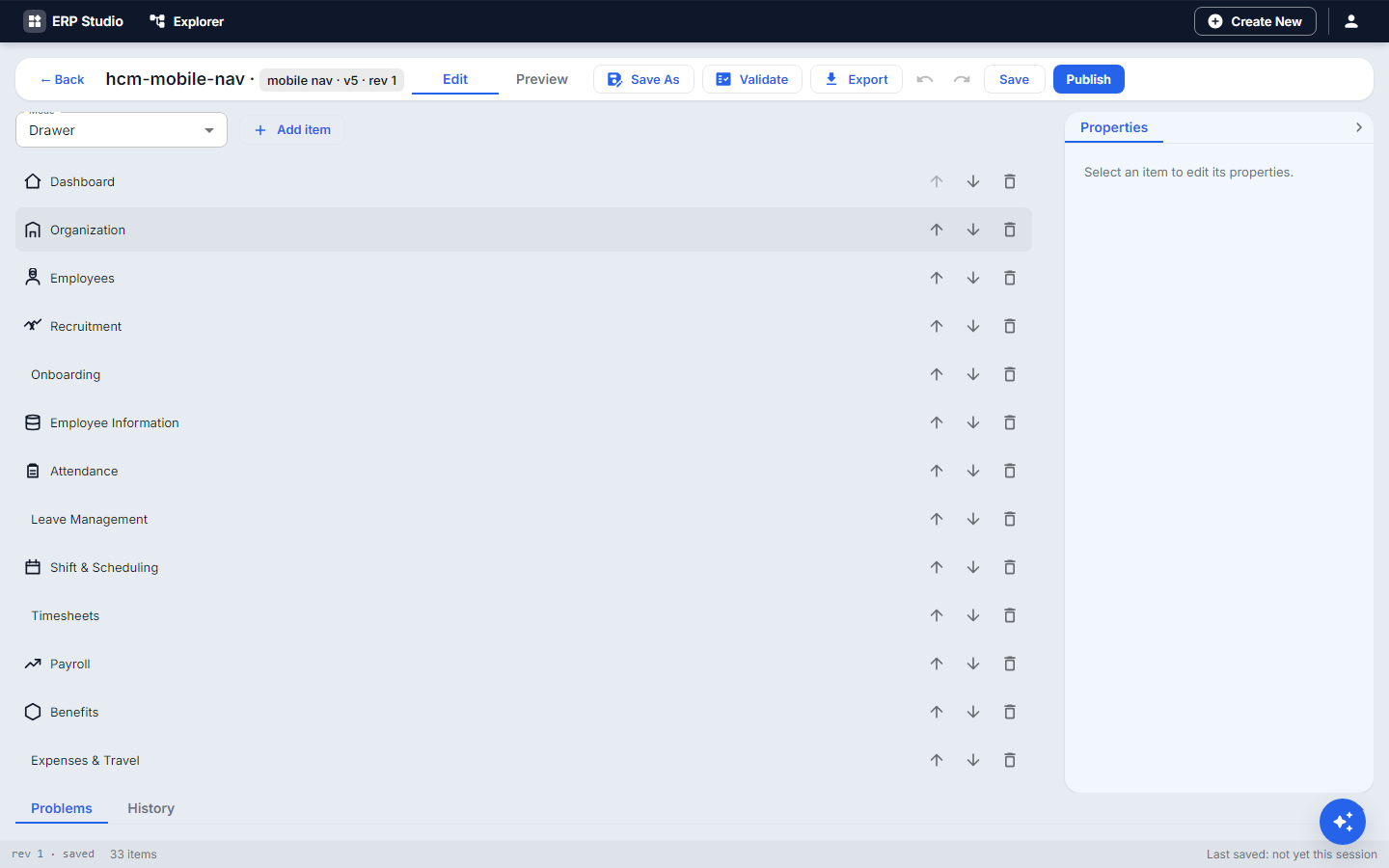 : bottom tabs or drawer, entries, icons, badges; one definition renders one surface, so use two for a hybrid.
 - Workspaces: name, icon, the menu it uses, who sees it, and a switcher.
- Applications and Modules: name, icon, launch URL (copyable), theme, session-check and SSO options.
- Breadcrumbs derived from the menu.
- Favorites and Recent pages are kept per user.
Step by step
- Menus, New:
operations-menu. - Add a group Equipment, icon
inventory. Under it add Loans, route/loans. - Set visibility so only roles with the loan read permission see it.
- Preview as a viewer role and an admin role.
- Mobile navs, New:
ops-mobile, layout bottom tabs, add Loans and Tasks. - Applications: add the menu to your application (or module) and Publish all three.
- Open the launch URL on a phone-width window.
Check it worked
The entry shows for permitted users only, opens the page, and the mobile bar shows both tabs.
Common mistakes
- Menu entry visible but page gives "access denied": the menu and the page each need permission.
- Confusing organization scoping with security.
- One mobile nav used for both tabs and drawer.