
Appearance
Pulse Surveys (HCM Employee Engagement)
This page documents the shipped Pulse Surveys screens of Employee Engagement (hcm-engagement): Pulse Surveys (administrators launch and close pulses), My Pulse (employees answer) and Pulse Results. The other Employee Engagement entries (Surveys, Feedback, Recognition, Rewards, Suggestion Box, Wellness, Social Feed, Reports) are not built yet. Not for plugin developers.
Launching a pulse
An administrator opens Pulse Surveys and chooses Launch a pulse: a name, a short description, how many days it stays open, and the smallest group results may be shown for (3 or more, 5 by default). The pulse starts with six 1 to 5 questions (engagement, manager, workload, recognition, growth, wellbeing) and one optional comment, and every active employee is invited. Close the selected pulse ends it early.
Answering
Each invited person sees the pulse on My Pulse, rates the six statements from 1 (strongly disagree) to 5 (strongly agree), and may add a comment. A pulse can be answered once. Pulses are always anonymous in this version: launching an identified pulse is refused.
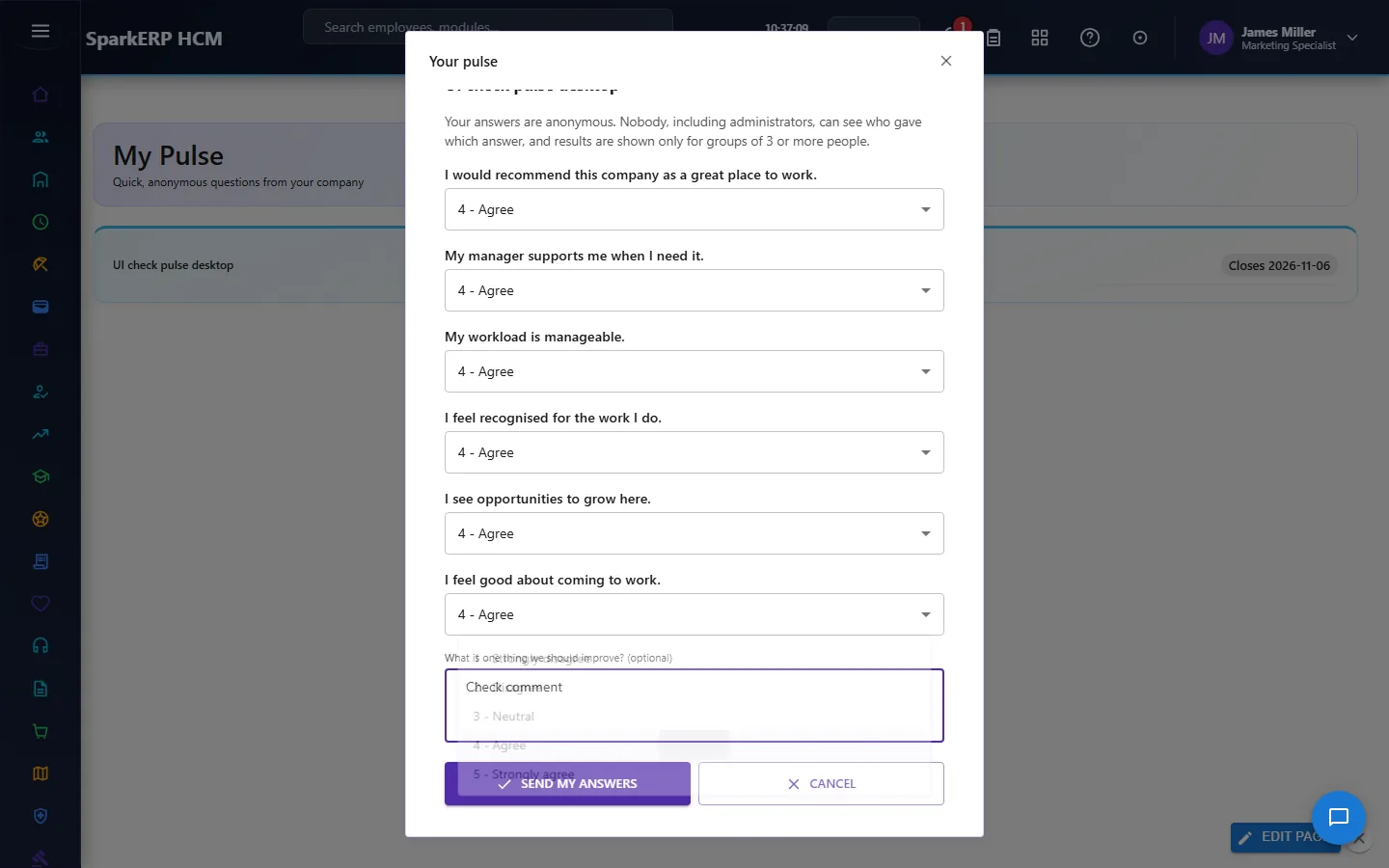
How anonymity is kept
- The invitation records who was invited and whether they answered; the answer records no person and no link to the invitation. Only the pulse, the person's department (so groups can be reported) and the date of the answer are kept, with a fixed author and a start-of-day time, so an answer cannot be matched to the moment someone completed their invitation.
- Results are only shown for groups of at least the smallest size. Fewer answers than that and the results screen only says how many have come in. Departments that are too small are not shown on their own: they are grouped as "Small groups together", and if one small group alone would be hidden, the next smallest is hidden with it so it cannot be worked out by subtraction from the total.
- Comments are collected but not shown anywhere in this version.
- Only a tenant administrator can launch, close or read results.
Pulse Results
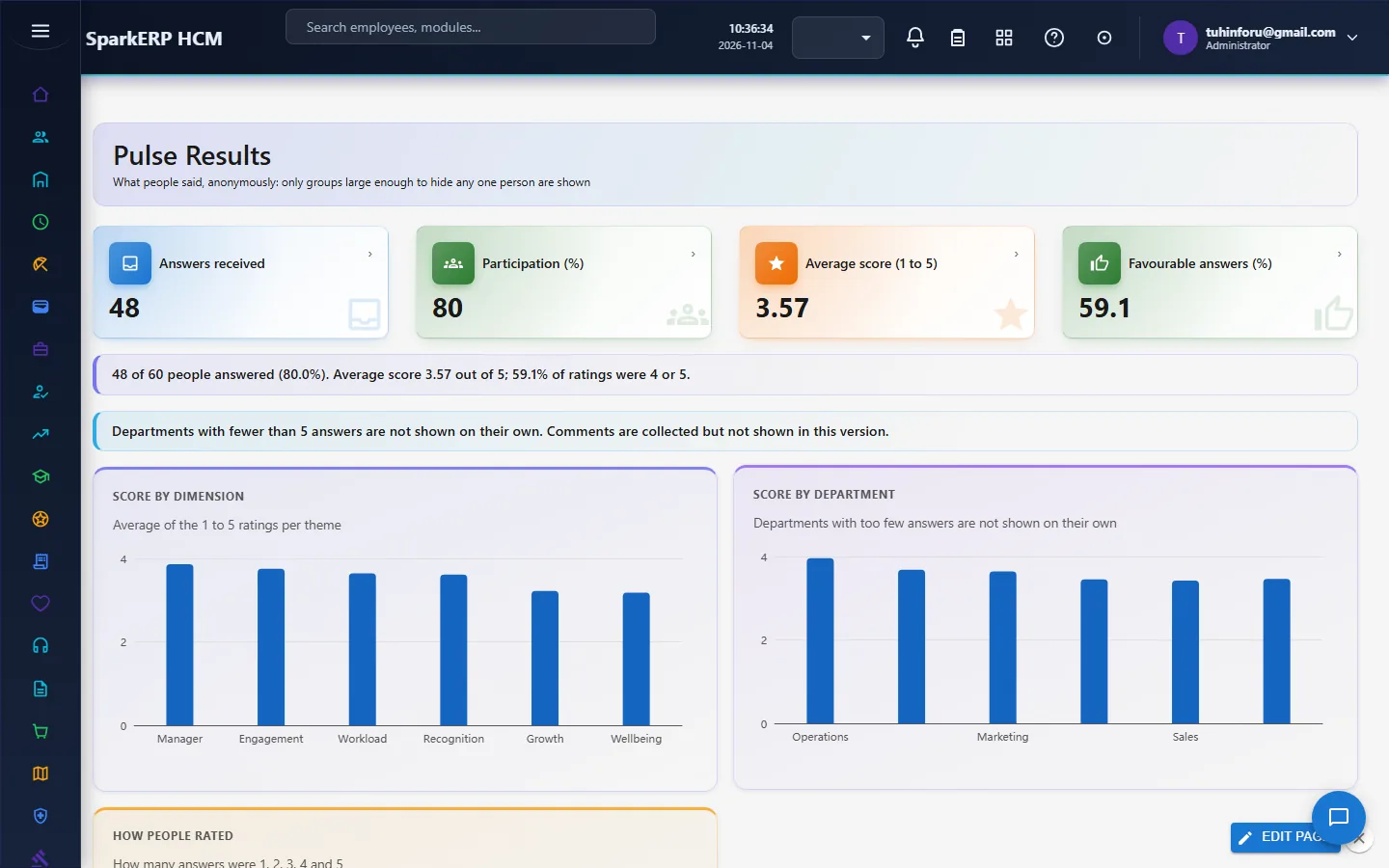
Shows the latest pulse: answers received, participation, average score and the share of favourable (4 or 5) answers; a score for each theme; a score for each department; and how many answers were 1 to 5.
Not in this version
Recurring pulses, reminders, a question library and custom questions, comment analysis, action plans, benchmarks, choosing which pulse to view on the results screen, and identified pulses.