
Appearance
Create a skill (Competencies)
This article covers: Create Skill.
Before you start
- Access. You need access to Learning & Development > Competencies. If you do not see it in the menu, ask your administrator for the role that covers this area.
Steps
Open Learning & Development > Competencies.
Select Create Skill.
In the window Skill fill in the fields below.
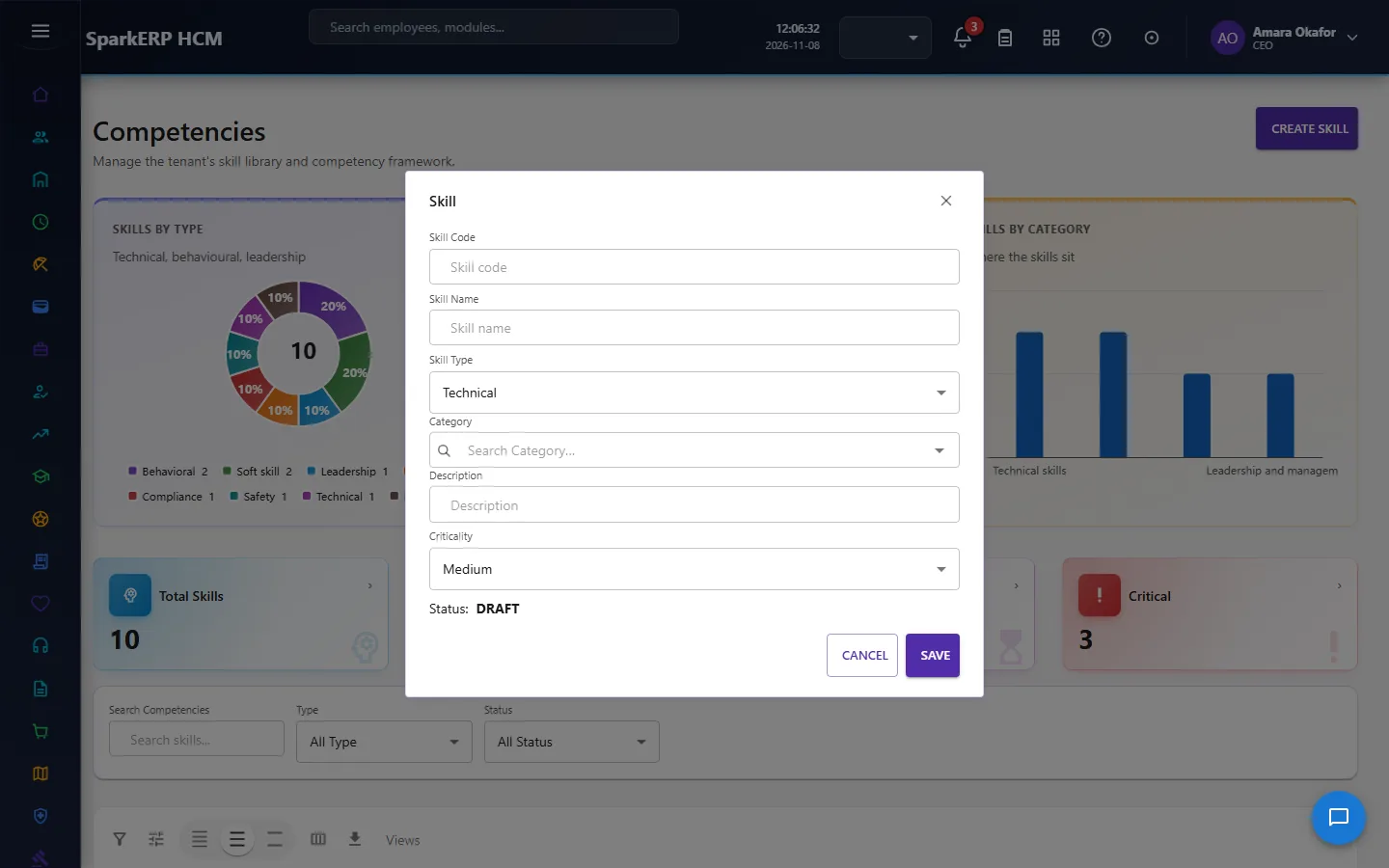
| Field | What it means and what to enter |
|---|---|
| Skill Code | A short, unique code that identifies the record. |
| Skill Name | The name people see for the record. |
| Skill Type | Choose one: Technical, Functional, Behavioral, Leadership, Domain, Digital, Language, Compliance, Safety, Management.... |
| Description | Free text for your own notes. |
| Criticality | Choose one: Low, Medium, High, Critical. |
- Select Submit for Approval.
WARNING
The record is saved with the status Pending approval and an approval request goes to the approver. It becomes Active when it is approved. Who approves is set under Administration > Approval Hierarchies.
If something does not work
- The button "Create Skill" is missing. You do not have the permission, or the page is not in your menu. See Access above.
- A list in the window is empty. The records it picks from do not exist yet.
- The window will not close or shows a message. Read the message: it names the field that is missing or not allowed.