
Appearance
Create a salary Structure
This article covers: New Salary Structure.
Before you start
- Access. You need access to Payroll > Salary Structures. If you do not see it in the menu, ask your administrator for the role that covers this area.
Steps
Open Payroll > Salary Structures.
Select New Salary Structure.
In the window Salary Structure fill in the fields below.
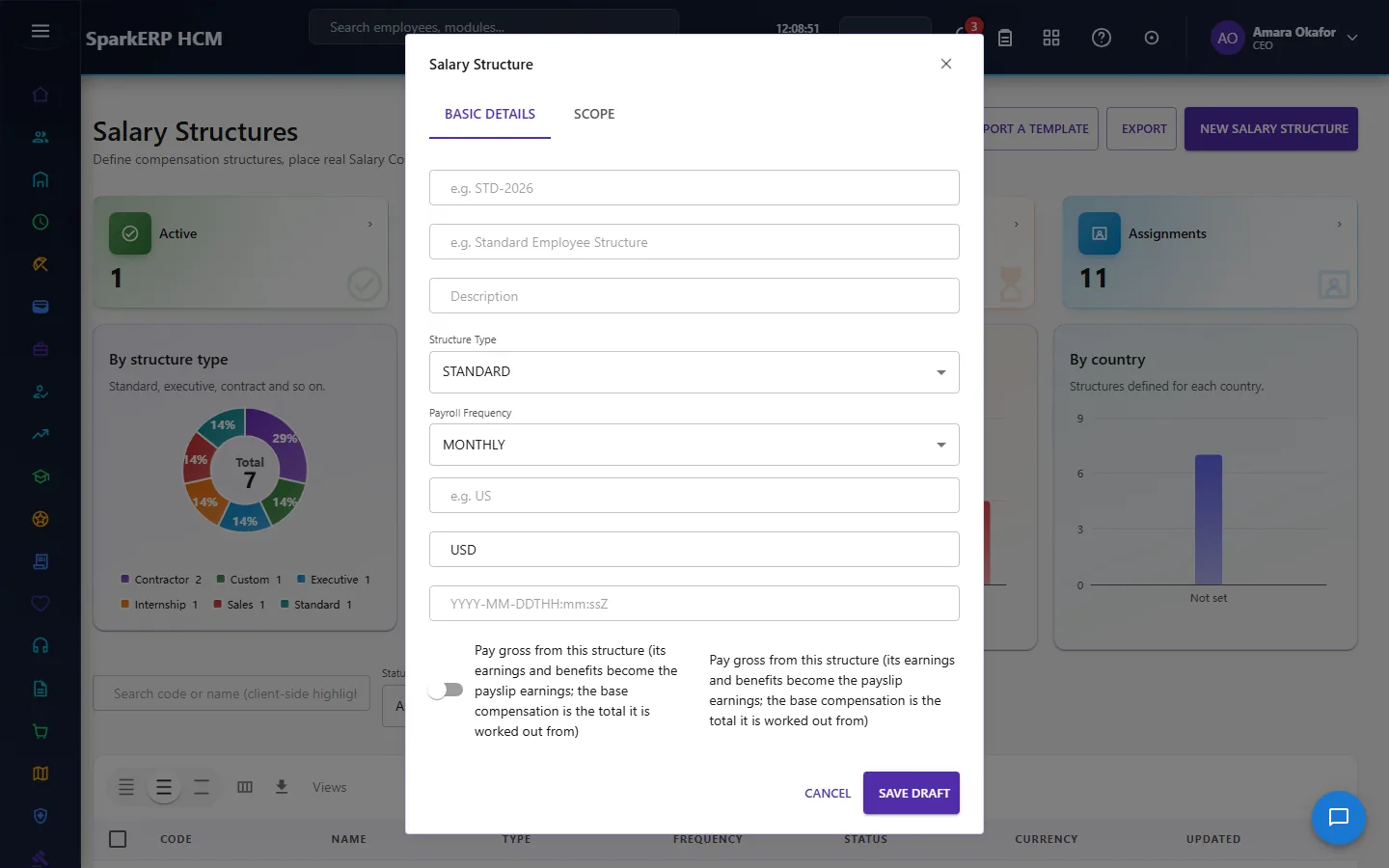
| Field | What it means and what to enter |
|---|---|
| e.g. STD-2026 | Type the e.g. std-2026. |
| e.g. Standard Employee Structure | Type the e.g. standard employee structure. |
| Description | Free text for your own notes. |
| Structure Type | Choose one: Standard, Executive, Contractor, Hourly, Sales, Internship, Custom. |
| Payroll Frequency | Choose one: Hourly, Daily, Weekly, Biweekly, Semimonthly, Monthly, Quarterly, Annual. |
| e.g. US | Type the e.g. us. |
| e.g. USD | Type the e.g. usd. |
| YYYY-MM-DDTHH:mm:ssZ | Type the yyyy-mm-ddthh:mm:ssz. |
| Pay gross from this structure (its earnings and benefits become the payslip earnings; the base compensation is the total it is worked out from) | Tick or untick. |
| Scope Type | Choose one: Legal Entity, Payroll Group, Country, Location, Department, Job, Job Level, Grade, Employment Type, Worker Type.... |
| Scope value (e.g. a department id) | Type the scope value (e.g. a department id). |
- Select Save Draft.
The window closes and the table shows the result.
If something does not work
- The button "New Salary Structure" is missing. You do not have the permission, or the page is not in your menu. See Access above.
- A list in the window is empty. The records it picks from do not exist yet.
- The window will not close or shows a message. Read the message: it names the field that is missing or not allowed.