
Appearance
Create a salary Component
This article covers: New Salary Component.
Before you start
- Access. You need access to Payroll > Salary Components. If you do not see it in the menu, ask your administrator for the role that covers this area.
Steps
Open Payroll > Salary Components.
Select New Salary Component.
In the window Salary Component fill in the fields below.
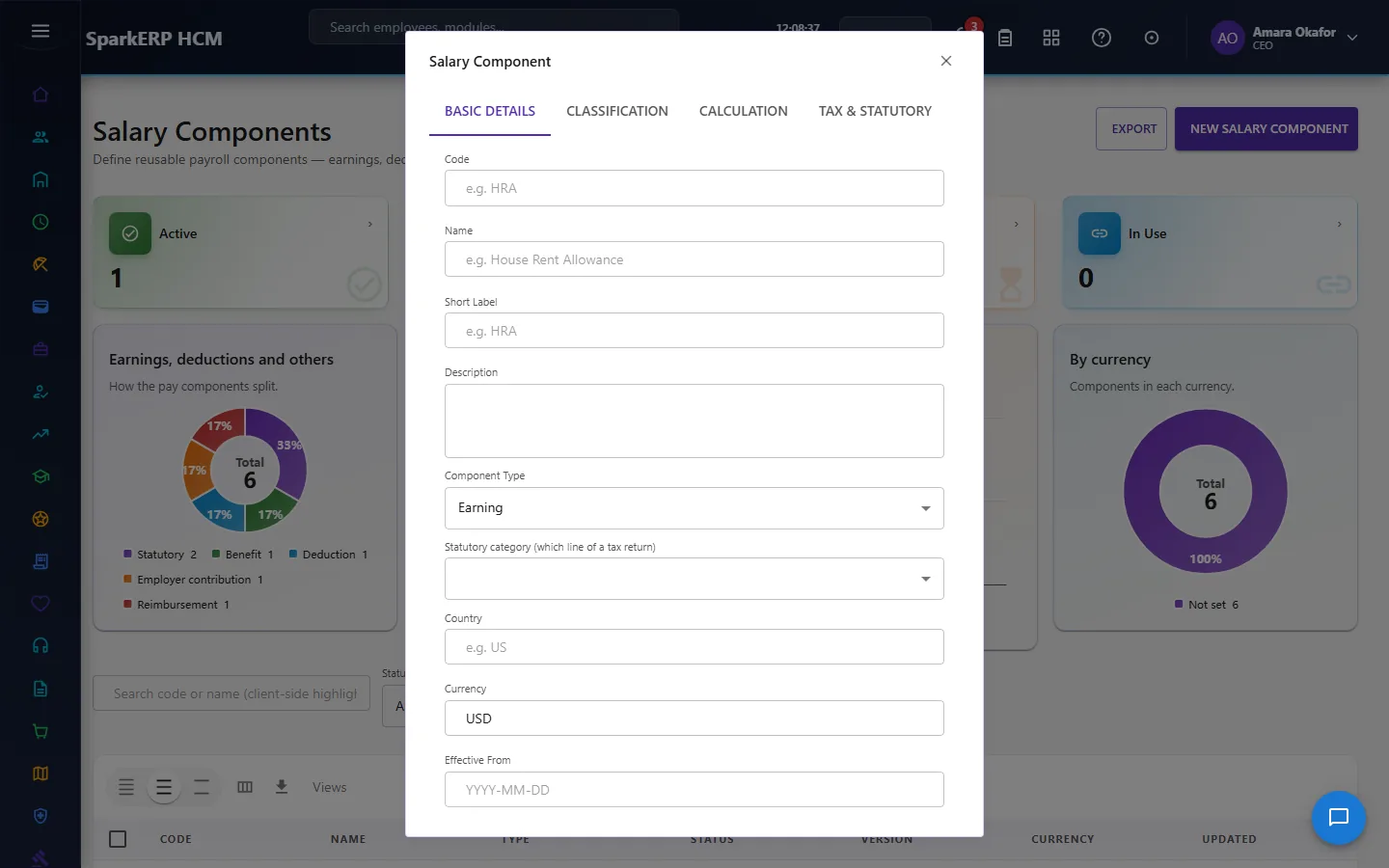
| Field | What it means and what to enter |
|---|---|
| Code | A short, unique code that identifies the record. |
| Name | The name people see for the record. |
| Short Label | Type the short label. |
| Description | Free text for your own notes. |
| Component Type | Choose one: Earning, Deduction, Employer Contribution, Reimbursement, Benefit, Tax, Statutory, Other. |
| Statutory category (which line of a tax return) | Choose one: Salary, Bonus, Allowance, Commission, Overtime, Benefit In Kind, Reimbursement, Other Income, Employee Retirement, Employer Retirement.... |
| Country | The country. |
| Currency | The currency of the amounts on this record, for example USD or INR. |
| Effective From | The first day the record is in force. For example: YYYY-MM-DD. |
| Calculation Method | Choose one: Fixed Amount, Percentage, Formula, Quantity X Rate, Lookup, Derived, Manual. |
| Fixed Amount | An amount in the currency of the record. |
| Percentage | A number between 0 and 100 unless the screen says otherwise. |
| Percentage Of | A number between 0 and 100 unless the screen says otherwise. |
| Rate | An amount in the currency of the record. |
| Default Quantity | Type the default quantity. |
| Formula | For example: e.g. round(baseSalary * 0.4, 0). |
| Rounding Mode | How many decimals the result keeps. Choose one: None, Round, Floor, Ceiling. |
| Rounding Scale (decimals) | How many decimals the result keeps. |
- Select Save Draft.
The window closes and the table shows the result.
If something does not work
- The button "New Salary Component" is missing. You do not have the permission, or the page is not in your menu. See Access above.
- A list in the window is empty. The records it picks from do not exist yet.
- The window will not close or shows a message. Read the message: it names the field that is missing or not allowed.