
Appearance
Create a quiz
This article covers: Create Quiz.
Before you start
- Access. You need access to the HCM menu. If you do not see it in the menu, ask your administrator for the role that covers this area.
Steps
Open the HCM menu.
Select Create Quiz.
In the window Quiz fill in the fields below.
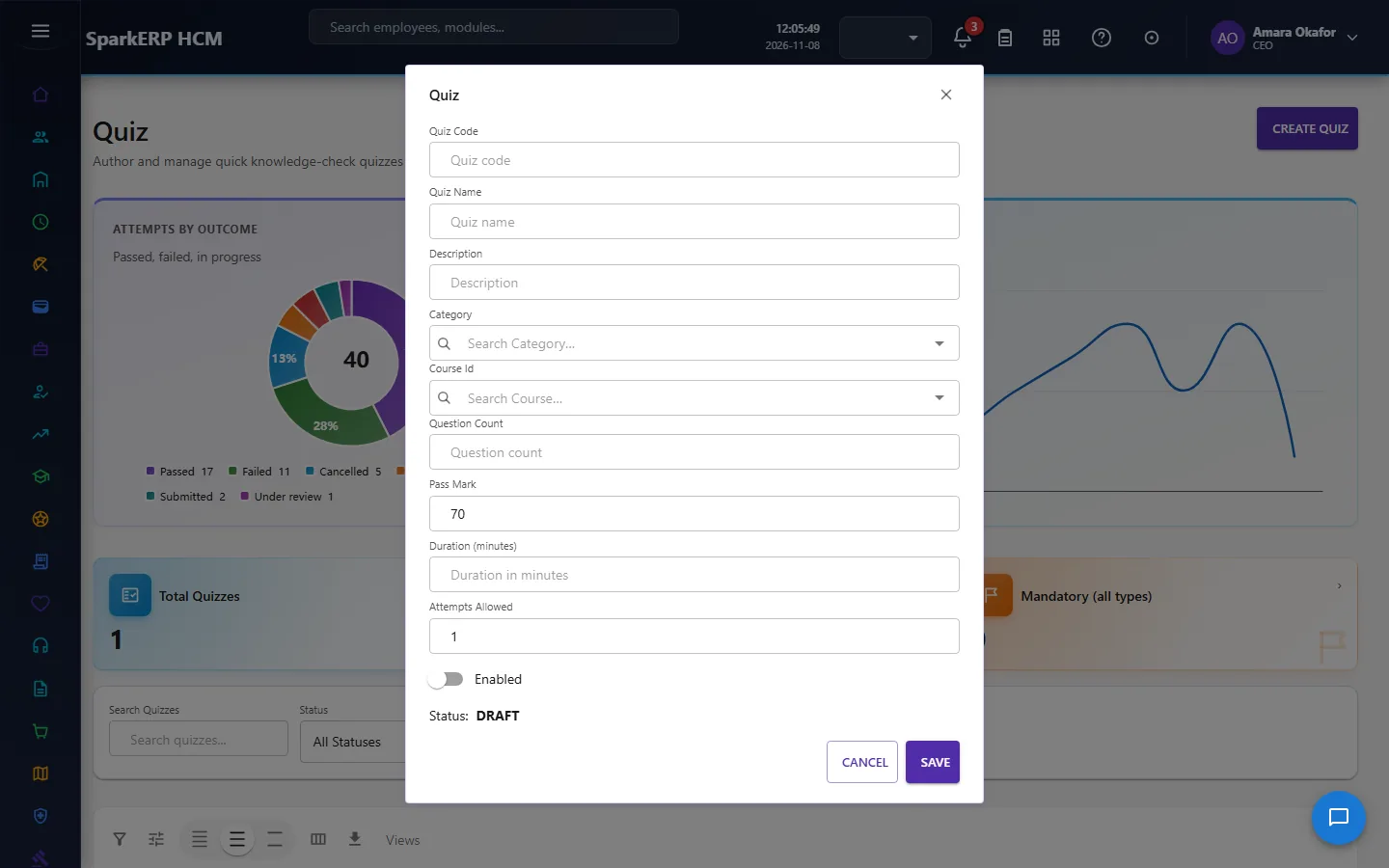
| Field | What it means and what to enter |
|---|---|
| Quiz Code | A short, unique code that identifies the record. |
| Quiz Name | The name people see for the record. |
| Description | Free text for your own notes. |
| Question Count | Type the question count. |
| Pass Mark | Type the pass mark. |
| Duration (minutes) | How long it lasts, in the unit the label names. |
| Attempts Allowed | Type the attempts allowed. |
- Select Publish.
The window closes and the table shows the result.
If something does not work
- The button "Create Quiz" is missing. You do not have the permission, or the page is not in your menu. See Access above.
- A list in the window is empty. The records it picks from do not exist yet.
- The window will not close or shows a message. Read the message: it names the field that is missing or not allowed.