
Appearance
Add a legal entity
This article covers: Add legal entity.
Before you start
- Access. Changing records here needs permissions of this area (LegalEntity.Create, LegalEntity.Update, LegalEntity.Deactivate). Roles that include them: Organization Administrator. Ask your administrator if you do not have one of these roles.
- These lists must already have entries, because the window picks from them: legal entities (add one).
Steps
Open Organization > Legal Entities.
Select Add legal entity.
In the window Legal entity fill in the fields below.
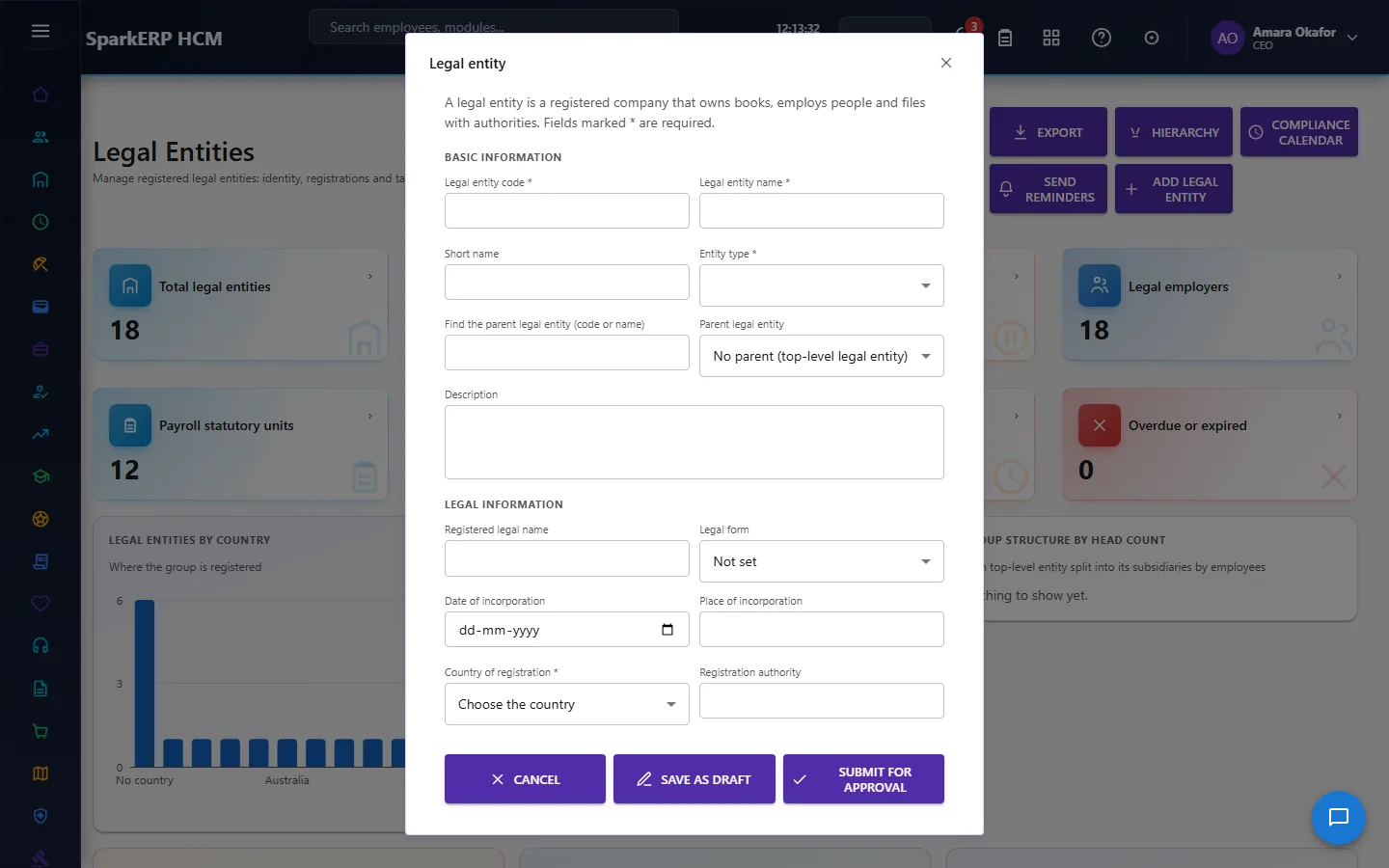
| Field | Required | What it means and what to enter |
|---|---|---|
| Legal entity code | Yes | A short, unique code that identifies the record. |
| Legal entity name | Yes | The name people see for the record. |
| Short name | No | A short form of the name. |
| Entity type | Yes | Choose from the list. |
| Find the parent legal entity (code or name) | No | Optional. Type part of a name or code to narrow the list next to it. |
| Parent legal entity | No | The record this one sits under. Leave it empty for a top-level record. |
| Description | No | Free text for your own notes. |
| Registered legal name | No | The name people see for the record. |
| Legal form | No | Choose one: Not set, Private limited, Public limited, Partnership, LLP, Sole proprietorship, Non-profit, Trust, Other. |
| Date of incorporation | No | The date the company was registered. |
| Place of incorporation | No | The date the company was registered. |
| Country of registration | Yes | The country. |
| Registration authority | No | The official number from your registration papers. |
| Company registration number | No | The official number from your registration papers. |
| Tax identification number | No | The official number from your registration papers. |
| Legal entity identifier (LEI, 20 characters) | No | The official number from your registration papers. |
| Legal employer | No | Choose one: Yes, No. |
| Payroll statutory unit | No | Choose one: Yes, No. |
| Find head of the legal entity (name or code) | No | Optional. Type part of a name or code to narrow the list next to it. |
| Head of the legal entity | No | The person in charge. Start typing a name or code and pick a match. |
| Website | No | A web address, starting with https://. |
| Company email | No | An email address. |
| Phone | No | A phone number with the country code. |
| Compliance contact | No | Type the compliance contact. |
| Compliance email (reminders go here) | No | An email address. |
| Currency | No | The currency of the amounts on this record, for example USD or INR. |
| Time zone (for example Europe/London) | No | The time zone for dates and times on this record, for example Europe/London. |
| Language | No | The language of the record. |
| Date format (for example dd/MM/yyyy) | No | How dates are written, for example dd/MM/yyyy. |
| Time format (for example HH:mm) | No | How times are written, for example HH:mm. |
| Number format | No | How numbers are written. |
| Week starts on | No | The first day of the week. Choose one: Not set, Monday, Sunday, Saturday. |
| Financial year starts in | No | The month the financial year starts in. |
| Effective from | Yes | The first day the record is in force. |
| Effective to | No | The last day the record is in force. Leave it empty if it has no end. |
| Display order | No | A number that sets the order in lists. |
- Select Save as draft.
The window closes and the table shows the result.
TIP
A star after a field name means the screen requires it.
If something does not work
- The button "Add legal entity" is missing. You do not have the permission, or the page is not in your menu. See Access above.
- A list in the window is empty. The records it picks from do not exist yet. Add them first: Legal Entities.
- The window will not close or shows a message. Read the message: it names the field that is missing or not allowed.