
Appearance
Learning & Development: how it works and how to set it up
Learning & Development answers the questions a company asks about developing its people: what can people learn here, who must learn what and by when, who asked for training and who agreed to pay for it, did they pass, which certifications are held and when do they expire, where do skills fall short of what the job needs, and what is it all costing. This guide explains how the module works from start to finish, then how to set it up, then what each person sees. Every screen has its own page in the Learning section; this guide is the one to read first.
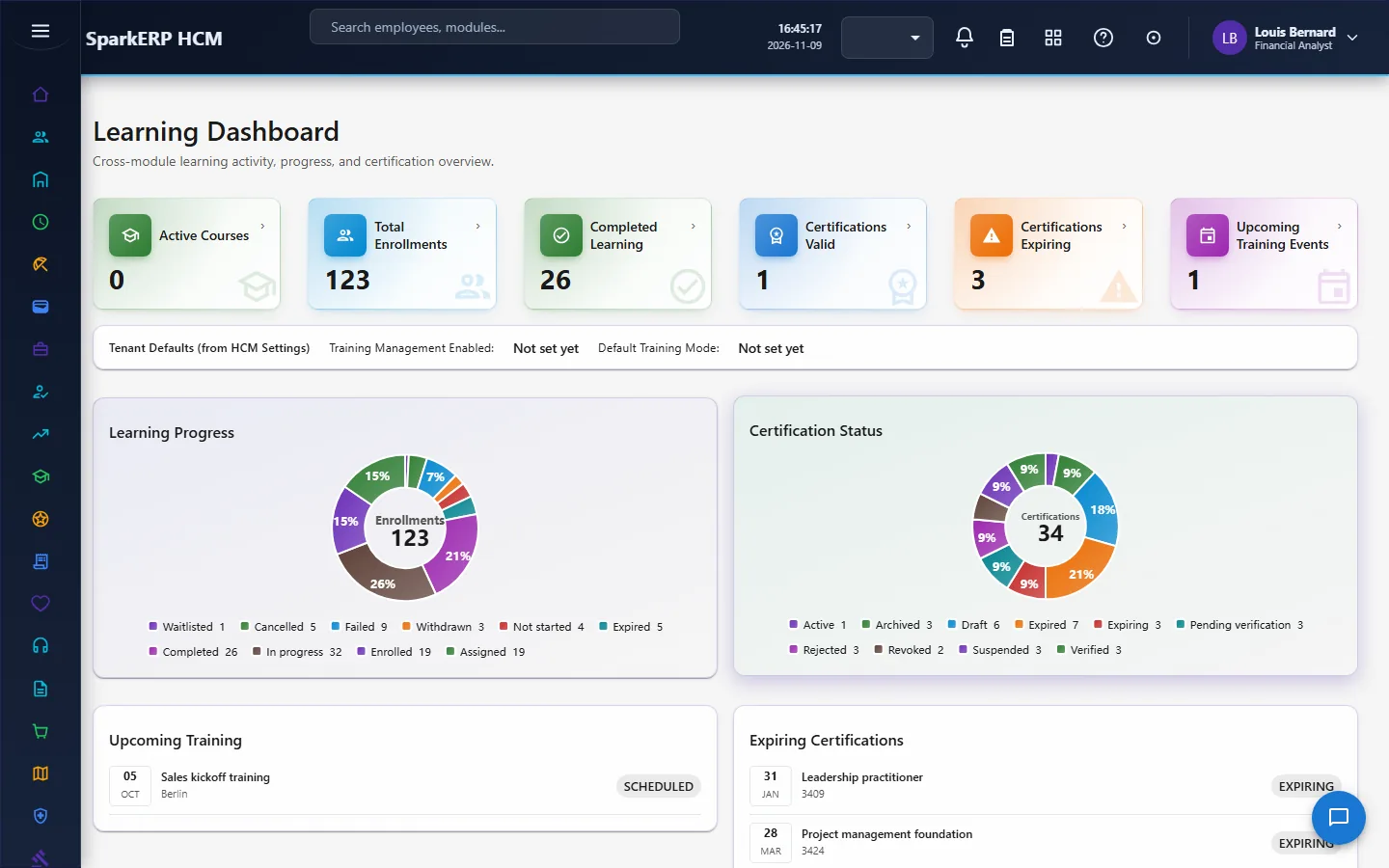
1. What Learning & Development does for your business
- Keeps one catalog of courses, grouped into training programs and ordered learning paths.
- Assigns and tracks learning. One record per person per learning item, so the same data feeds the dashboard, the person's own page and the reports.
- Takes requests. An employee or manager asks for training; the request goes through approval, including a budget step.
- Runs assessments with attempts, pass marks and manual marking.
- Holds certifications, with validity, renewal and verification.
- Compares skills with what jobs need. The skill matrix shows each person's level against the required level and the gap.
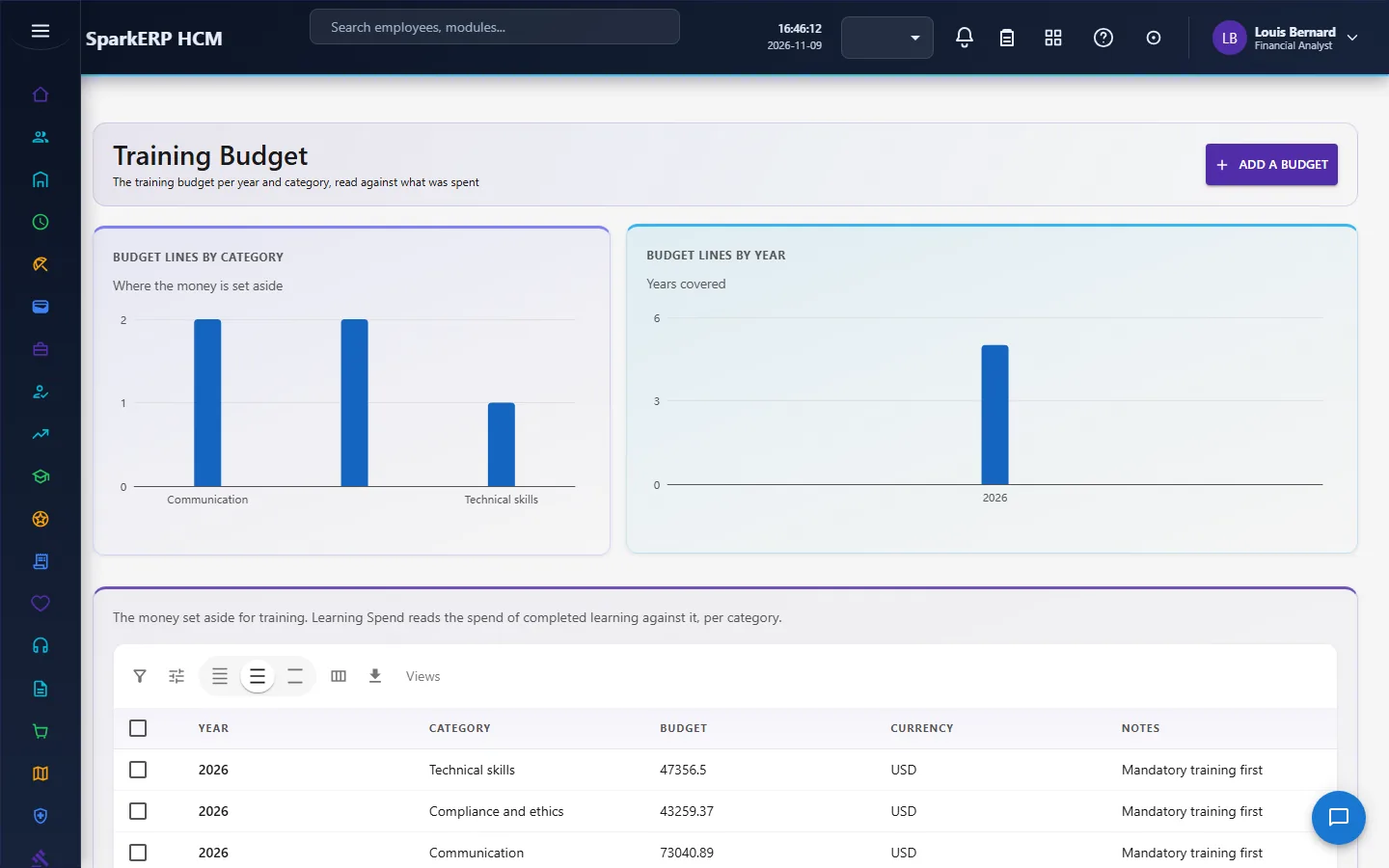
- Controls spend. A training budget by year and category is read against the cost of completed learning.
- Reminds people before and after learning is due.
What it does not do: it is a record and workflow layer. It does not host your course content or run live classrooms; instructors and providers are records, and content is linked or described. It does not check an assessment's answers by itself beyond what the assessment's settings say (manual grading is a setting).
2. How learning works, end to end
2.1 The path of one learning item
- A course is created and published. It goes through a review and a publish approval before it can be used.
- Learning is assigned or enrolled. HR assigns it, or an employee takes it from the catalog. A training request is approved separately; after approval, HR assigns or enrols the person.
- The learner works through it. The status moves from assigned or enrolled to in progress, then completed, failed or withdrawn.
- An assessment is taken, when the course has one, with a limited number of attempts and a pass mark.
- A certification is issued where the course or program grants one, and tracked until it expires or is renewed.
- The skill record is updated, so the skill matrix and gap change.
- Spend and effectiveness are read against budget and results.
2.2 The life of a course, a path and a program
A course, a learning path and a training program share the same lifecycle, and the platform refuses any other move:
| From | To |
|---|---|
| Draft | In review |
| In review | Approved or Rejected |
| Rejected | Draft (back for changes) |
| Approved | Published |
| Published | Active |
| Active | Suspended or Archived |
| Suspended | Active |
Sending a course for review, publishing it and archiving it each go through an approval task. The roles that can decide those are the Learning Administrator and the Tenant Owner.
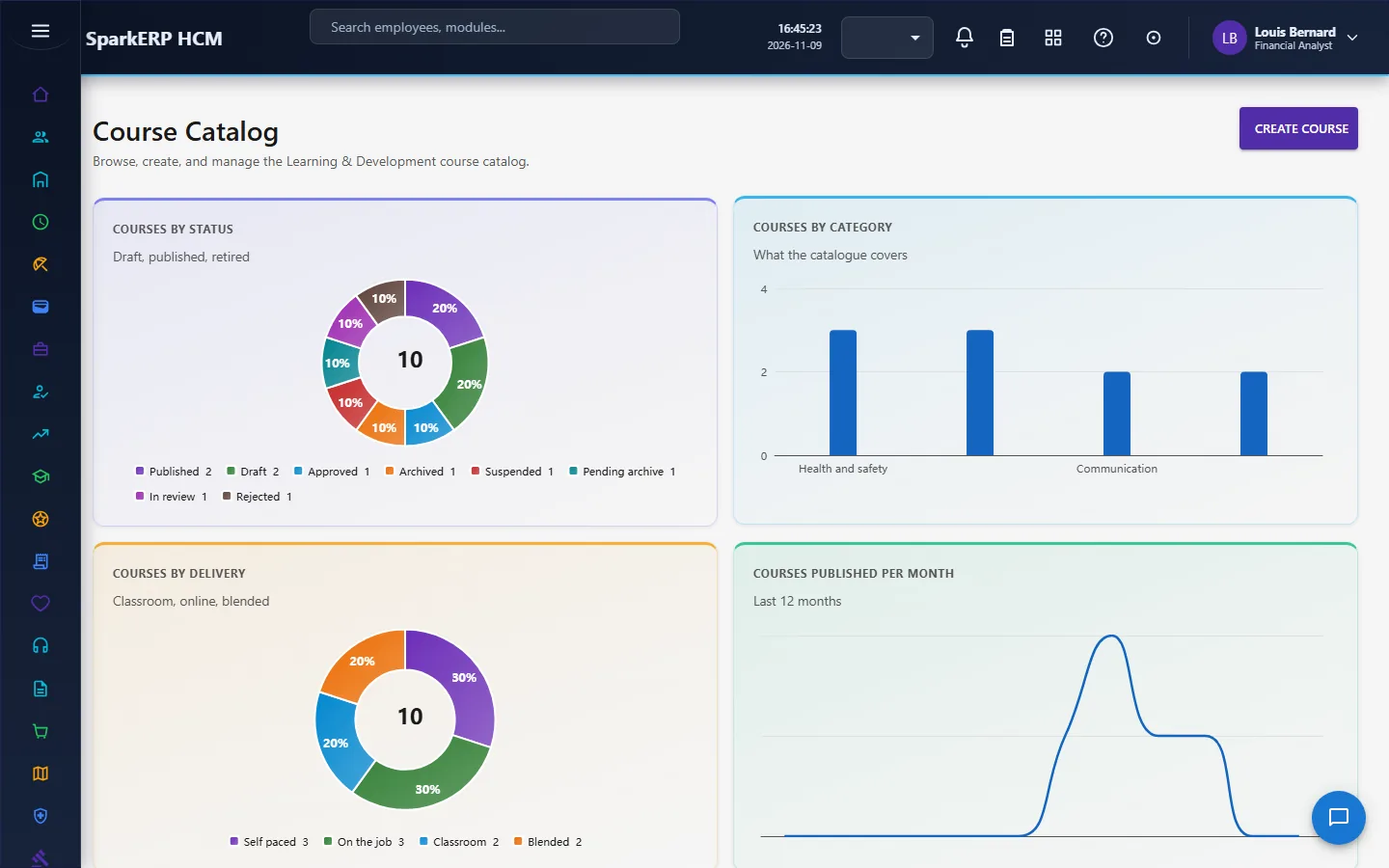
A course has a code and name, a category, a type and delivery mode, a duration in hours, a capacity, whether it is mandatory, an instructor, a prerequisite course, effective dates, an estimated cost and currency, credit hours, whether approval is required, and whether a waitlist is enabled.
A learning path is an ordered list of courses and programs for a role or a milestone, such as onboarding. A training program groups courses and is approved the same way.
2.3 The life of a person's learning record
A person's record for a learning item moves in this order: not started, assigned, enrolled or waitlisted, in progress, completed, failed or withdrawn, with cancelled as a way out. The platform refuses a move that is not in that order. The record keeps its own progress, so the same data feeds the person's page and the reports. An item with a due date becomes overdue when the date passes without completion, and a certification can expire.
When a course has a capacity and waitlisting is on, people beyond the capacity are waitlisted.
2.4 Training requests
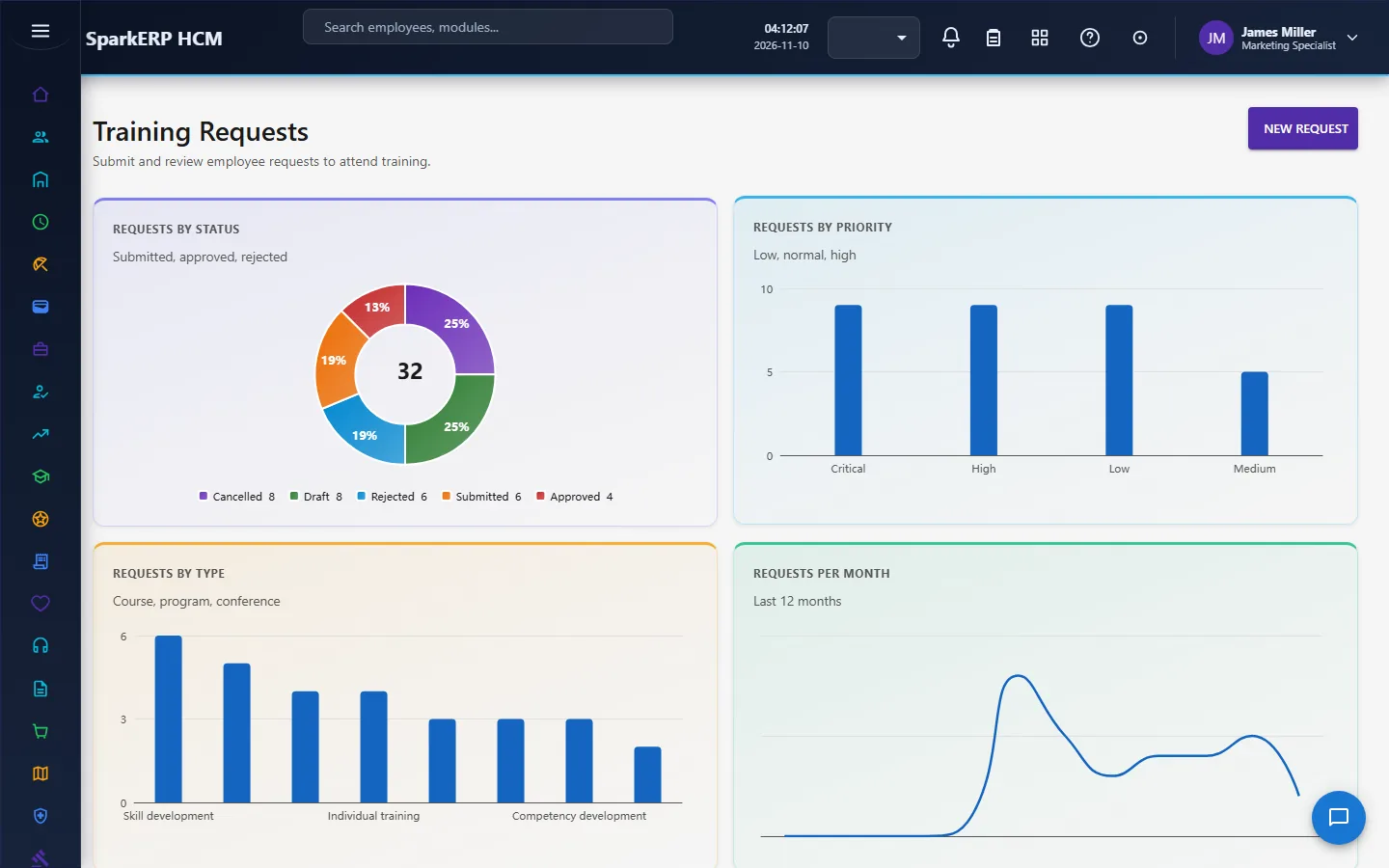
An employee or a manager asks for training on Training Requests: a title, the business need, a priority, preferred dates, the delivery mode, an estimated cost, a related course or program, and attachments. A request can be for yourself or for someone else.
A request goes through a three-step approval, each step due within three days: the manager step (Learning Manager), the L&D step (Learning Administrator), then the budget step (Learning Budget Approver). A step starts only after the one before it was approved. The Tenant Owner can decide any step.
2.5 Assessments, attempts and marking
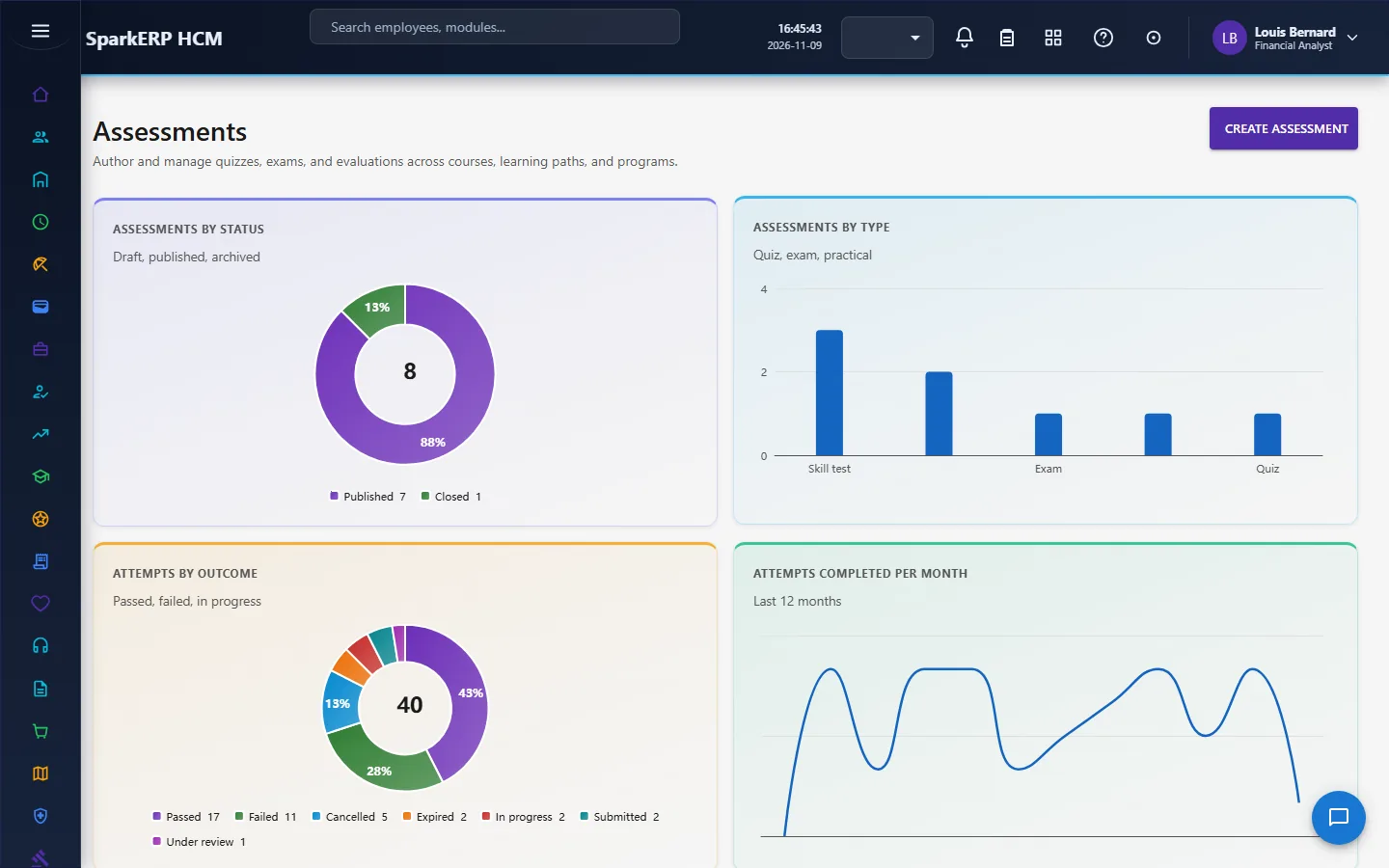
An assessment has a type, a number of questions, a maximum score, a pass mark, a duration, a number of attempts allowed, optional randomised questions and options, whether manual grading is required, whether proctoring is required, and whether a certificate is issued on pass.
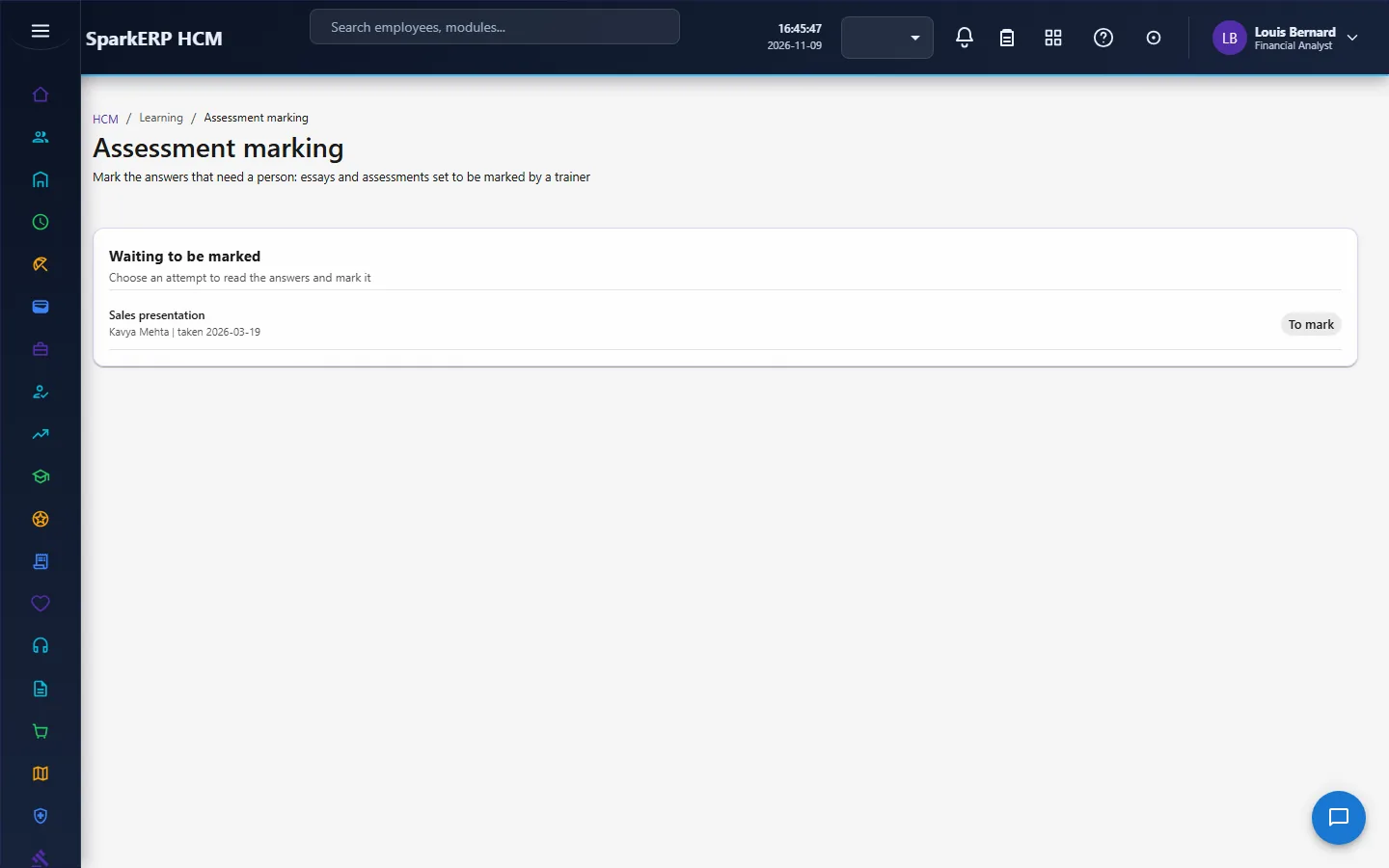
Each try is an attempt. An attempt goes: not started, in progress, submitted, under review, then passed or failed, or expired or cancelled. When manual grading is needed, a marker works the submitted attempt on Assessment Marking; otherwise a submitted attempt can be passed or failed directly. There is also a Quiz screen for taking a quiz.
2.5a Certifications
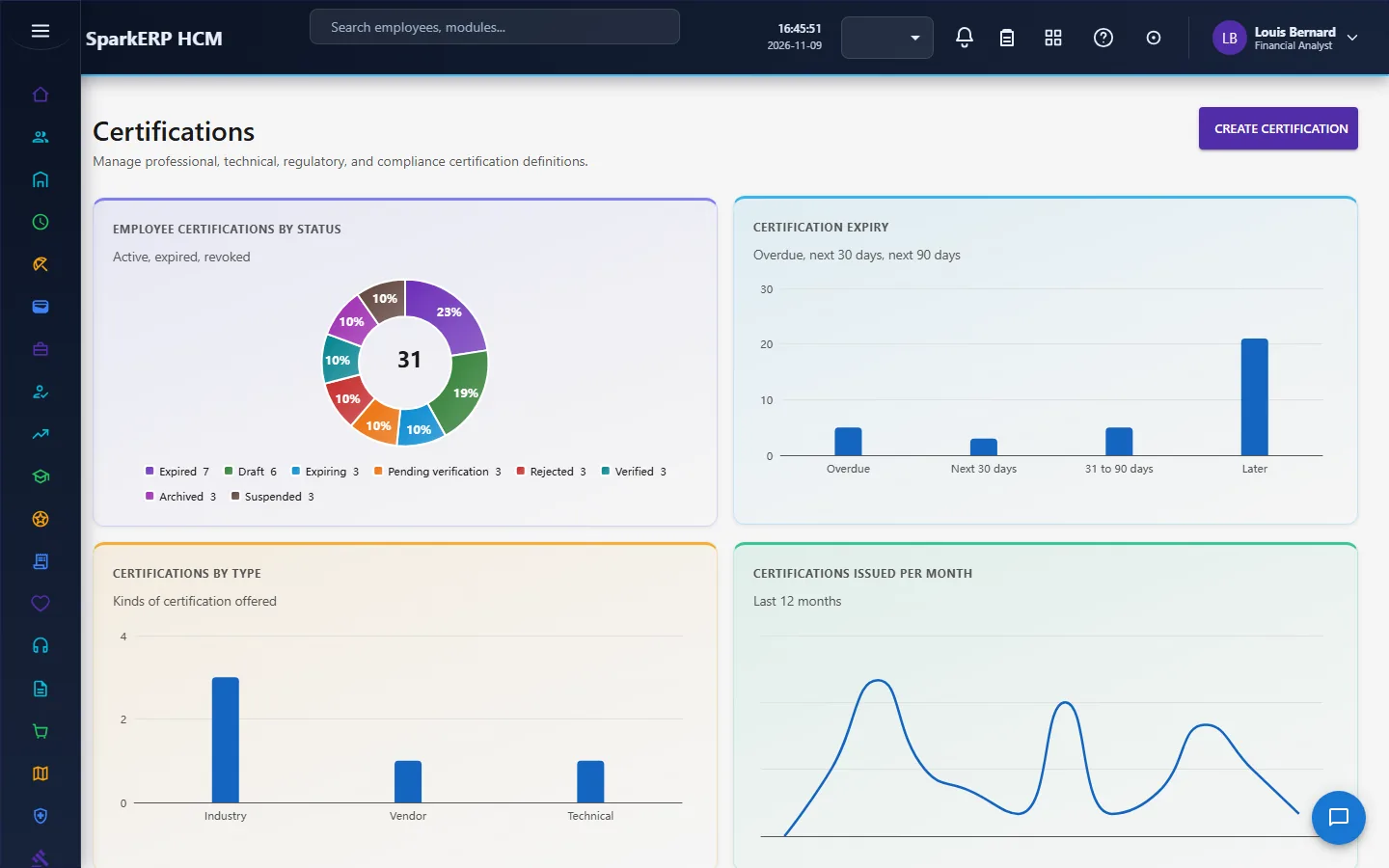
A certification is defined with an issuing body, a level, a validity period in months, whether renewal is required, whether it is mandatory, and whether verification and a document are required. An employee certification is one person's issued instance. It can be active, suspended, expiring, expired, revoked or archived, and an issued certification can be verified through an approval task. The expiring state exists so people are warned before a certification lapses.
2.6 Skills and the skill matrix
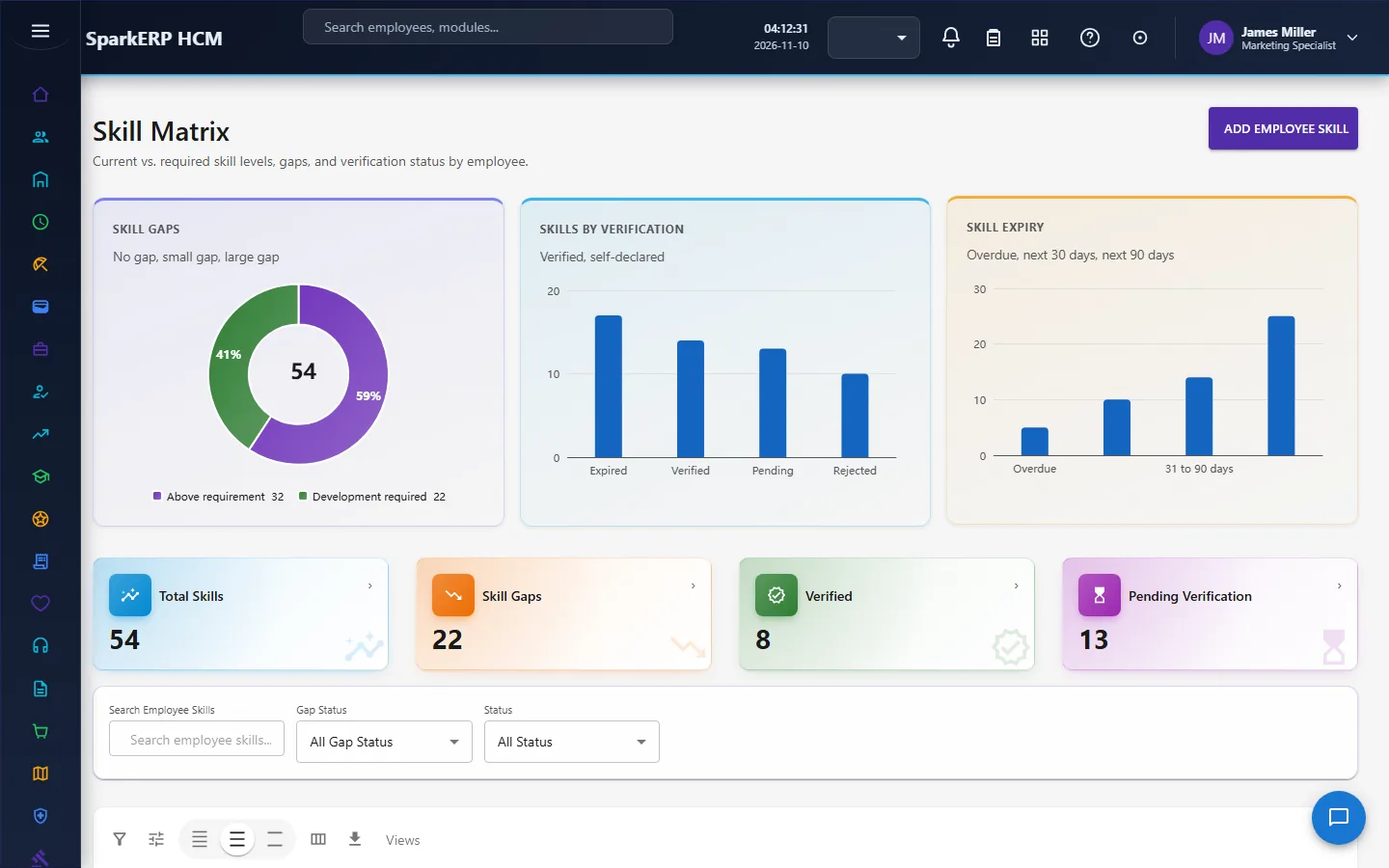
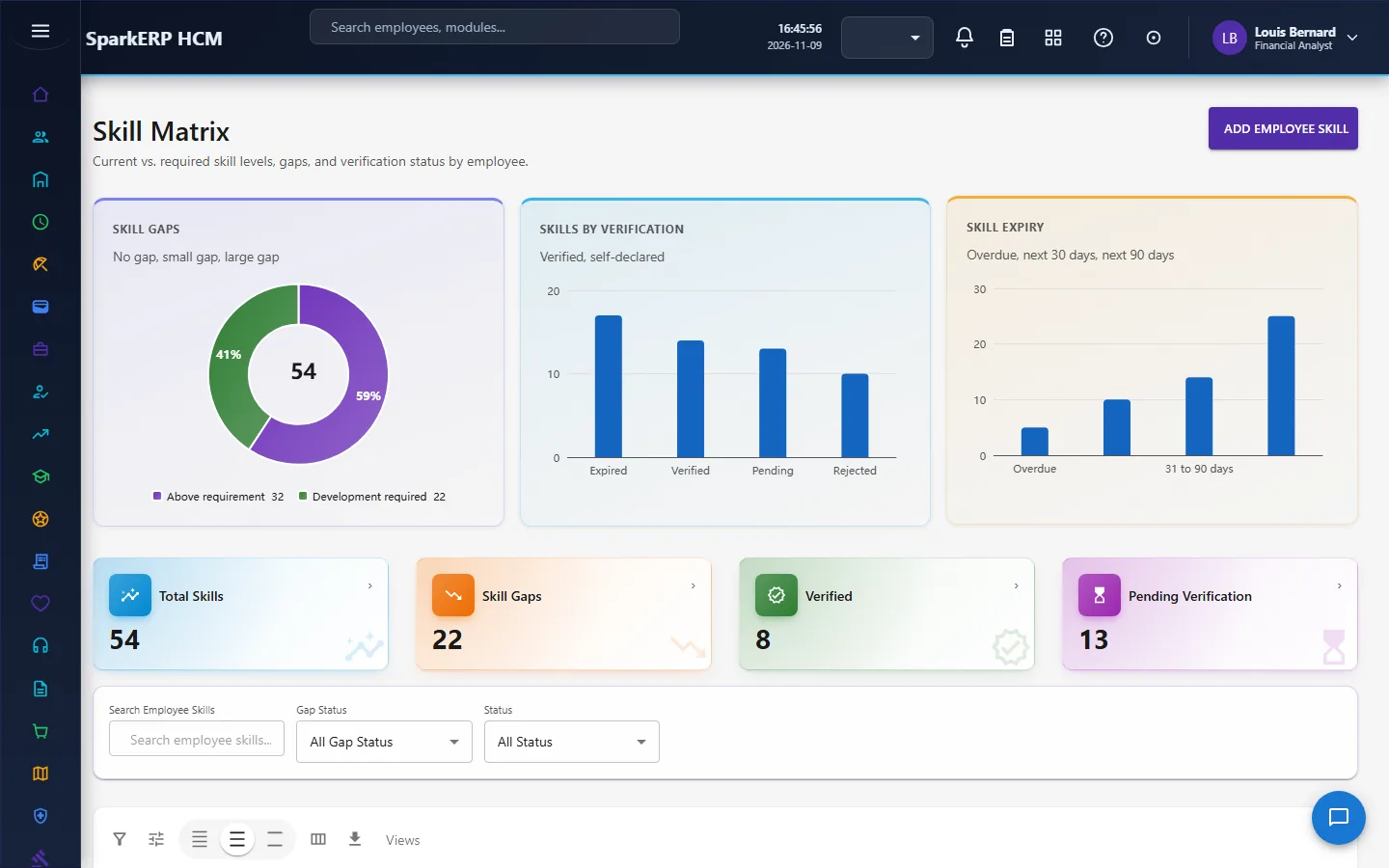
A skill record for a person holds the current level, the target level and the required level. The gap is worked out by the platform, never typed in: it is the required level minus the current level, never below zero. The gap status says whether there is no gap, development is required, or the person is above the requirement. A person's skill can be verified, and skills are published through an approval.
Two self-service reads let a person see their own skill gaps. They read the real gap data and invent nothing.
2.7 Budget and spend
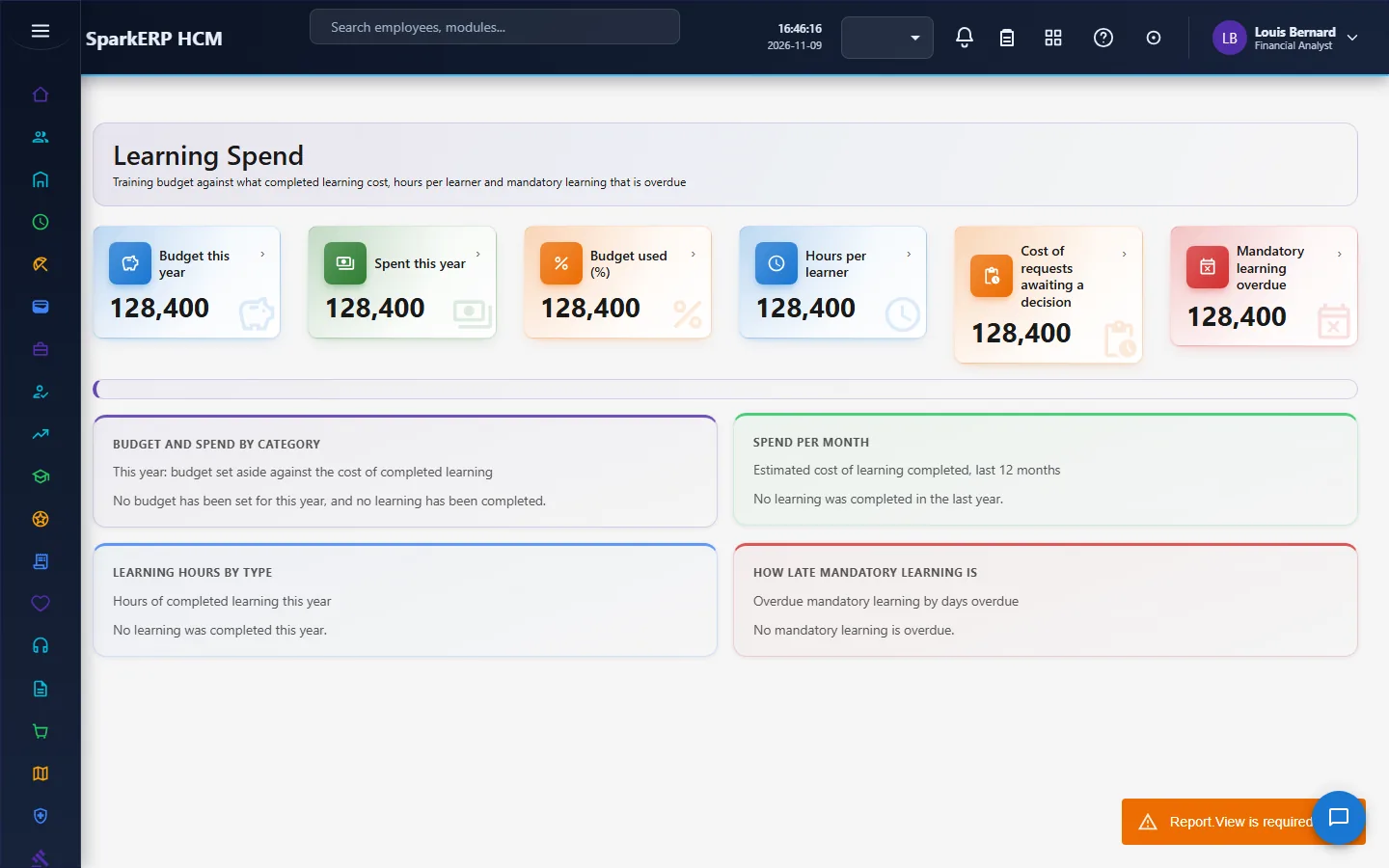
The training budget is the money set aside for a year, by course category (or for all learning when no category is set). Learning Spend reads the estimated cost entered on each course for learning completed this year against the budget, by category, with cost and hours per learner, the requests waiting for a decision, and mandatory learning that is overdue. Spend is the estimated cost, not an invoice.
2.8 Effectiveness
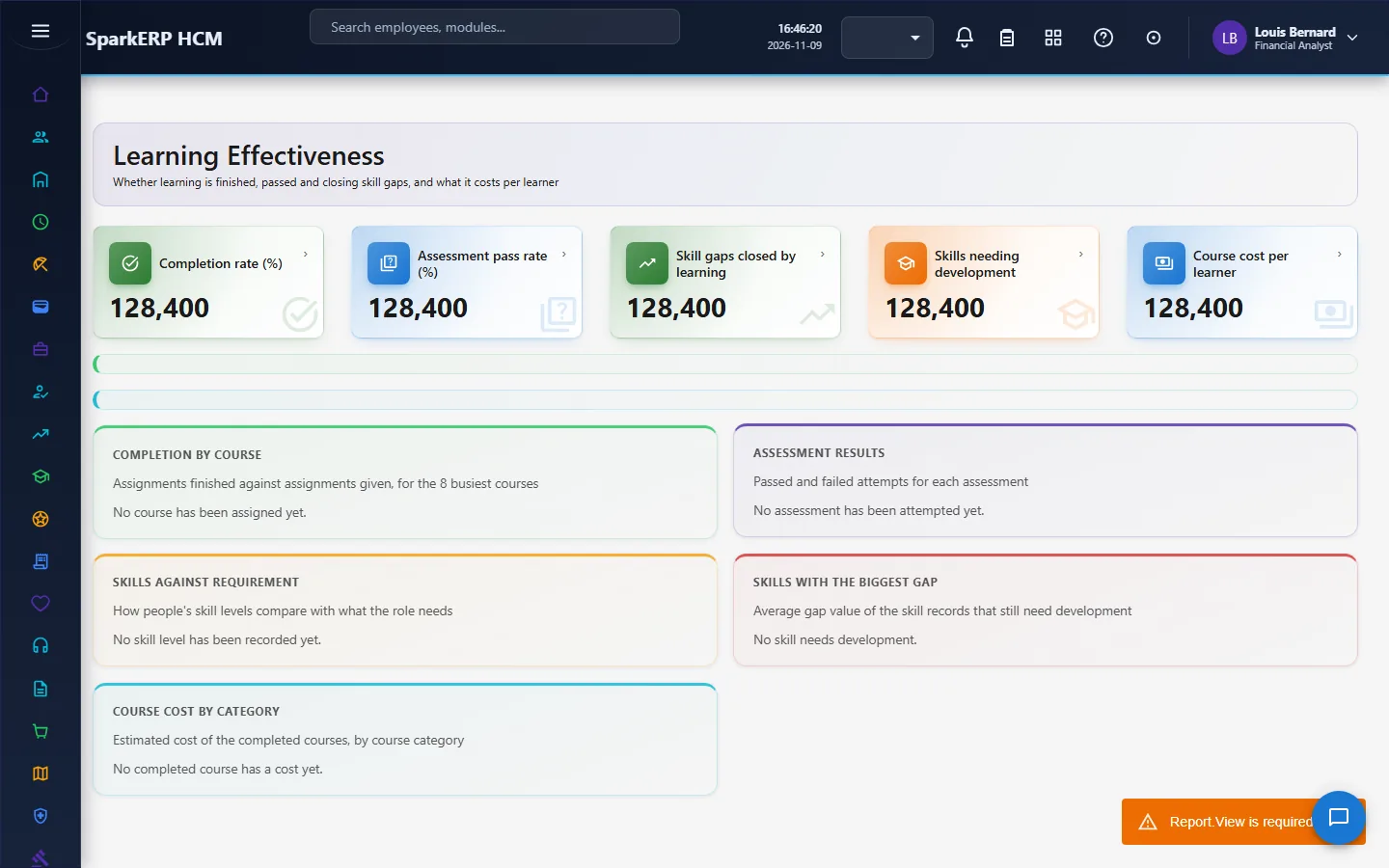
Learning Effectiveness puts completion beside the things that show benefit: the assessment pass rate, the skill gaps closed, the development still required and the cost per learner. Completion measures activity, not benefit, so it is never shown alone.
2.9 Reminders
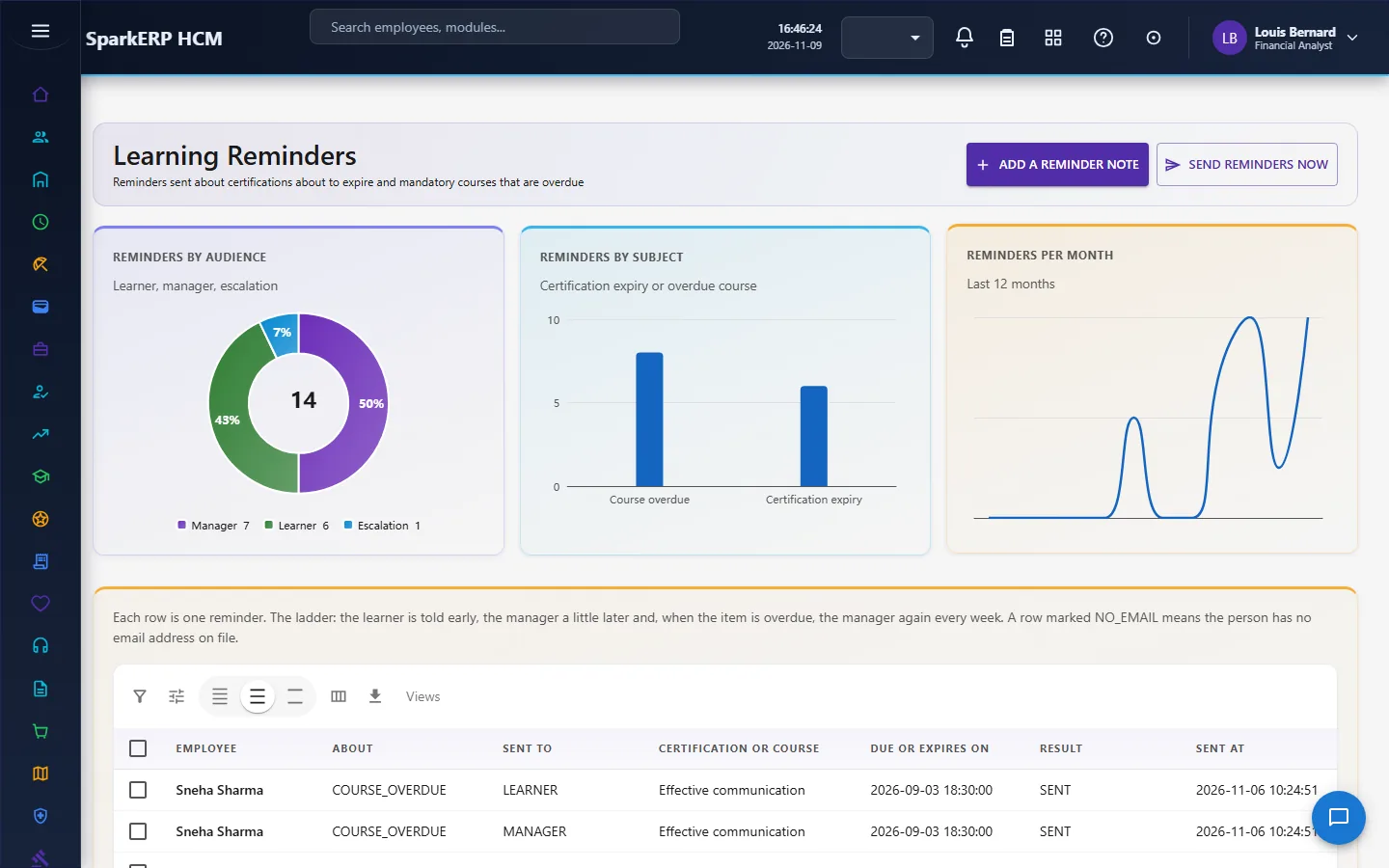
A daily job at 07:00 and a Send reminders now button do the same scan. They remind the learner, and the learner's manager, in the days you set, and can escalate overdue learning. The job starts switched off; an administrator turns it on under Jobs, and sending must also be switched on in Reminder Settings. It only sends messages and writes the reminder log.
2.10 Instructors and providers
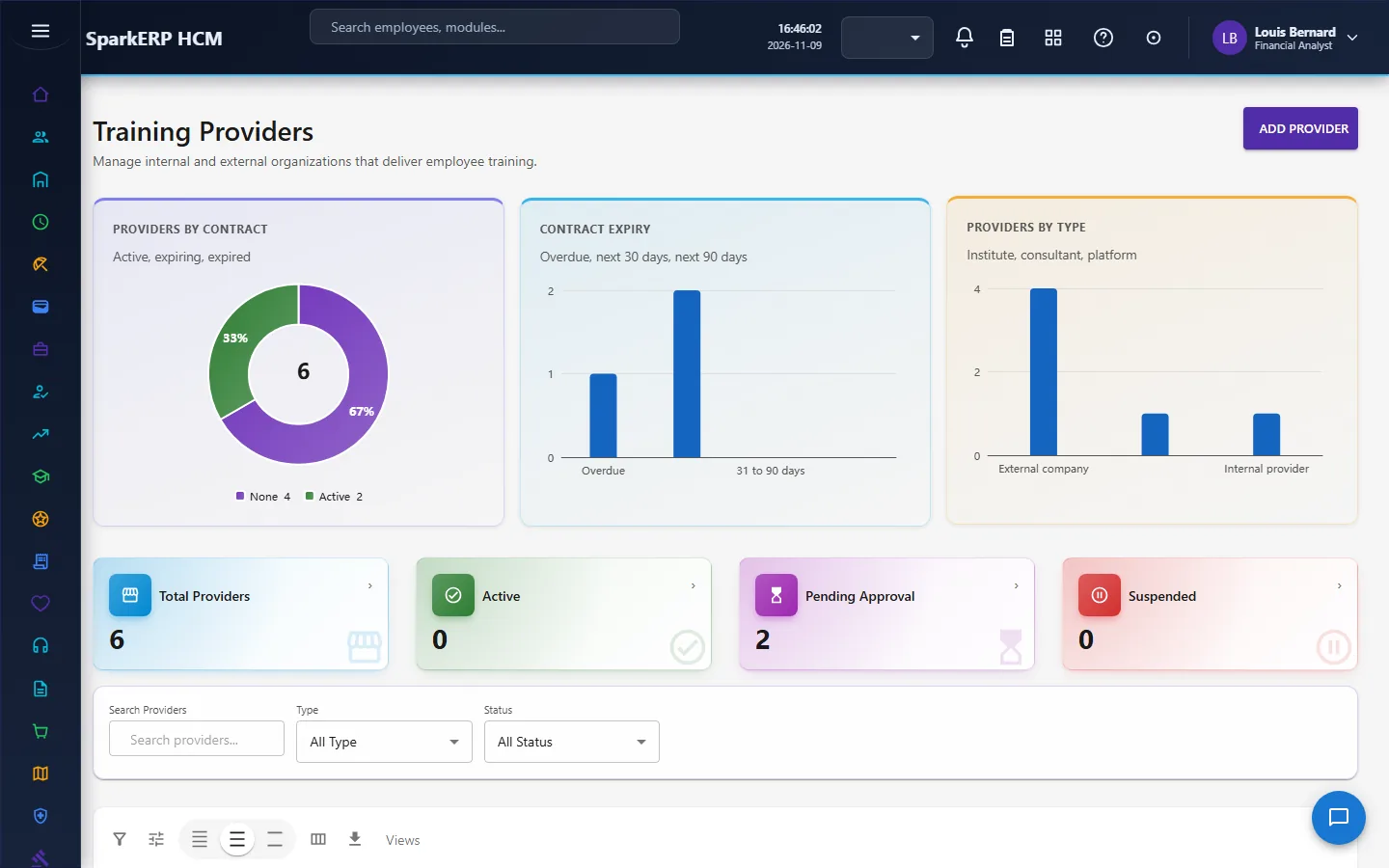
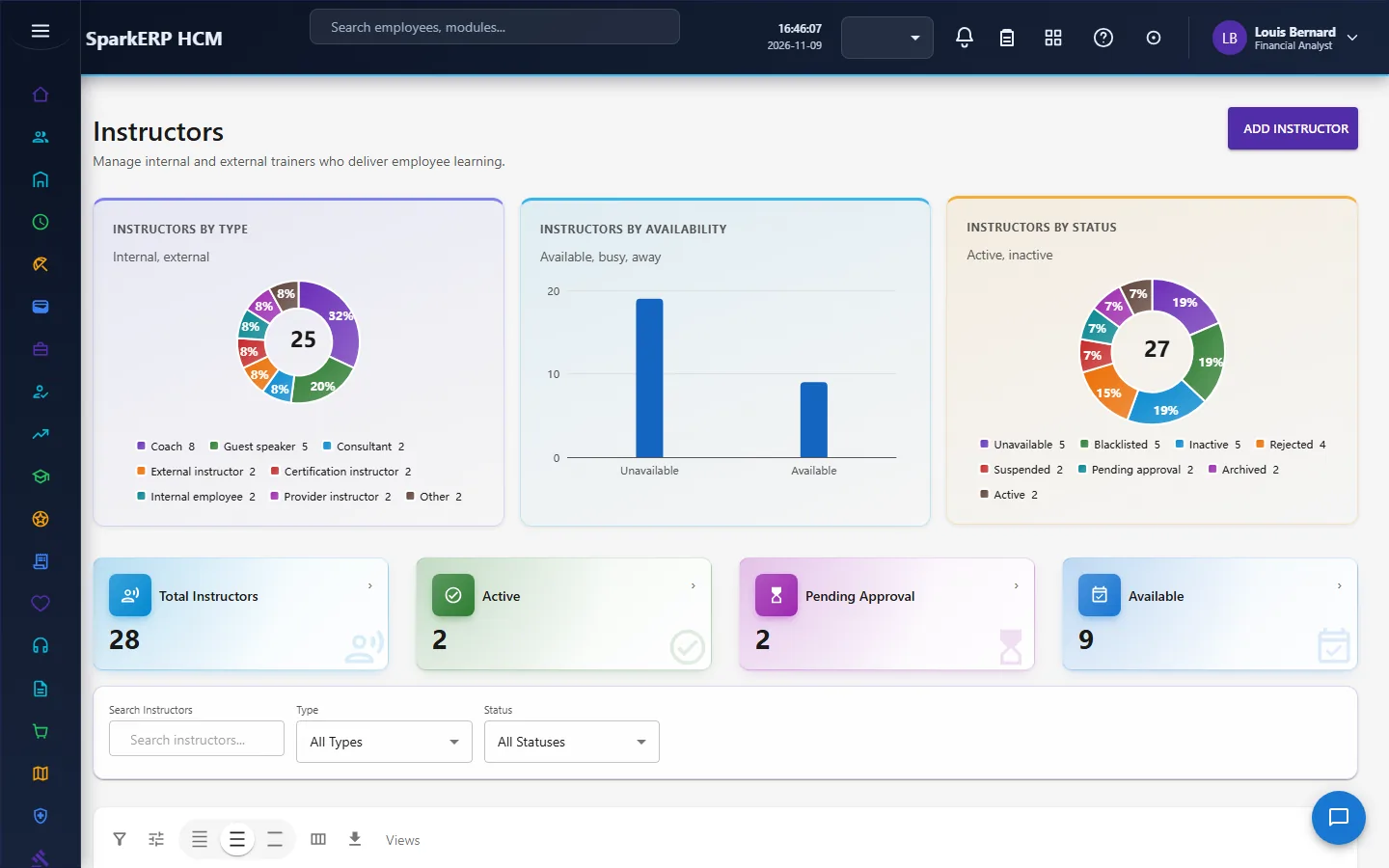
Training Providers are the organisations that deliver training, with a contract status and a contract expiry date so expiries are tracked, a certification status and a rating. Instructors are linked to providers. Both go through an approval before use, each task due within three days.
3. Who does what
| Role | What they do |
|---|---|
| Learning Administrator | Builds the catalog, paths and programs; registers providers and instructors; assigns learning; marks assessments; decides the review, publish and L&D approvals; reads the reports. |
| Learning Line Manager | Requests training for the team, decides the manager step of a request, follows team progress. |
| Learning Budget Approver | Decides the budget step of a request. |
| Learning Employee | Takes learning, completes it, takes assessments, holds certifications, asks for training. |
| HR and the analytics viewer | Read the dashboard and reports. |
Learning administration screens (the dashboard, spend, effectiveness, budget, providers, instructors, marking, reports, reminders and policy settings) are open to the learning administrators, HR and the analytics viewer. The catalog, My Training, requests, paths and the skill matrix stay open to everyone.
3a. What each role sees, screen by screen
The employee
An employee works from My Training (assigned and completed learning, certifications) and the Course Catalog, and asks for training on Training Requests.
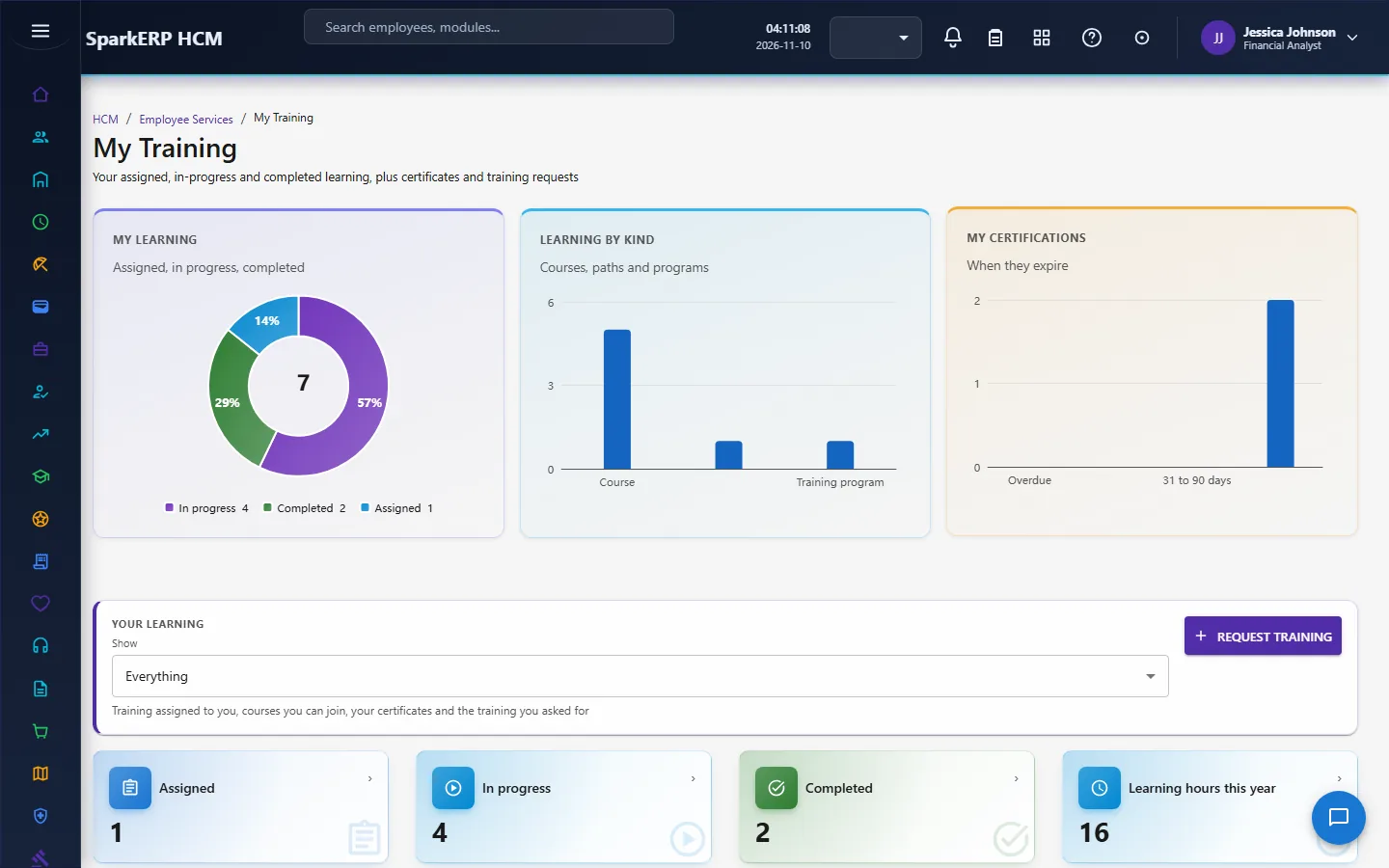
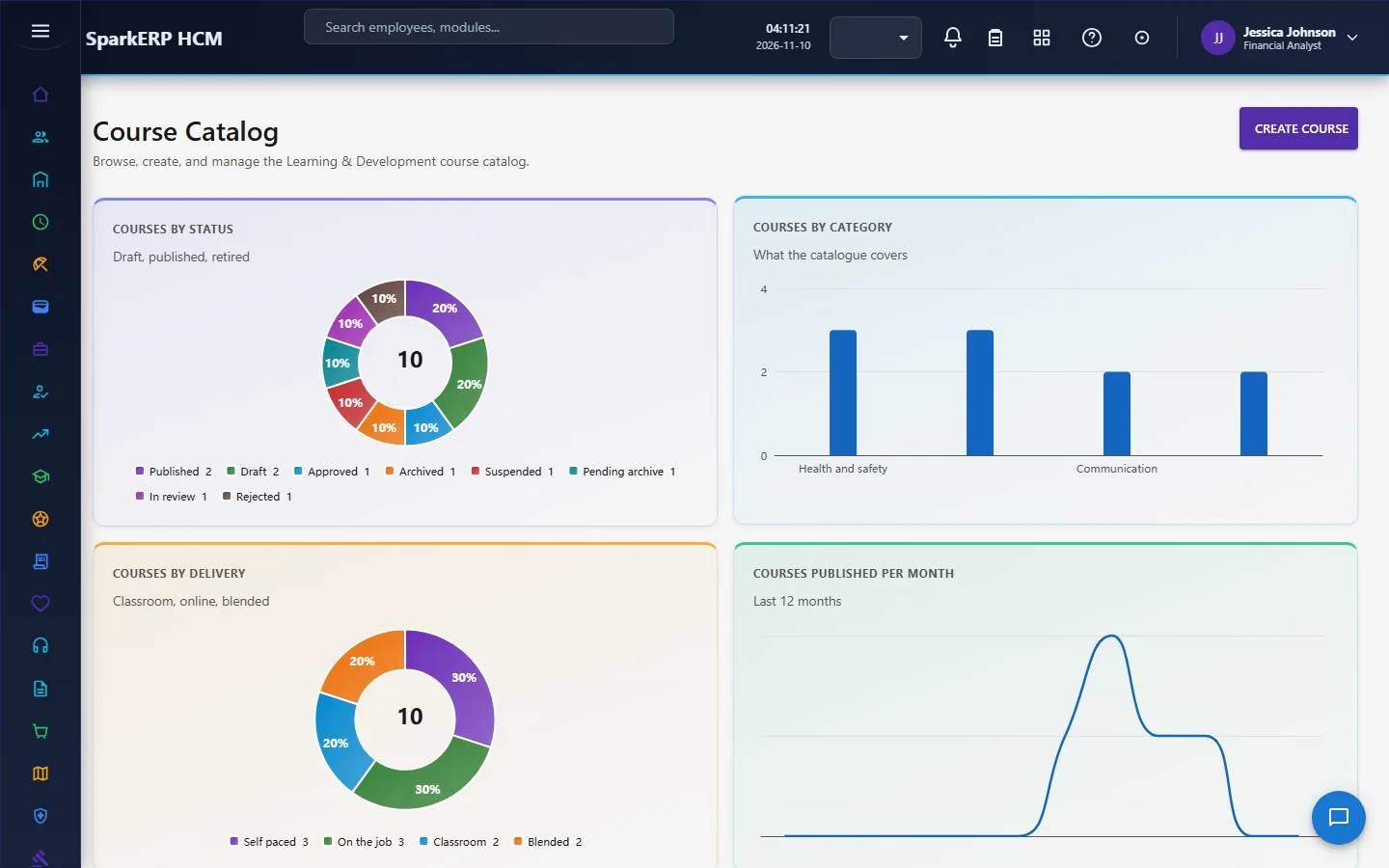
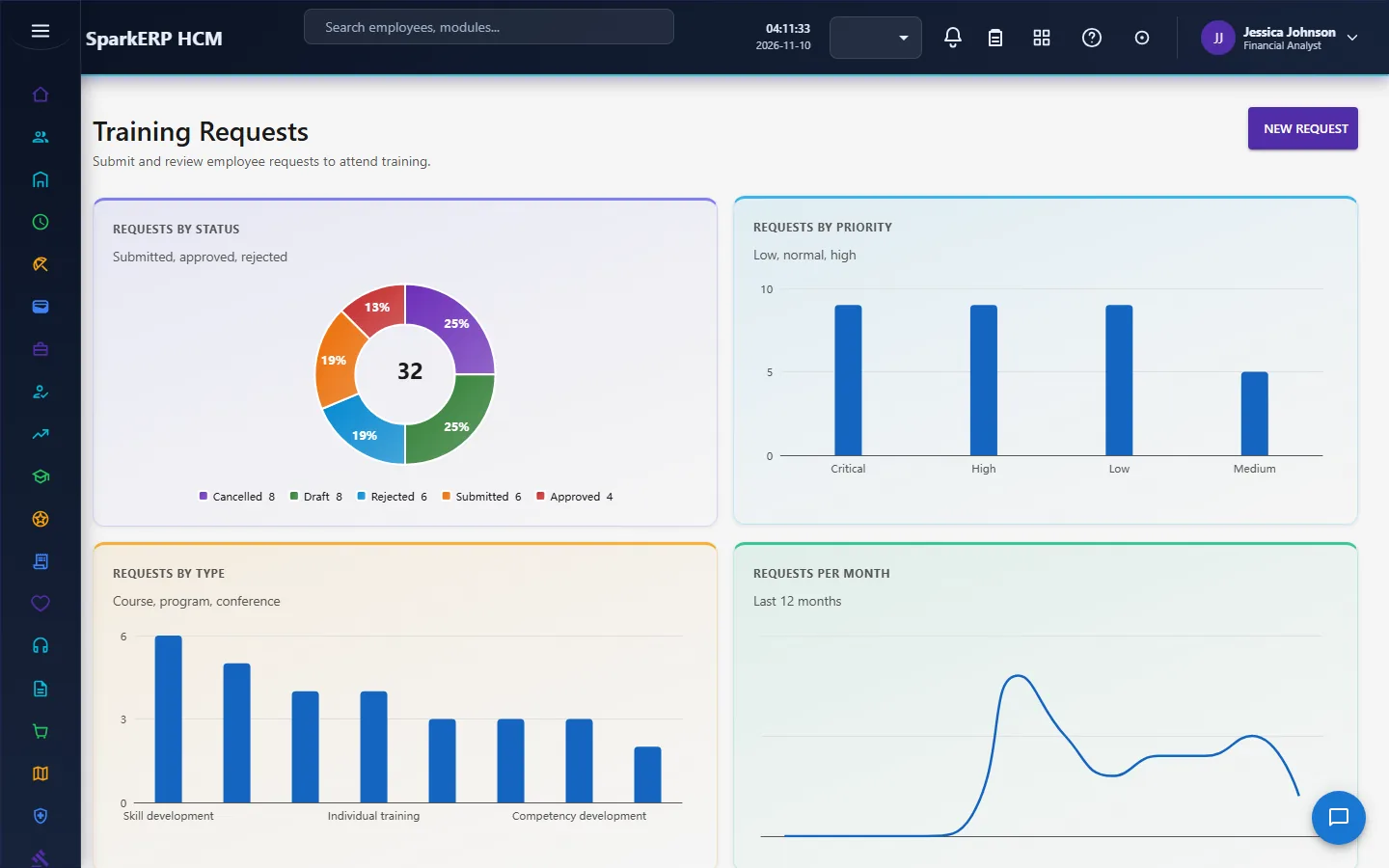
The Learning administration screens are not open to them.

The manager
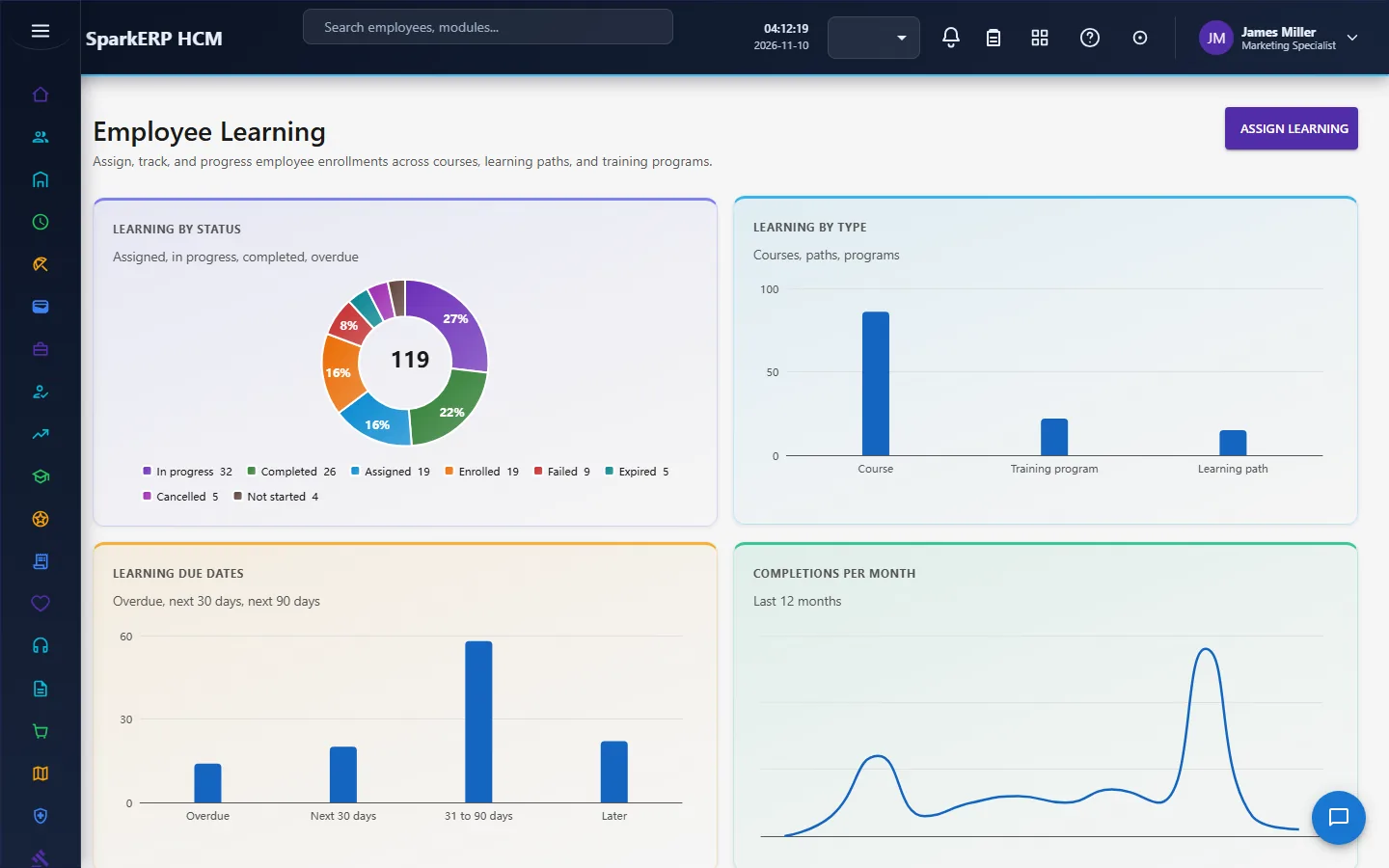
A manager sees Training Requests for the team, Employee Learning for the people in their reporting line, and the Skill Matrix.
The learning administrator
The Learning Dashboard shows what is assigned, completed and overdue. The Course Catalog, Learning Paths and Training Programs hold the content.
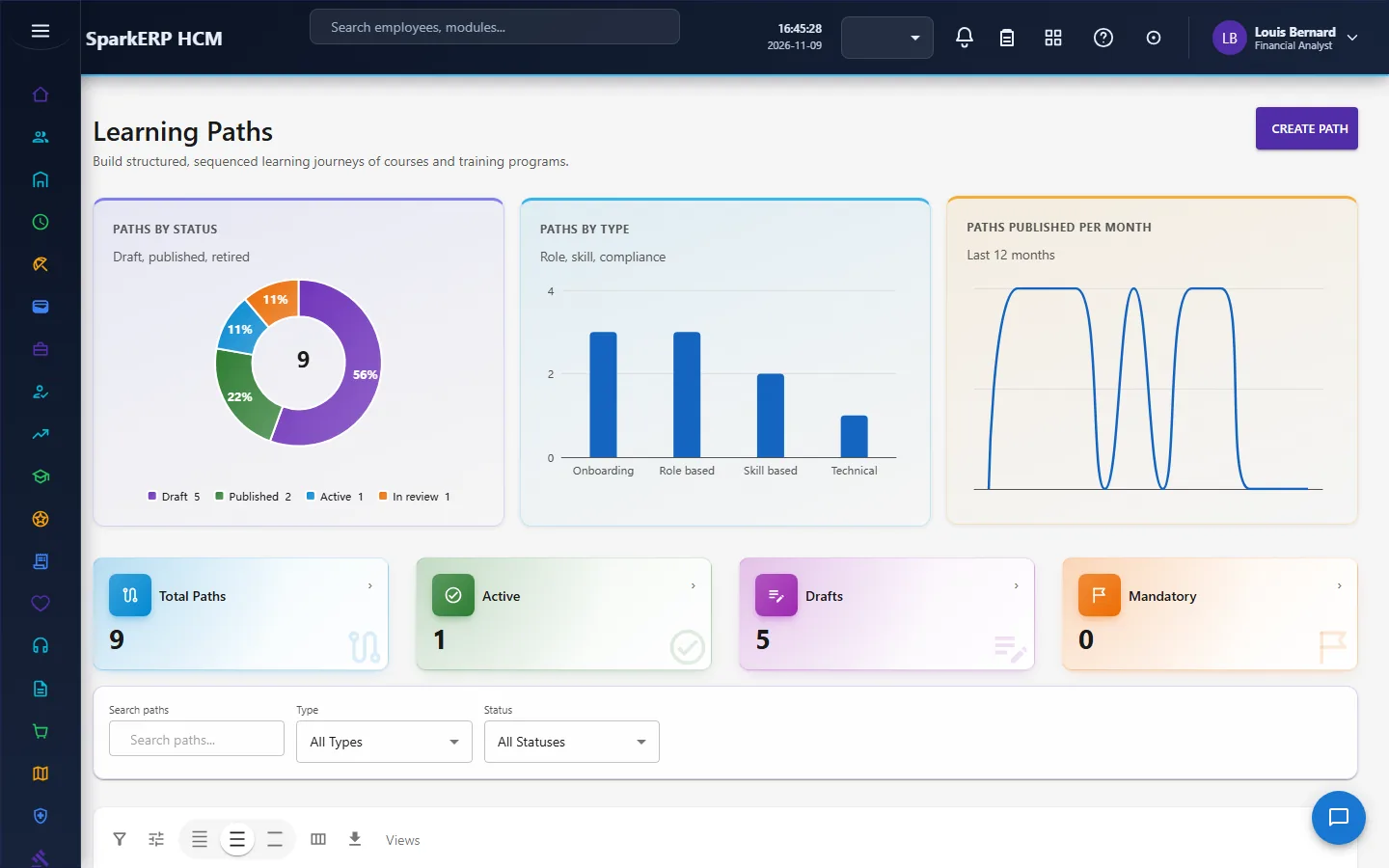
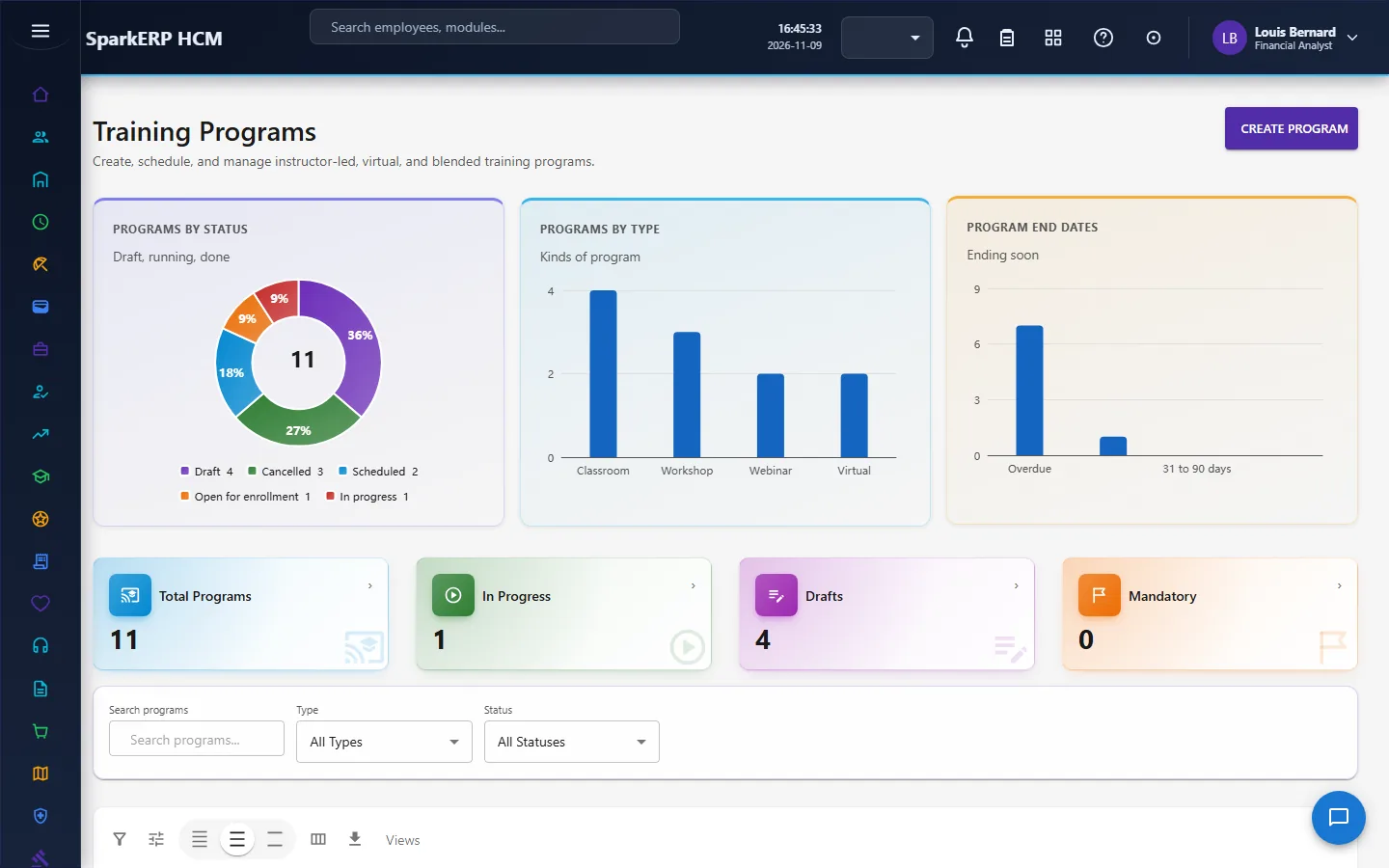
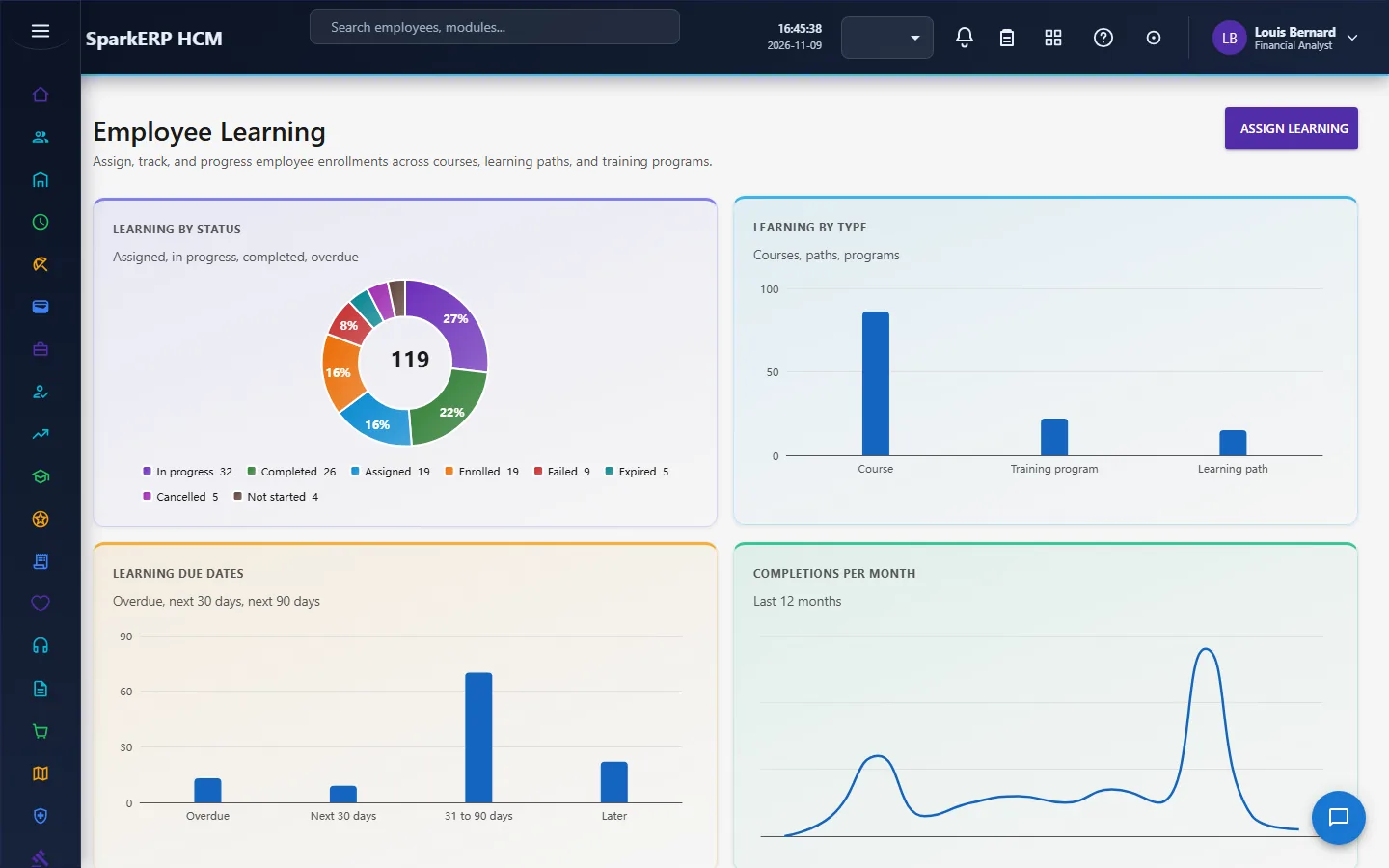
Employee Learning assigns and follows the work; Assessments, Assessment Marking and Certifications cover testing and credentials.
The Skill Matrix, Training Providers and Instructors hold skills and who delivers.
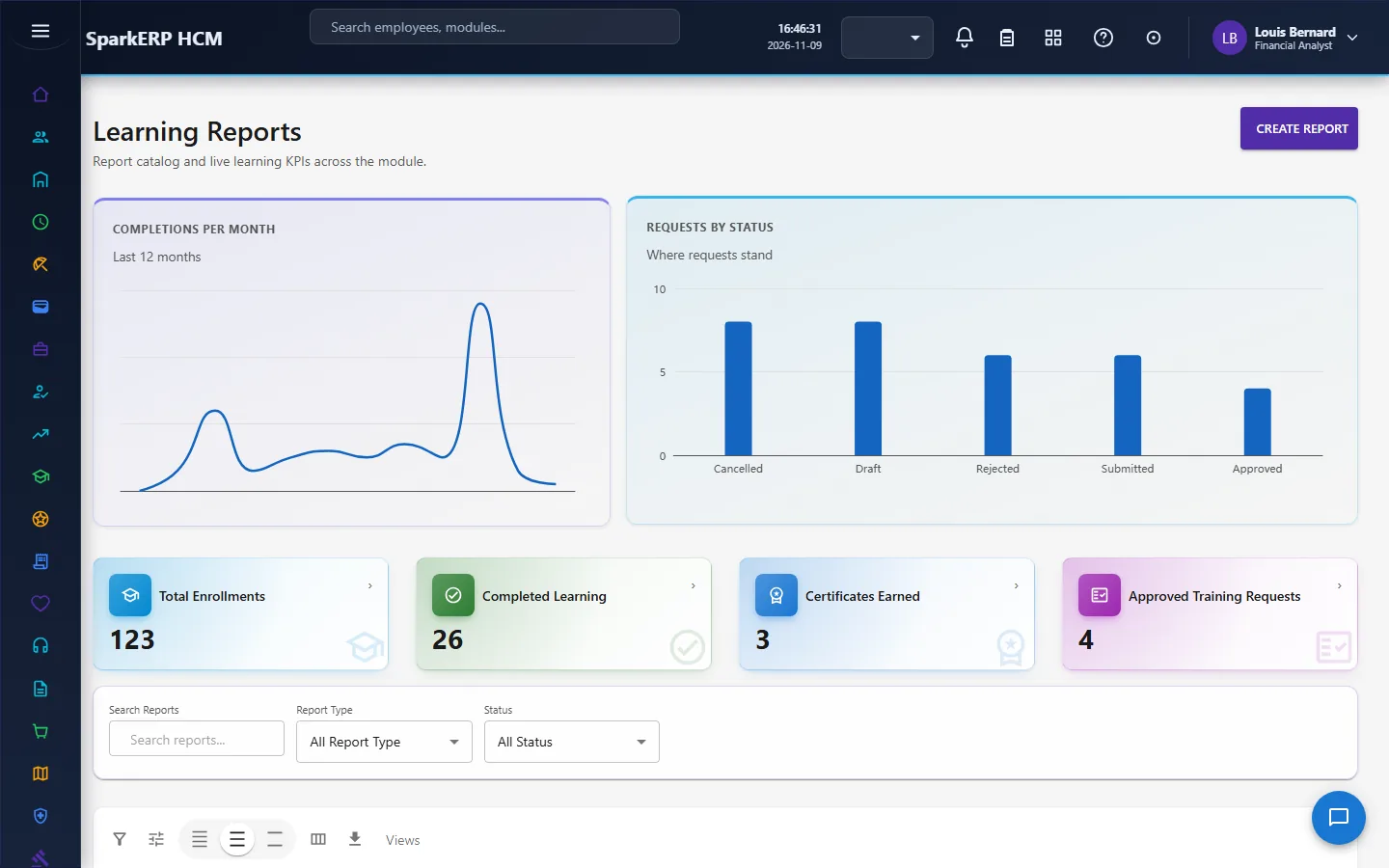
Training Budget, Learning Spend and Learning Effectiveness are the measures; Learning Reminders and Learning Reports close the loop.
4. Decide before you set up
| Decision | What to think about |
|---|---|
| Which learning is mandatory | Mandatory courses and certifications drive the overdue lists. |
| Who approves training requests | The manager, L&D and budget steps, and who holds each role. |
| Whether courses need approval | Review, publish and archive each go through an approval task. |
| Capacity and waitlists | Which courses are limited. |
| Assessment rules | Pass mark, attempts, manual grading, proctoring, certificate on pass. |
| Certification rules | Validity, renewal, verification, a document. |
| Skills | The skills the business needs and the required level for each role. |
| Budget | Per year and per category, and the currency. |
| Reminders | Days before and after, who is reminded, escalation. |
5. Set up step by step
- Roles. Give the Learning Administrator, Learning Line Manager, Learning Budget Approver and Learning Employee roles.
- Training policy settings. In HCM Settings, Learning, set the tenant defaults.
- Providers and instructors. Register them, with contract dates, and approve them.
- Categories and the catalog. Create categories and courses; send each for review and publish it.
- Programs and paths. Group courses; review and publish.
- Skills. Define skills and the required levels; publish them.
- Assessments and certifications. Define them and link them to courses or programs.
- Budget. Enter the budget by year and category.
- Reminders. Set the days in Reminder Settings, switch sending on, and turn the daily job on.
- Trial. In a trial tenant generate the Learning demo pack and follow one request from asking to completing.
6. Daily use
6.1 An employee learns
- Open My Training to see what is assigned and due.
- Start an item, complete it, and take the assessment if there is one.
- Browse the Course Catalog to take something new.
6.2 An employee or manager asks for training
- Open Training Requests and create a request: the title, the business need, priority, dates, delivery mode, estimated cost and attachments.
- Submit. It goes to the manager, then L&D, then the budget step.
- Follow its status.
6.3 HR assigns and follows learning
- On Employee Learning, assign a course, program or path to a person with a due date.
- Watch the overdue list and send reminders.
- Mark submitted assessments on Assessment Marking.
- Verify certifications and skills that need verification.
6.4 Reading the numbers
Open Learning Spend against the budget, Learning Effectiveness for pass rate and gaps closed, and Learning Reports for the standard reports.
7. A calendar of recurring work
| When | What |
|---|---|
| Daily | The reminder job runs at 07:00; work the requests waiting. |
| Weekly | Mark assessments; follow mandatory learning that is overdue. |
| Monthly | Spend against budget; effectiveness. |
| Each quarter | Review expiring certifications and contracts. |
| Yearly | Enter next year's budget; review the catalog. |
8. Reports and figures
The Learning Dashboard shows what is assigned, completed and overdue. Learning Spend, Learning Effectiveness and Learning Reports show cost, results and the standard reports. Lists can be exported.
9. Limits you should know about
- Spend is the estimated cost on each course, counted for learning completed this year. It is not an invoice.
- Completion alone says little. Read it with the pass rate and the skill gaps closed.
- No content hosting or live classroom. Instructors and providers are records.
- The reminder job starts switched off and needs two switches (the job and the sending setting).
- The skill gap is calculated, never typed. Fix the levels, not the gap.
10. Troubleshooting
| Symptom | Cause and fix |
|---|---|
| A course cannot be used | It is not published and active yet. |
| A status change is refused | The platform allows only the declared moves of the lifecycle. |
| A training request is stuck | Check which step it is on; the next step starts only after the one before is approved. |
| No reminders are sent | The daily job is off, or sending is off in Reminder Settings. |
| The gap looks wrong | Check the required and current levels; the gap is calculated from them. |
| Spend looks low | Only learning completed this year, at its estimated cost, is counted. |
| An employee cannot open a screen | It is an administration screen. |