
Appearance
Industry pack: Education
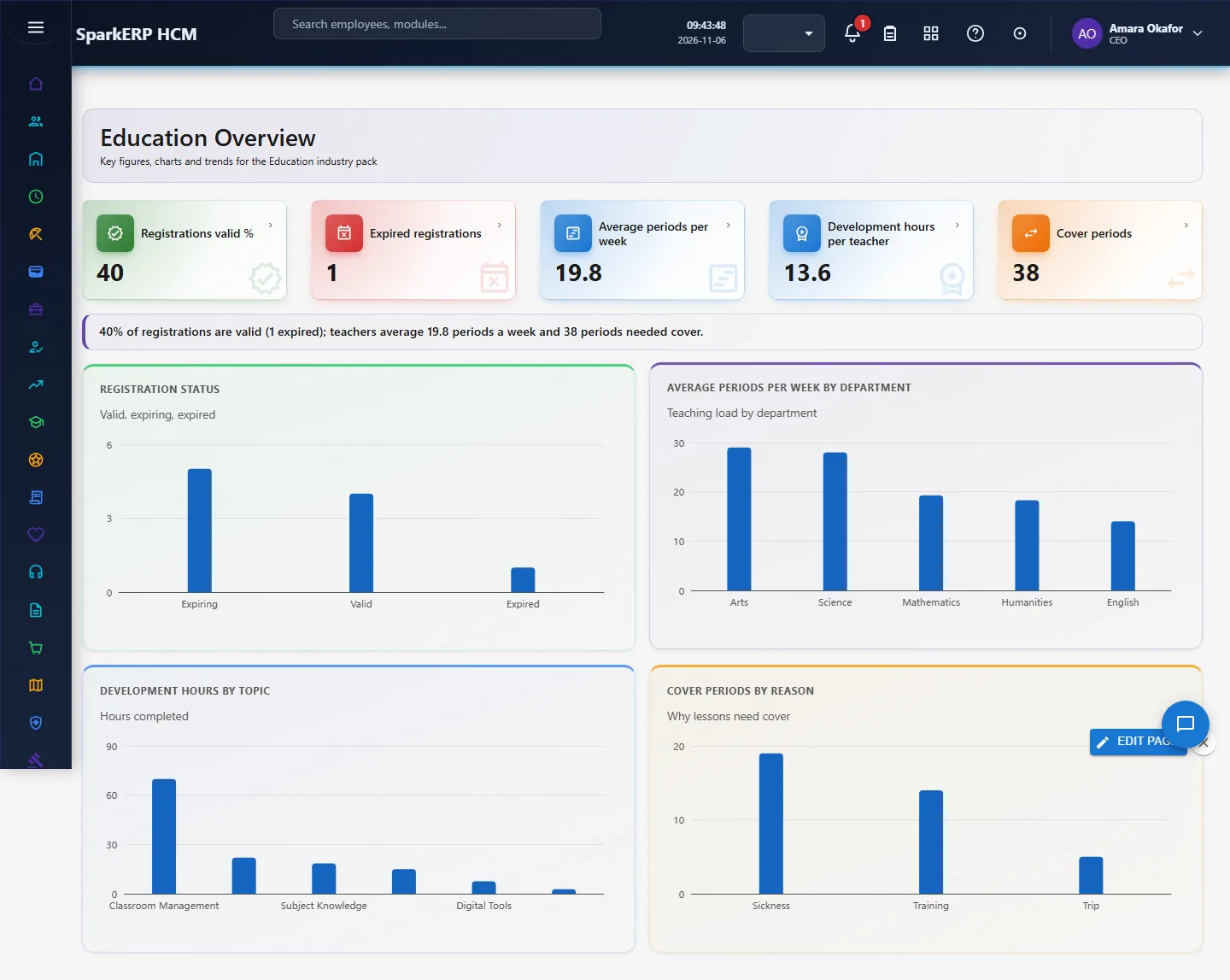
Education adds what a education organisation needs on top of HCM Core: teacher registration, teaching load, professional development, cover lesson. Every screen carries charts, and the Overview answers the questions this industry asks first. It works with the people already in HCM Core and Employee; it changes nothing there.
1. Who uses it
| Role | What they do |
|---|---|
| Head of school / principal | Reads staffing ratios, vacancies and teacher turnover. |
| HR / registrar | Records teacher registrations, background checks and professional development. |
| Department head | Plans teaching load and cover. |
2. Before you start
- Installed plugin:
hcm-industry-education(free tier; needs HCM Foundation and Employee). No licence feature has to be granted. - Access: tenant administrators can use every screen; the Overview needs a tenant administrator or Report.View.
- Trial data: in a trial tenant, generate the Education industry pack in Demo Data: 10 teacher registration, 10 teaching load, 10 professional development, 10 cover lesson.
3. Set up
- Open Education > Teacher Registrations and record each teacher's licence and background check with expiry.
- Record Teaching Load (periods per week) per teacher and department.
- Record Professional Development hours completed.
- Record Cover Lessons taken for absent teachers.
4. Daily use
4.1 Teacher registration
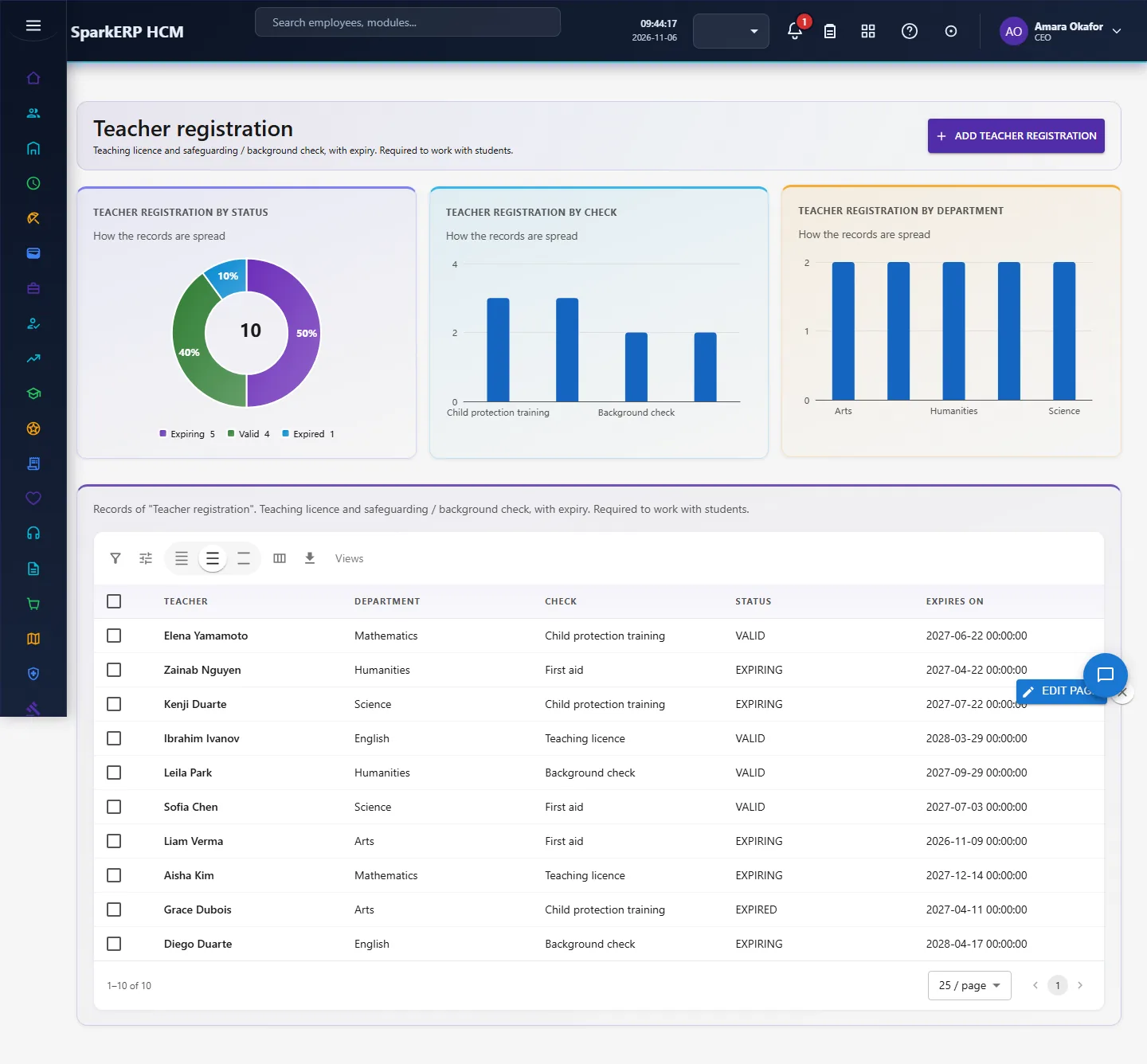
Teaching licence and safeguarding / background check, with expiry. Required to work with students. Open Teacher registration in the sidebar under Industry Pack, Education. Choose Add teacher registration to add a record, click a row to change or delete it. The fields are: teacher, department, check, status, expires on.
4.2 Teaching load
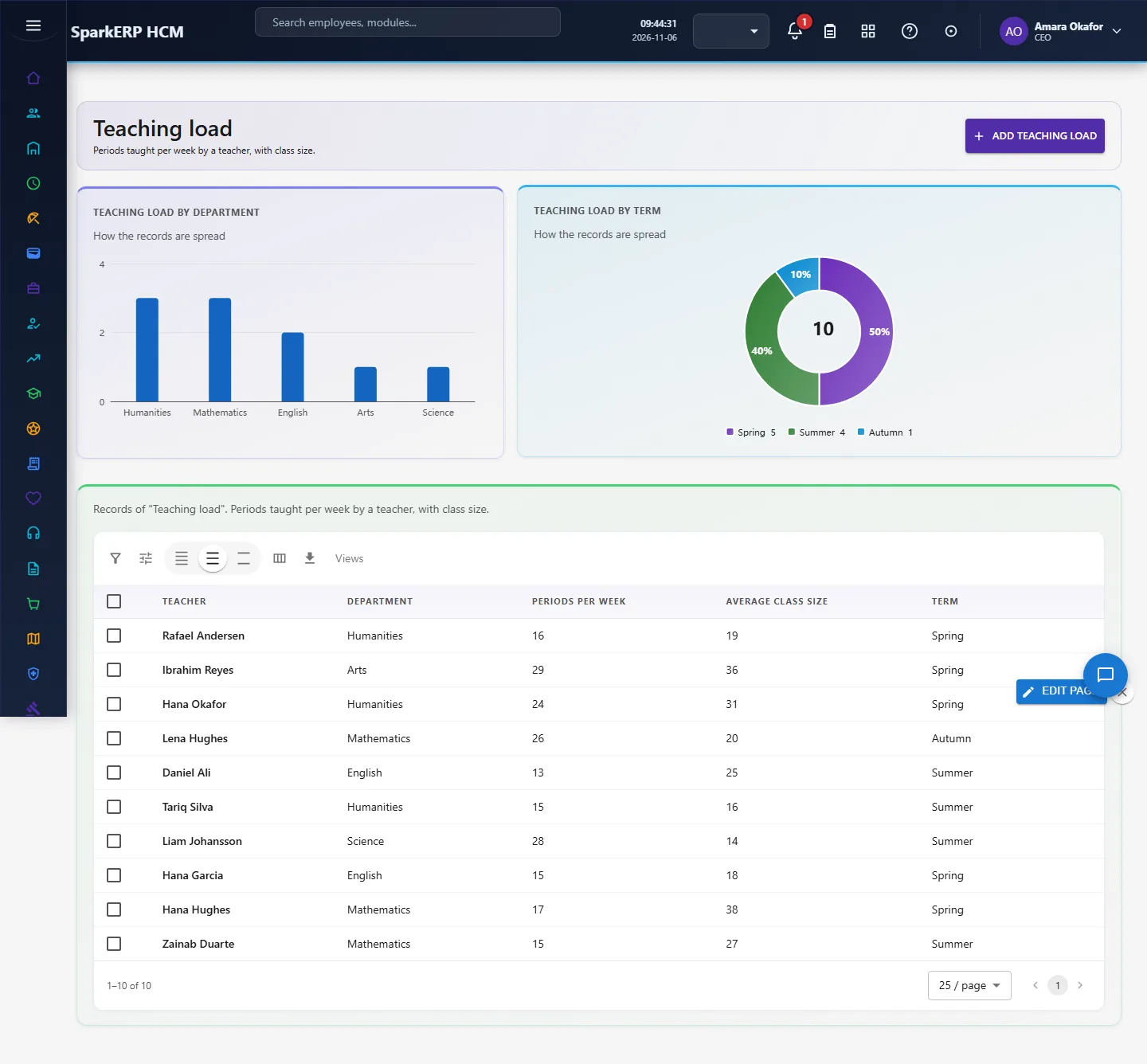
Periods taught per week by a teacher, with class size. Open Teaching load in the sidebar under Industry Pack, Education. Choose Add teaching load to add a record, click a row to change or delete it. The fields are: teacher, department, periods per week, average class size, term.
4.3 Professional development
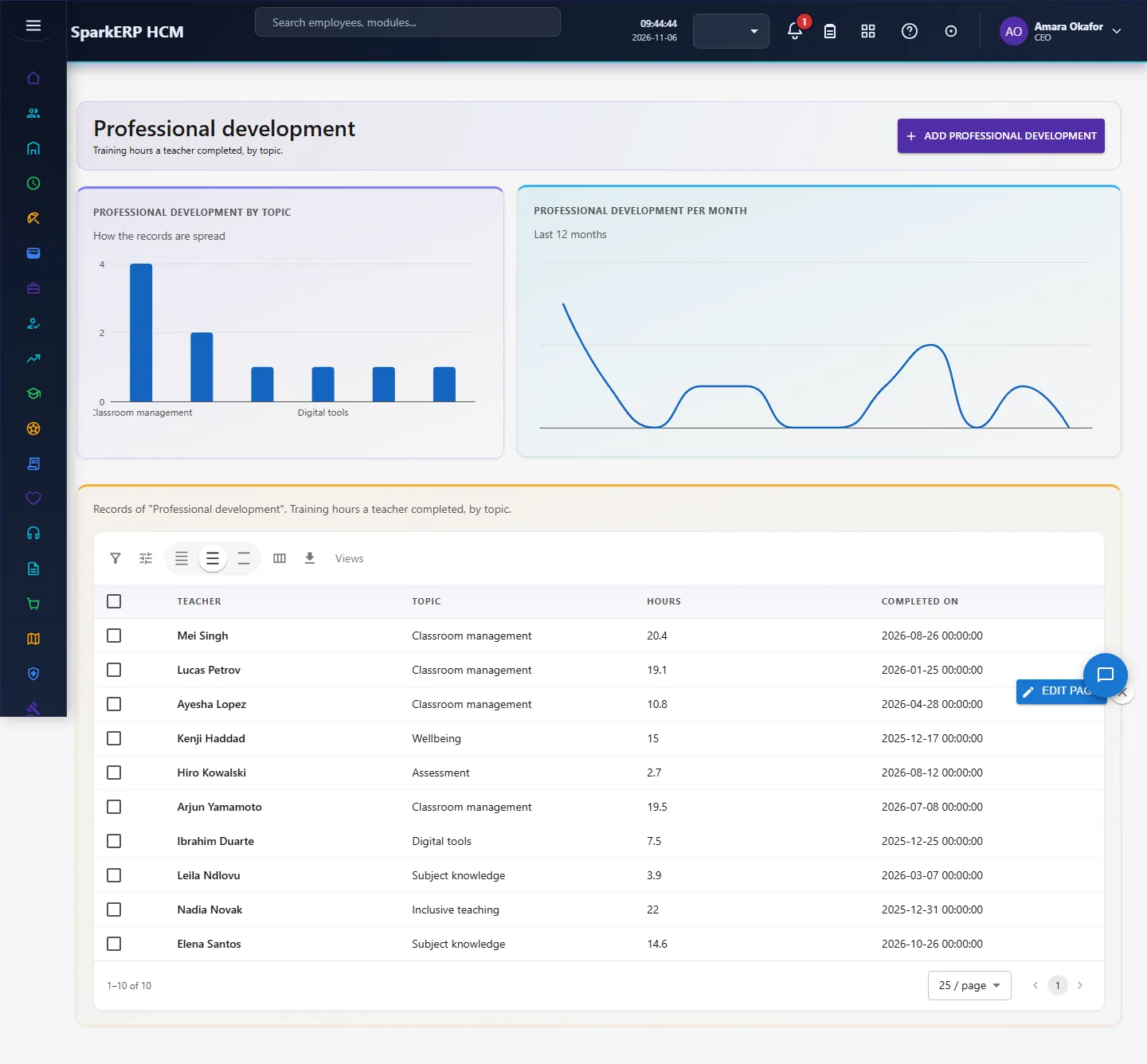
Training hours a teacher completed, by topic. Open Professional development in the sidebar under Industry Pack, Education. Choose Add professional development to add a record, click a row to change or delete it. The fields are: teacher, topic, hours, completed on.
4.4 Cover lesson
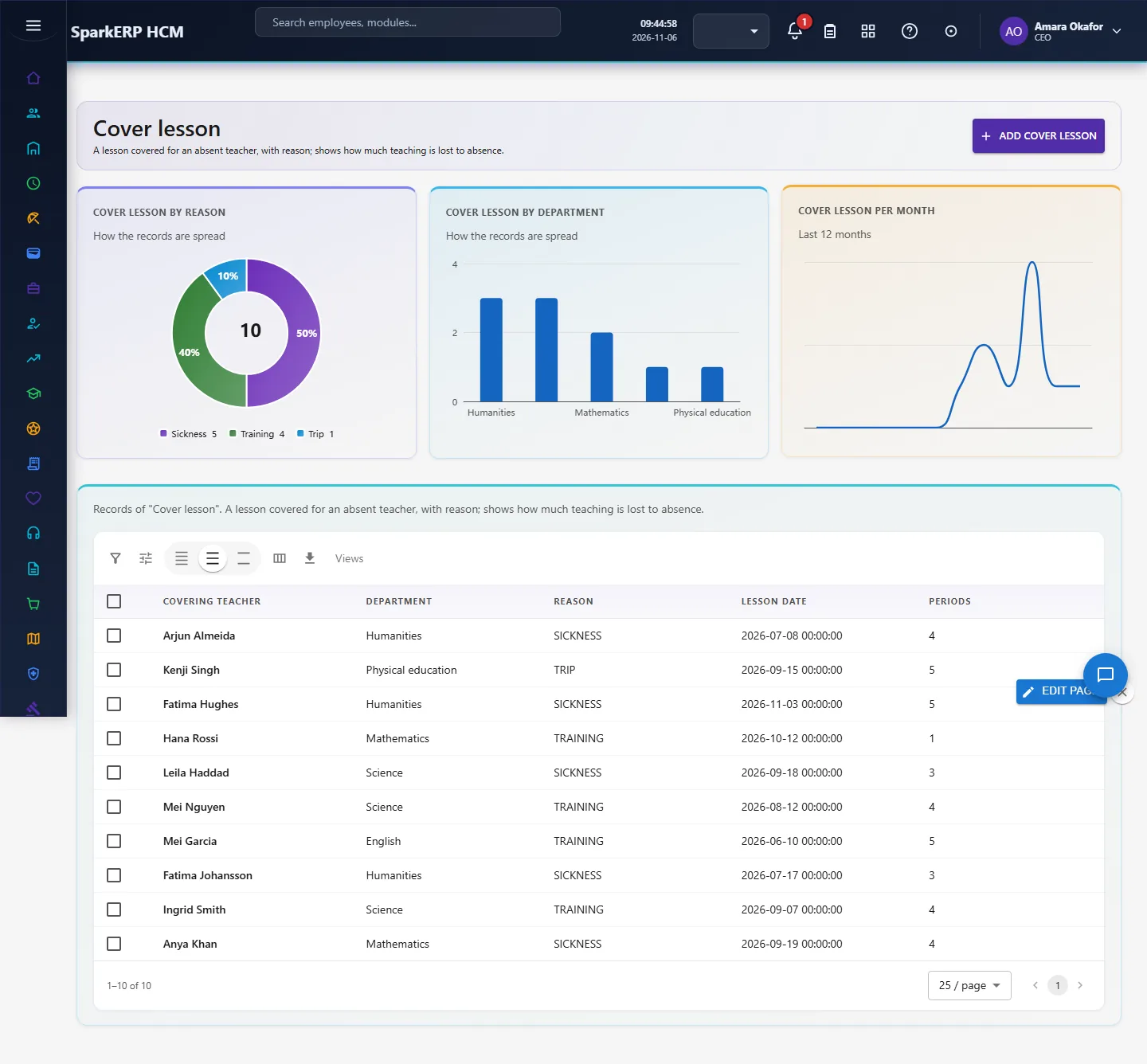
A lesson covered for an absent teacher, with reason; shows how much teaching is lost to absence. Open Cover lesson in the sidebar under Industry Pack, Education. Choose Add cover lesson to add a record, click a row to change or delete it. The fields are: covering teacher, department, reason, lesson date, periods.
5. Charts, reports and exports
| Figure | What it counts |
|---|---|
| Registrations valid % | |
| Expired registrations | |
| Average periods per week | |
| Development hours per teacher | |
| Cover periods | |
| Registration status | Valid, expiring, expired |
| Average periods per week by department | Teaching load by department |
| Development hours by topic | Hours completed |
| Cover periods by reason | Why lessons need cover |
Every list page also has charts of its own records (by status or category, and a trend), and the platform grid offers search, paging, column choice and export.
6. On a phone or tablet
Every screen works on a phone: tiles, charts and lists stack one per row, and the add and edit dialogs fit the screen.

7. Rules and limits
- Student-teacher ratio needs student numbers, which belong in the student information system; average class size in Teaching Load is the nearest figure.
- Safeguarding checks are dates and status only: keep certificates and detailed results in the secure records system.
- The figures are only as good as the records entered. Benchmarks differ between sources, so none is hard-coded as a target: read the figures against your own history.
8. Troubleshooting
| Symptom | Cause and fix |
|---|---|
| A chart says "Nothing to show yet" | No records yet, or none with the date or category the chart needs. Add records or generate the demo pack. |
| The Overview says forbidden | Your login is not a tenant administrator and lacks Report.View. |
| A screen is missing from the sidebar | The plugin is not installed for this tenant. Ask a platform administrator to install hcm-industry-education. |