
Appearance
Employee Relations: how it works and how to set it up
Employee Relations answers the questions a company asks when something goes wrong between people and the organization, or when it wants to hear from them: what concerns, complaints and grievances were raised and by whom, who is handling each and by when, was it investigated and what was found, what was decided and who approved it, what disciplinary action was taken, what conflicts are being mediated, and what are people telling us. This guide explains how the module works from start to finish, then how to set it up, then what each person sees. Every screen has its own page in the Employee Relations section; this guide is the one to read first.
1. What Employee Relations does for your business
- Records every matter as a case, complaint, grievance, disciplinary case, workplace conflict, investigation or piece of feedback, each with an owner, a due date and a confidentiality level.
- Makes sure a matter is not closed without an outcome. Each type has a rule that refuses to close or resolve it until its resolution is recorded.
- Routes the decision. Resolutions, findings, disciplinary actions and closures go through an approval.
- Runs investigations with a lead investigator, a reviewer, findings and a recommendation.
- Handles disciplinary action from allegation to decision to approved action.
- Supports mediation of workplace conflicts between two people.
- Listens. Employee feedback has a sentiment, an owner, an action and a resolution.
What it does not do: it does not decide anything. It records, routes and refuses to close an unfinished matter. The decisions are the decisions of the people named on the record. It is also not a legal system: how a disciplinary procedure must run in your country comes from your policy and your lawyers, not from this module.
2. How employee relations works, end to end
2.1 What every matter has
All the matter types share a common shape: who it concerns, what happened and when, a severity or priority, a confidentiality level, the status, an owner, an investigator or mediator where one applies, a due date, and the resolution. Every matter has a number, and the approval of its resolution is a task due within seven days. The approval task is for the Employee Relations Administrator or the Tenant Owner. (The approval permission also names an Employee Relations Manager role, but this module does not define that role, so unless you create it, the Administrator and the Tenant Owner decide.)
2.2 Employee cases
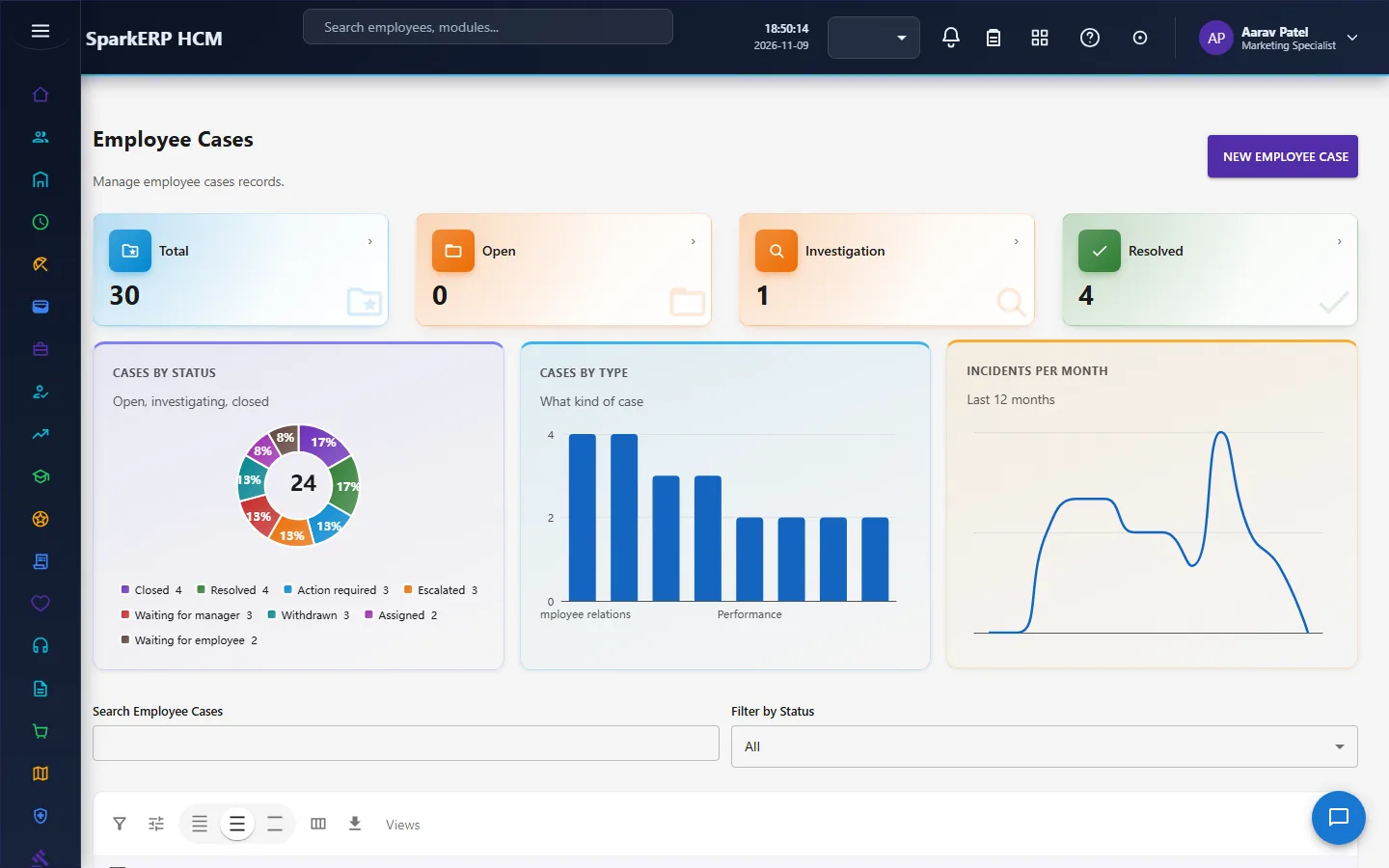
An employee case is the general matter: a case type and category, a subject and description, where and when it happened, a priority and severity, a confidentiality level, an owner and an investigator, a due date, and the resolution and the closure reason.
A case cannot be closed without a recorded resolution type. Closing is a deliberate act with its own approval, and a closed case can be reopened. The closure is approved by a named closure approver in a task due within seven days.
2.3 Complaints and grievances
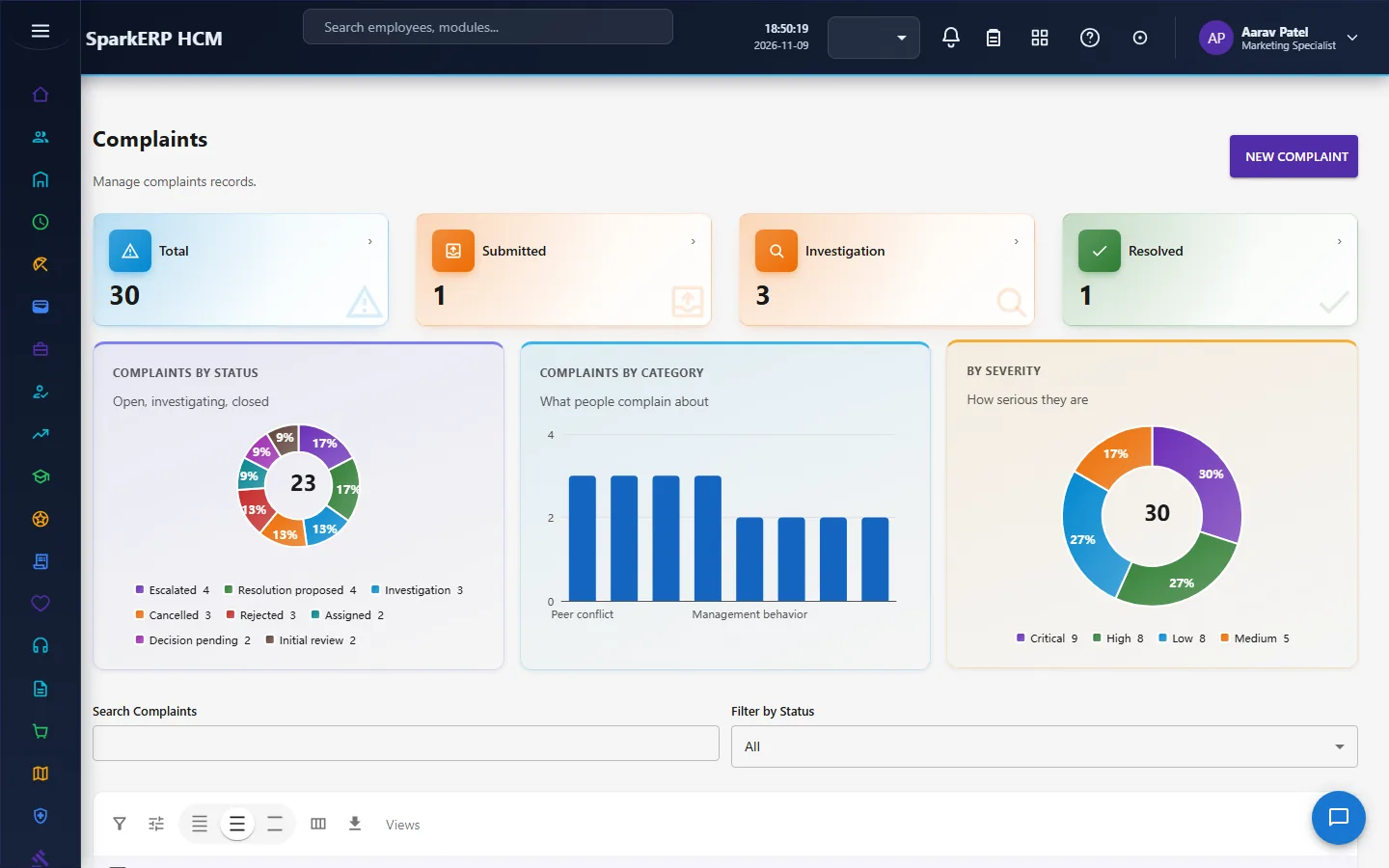
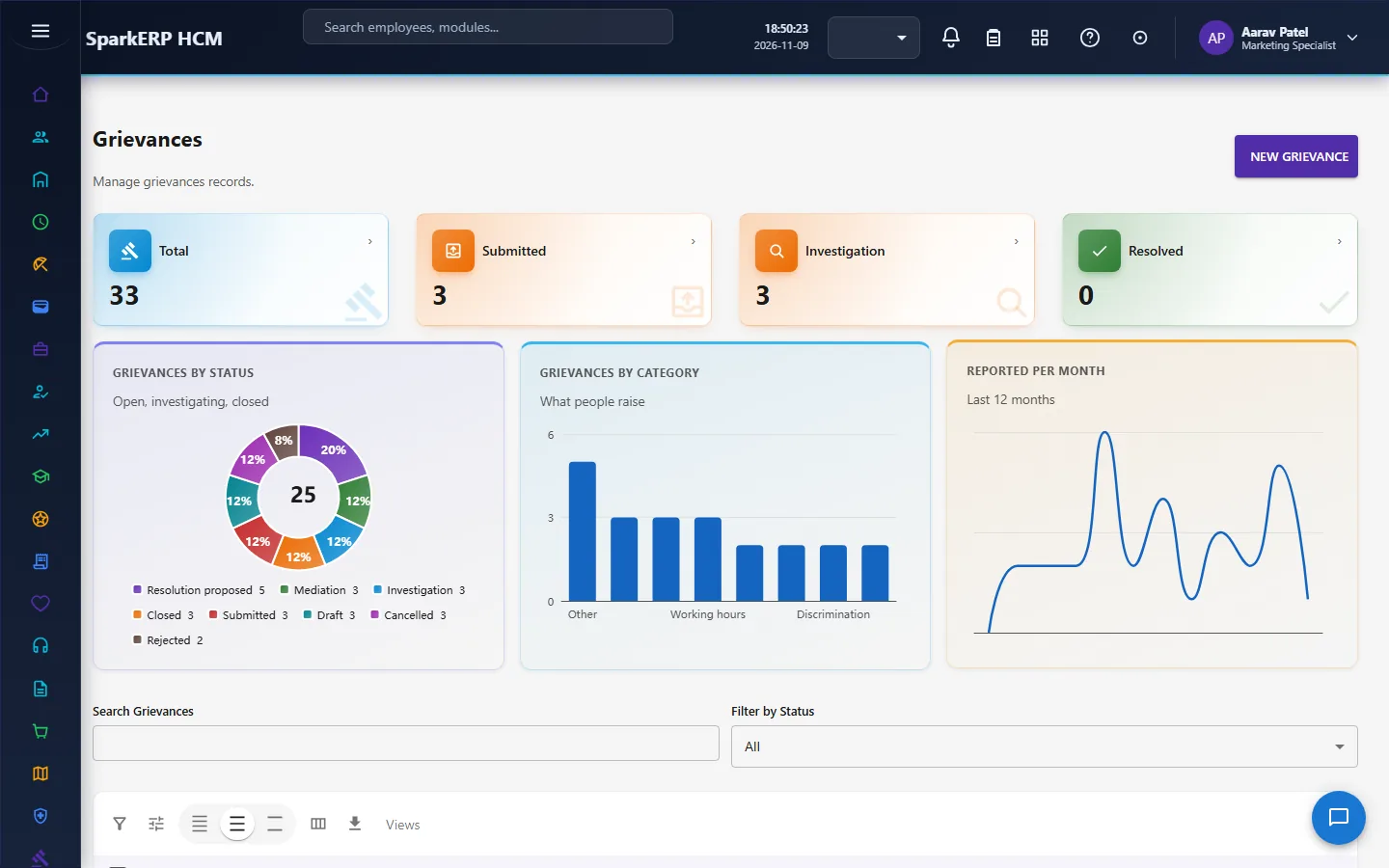
A complaint and a grievance record a concern an employee raised: a category and subcategory, a subject, a description, a source, the incident date, a severity and risk level, a confidentiality level, an owner and an investigator, a due date, and the resolution (a type and a summary) with a resolution approver. A complaint can be linked to a grievance.
A complaint or a grievance cannot be set to resolved without a recorded resolution type first. The path is: findings recorded, a decision, a proposed resolution, the approval, resolved. The resolution approval is a task due within seven days.
2.4 Investigations
An investigation belongs to a case: a type, a subject, an objective and a scope, a priority and risk level, a confidentiality level, a lead investigator and a reviewer, the start and due dates, the finding status, a conclusion and a recommendation type.
An investigation cannot be completed without a recorded finding status. A completion with the required findings missing is blocked. The findings go through a review task due within seven days.
2.5 Disciplinary cases and actions
A disciplinary case records an allegation: a case type, a subject and description, the policy reference, the source, the incident date, a severity, a confidentiality level, an owner, an investigator and a disciplinary authority, a due date, and then the decision (its type and date) and the action (its type, its status, its approver, and its start and end dates).
A disciplinary action cannot become active until it has been approved. The action approval is a task due within seven days, so a manager cannot make an action take effect by editing it.
2.6 Workplace conflicts
A workplace conflict records a dispute between a person and another party: a conflict type, a subject and description, where and when, a priority and risk level, a confidentiality level, an owner and a mediator, a target resolution date, the resolution method and summary, an approver, and a related case.
A conflict cannot be set to resolved without a recorded resolution method. A conflict is not resolved just because a mediation took place; the outcome has to be written down. The resolution is approved in a task due within seven days.
2.6a Employee feedback
Feedback is something an employee tells the company: a type and category, a subject, the text, a mode and a source, a priority, a sentiment, an owner, whether an action is required, a target date, and the resolution notes with an approver.
Feedback cannot be closed without recorded resolution notes. It must not be silently closed without an outcome. The resolution is approved in a task due within seven days.
2.7 Confidentiality
Every matter carries a confidentiality level. These records are about people and about conduct, so they are among the most sensitive in the system. They are shown only to the Employee Relations roles, HR and the auditor, and not to employees or to line managers.
2.8 Raising a matter
A door exists for an employee to raise a case themselves: an endpoint creates a case for the calling employee on the existing employee-case record, with no new workflow beyond the review the staff already do. No employee screen uses it yet. Today the employee screens in this module are staff screens, so in practice a matter is entered by an Employee Relations role or HR on the employee's behalf.
3. Who does what
| Role | What they do |
|---|---|
| Employee Relations Administrator | Sets up the module; owns cases; decides the closure, resolution and approval tasks (the Tenant Owner can too). |
| Employee Relations Officer | Handles cases, complaints, grievances, investigations, conflicts and feedback; investigates and mediates. |
| Employee (Employee Relations Self-Service) | The role exists for the self-service door; the module has no employee screens. |
| HR and the auditor | Read the records and reports. |
Employee Relations screens show the whole organization's records, including confidential ones, so they are open only to the Employee Relations roles, HR, the auditor and the analytics viewer.
3a. What each role sees, screen by screen
The employee
An employee has no Employee Relations screens. They are staff screens and the records are confidential.


The HR administrator
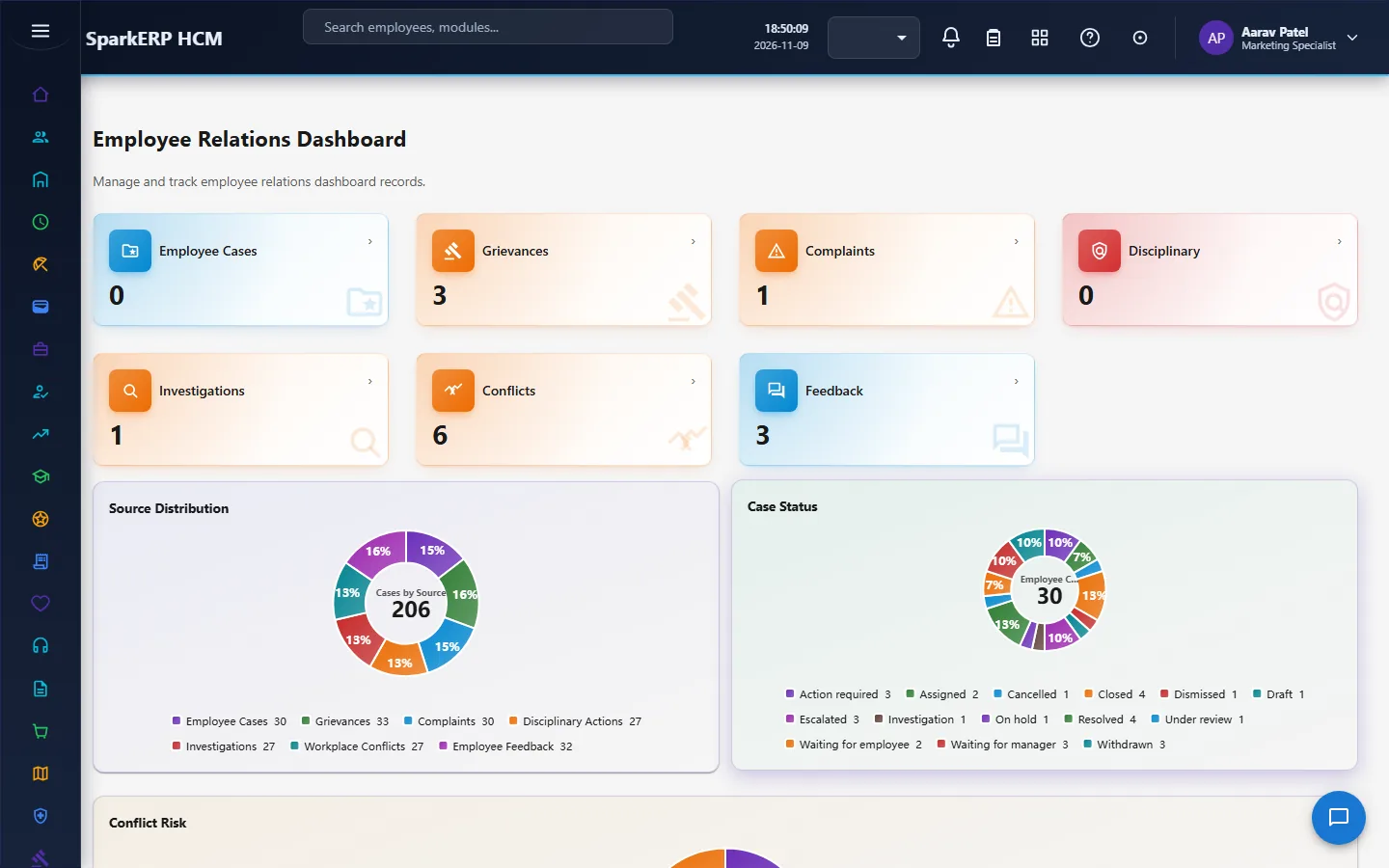
The Employee Relations Dashboard shows what is open, overdue and waiting for a decision.
Employee Cases, Complaints and Grievances hold the concerns.
Investigations and Disciplinary Actions hold the examination and the action.
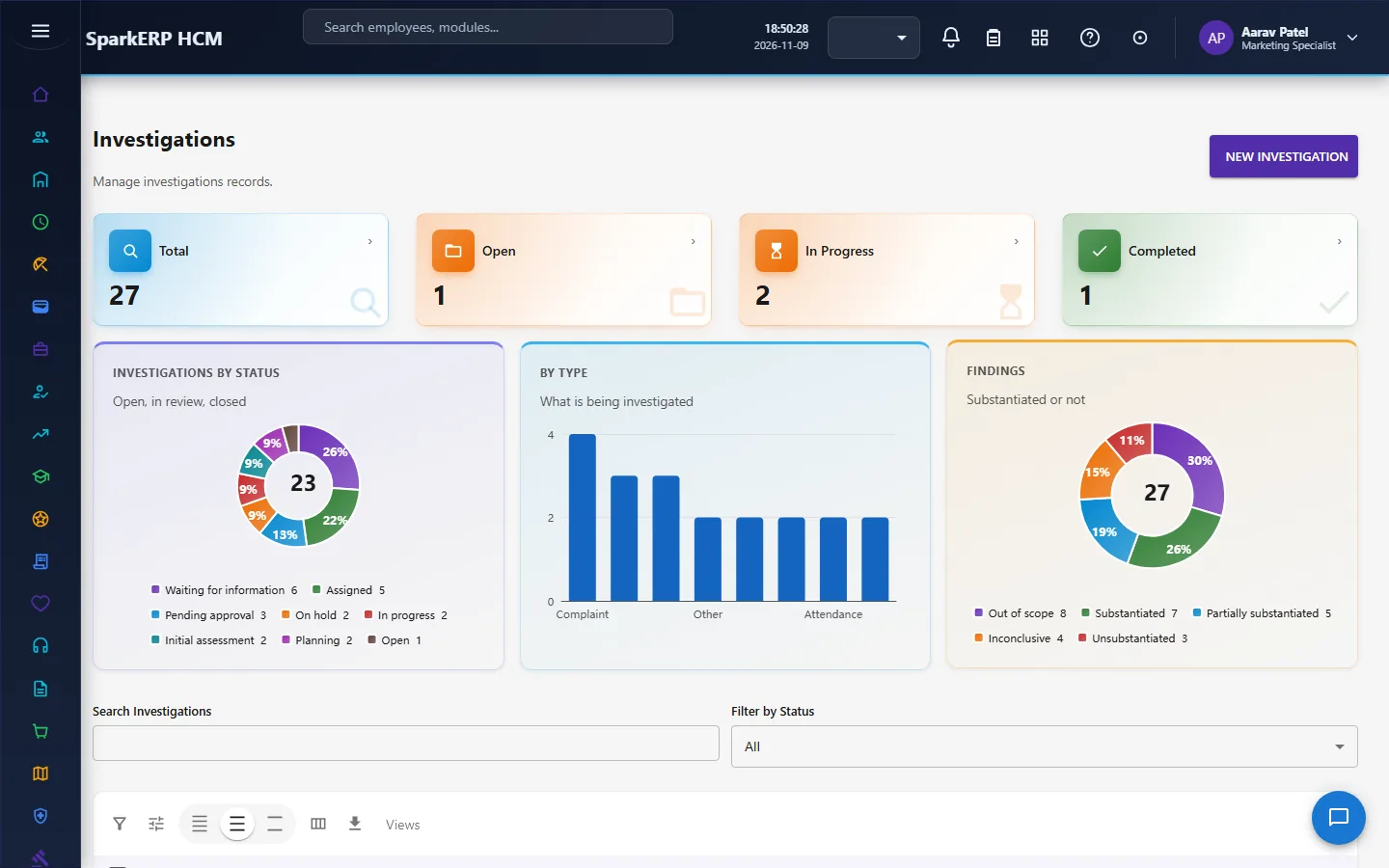
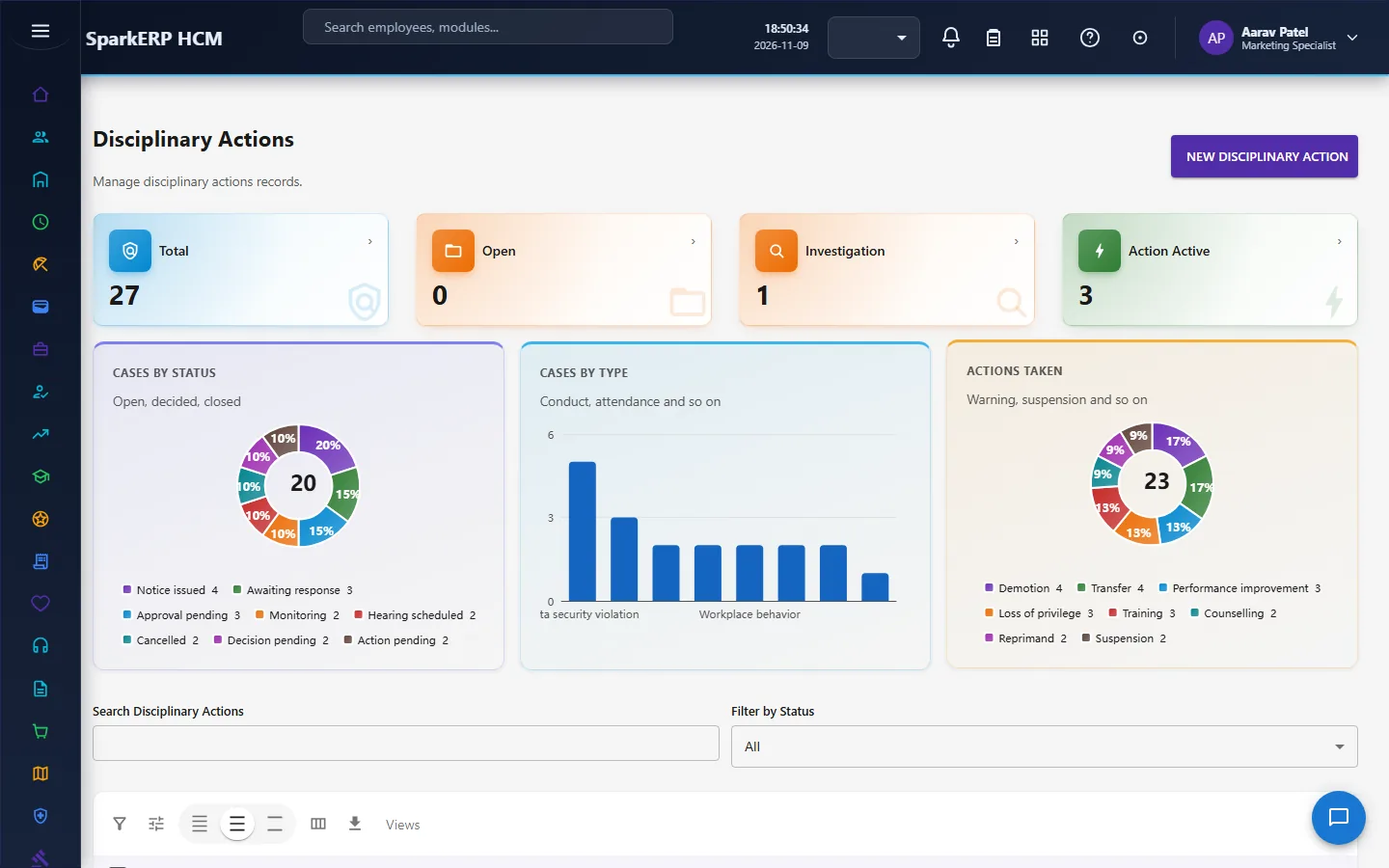
Workplace Conflicts and Employee Feedback hold mediation and listening.
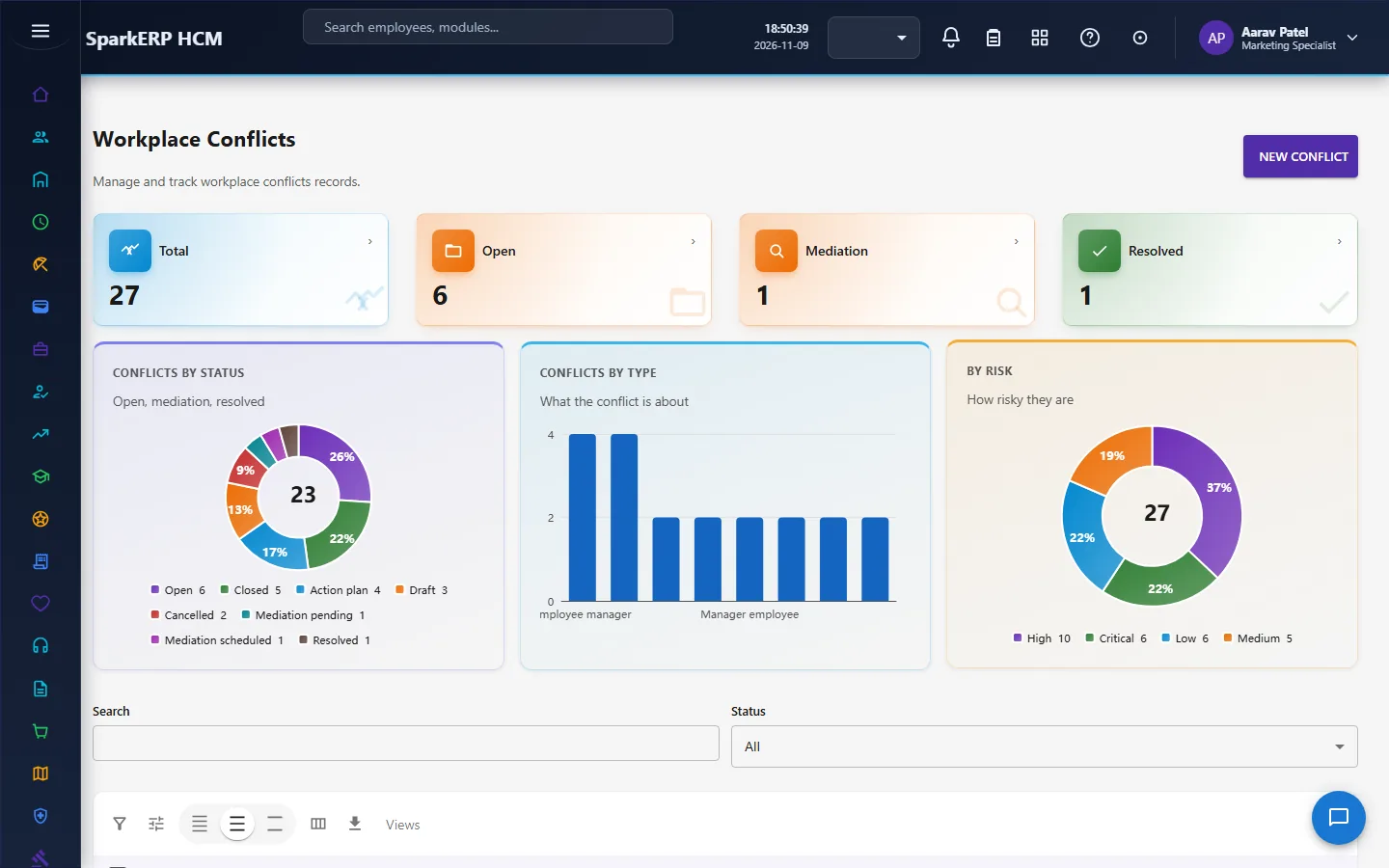
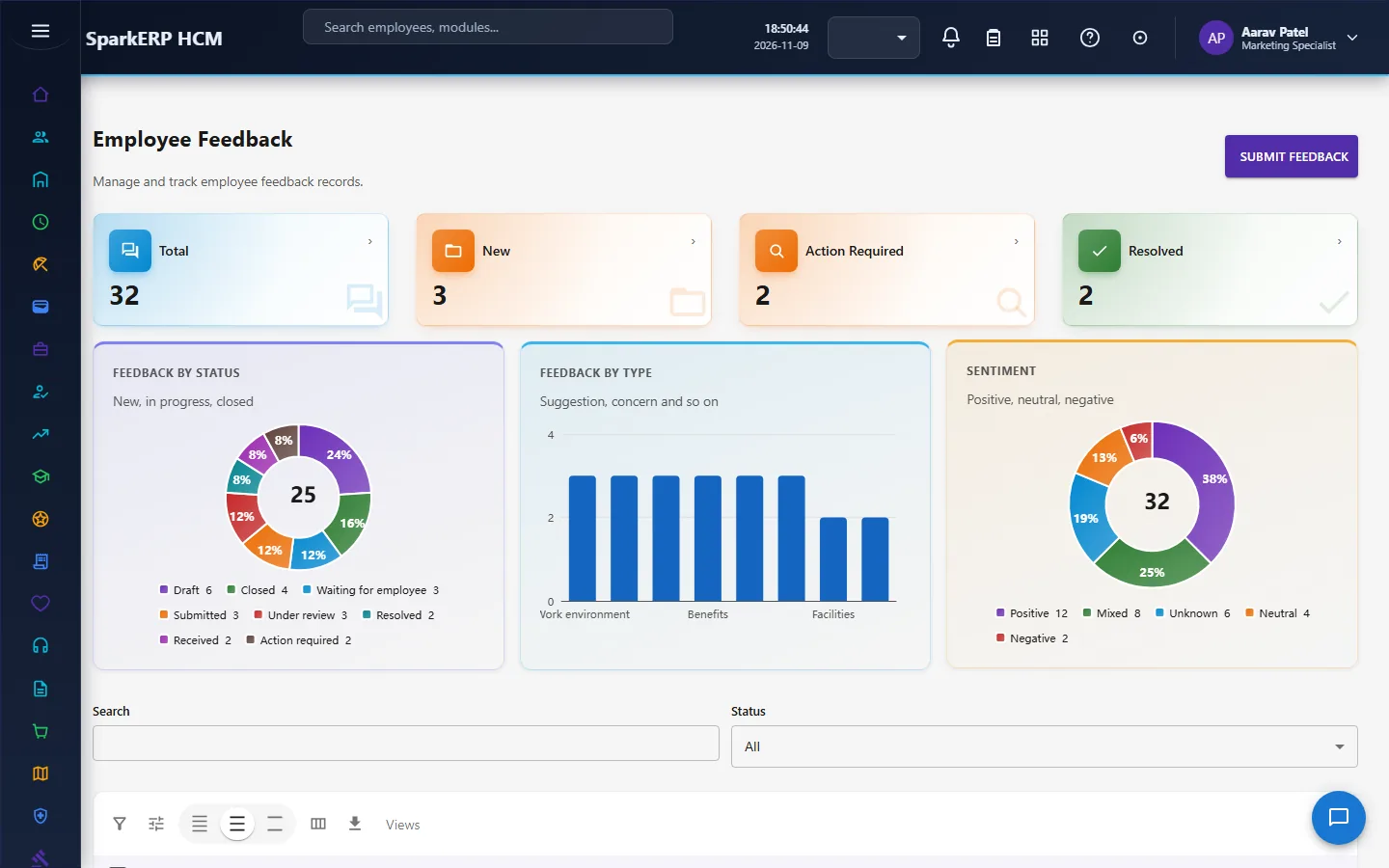
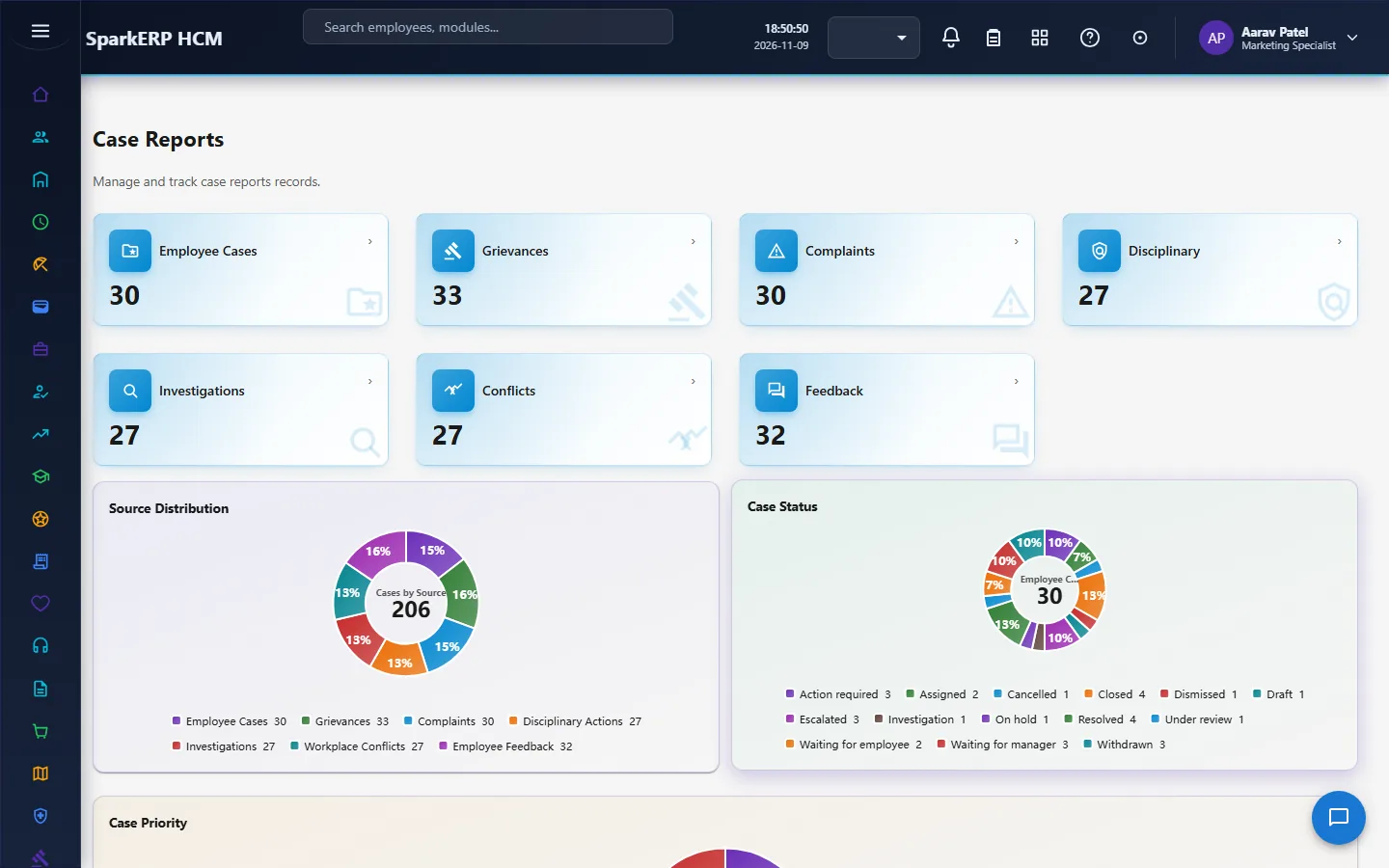
Case Reports close the loop.
4. Decide before you set up
| Decision | What to think about |
|---|---|
| Who handles what | The officers who handle matters, and the administrator who decides approvals. |
| Confidentiality levels | What each level means in your organization and who may see it. |
| Due dates | How long you allow for each type of matter. |
| Disciplinary procedure | Your policy: the stages, who is the disciplinary authority, who approves an action. |
| Mediation | Who mediates a conflict. |
| How employees raise matters | Today a role enters them; decide who. |
5. Set up step by step
- Roles. Give the Employee Relations Administrator and Officer roles to the people who handle and decide matters.
- Policy. Write your disciplinary and grievance procedure outside the system, and decide who holds each step.
- Categories and levels. Agree the categories, severities and confidentiality levels you will use.
- Trial. In a trial tenant generate the Employee Relations demo pack and follow one grievance from raised to resolved.
6. Daily use
6.1 A concern is raised
- Record it as a case, complaint or grievance with its severity and confidentiality level.
- Assign an owner and, if needed, an investigator; set a due date.
6.2 An investigation
- Open an investigation under the case with a lead investigator and a reviewer.
- Record the findings; the completion needs a finding status.
- The reviewer approves the findings.
6.3 A decision
- Record the resolution type and summary.
- The approver decides in a task due within seven days.
- Only then is the matter resolved or closed.
6.4 Disciplinary action
- Open the disciplinary case; investigate; record the decision.
- The action is approved before it can become active.
7. A calendar of recurring work
| When | What |
|---|---|
| Daily | New matters; due dates; approvals waiting. |
| Weekly | Open investigations; overdue cases. |
| Monthly | Case reports; sentiment in feedback. |
| Yearly | Review categories, procedures and confidentiality levels. |
8. Reports and figures
The Employee Relations Dashboard and Case Reports show matters by type, status and severity, what is overdue, resolution times and feedback sentiment. Lists can be exported.
9. Limits you should know about
- The module records and routes; people decide.
- A matter cannot be closed or resolved without its outcome recorded.
- A disciplinary action cannot take effect without approval.
- There is no employee self-service screen. Matters are entered by an Employee Relations role or HR.
- These records are confidential. Keep access narrow.
10. Troubleshooting
| Symptom | Cause and fix |
|---|---|
| A case cannot be closed | No resolution type is recorded. |
| A complaint or a grievance cannot be resolved | No resolution type is recorded. |
| An investigation cannot be completed | No finding status is recorded. |
| A conflict cannot be resolved | No resolution method is recorded. |
| Feedback cannot be closed | No resolution notes are recorded. |
| A disciplinary action will not activate | It has not been approved yet. |
| An approval is waiting | It is a task for the Employee Relations Administrator or the Tenant Owner, due within seven days. |
| An employee cannot open a screen | They are staff screens with confidential records. |