
Appearance
Assets: how it works and how to set it up
Assets answers the questions a company asks about the equipment and software it gives its people: what do we own and where is it, who has it, who agreed to give it to them, when is it due back, what has been repaired and what did it cost, have we counted everything, and which software licenses are used, expiring or over-used. This guide explains how the module works from start to finish, then how to set it up, then what each person sees. Every screen has its own page in the Assets section; this guide is the one to read first.
1. What Assets does for your business
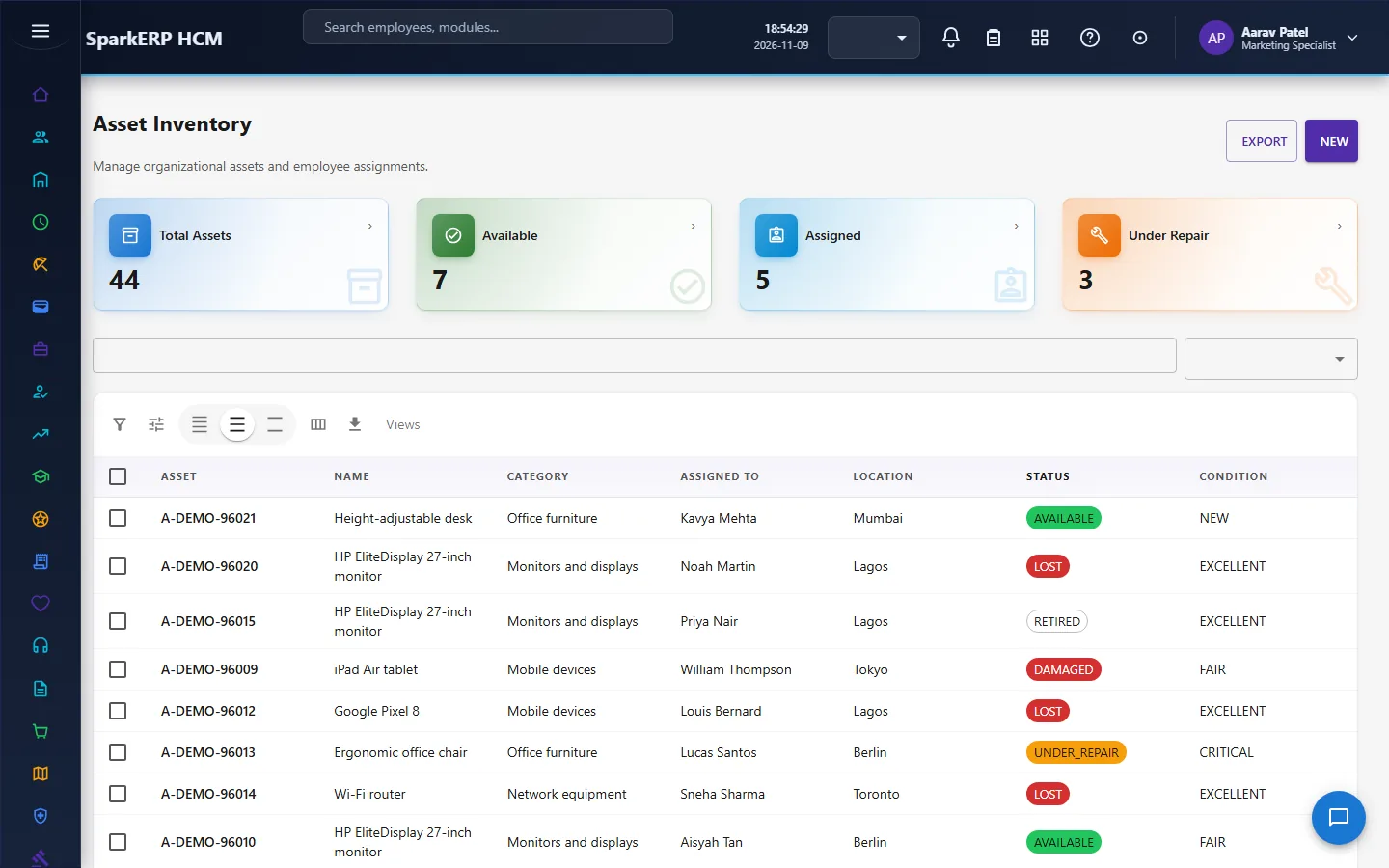
- Holds the register. Every asset has a number, a category and type, a serial number, the manufacturer and model, the purchase date, the warranty expiry, a location, a condition and a status.
- Allocates assets to people with a type (permanent, temporary, loan or project), an expected return date, the condition at handover, an agreement and the person's acknowledgement.
- Takes assets back, with a return type, the condition at return, any damage and any exception.
- Maintains assets through work orders with their costs, and approval for a high-cost or critical repair.
- Audits assets by counting them against where and with whom they should be.
- Tracks software licenses, their seats, their assignments, their renewals and their usage.
- Raises its own flags for a warranty about to end, a return overdue, an acknowledgement overdue, an audit overdue, a license about to renew, and escalates the serious ones.
What it does not do: it does not depreciate assets or post to the ledger, and it does not buy anything. It is the register and the handover workflow. Other modules read it: Onboarding fills equipment requests from this register, and Separation reads the assets a leaver still holds from it.
2. How assets work, end to end
2.1 The path of one asset
- The asset is registered under a category and a type.
- It is allocated to a person. A request, an approval, the handover and the person's acknowledgement follow.
- It is used. It may need maintenance or be audited.
- It is returned when the person leaves, changes role or no longer needs it, with a condition and any damage recorded.
- It is reused, or retired.
2.2 The register: categories and types
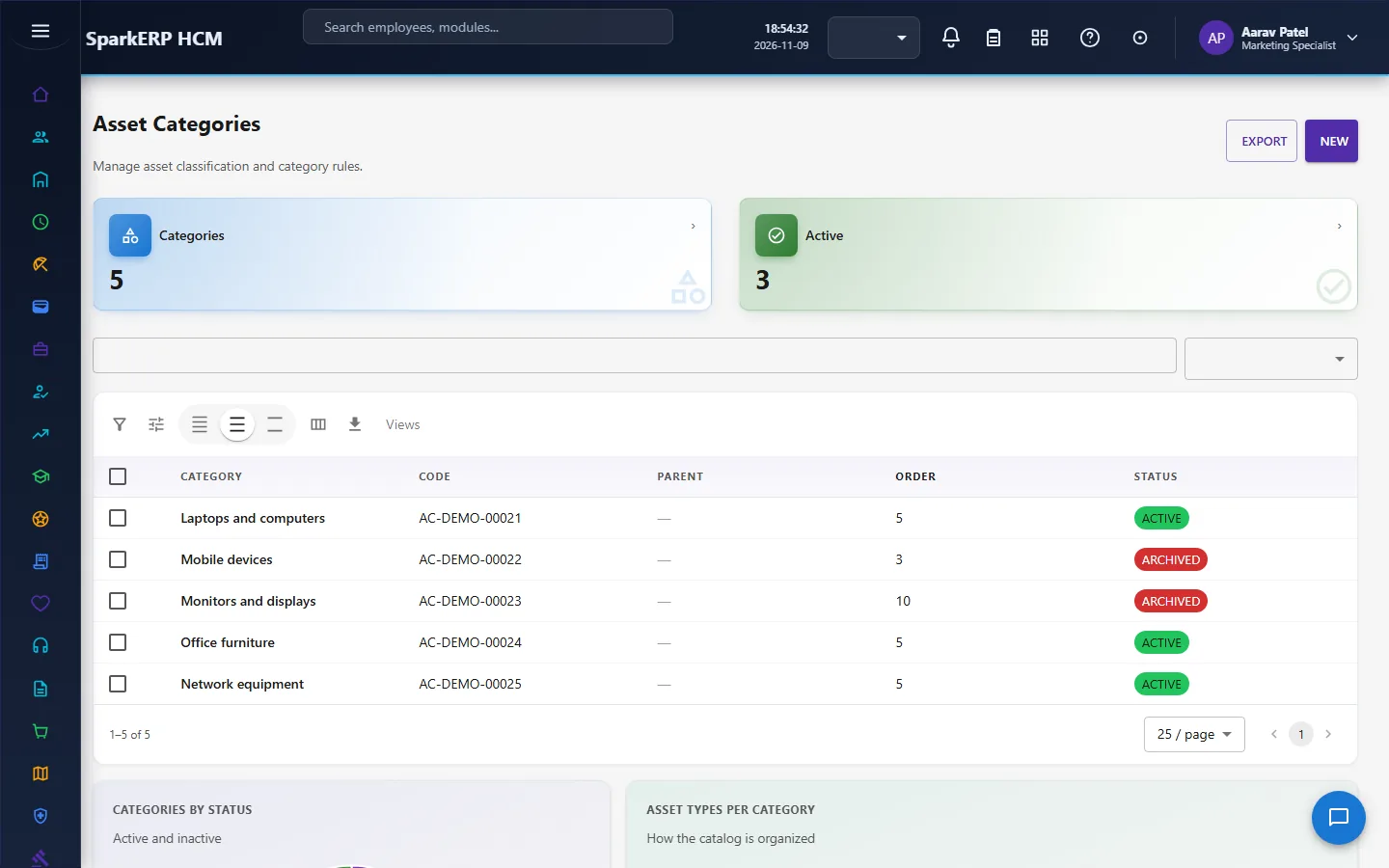
Categories form a hierarchy, with a code, an icon and a display order. A category says whether employees can be assigned assets of it, whether an audit is required and whether maintenance is enabled. Types sit under a category and say whether a type requires a serial number, requires an assignment and requires a return.
An asset has a status (for example available, assigned, in use, under repair, damaged, lost, retired or disposed) and a condition (from new and excellent through good and fair to damaged, critical and non-functional). The platform raises a warranty alert as the warranty expiry nears.
2.3 Allocation
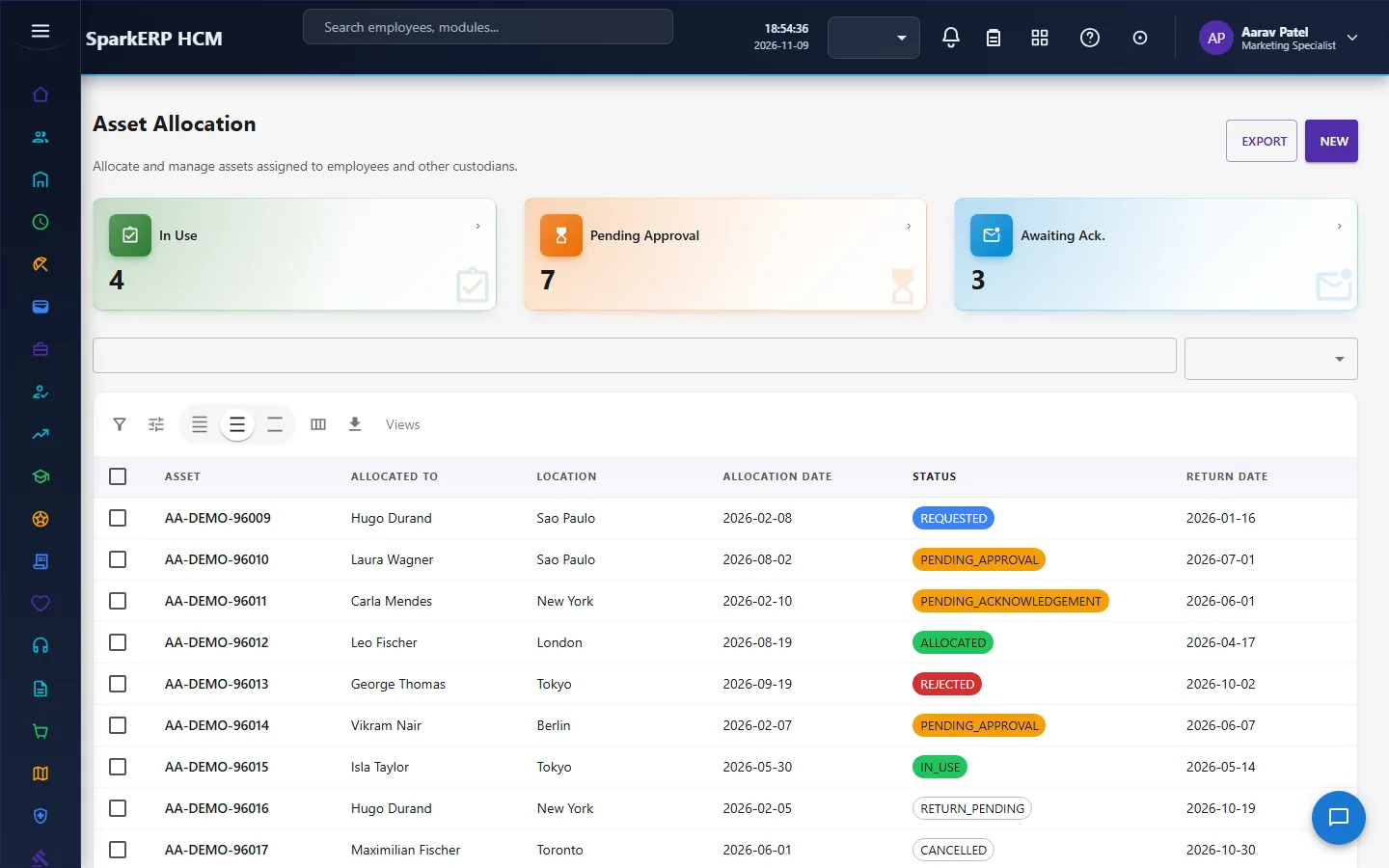
An allocation ties an asset to an employee, a department and a location. It has a type (permanent, temporary, loan or project), an allocation date, an expected return date, the condition at allocation, a reason and notes. An allocation can carry several items (an accessory, a charger), each with a quantity and a condition, and an agreement file.
An allocation is requested, goes for approval, is allocated, and is acknowledged by the person. Submitting it for approval starts the allocation approval workflow, and the decision sets it to allocated or rejected. The approval is decided by the Asset Administrator or the HR Manager. Statuses seen in use include draft, requested, pending approval, approved, allocated, pending acknowledgement, acknowledged, in use, return pending, returned, rejected and cancelled.
The platform flags an allocation whose return is overdue, whose acknowledgement is overdue, and that has a compliance flag, and it can raise an escalation record with a type, a severity and a resolution note.
2.4 Returns
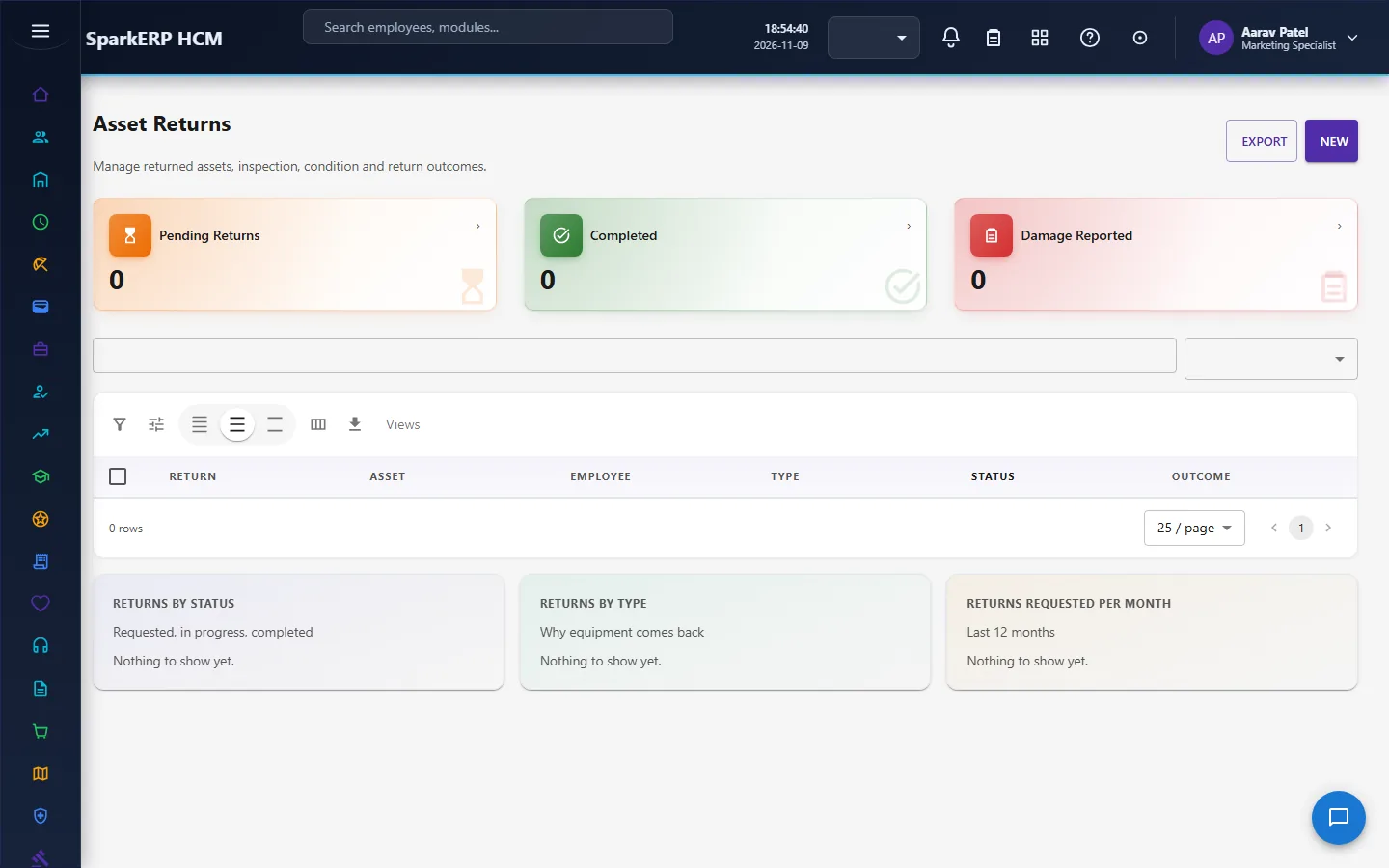
An asset return has a return number, the asset and the allocation, the employee, a return type and reason, the requested and scheduled dates, the completion time, the condition at return, an outcome, and whether damage was reported. A return that goes wrong carries one or more exceptions, each with a type, a severity, a description, a resolution and a due date for it. A return process that runs late is flagged.
2.5 Maintenance
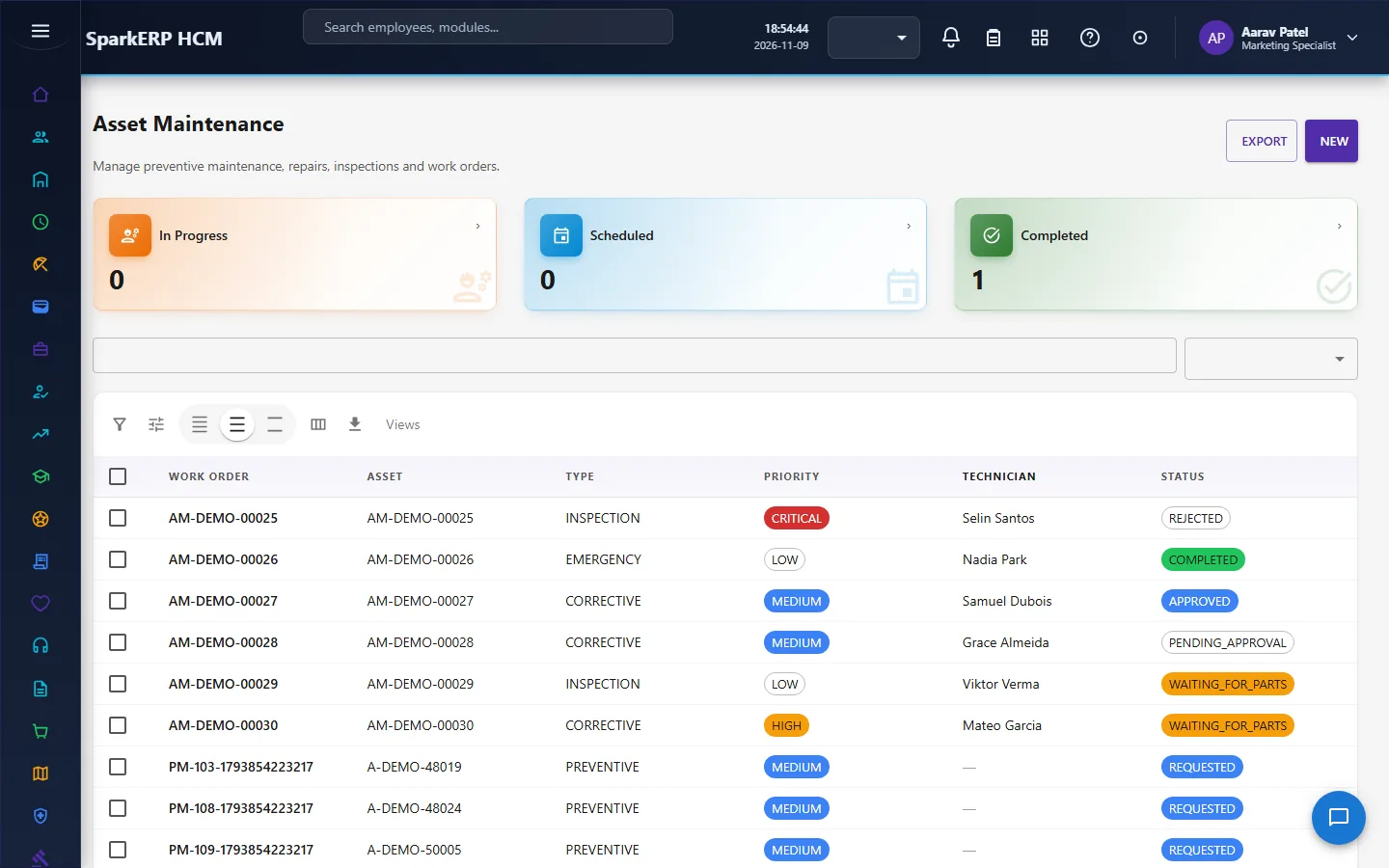
A maintenance work order has a number, the asset, a type (preventive, corrective, inspection or emergency), a priority, a problem title and description, a technician, a vendor, the scheduled start and end, the actual cost, an invoice and the cost lines (labour, parts, others).
A high-cost or critical repair goes for approval. Submitting it starts the maintenance approval workflow, and the decision sets it to approved or rejected, by the Asset Administrator or the HR Manager. A work order can wait for parts. The platform flags maintenance that is overdue and reminds a vendor whose response is due.
2.6 Audits
An asset audit counts assets: a name and type, the dates, the scope, the total and the verified assets, the exception count and the auditor. Each audit item compares what should be there (the expected location and the expected person) with what was found (the actual location, person and condition). An audit is planned, in progress and then completed, with evidence, a report and a certificate file. The platform flags an audit that is overdue and reminds seven days before.
2.7 Software licenses
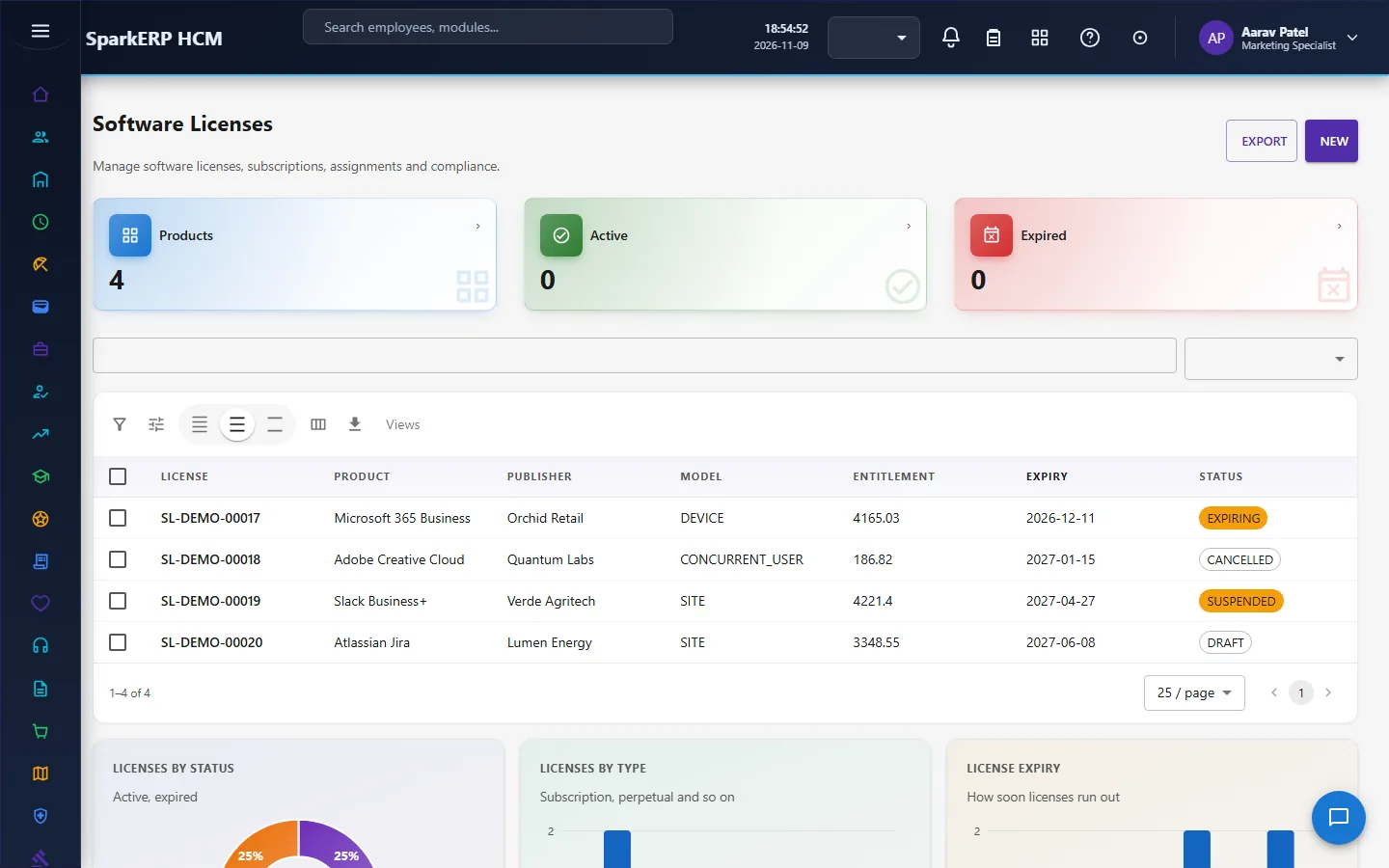
A software license has a product and publisher, a type and model (for example per device, concurrent user or site), the entitlement quantity, the start and expiry dates, whether it auto-renews, the cost and currency, and a status. The platform counts the seats used and flags a license that is over-used or non-compliant.
A license is assigned to an employee for a period, and the platform marks an assignment that has expired and a usage flag for a seat that has not been used. A renewal records the renewal date, the old and new expiry, the old and new quantity and the decision. The platform raises renewal alerts 30 days and 14 days before the expiry.
2.8 The background checks
Several flags above come from generic sweeps that are seeded for the module and run in the background: status and date sweeps (a warranty, a return, an acknowledgement, an audit, a maintenance), a cadence generator that creates recurring audits, an aggregation that reconciles counts, a compliance sweep that sets flags and raises escalations, a cross-plugin action job, and a document generator that produces agreements, reports and certificates. They are configured as rows of data, not code.
3. Who does what
| Role | What they do |
|---|---|
| Asset Administrator | Runs the register; decides allocation and maintenance approvals; audits; manages licenses. |
| HR Manager | Can decide the allocation and maintenance approvals. |
| Asset Employee | The role gives read access to the register, allocations, licenses and the dashboard. The Assets screens show the whole register and everyone's allocations, so they are staff screens and this role is not given to ordinary employees. |
| HR and the auditor | Read the register and reports. |
Assets screens show the whole register and everyone's allocations, so they are open to the asset roles, HR, the auditor and the analytics viewer.
3a. What each role sees, screen by screen
The employee
An employee does not use the Assets screens, which show every asset and allocation in the organization.
The asset and HR administrator
Asset Inventory is the register and Asset Categories its structure.
Asset Allocation and Asset Returns hold the handover and the return.
Asset Maintenance and Asset Audits keep assets in order.
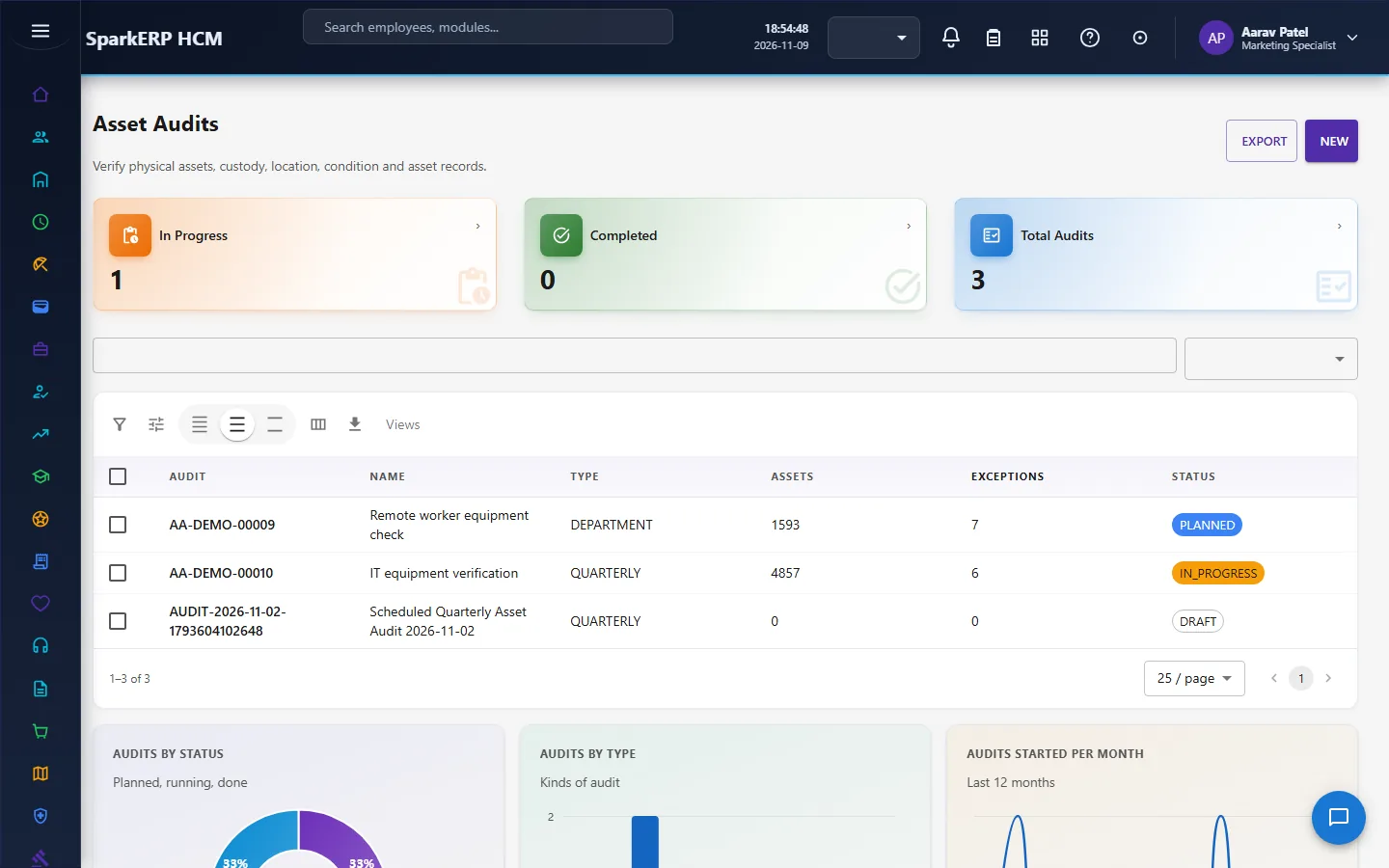
Software Licenses tracks seats and renewals.
4. Decide before you set up
| Decision | What to think about |
|---|---|
| Categories and types | The hierarchy you report on; which need a serial number, an assignment or a return. |
| Which categories are audited | And how often. |
| Allocation approval | Who approves, and which allocations need it. |
| Maintenance approval | The threshold that sends a repair for approval. |
| Software licenses | Which you track and the model of each. |
5. Set up step by step
- Roles. Give the Asset Administrator role.
- Categories and types. Build the hierarchy with the audit and maintenance switches.
- The register. Create or import the assets, with serial numbers, locations and warranties.
- Allocations. Allocate to people; keep the agreement files.
- Audits. Plan the first audit.
- Licenses. Enter the software licenses with seats and expiry dates.
- Trial. In a trial tenant generate the Assets demo pack and follow one allocation to acknowledged and one return.
6. Daily use
6.1 Giving an asset to a person
- Create the allocation (type, return date, condition, items).
- Submit it; the approval runs.
- Hand it over; the person acknowledges it.
6.2 Taking it back
- Create the return with its condition.
- Record any damage and any exception, and resolve it.
- The asset goes back to available, or to repair or retired.
6.3 Keeping it in order
- Open a work order for a repair; submit a high-cost one for approval.
- Run audits; follow up the exceptions.
- Watch license seats and renewal alerts.
7. A calendar of recurring work
| When | What |
|---|---|
| Daily | Returns and acknowledgements overdue; escalations. |
| Weekly | Maintenance due; audits in progress. |
| Monthly | Licenses 30 and 14 days before renewal; warranties ending. |
| Yearly | A full audit; the register review. |
8. Reports and figures
The register, allocations, returns, maintenance, audits and licenses each have charts and counts, and can be exported.
9. Limits you should know about
- No depreciation and no ledger posting, and no purchasing.
- The checks are background sweeps, so a flag appears after the sweep runs, not at the instant.
- Approval applies to the allocation and the maintenance work order only.
- The screens show the whole register, so they are for staff.
10. Troubleshooting
| Symptom | Cause and fix |
|---|---|
| An allocation is stuck | It is waiting for approval by the Asset Administrator or HR Manager. |
| A return is flagged overdue | The expected return date has passed without a completed return. |
| A flag has not cleared | The background sweep has not run since the cause was fixed. |
| A license shows over-used | More seats are assigned than the entitlement. |
| An employee cannot open a screen | It is a staff screen showing the whole register. |