
Appearance
Integration and Connector Designer
What is it?
A connector is a saved, secured connection to an outside system. Pages, integration flows and workflows then use it by name without knowing the secrets.
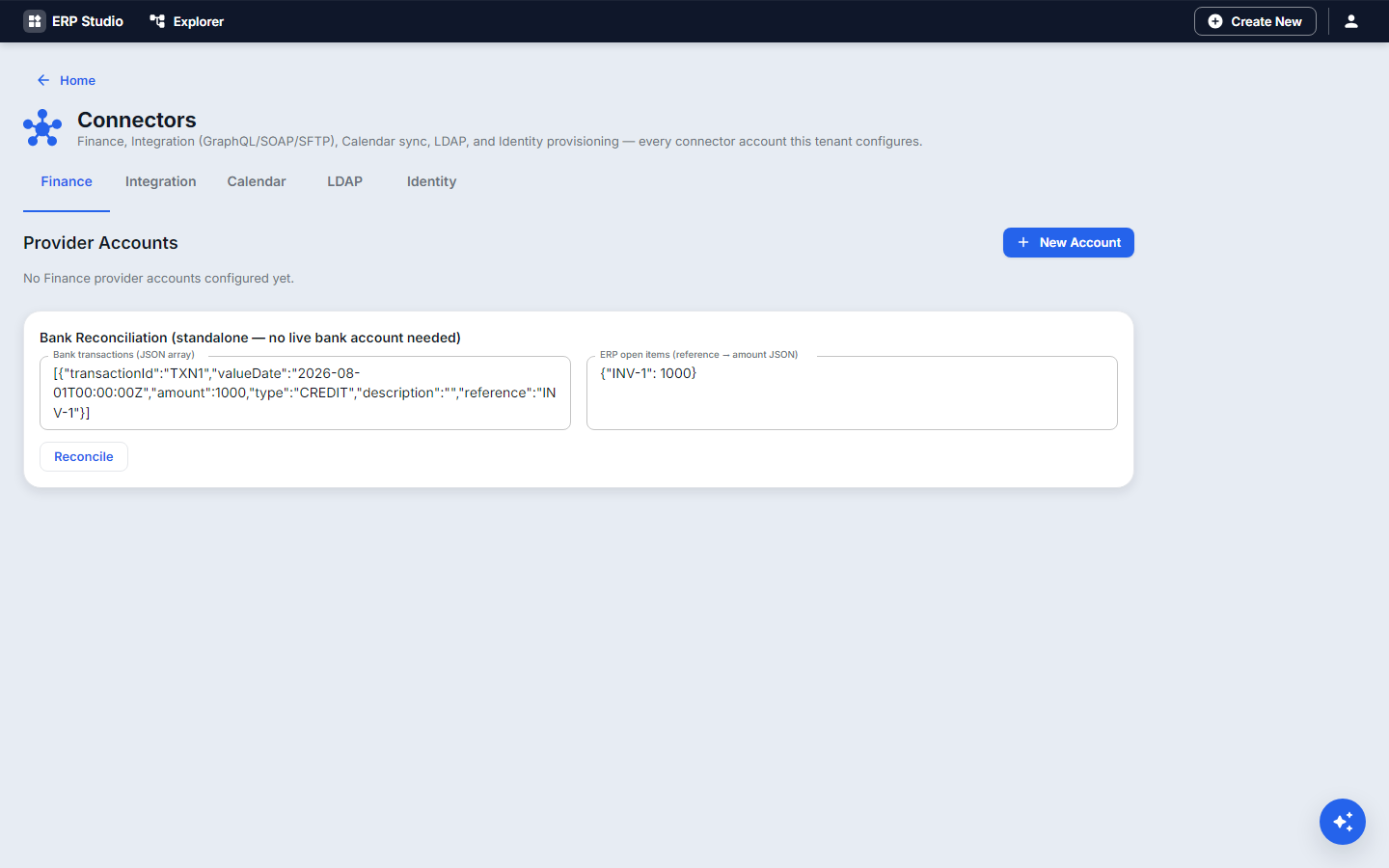
Available today
| Family | Notes |
|---|---|
| REST | base URL, auth type, secret; used by providers and integration flows |
| GraphQL, SOAP | protocol-aware (GraphQL errors on HTTP 200, SOAP faults) |
| SFTP | list, upload, download, delete; password or SSH key |
| EDI | X12 (850, 810, 856) and EDIFACT (ORDERS, INVOIC) |
| Email, SMS, WhatsApp | through Communications and Notification templates |
| Identity providers | SSO providers and LDAP |
| Finance | payment, banking and government e-invoice connectors |
| Calendar sync | see Calendar |
Authentication supported: API keys, basic auth, OAuth2 client credentials, SSH keys. Secrets are stored encrypted and never shown again.
Concepts
Connector, connection (one configured instance), integration flow (a composed sequence of connector calls with mapping and retry), mapping/transformation between external and ERP fields.
Example
External CRM to ERP: connector acme-crm (OAuth2), integration flow sync-customers maps fields and calls the customer entity, run by a job nightly, and failures start a workflow.
Step by step
- Connectors, New: name
acme-crm, type REST, base URL, auth OAuth2, enter the secret. - Test the connection.
- Integration Flows, New: add a call to
acme-crm, map response fields tocustomer, set retry to 3. - Run it once manually; check the result and the Audit log.
Newer building blocks (added September 2026)
These sit alongside connectors and integration flows, in the same Studio area, under /api/v1/integration/**.
A person's approval — a flow can pause with a WAIT_APPROVAL step and wait for someone to accept or reject it, optionally limited to named people (assignees). Requests show up on the Approvals and Waiting Runs screen.
json
{ "code": "hold", "type": "WAIT_APPROVAL", "dependsOn": ["create"],
  "params": { "title": "Approve order ${input.orderNo}", "timeoutSeconds": 172800, "onTimeout": "FAIL", "assignees": ["finance.lead"] } }
Synchronization — keeps a SPARK entity and an outside system in step: a three-way compare against the last agreed values, a policy for what to do when both sides changed, and writes on both sides through flows you name (createFlow/updateFlow). Preview compares without changing anything; a flow can run one with the sync.run action or its own designer card.
bash
curl -X PUT https://<host>/api/v1/integration/syncs/hr-people \
  -H "X-Tenant-Id: 1" -H "X-Actor: alice" -H "Content-Type: application/json" \
  -d '{"name":"HR people","definition":{"direction":"BIDIRECTIONAL","policy":"MANUAL_REVIEW","fields":["name","department"],
        "sideA":{"entity":"Employee","keyField":"employeeNo","fieldMap":{"name":"fullName"}},
        "sideB":{"connection":"hr-api","path":"/people","keyField":"id","createFlow":"hr-create","updateFlow":"hr-update"}}}'
Managed folder watches — a folder watch (SFTP) can take over each file: move it to a processing folder, run the flows that listen, then move it to a processed or failed folder, with a per-file status you can see on the Folder Watches screen. Add an acknowledgement ending (for example _ACK) to treat a later file as the answer to one you sent — it fires sftp.ack.received with the outcome (ACCEPTED/REJECTED/PARTIAL/UNKNOWN).
Database connector — a DATABASE connection (PostgreSQL today) for the db.query/db.write flow actions: bound named parameters (never string-built SQL), read-only queries, one statement, and a host policy that refuses this machine, cloud metadata addresses and private networks.
json
{ "code": "look-up", "type": "APP", "action": "db.query", "dependsOn": [],
  "params": { "connection": "reporting-db", "sql": "SELECT id, name FROM customers WHERE region = :region", "params": { "region": "${input.region}" } } }
Queues — a logical queue (integration.queue) that holds messages until a flow listening for queue.message.received handles them, with growing retry delays, a DEAD state after the queue's attempts run out, and replay. Add one on the Queues screen, then put a message on it:
json
{ "code": "enqueue", "type": "APP", "action": "queue.publish", "dependsOn": [],
  "params": { "queue": "orders", "message": { "orderNo": "${input.orderNo}" }, "delaySeconds": 0 } }
File parsing — file.parse turns a CSV, XML or Excel (.xlsx or older .xls) file's content into rows a Loop card can go through; pair it with sftp.read (base64 for Excel).
json
{ "code": "rows", "type": "APP", "action": "file.parse", "dependsOn": ["read"],
  "params": { "content": "${steps.read.response.content}", "format": "csv" } }
Moving between environments — GET /api/v1/integration/bundle exports connectors, flows, connections, queues, synchronizations, lookup tables and poll triggers as one JSON file; POST .../bundle/preview reports what an import would change without writing anything; POST .../bundle/import applies it. Credentials never travel — a connection's password is left out, and an imported item arrives switched off unless it already existed.
Queues bridged to Kafka, RabbitMQ, SQS, Azure Service Bus or Pub/Sub — a queue can send its messages to a broker, or bring a broker's messages onto the queue. The broker only carries the messages: retries, dead messages, replay and tracing work exactly as on any queue. Add the broker as a connection (its kind is on the Connections screen), then choose "Outside message broker" on the queue. The topic or queue must already exist on the broker; the platform never creates one.
bash
erp connection save kafka-main --name "Kafka" --base-url kafka1.example.com:9092 --type KAFKA --auth-type NONE --auth-config '{"securityProtocol":"PLAINTEXT"}'
erp connection broker-test kafka-main --destination orders.out          # says what is wrong, in words
erp queue save orders-out --name "Orders out" --bridge-direction OUT --bridge-connection kafka-main --bridge-destination orders.out
erp queue publish orders-out --message '{"orderNo":"A-1"}'              # arrives on the topic, key = the message id
Sending to a broker means "done" once the broker accepted it; if it refuses, the message is retried and finally goes dead like any other, and the queue shows a Broker problem with the reason. Reading from a broker acknowledges each message only after it is stored, so a crash never loses one (a message can arrive twice; a handler should cope). Broker addresses on a private network are refused unless the operator allows them.
Following one event across hops — every flow run, event, queue message and synchronization run that belongs to one business event carries the same correlation id. Paste it on Trace an Event (Integrations) or run erp trace <correlationId> to see them in time order, whether it finished, is still going or failed, and where. Only what happened is shown, never message contents. A flow started by a schedule starts its own trace.
bash
erp trace f51b6f74-28d1-499b-a144-8875e6462cc7
# f51b6f74-...: OK (2 hops)
#   2026-09-28 08:08:29.883  event queue.message.received about message 29
#   2026-09-28 08:08:29.894  flow live-handler run #102 SUCCESS (EVENT · event:queue.message.received)
A second person's approval before it goes live — set a flag on a flow or synchronization so that switching it on makes a request that a different person must approve; the person who asked can never approve their own. Requests are on Go-Live Approvals.
bash
erp flow require-golive-approval import-orders on
erp flow activate import-orders          # now makes a request instead of switching it on
Polling triggers — watch a web service for new items and start flows for each: erp poll-trigger save|list|delete|look-now (or the Poll Triggers screen); look-now checks right away and says what it found.
Shipping these with a plugin
A plugin can carry flows, queues, synchronizations and connections. In Plugin Studio, open the plugin, and in the Integration group of the Explorer press + next to Integration flows, Queues, Synchronizations or Connections. Either bring one you built and tested in your own workspace (a flow keeps its steps and the event that starts it), or make a new one from a small form. On the command line the files are metadata/flow, queue, sync and connection (*.json); the shapes are the same as the API's.
json
// metadata/queue/orders-out.json — a queue bridged to a Kafka topic
{ "code": "orders-out", "name": "Orders out", "maxAttempts": 5,
  "bridgeDirection": "OUT", "bridgeConnection": "kafka-main", "bridgeDestination": "orders.out" }
// metadata/connection/kafka-main.json — never a password
{ "connectionCode": "kafka-main", "name": "Kafka", "baseUrl": "kafka1.example.com:9092", "connectionType": "KAFKA", "authType": "NONE", "authConfig": { "securityProtocol": "PLAINTEXT" } }
When the plugin is installed, everything arrives switched off and keeps its on/off state on an upgrade; connections install first, so a queue can use a connection shipped in the same plugin; a connection arrives with no password (add it in the new environment); a flow that the engine refuses (for example, no steps) is skipped and logged, not installed. To move things that are not in a plugin between environments use the bundle (erp integration export / erp integration import, or Move between environments in Studio); credentials never travel.
Building these with AI
- In the Flow Designer, describe what you want in plain words and it drafts the flow; ask it to explain a flow, or to analyze a failed run. Nothing is saved or switched on until you do it.
- In the Studio chat (the assistant), ask for it while you work on a plugin: it can draft a flow from your description, add a flow, queue, synchronization or connection to the plugin, follow a trace to explain why something did not arrive, and test a broker connection. It never switches anything on and never asks for a password: you add credentials yourself in each environment.
- From an AI coding tool over MCP (
erp-mcp-server): the same catalogs the CLI uses (erp_integration_flow_actions,erp_connector_catalog) so it can write flow JSON that the engine accepts.
Seeing what happened, and debugging
- A flow run's history shows each step with its result (sensitive fields such as passwords and tokens are masked), and Send test / the designer's Test step and Test run run a flow without switching it on. A connection can name a sandbox connection to use for tests, so tests never touch the live system.
erp trace <id>follows one event across hops;erp queue messages <queue> --status DEADanderp queue trace <queue> <id>show why a message died;erp integration healthlists what needs attention (dead messages, failing triggers, open conflicts, waiting approvals).- Server logs carry the correlation id on every line, so you can search the log for the same id you traced:
erp logs tail --grep <correlationId>. - Changes are audited (who, what, never contents); the Approvals and Go-Live Approvals screens show who decided what.
Planned (placeholders)
Studio forms for every finance and payment connector, generic inbound webhook receiver, tenant-published inbound REST, outbound email beyond SMTP, and certificate-based auth in the designer. Planned. (Kafka, RabbitMQ, SQS, Azure Service Bus and Pub/Sub queues are available today, see above; Kafka mutual-TLS and OAUTHBEARER, Azure Service Bus and Pub/Sub were checked only against local stand-ins, not against the real services.)
Security, testing, troubleshooting
Only Studio staff manage connectors; secrets are write-only and never returned or shipped. Every integration.* resource (flow, sync, queue, connection, trace, bundle) is checked by permission and tenant (for example integration.queue.manage, integration.flow.view), and changes are audited. Addresses on private networks are refused for connections, brokers and databases unless the operator opts in. Passwords, tokens, keys and similar fields are masked in run history, queue messages and AI failure summaries. Test with the connection test and a single-record integration flow run. 401 from the partner: secret expired; timeouts: check retry and the partner's limits.