
Appearance
Data Providers, Data Views and Data Services
Concepts
Screens need data. Instead of writing endpoints you declare where data comes from, and the platform serves it. There are three artifacts, and the difference is worth learning once:
| Artifact | What it is | Use it for |
|---|---|---|
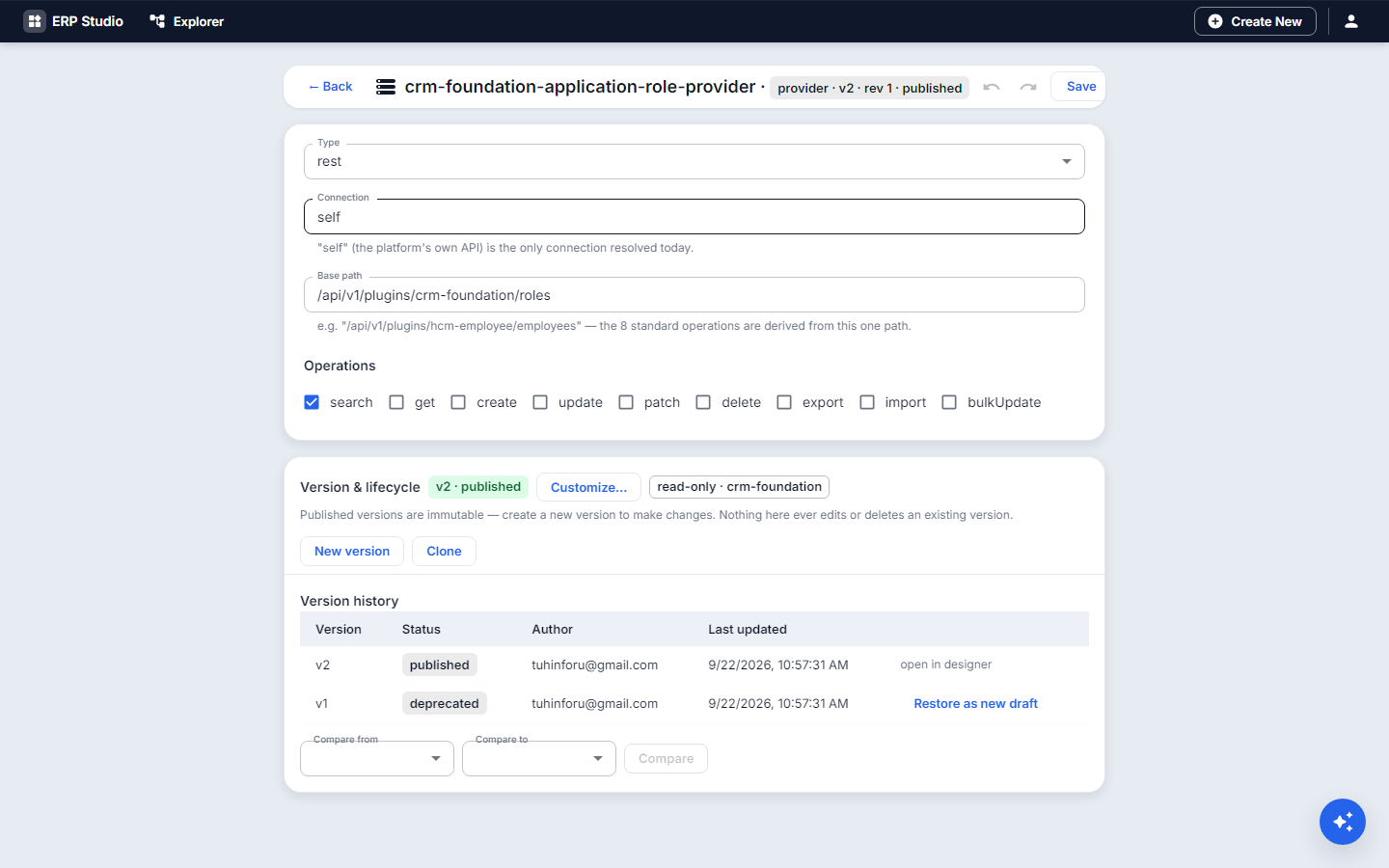
| Data Provider | a name that points to a REST base path (an entity's records API, or an external API through a connector) | the source a data table (grid) reads and writes |
| Data View | a read-only, declared join over tables | dropdown lists, lookups, multi-table reads |
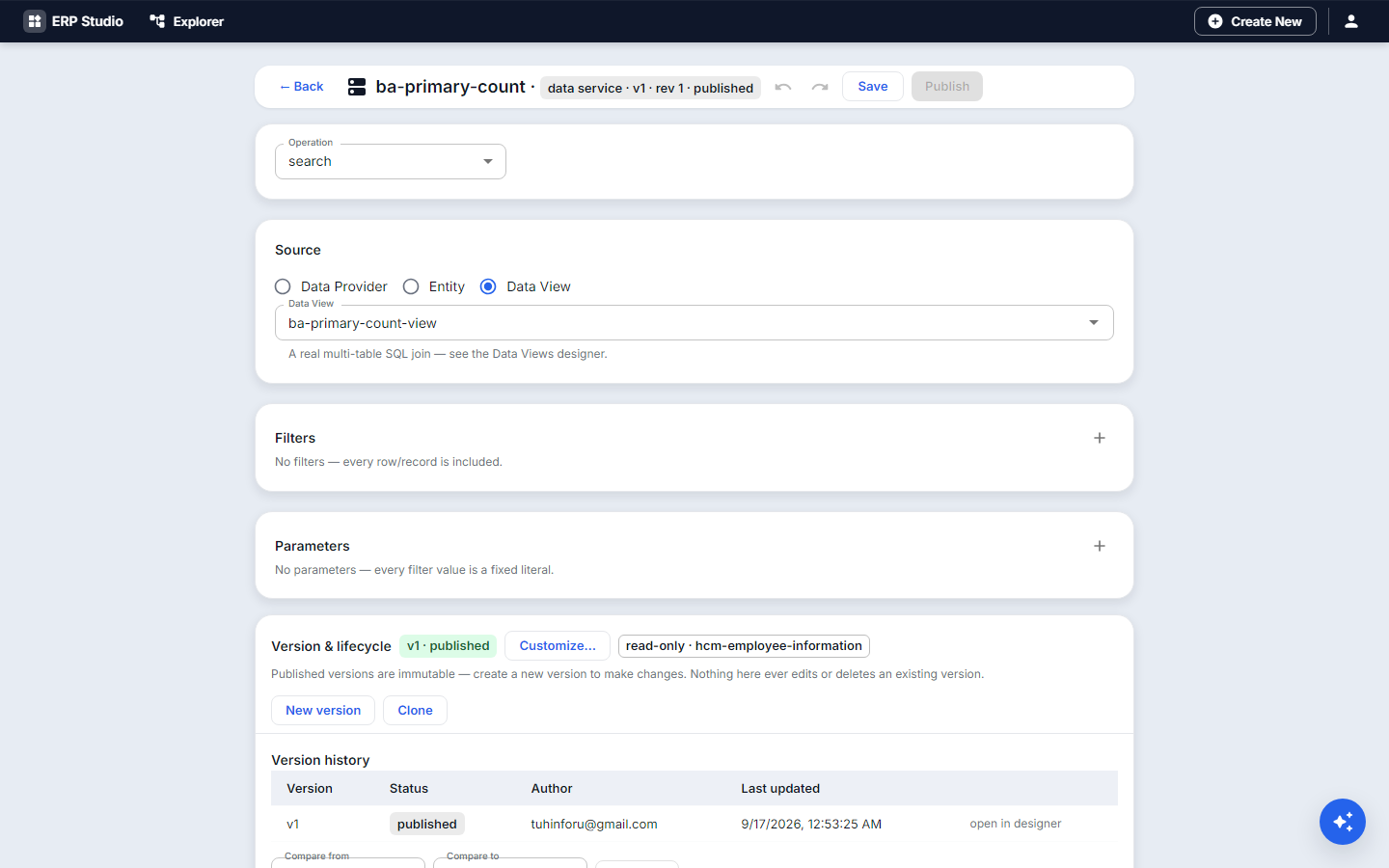
| Data Service | a parameterized query: count, search, get, or composite (several at once) | KPI numbers, typeahead search, dashboards |
Rule of thumb: prefer a view or a service over a hand-written endpoint. All three respect the caller's tenant and permissions.
The chain from a page to a table is always: page (its data source name) to provider to REST path. A grid has no data setting of its own; it shows what its page's provider returns. "My grid shows 0 rows" almost always means these three names do not line up.
Problem statement
The Loans page needs a table of loans, the Overdue and Out-today numbers, and a borrower dropdown that shows employee names, not ids. Each of those is a different kind of data request.
All features
- Provider: name, description, kind (
rest), connection (selffor the platform, or a named connector for an external API), base path, supported operations (search, get, create, update, delete). - Data view: choose the tables, define the joins, pick and label the columns, add filters, sorting and the id/label pair for option lists. Read-only, so it can never damage data.
- Data service: choose the kind (count, search, get, composite), the entity or view it reads, the parameters callers can pass, filters, and the shape of the result. A composite service returns several results in one call, ideal for a dashboard.
- Try it: run a view or service from the designer with sample parameters and see the rows.
- Permissions: each returns only what the current user may see (record-level scope rules apply).
- Problems, History, JSON tab, Publish like every artifact.

Step by step
A provider for the loans table
- Open Providers, New. Name
equipment-loan-provider. - Kind
rest, connectionself, base path/api/v1/entities/equipment_loan/records. - Tick supported operations: search, get, create, update.
- Publish. On your Loans page, set the page's data source to
equipment-loan-provider.
A count for the KPI card
- Data services, New. Name
loans-overdue-count, kind count. - Entity
equipment_loan. Filter:statusequalson_loananddue_onis before today. - Try it: the result shows a number. Publish.
- On the KPI card, bind the value to this service.
A borrower dropdown
- Data views, New. Name
employee-options. - Choose the
employeetable; idid; labelfull_name; sort by label. - Try it, then Publish. Use it as the options source of the
borrowerfield.
Check it worked
The table shows loans, the card shows the number, the dropdown shows names. If the table is empty, check that the page's data source name equals the provider name exactly, and that the base path supports search.
Common mistakes
- Names that differ by a character between page and provider.
- Using a data view to write data: views are read-only; writes go through the provider.
- Forgetting the user's permission: a service that returns nothing for a user may simply be filtered by their access.
Next
Blocks show this data; Dashboards combine several services.