
Appearance
Build a knowledge base - documents, embeddings and search
The real problem
Northwind's helpdesk keeps hearing "How many days of parental leave do I get?" The answer is in a 40-page leave policy, but employees will not read it, and a bare model will guess. Worse, the policy differs by country.
The fix is a knowledge base: the policy is cut into passages, each turned into a vector by an embedding model, so the right passages can be found and handed to the model.
The idea in one minute
- A knowledge base (code such as
hr-policies) holds documents. - Each document is split into chunks (size and overlap are settings on the knowledge base).
- Each chunk gets an embedding (a list of numbers that captures meaning) from your embedding profile, stored in the platform's vector store.
- A search can be vector (by meaning), keyword (exact words; useful for codes like "Form 16"), or hybrid (both, combined by rank). Hybrid is the default because it is best on mixed content.
- Any embedding dimension works (384, 768, 1024, 1536). Each search only compares vectors from the same model.
Designer path (Studio)
- Make sure you have an embedding profile (Models).
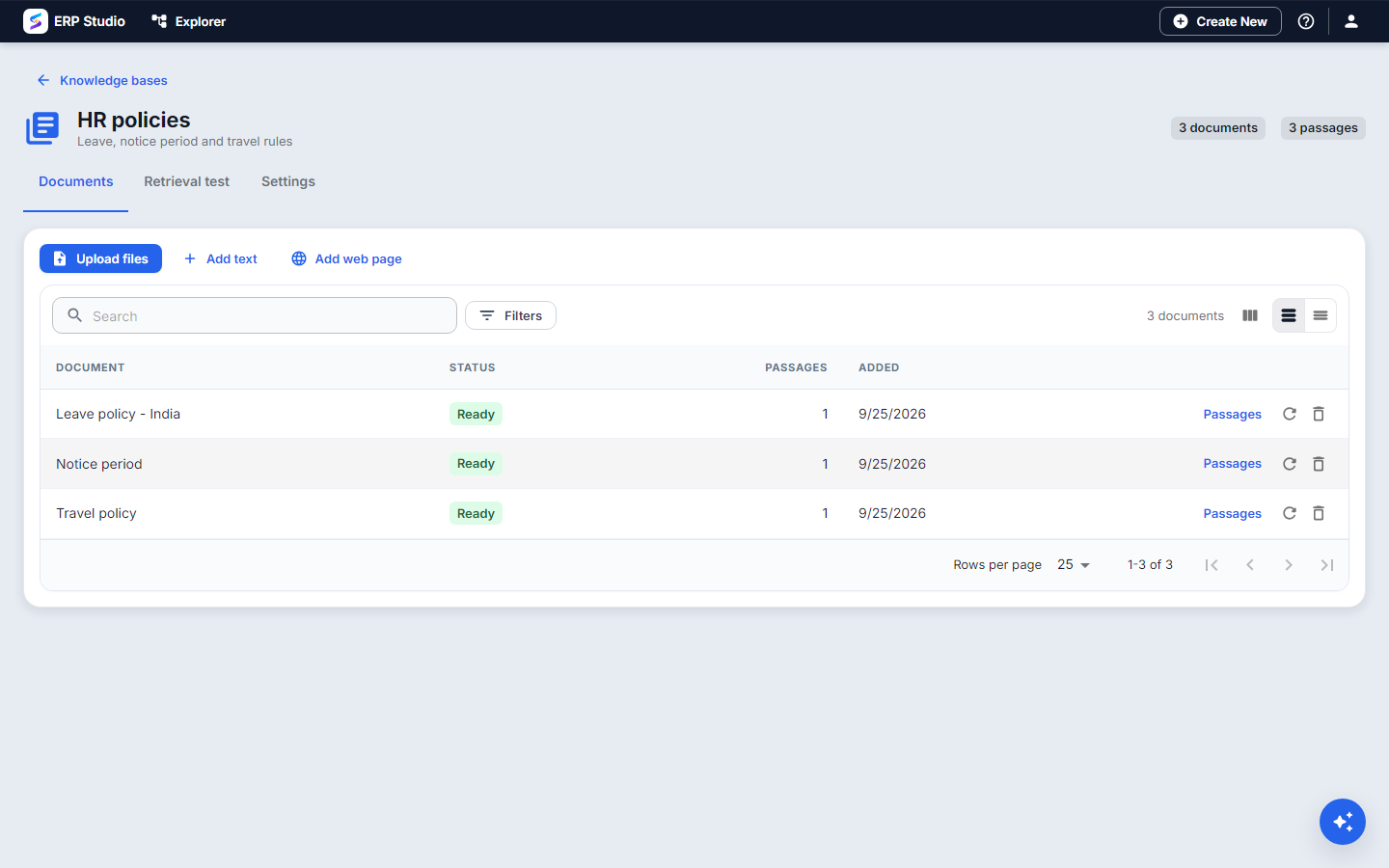
- Open AI Studio > Knowledge bases > New. Code
hr-policies, name "HR policies". - Open the Settings tab. Set chunk size (about 800 to 1200 characters suits policy text) and overlap (about 10 to 15 percent of that). Use chunk preview to paste a paragraph and see exactly where it will be cut. Choose the default search mode and top K.
- On Documents, choose Add text, Upload a file (plain text) or Add web page (paste a URL; the page is fetched safely and its text extracted). Each document shows its chunk count.
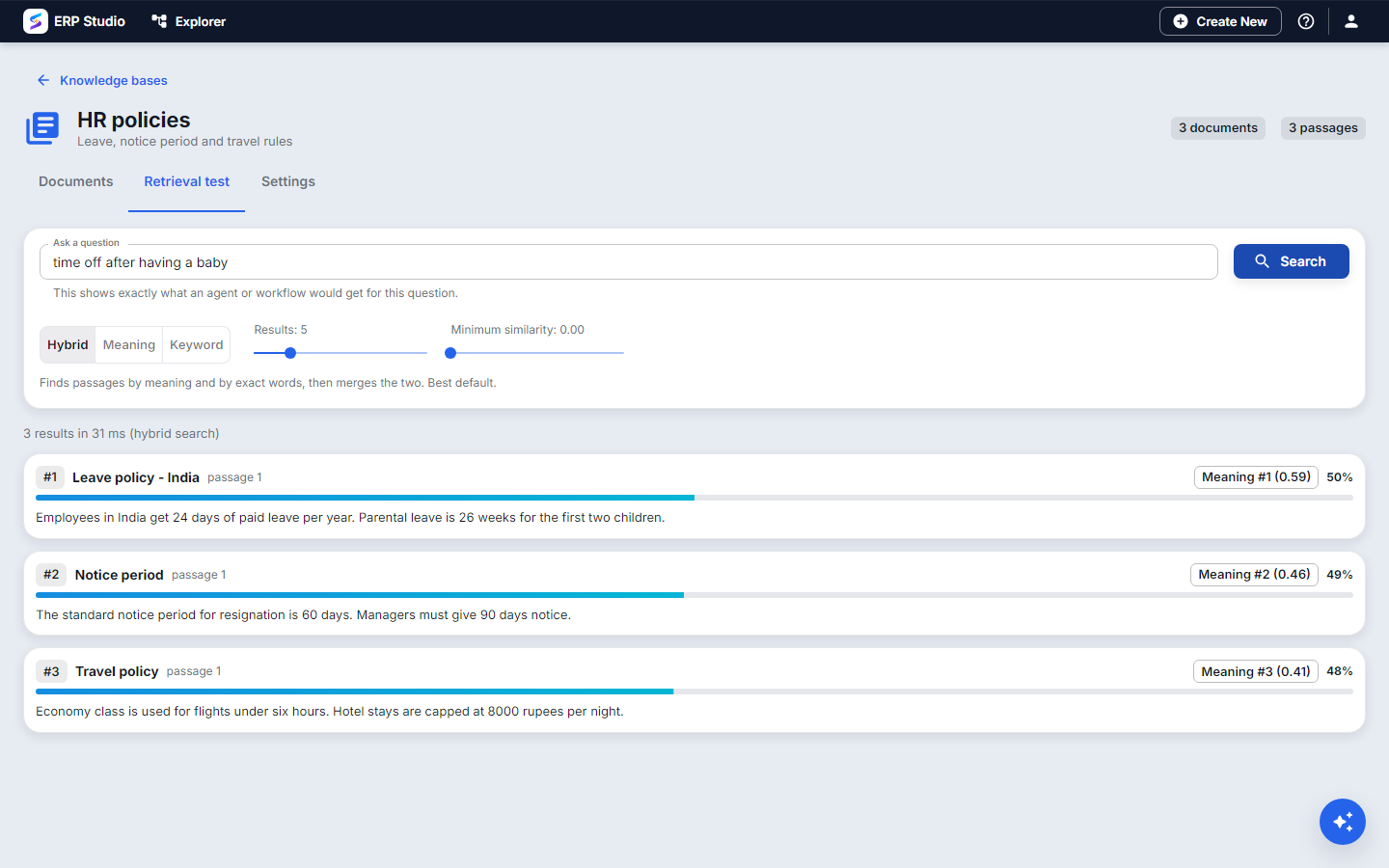
- Open Retrieval test. Type the question an employee would ask. You see the passages, their scores and which mode found them. Try vector, keyword and hybrid side by side.
- Change the chunk size or the embedding model? A banner tells you the knowledge base needs a Re-index. Press it; old vectors are replaced.
Tip: split one big policy by country into separate documents named "Leave policy - India", "Leave policy - Germany". The title travels with each passage and shows up in citations.
Developer path
Ship a small knowledge base inside a plugin, metadata/knowledge/hr-policies.json:
json
{
  "sourceCode": "hr-policies",
  "name": "HR policies",
  "sourceType": "TEXT",
  "documents": [
    { "title": "Leave policy - India", "content": "Employees get 24 days of paid leave per year. Parental leave is 26 weeks for the first two children." }
  ]
}
Validate it, then work with it from the CLI:
bash
erp schema validate spk-assembly/metadata/knowledge/hr-policies.json --schema ai-knowledge-base
erp plugin op ai-kb-list
erp plugin op ai-kb-query --code hr-policies --query "parental leave" --mode HYBRID
Or over HTTP (/api/v1/knowledge/sources):
POST /                                   { "sourceCode":"hr-policies","name":"HR policies","sourceType":"TEXT" }
POST /hr-policies/documents              { "title":"Leave policy - India","content":"..." }
POST /hr-policies/documents/from-url     { "url":"https://intranet.northwind.example/leave","title":"Leave (web)" }
POST /hr-policies/query                  { "query":"parental leave","mode":"HYBRID","topK":5 }
POST /chunk-preview                      { "content":"...","chunkChars":900,"overlapChars":120 }
POST /hr-policies/reindex
The plugin installs the documents on the tenant, embeds them with the tenant's embedding profile, and skips a malformed file with a log line instead of failing the install.
How to verify
- Retrieval test for "parental leave" returns the India passage first, with a score and its document title.
- Ask the same in keyword mode with a word that is not in the text; the result is empty. That proves the search is real, not a guess.
- Vector search for a paraphrase ("time off after a baby") still finds it. That proves the embeddings work.
Common mistakes
- Chunks too small. Answers lose context. Too large and unrelated text dilutes the match. Use the preview.
- Changing the embedding model and not re-indexing. Old and new vectors do not mix; searches will return nothing for the new model until you re-index.
- Expecting per-user document access. Access is per knowledge base today. Put restricted documents in a separate knowledge base and give it only to agents that may use it.
- Uploading a PDF or Word file. Not supported yet; export to text or paste the content.
Not built
PDF and Word ingestion, crawling a whole site, scheduled re-sync from a source, and per-passage access rules.
Next
Prompts - control what the model is told.